Video editing model by Runway

Runway Aleph 2.0

Aleph 2.0 changes a video you already have, and only the part you name: a product's color, the weather, a background, a jacket. Describe the change or show it on one frame, and it carries through up to 30 seconds of footage, cuts included.

Edit a video with Aleph 2.0
Edited with Runway Aleph 2.0

The edit instruction

Turn the red desert into a frozen one at dusk: the dunes covered in fresh white snow, a thin layer of frost on the travelers' robes, scarves and goggles and on the camels' packs, light snow drifting in the air, and the sky a cold violet with the two suns low and pale. Keep the caravan, every traveler and camel, everyone's movements, the rock spire, all three shots and the camera moves exactly as they are.

References

  • Original clip

Settings

  • 15 seconds
  • 21:9
  • Edited from the original clip

Edited with Runway Aleph 2.0 on October 24, 2026 from an original clip made with FLUX 3 Video. Trimmed only, nothing else touched.
Try this prompt

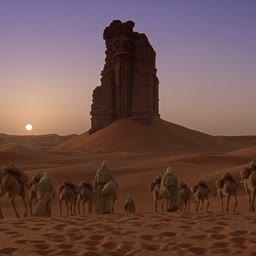
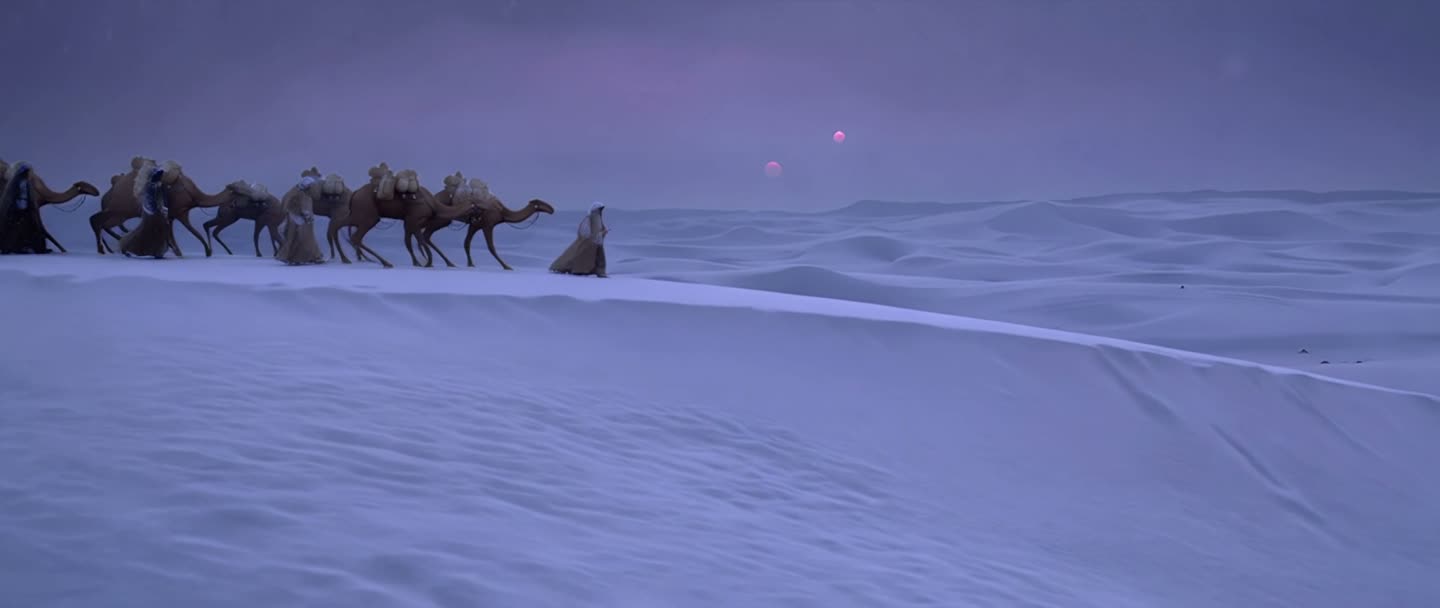
A camel caravan crosses red dunes under two suns in three shots, edited with Runway Aleph 2.0 into a frozen desert at dusk, with the caravan, its movements and the camera moves unchanged.

Before and after

It snowed. Nothing else moved.

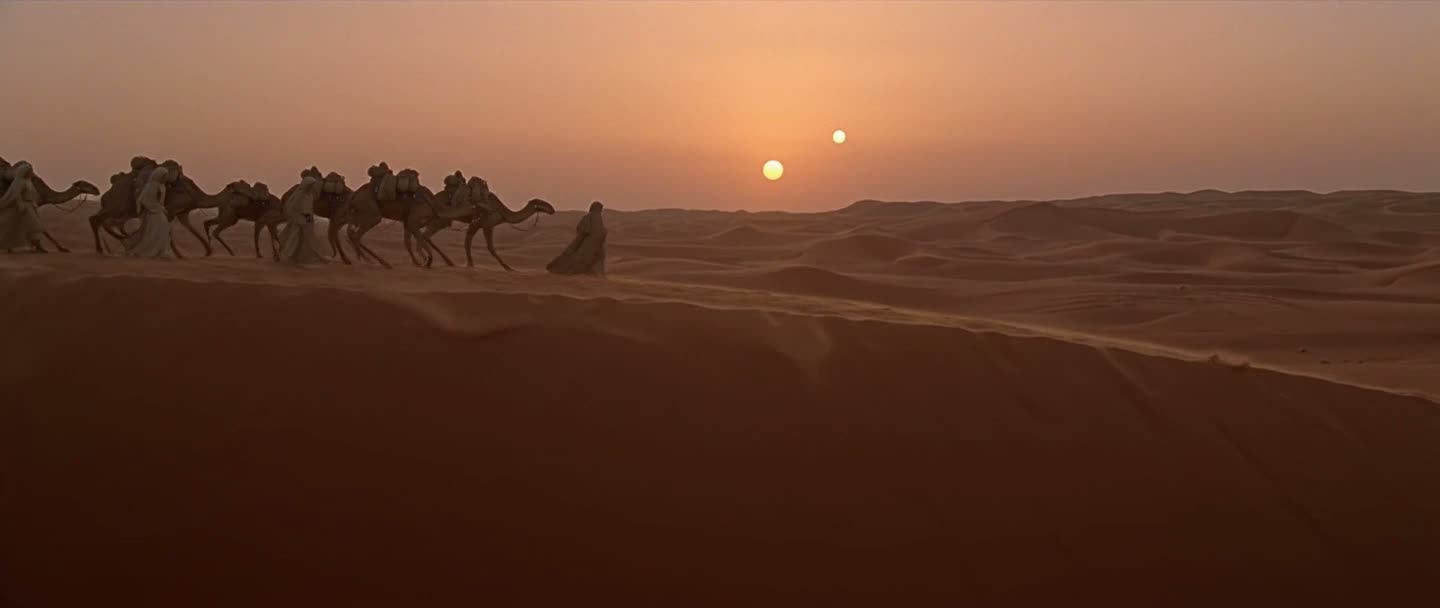
Drag across the same moment from the original and the edit. The caravan, the shape of the dunes and the framing stay where they were, and only the weather changed.

A camel caravan crossing red dunes at sunset under two suns, from the original clip The same caravan, same positions and framing, crossing snow-covered dunes at dusk, edited with Runway Aleph 2.0 Original: red desert Edited: frozen desert
The same frame at 0:02. Drag to compare.
Variants

One video, three versions

All three edits below started from this 10-second subway clip, and each one changed a single thing. That's how one shoot becomes a whole campaign.

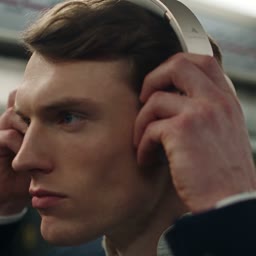
The original

A commuter takes his headphones out of his bag and puts them on in a crowded subway. Made with Seedance 2.5 and trimmed to 10 seconds.
Rebrand a product

Put your label on the product, for the whole clip

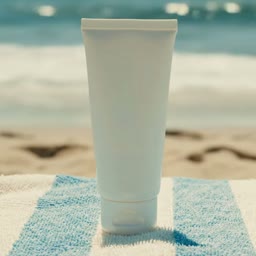
Describe how the product should look and Aleph repaints it in every frame, while the towel, the waves and the camera carry on as they were. Here, a blank white sunscreen tube became a coral SEAWARD tube for the full 8 seconds.

  • Original clipBlank tube on a beach towel, 8 secondsVideo 1

Check the small print. Aleph spelled SPF 50 as "SPP 50" on this label, so read every word before you post, or add an edited frame of the product as a reference.

Aleph's result

A blank white sunscreen tube on a striped beach towel, edited with Runway Aleph 2.0 into a coral SEAWARD tube for the whole clip.

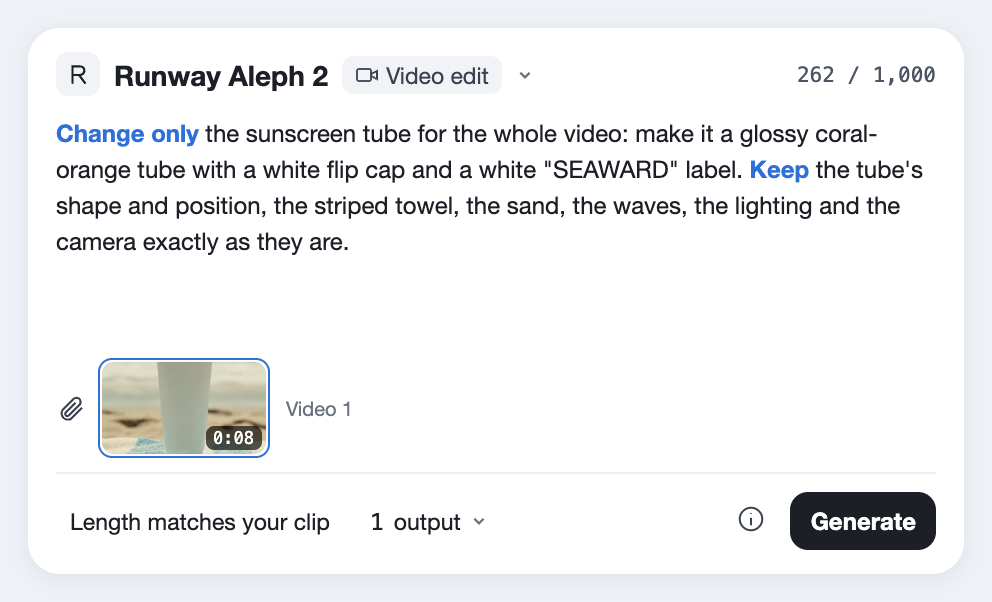
The edit instruction

Change only the sunscreen tube for the whole video: make it a glossy coral-orange tube with a white flip cap, and print a clean white label on the front reading "SEAWARD" in bold rounded capitals, a small white wave icon above it, and "SPF 50" below it. Keep the tube's shape, size and position, the striped towel and its flapping corner, the sand, the waves, the lighting and the camera exactly as they are.

References

  • Original clip

Settings

  • 8 seconds
  • 16:9
  • Edit from text

Edited with Runway Aleph 2.0 on Predis.ai on October 27, 2026, from an original clip made with Google Veo 3.1. Nothing retouched.

Try this prompt
Multi-shot

One instruction, every cut

The hero clip has three shots from different angles. Aleph applied the snow to each one from a single instruction, so nothing had to be redone shot by shot.

Click a shot to jump to it.Tap a shot to jump to it.

Uploading the whole cut at once keeps the edit consistent from shot to shot.

Three steps

How to edit a video from one frame

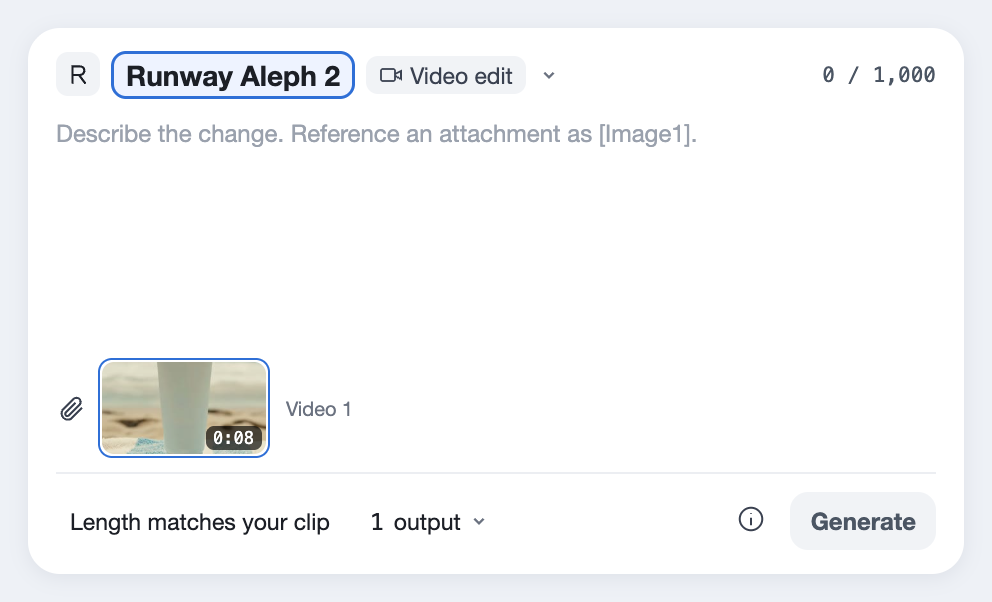
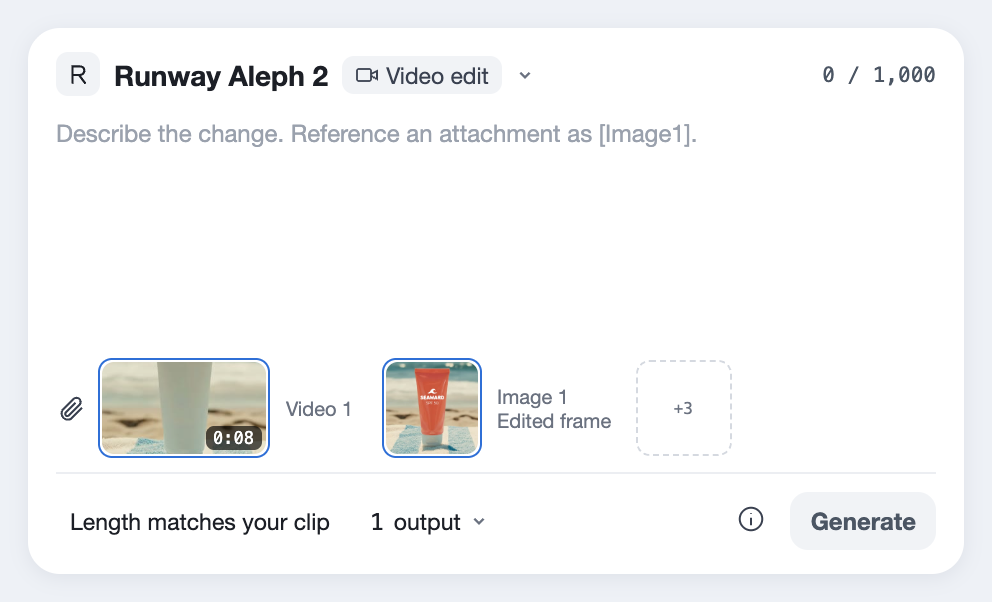
  1. Runway Aleph 2 picked in the Predis.ai Model Studio, with an 8-second sunscreen clip attached as Video 1
    01

    Pick the clip

    Upload up to 30 seconds of footage you have the rights to, ideally at 24 or 30 fps. Clips with several cuts are fine.

  2. An edited frame of the sunscreen clip added as Image 1, next to the video
    02

    Edit one frame, or describe the change

    Grab a frame, edit it in any image editor the way the product should look, and add it as a reference image. Or simply write the change in a sentence.

  3. An edit instruction that names the change and everything that should stay, ready to generate
    03

    Say what stays

    Name the change, then name what mustn't move. Each edit on this page took about 5 minutes.

Runway's own examples are short and specific, like asking for the sneakers to be red. We make one change per pass and stack them, which keeps each result easy to check.

Change [the one thing] to [what it becomes].
Keep [the people], [their movement], [the background] and [the camera] exactly as they are.
[Optional] Match the look of Image 1.
Choosing an editor

Aleph 2.0, the original Aleph, or Wan 2.7?

Three models can edit video, and they're good at different things. Here they are side by side.

FeatureRunway Aleph 2.0Runway Aleph (2025)Wan 2.7 VideoEdit
Longest clip30 seconds5 seconds10 seconds
Edit from a frameYes, up to 4 edited frames on Predis.aiUp to 3 reference images1 reference image on Predis.ai
Footage with cutsYesNot documentedNot documented
SoundOriginal keptNot handled, add it afterComes back silent
ResolutionUp to 1080p720p720p or 1080p
Best forPrecise changes to real footageNew camera angles and continuing a sceneBig scene and style changes from a sentence
On Predis.aiYesOn Runway onlyYes

For product colors, backgrounds and wardrobe on real footage, we'd use Aleph 2.0. For a new camera angle on the same scene, the original Aleph still does what 2.0 doesn't, but it's your call.

Aleph 2.0 in detail

  • Made byRunway
  • ReleasedMay 21, 2026
  • What it doesEdits video you already have; it doesn't create video from scratch
  • Clip length2 to 30 seconds in, the same length out
  • ResolutionUp to 1080p, matching your footage
  • Guide it withA sentence, or up to 4 edited frames on Predis.ai
  • Footage with cutsEdits carry across every shot
  • SoundYour original audio is kept
  • Open weightsNo; Runway hosts it
  • InstructionUp to 1,000 characters
Last checked on October 24, 2026.
Before you upload

Where Aleph 2.0 stops

Aleph is an editor, so most of its limits are about the footage you bring. Here they are, each with a way around it.

It needs footage

Aleph can't make a video from nothing; it only edits what you upload.

FixMake the source with a generator like Seedance 2.5 or Kling 3.0 Pro, then edit it here.

30 seconds at most

Clips longer than 30 seconds won't go in.

FixCut long videos into scenes and edit each one.

Best at 24 or 30 fps

Reviewers found it works best with footage at 24 or 30 frames per second.

FixConvert other frame rates before you upload.

One clip at a time

There's no batch editing, so each version is its own pass.

FixPlan your versions up front and run them one after another.

No new camera angles

Aleph 2.0 changes what's in the shot, not where the camera is; the original Aleph is the one for new angles.

FixUse the original Aleph on Runway for a new angle, then Aleph 2.0 for the details.

Paid plans only on Runway

On Runway's own app, Aleph isn't part of any free tier.

FixOn Predis.ai it runs on your plan.

What to know about Runway Aleph

What is Runway Aleph 2.0?

It's Runway's video editing model, released with its Edit Studio app. It changes the part of a video you describe or show on a frame, keeps the rest, and works on clips up to 30 seconds long.

No. It only edits footage you upload, so make the source first with a video model or a camera.

Anywhere from 2 to 30 seconds, and the edited video comes out the same length.

Product colors, backgrounds, weather, clothing and style, and it can remove objects. Runway's own examples include turning sneakers red and clearing items off a wall.

Aleph 2.0 takes up to 30 seconds instead of 5, follows edited frames, and works across cuts. The original Aleph is still the one for new camera angles and continuing a scene, and it's available on Runway only.

Aleph 2.0 keeps everything you didn't ask to change, takes edited frames and handles 30 seconds. Wan 2.7 VideoEdit edits from a sentence, up to 10 seconds, and returns the clip without sound.

Yes. Aleph 2.0 keeps your original audio, and every edit on this page came back with the same sound as its original clip.

Yes. Upload the whole cut and Aleph applies the edit to every shot it affects.

On Runway's own app it's for paid plans only. On Predis.ai you can try it during the 3-day trial, which needs a card and moves to a paid plan unless you cancel.

It's a paid model on Predis.ai, and the Generate button shows the cost of each edit before you make it.

Runway released it on May 21, 2026, about ten months after the original Aleph.

There's an API through Runway and partners, but no open weights; Runway hosts the model. On Predis.ai you don't need the API, since it's built into the Model Studio.

One shoot, every version

Upload a clip you already have and change one thing.

Edit a video with Aleph 2.0

Runway is a trademark of Runway AI. Predis.ai is not affiliated with or endorsed by Runway AI.