Video model by Alibaba

Wan 2.7

Wan 2.7 makes clips of up to 10 seconds with sound, and it holds together prompts with a lot of rules, like a storm where only the world stops. It can also take a video you've already made and change the scene, the style or the action from one sentence.

Make a video with Wan 2.7
Made with Wan 2.7

The prompt

16:9, 10 seconds, 720p, sound on. Multi-shot, 5 shots. Look: ultra-photorealistic live-action fantasy, as if shot on location with a real performer and a practical costume. Natural skin texture, heavy fabric with visible fibers, wet moss, rough bark, real rain. 28mm and 50mm lenses, subtle film grain, restrained color: deep forest greens and grays with one vivid red. Character (invented, adult): a mage in her thirties with long copper-red hair and a pale, freckled face, wearing an immense deep-red hooded cloak of heavy wool that drags on the ground, and carrying a tall wooden staff wrapped in living moss. Keep her face, hair, cloak and staff identical in every shot. The rule of the scene: when she raises the staff, the world freezes but she does not. Rain, leaves and debris stop dead in midair, while her hair and cloak keep moving in a faint wind and she moves freely through the frozen storm. Shot 1 (0-2s): Wide, the camera pushing through the trees as a violent supernatural storm tears through an old forest. Branches whip, leaves and bark spiral, rain sheets sideways. Far ahead, the mage stands still, a red figure against dark green. Sound: roaring wind, cracking branches, heavy rain. Shot 2 (2-4s): Low-angle medium shot. She lifts the staff high above her head with both hands, calm and focused, the wind dragging her hair and cloak sideways. Sound: the storm at its loudest, a deep rising tone. Shot 3 (4-7s): Close on her hand gripping the staff. At the peak of the gesture, time stops. The camera glides slowly through the frozen storm: raindrops hang like glass beads, a torn leaf hovers mid-spin, splinters of a shattered oak float in place. Only her cloak still ripples. Sound: sudden silence, then a faint high ringing. Shot 4 (7-9s): Close-up. She reaches out and touches one suspended raindrop with her fingertip; it trembles but stays in the air. She closes her hand into a fist. Sound: a tiny crystal chime, her slow breath. Shot 5 (9-10s): Wide. Everything rewinds at speed: rain flies back up into the sky, leaves return to their branches, and a huge shattered tree behind her pulls its splinters back together and stands whole again, bark sealing over. The forest settles into calm, misty light. Sound: a reversed whoosh building to a deep boom, then soft dripping and birdsong. Negative prompt: CGI look, game-engine render, plastic textures, the mage freezing with the world, her cloak changing color, extra limbs, text, watermark.

Settings

  • 10 seconds
  • 720p
  • 16:9
  • Sound on

Made with Wan 2.7 on October 23, 2026. Trimmed only, nothing else touched.
Try this prompt

A mage in a heavy red cloak raises her staff in a forest storm and time stops around her, rain and leaves frozen in midair while she keeps moving; she closes her hand and the storm rewinds as a shattered tree rebuilds itself. Made with Wan 2.7.

Edit by instruction

Change the world, keep the walk

Give an edit model a clip and one sentence. Here, a Wan 2.7 beach clip became Mars, edited with Wan 2.7, while the astronaut's steps and the camera move stayed exactly where they were.

The edit instruction

Change the beach and the sea into the rust-red surface of Mars: rocky red sand, low dusty dunes, and a pale butterscotch sky with two small moons near the horizon, lit by a cooler, thinner sunset. Keep the astronaut, the spacesuit, the orange patch, every step, the bootprints, the moment they stop and lift their hand, and the camera move exactly the same.

The original clip's prompt

16:9, 10 seconds, 720p, sound on. Single continuous shot. Look: cinematic science fiction at golden hour, warm amber and soft teal, 35mm, light film grain. An astronaut (invented, adult) in a white and silver spacesuit with an orange mission patch on the left shoulder and a mirrored gold visor walks slowly along the wet sand at the edge of a calm sea at sunset, leaving a line of bootprints. Halfway through, the astronaut stops, turns toward the horizon and lifts one gloved hand to shade the visor. Camera: a slow tracking shot from the side at waist height, matching the astronaut's pace, then holding as they stop. Sound: soft waves, wet sand crunching under each boot, the faint hiss of the suit's air supply. Negative prompt: a visible face through the visor, text, logos, extra limbs.

Settings

  • 10 seconds
  • 16:9
  • Edit, no sound

Original clip made with Wan 2.7 on Predis.ai on October 23, 2026. Edited with Wan 2.7 on Predis.ai on October 27, 2026. Nothing retouched.

Try this prompt
Original clip, 10 seconds
After one sentence, edited with Wan 2.7
0:00 / 0:10

An astronaut walks along a beach at sunset, then the same clip edited with one sentence in Wan 2.7 so the beach becomes the red surface of Mars, the walk and camera move unchanged.

What an edit can changeAnswer
Scene and settingYes
Style, such as anime or paintingYes
How a character looksYes
What a character does or saysYes
Camera framingYes
SoundNo, edited clips come out silent
Clip lengthUp to 10 seconds

Edits come out silent, so keep the original clip's sound or add a track afterward. If the change is big, rewriting the original prompt can be faster than editing, but that's your call.

First and last frame

You pick the opening and the reveal

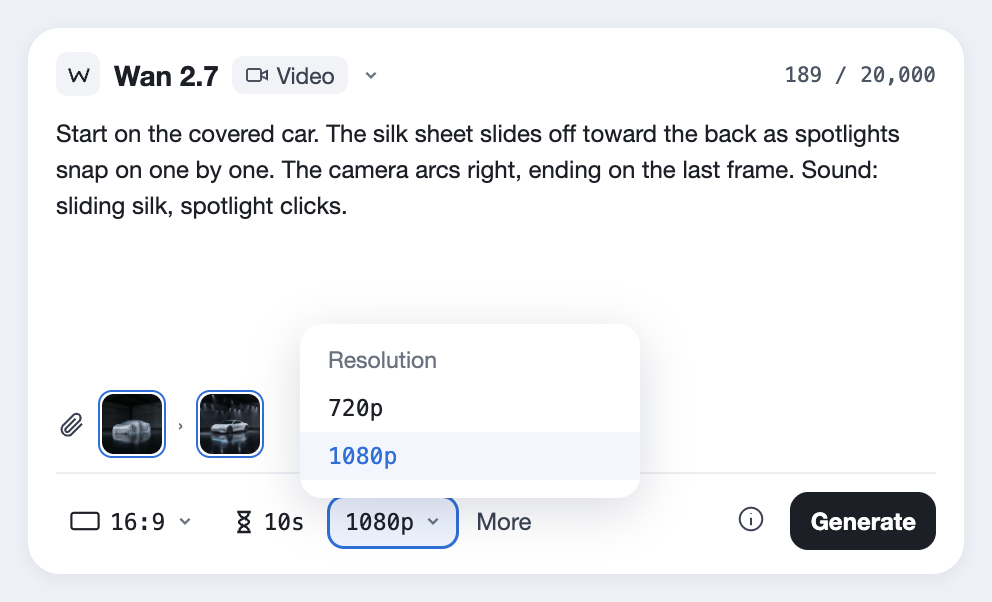
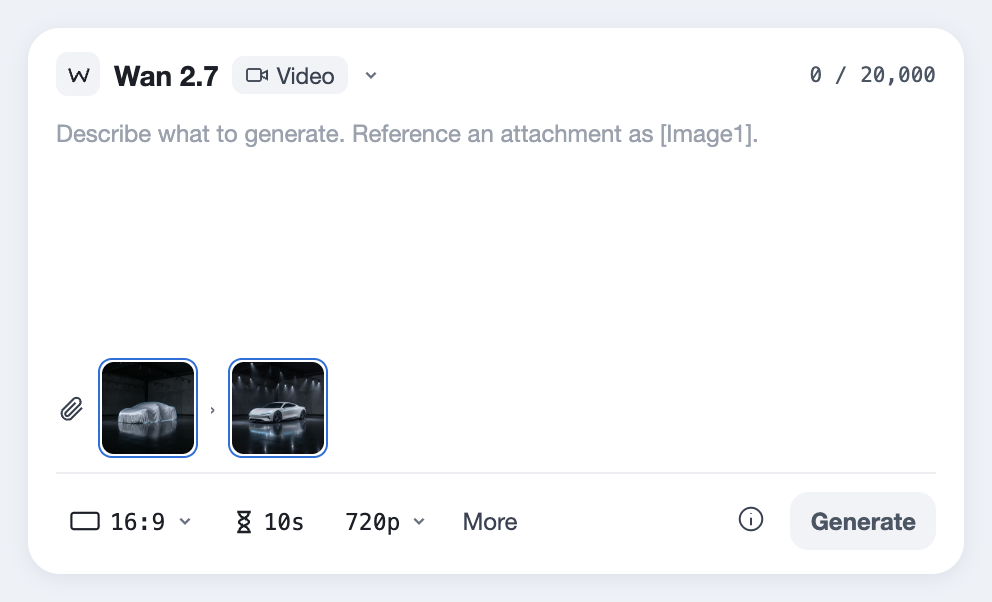
Upload the frame you want to start on and the frame you want to end on, and Wan 2.7 fills the 10 seconds between them. For a launch, that means the covered car and the final hero shot are both ones you approved.

Hover a frame to see where it shows up.Tap a frame to see where it shows up.

Shoot both frames from the same angle. The closer they match, the smoother the move between them.

What Wan 2.7 made between them

A silk sheet slides off a car in a dark showroom as spotlights snap on, revealing the AERO concept car. Made from a first and a last frame.

The prompt between the frames

16:9, 10 seconds, 720p, sound on. Single continuous shot, starting on the first frame and ending on the last frame. Look: premium automotive launch film, deep blacks, crisp highlights, slow and confident. In the dark showroom, the silk sheet begins to slide off the car toward the back, pulled by unseen wires, rippling and catching the light as it falls away. One by one, spotlights snap on overhead, each lighting more of the pearl-white body. The ice-blue light line glows on from nose to tail. The camera makes a slow, smooth arc to the right and settles on the final framing, the AERO lettering sharp behind the front wheel. Sound: the soft hiss of sliding silk, a heavy click as each spotlight switches on, a low electronic hum rising as the light line glows, then one deep bass note. Negative prompt: people, misspelled text, real car brands, the car changing shape, the sheet passing through the car.

Settings

  • 10 seconds
  • 720p
  • 16:9
  • Sound on

Made with Wan 2.7 on October 23, 2026. Trimmed only, nothing else touched.
Try this prompt
Made with Wan 2.7

Five prompts, three ways in

These are sorted by what went in: a prompt, a photo or a clip that already existed. Open any card to see exactly what was asked.

Step by step

How to make a video from a first and last frame

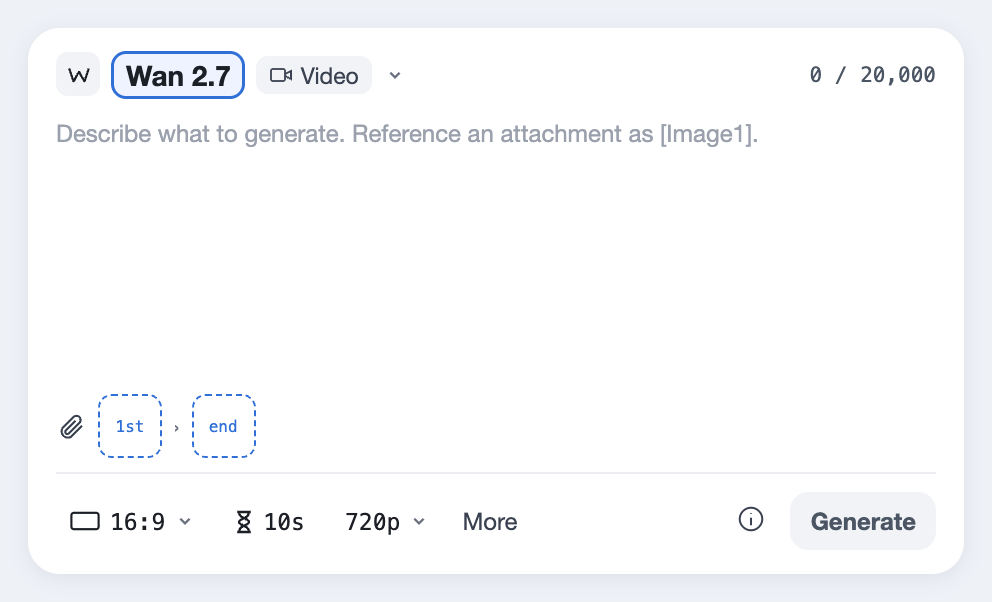
  1. Wan 2.7 selected in the Predis.ai Model Studio, with the first and last frame slots under the prompt
    01

    Choose Wan 2.7

    Open the Model Studio and choose Wan 2.7. The first and last frame slots sit under the prompt.

  2. A first frame and a last frame uploaded side by side
    02

    Upload the two frames

    Add the frame you want to open on, then the one you want to end on. Making the last frame as an edit of the first keeps the angle and the room the same.

  3. A prompt describing what happens between the two frames
    03

    Describe what happens between them

    Say what moves, in what order, and where the camera ends up. A 10-second clip took about 4 minutes in our tests.

We write every prompt between two frames in the same shape: where it starts, what changes, and where the camera lands.

Start on the first frame: [what we see].
Then [what moves or changes], [in what order].
The camera [the move], ending on the last frame: [what we see].
Sound: [effects], [music].

Wan 2.7, by the numbers

  • Made byAlibaba (Tongyi Lab)
  • ReleasedApril 2026
  • Clip lengthUp to 15 seconds, or 10 for an edit
  • Resolution720p or 1080p
  • Ways inA prompt, a photo, a first and last frame, or an existing clip to edit
  • SoundMade with the video; edits come back silent
  • Open weightsNot released for 2.7
  • Formats16:9, 9:16, 1:1, 4:3 and 3:4
Last checked on October 23, 2026.
Fine print

What it won't do yet

Most of these come straight from Alibaba's own documentation. Each one has a way around it, so it's worth a read before your first edit.

Edits stop at 10 seconds

New clips run up to 15 seconds, but Wan 2.7 VideoEdit takes at most 10.

FixTrim the clip to the 10 seconds you want changed before you edit it.

Edits come back silent

An edited clip has no sound at all.

FixKeep the original audio and lay it back over the edit.

No 4K

It tops out at 1080p.

FixFor 4K, use Google Veo 3.1.

Not for your own computer

Wan 2.7 isn't released as open weights, so it can't run locally in tools like ComfyUI.

FixUse it through Predis.ai; for local work, the open Wan 2.2 models are the current option.

Busy prompts take longer

Prompts with many rules take longer, since the model reportedly plans the scene before it starts.

FixDraft with a simple prompt, then add detail for the final.

What people ask about Wan 2.7

What is Wan 2.7?

It's Alibaba's video model, made of four parts: text-to-video, image-to-video, reference-to-video and video editing. It makes clips at 720p or 1080p with sound, up to 15 seconds long on Predis.ai, or 10 for an edit.

Not yet. The open-weight Wan models on GitHub and Hugging Face are earlier versions such as Wan 2.2, while Wan 2.7 runs through Alibaba Cloud and the platforms built on it.

Only once its weights are public, which hasn't happened yet. Until then, ComfyUI workflows labeled Wan run the open Wan 2.2 models.

Alibaba released it in spring 2026, with API access reported from March and the full set of models in April.

On Predis.ai it's a paid model you can try during the 3-day trial, which needs a card and moves to a paid plan unless you cancel.

Yes, with Wan 2.7 VideoEdit in the Model Studio. Upload a clip up to 10 seconds and describe the change in a sentence, and the edited clip comes back without sound.

Up to 10 seconds on Predis.ai, for new clips and edits alike. Through Alibaba Cloud's own API it goes up to 15 seconds from a prompt or an image.

Yes, it generates sound with the video by default, or you can upload your own track. Edited clips are the exception and come back silent.

No. Wan 2.7 Image is a separate Alibaba model for still images, and this page covers the video model.

Yes, through Alibaba Cloud Model Studio and providers that build on it. On Predis.ai you don't need one, since it's built into the Model Studio.

It adds first and last frame control, editing by instruction and voice references, and makes 1080p clips up to 15 seconds.

Make one, then change it

Start from any prompt on this page, then edit the result with one sentence.

Make a video with Wan 2.7

Wan is a trademark of Alibaba. Predis.ai is not affiliated with or endorsed by Alibaba.