


Loved by 6.4M+ Users

AI Voiceover Video Maker for Social Media

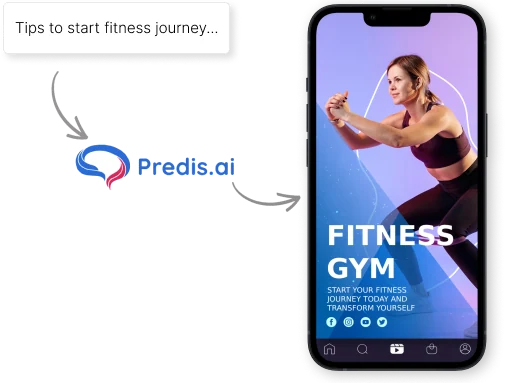
Paste a script or type a few lines, and Predis.ai turns it into an AI voiceover video with a human-like voice and background music. Post it on Instagram and TikTok, or on Facebook and YouTube.

Turn text into AI voiceover videos
and post them from one place

Paste your script or a few lines, and Predis.ai reads it aloud in a male or female voice. It works in more than 19 languages, keeps your brand colors, and exports in full HD 1080p.

1.5 x
Increase in ROAS
75%
Reduction in Hours Spent
6.4M+
Users Across Countries
200M+
Ads Generated
How It Works

How to Create an AI Voiceover Video

Try for Free
  1. Describe your product or message

    Type a few sentences about your product, service, or the message you want to share. Already have a script? Paste it in.

  2. Predis.ai makes your video

    Predis.ai writes the narration, or uses your script, and reads it aloud in a natural voice. It adds stock clips, background music, and a template that suit your message.

  3. Fine-tune the voice and visuals

    Switch to another voice, or turn its volume up or down against the music. Upload your own voiceover and clips, swap the template, or edit the text and colors.

  4. Download or schedule it

    Download your video in full HD 1080p, or schedule it straight to your social accounts from Predis.ai.

Turn Any Script Into a Voiceover Video

Paste a script or describe what you want to say, and Predis.ai's text-to-speech AI reads it aloud in a natural voice. It then adds stock footage, music, and animations that match your brand's style.

Try for Free
Script turned into a narrated voiceover video in Predis.ai
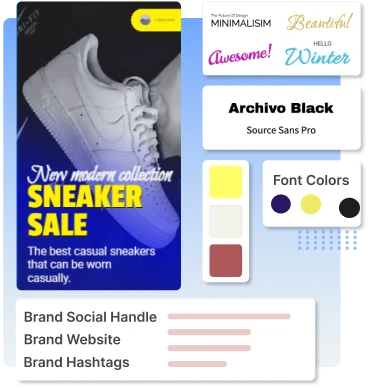
Voiceover video with a brand logo, colors and fonts applied

On-Brand Social and Corporate Videos

Set your logo, colors, and fonts once, and Predis.ai applies them to every video. Social posts, product explainers, and corporate videos all come out looking like your brand.

Create Videos from Text

Human-Like Male and Female AI Voices

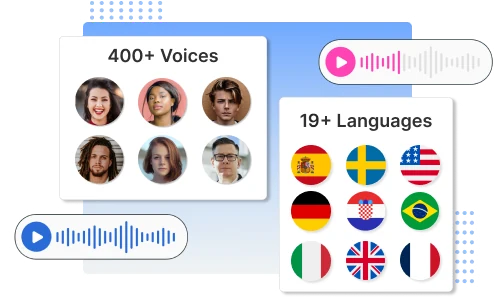
Pick a male or female voice, then set the language and accent, with more than 19 languages to choose from. Each voice has natural pacing, so a promo or an explainer sounds like a person talking.

Make Voiceover Videos
Choosing a male or female AI voice, language and accent in Predis.ai
Customer stories

Hear from our customers

Reviews from a few of the 6.4M+ users making their videos with Predis.ai.

Give Your Next Video a Voice

Start with a few lines of text and get a narrated video you can edit, download, or post.

Try for Free

Frequently Asked Questions

A voiceover video has a voice talking over the footage to explain what's on screen or add to it. You see them a lot in marketing, education, and entertainment.

Type your text into Predis.ai's AI voiceover video generator. It reads your script over stock clips and background music in your brand's style, and you can edit the video before you download it.

Yes. Predis.ai runs in your web browser and has mobile apps on the Google Play Store and the Apple App Store. You can make voiceover videos on your phone or your desktop.

You can upload your own voiceover as an MP3, WAV, or M4A file. Or skip the recording and use one of our AI voices.

Not yet. Each video has one voice track. You can replace it whenever you like, so it's easy to make versions of the same video with different voices.

Predis.ai turns a short text prompt into social media videos with voiceovers. It also writes the captions and hashtags, and you can schedule the posts from the same place.

You may also like to explore

Explore this page in your language