


AI Instagram Ad Maker

From Text Prompt to Published Ad in Seconds

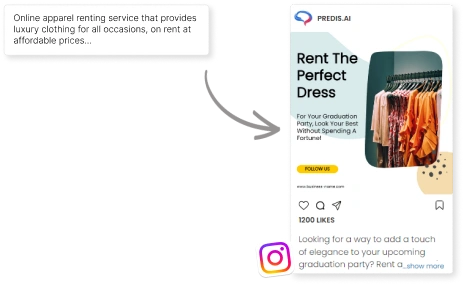
Describe your product in one sentence and Predis.ai creates the entire Instagram ad for you. The AI generates high-resolution visuals, matching ad text, copy, and brand colors in seconds. No design tool, no stock sites needed. Your ad is ready as a photo post, Story image, Reel, or Carousel. Share it directly to your Instagram followers in seconds.

daniel-user-picture ava-user-profile jason-profile-picture elise-user-picture
star-icon star-icon star-icon star-icon star-icon
Loved by 6.4M+ Users

Trusted by Industry Leaders Worldwide

semrush
yamaha
hyatt
accenture
uber
vodafone
dentsu
nvidia
pepsi
tvs
Instagram Ad Templates

Instagram Ad Templates for Every Business

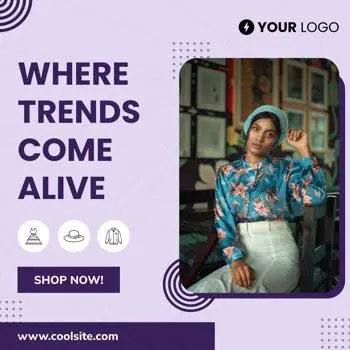
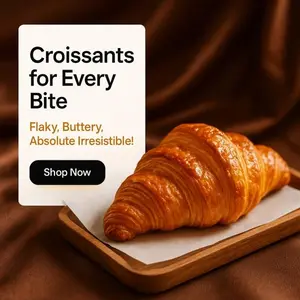
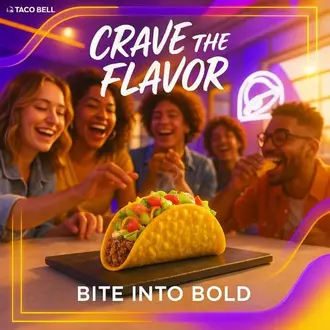
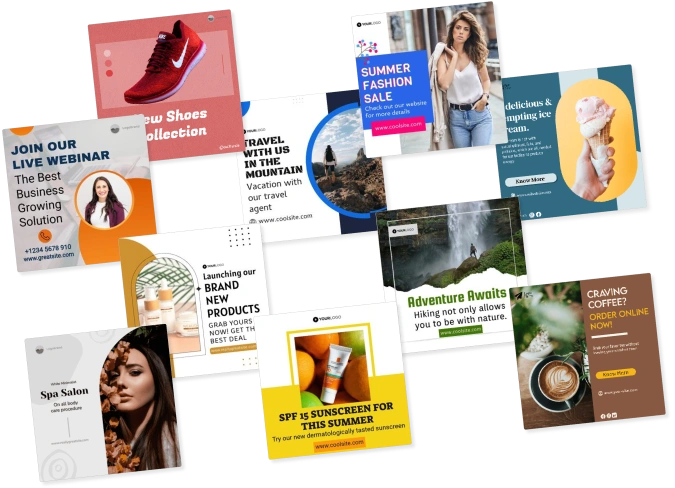
Browse AI-generated photo post and image ad layouts for every industry. Each one features high-resolution product photography, typography, and brand-matched color palettes. Select any template as your visual starting point and the AI customizes it with your imagery and copy instantly.

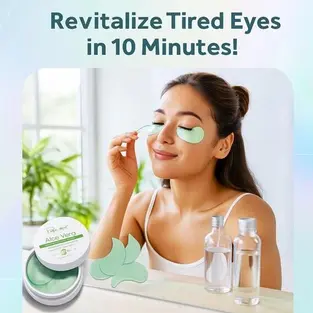
aloe vera face mask - ecommerce product template
courier transport instagram template
travel social media post template
hvac instagram post template
restaurant square template
shoes social media post template
watch ad template
beauty product template
adventure travel ad template
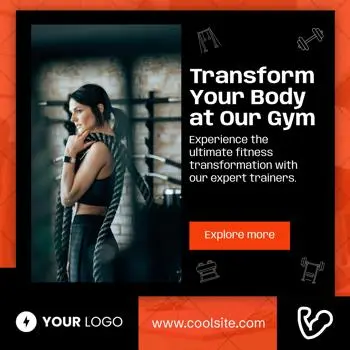
training ad template
How It Works

How to Make an Instagram Ad with AI in 3 Simple Steps

Follow this step-by-step tutorial to go from a text prompt to a published Instagram ad in minutes. This guide covers every stage of the Predis.ai workflow, from your first text input to scheduling your ad on your Instagram profile.
1

Enter your product prompt

Sign up and type a single line about your product, offer, or service. The AI generation engine reads your input, searches the visual asset library for matching high-resolution imagery, and begins composing the ad layout automatically.

2

Let Predis do the heavy lifting

The AI outputs your complete Instagram ad creative: visual layout, imagery, and ad text, ready to share to your Instagram profile. Post it directly to your Instagram feed or Stories as-is, or go ahead and make more customizations to fine-tune the creative in the editor before publishing.

3

Make changes and customize with ease

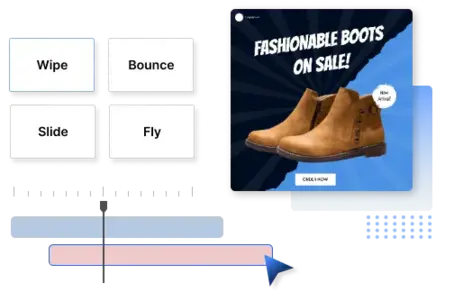
This step shows you how to fine-tune your ad in the built-in design interface. Browse the font library, swap imagery, adjust asset generation layers, or drag elements to rework the layout. Upload your own product images or choose from 10,000+ visual options. Then export the aspect-ratio output for your Instagram placement.

4

Schedule with one click

Schedule and publish your photo posts and videos with just one click right from the app. Use our social media management app to schedule content, manage your Instagram posts, and publish directly to your Instagram profile from the content calendar.

Ad Placements

Create Instagram Ads for every placement

Instagram has four main placement types, and each one works differently. This guide shows you how to create Instagram ads in the right format and size for each, covering the feed, Stories, Reels, and carousels without rebuilding your creative from scratch.

Instagram feed ad maker
feed-icon

Create Instagram Feed Ads

Predis.ai creates square and landscape Instagram feed photo posts, the native image sharing format for the feed. Each creative features high-resolution product imagery, brand-matched color palette, and ad copy built for the photo post format.

Create Feed Ads
story-icon

Instagram Story Ads

Predis.ai generates full-frame 9:16 Story photo ads with bold typographic headlines, high-resolution product imagery, and a visual CTA built for the Instagram Stories format. Designed to capture attention and drive viewers to tap your bio link or follow your Instagram profile before they move to the next Story.

Create Story Ads
Instagram Story ad maker
Instagram Reel ad maker
reel-icon

Instagram Reel Ads

Reel ads work best when they feel like native video, not a polished commercial. Predis.ai generates short-form Instagram Reel ads composing visual backgrounds, animated text overlays, and motion transitions that match the aesthetic of the Instagram Reels feed, blending naturally with the organic content your followers are already watching.

Create Reel Ads
carousel-icon

Instagram Carousel Ads

Carousel ads let you show multiple products or highlight different features in a single swipeable format. Predis.ai generates Instagram carousel photo ads, a multi-image post format with consistent visual branding across all cards, unique product imagery per slide, and individual copy on each card that builds toward the call to action.

Create Carousel Ads
Instagram carousel ad maker
Brand Identity

Turn One Prompt into Branded Instagram Ads

Describe your product or offer in one line and Predis.ai's AI multimedia engine handles the visual layout, imagery selection, ad copy, and brand identity all at once. No downloads, no external tools, everything runs online. One text prompt, one complete Instagram ad creative.

copy-icon

Generate Instagram Ad Copies and Creatives Together

Writing ad copy and generating photo and image content usually happen in separate workflows. Predis.ai's AI engine combines them. Enter a product prompt and the AI simultaneously writes the headline, body text, and CTA while composing the photo post layout, selecting visual assets, and applying your brand's color palette. The copy and visual come out designed for each other, ready to share with your Instagram followers.

Try for Free
generate Instagram ad copy and creative together
Add brand logo fonts and colors to Instagram ads
brand-icon

Add Logos, Fonts, and Brand Colors in a Click

Upload your logo once, define your brand color palette and preferred typography, and the AI generation engine applies them to every Instagram visual it creates automatically. Feed photos, Story graphics, Reel overlays, and carousel images all reflect the same brand identity, so every photo post you share to your followers looks consistent, whether you’re generating one ad or a hundred.

Start for Free
editor-icon

Edit Fast with Drag and Drop Editor

The AI output is a strong visual starting point but you can fine-tune it quickly. The built-in design interface lets you swap stock imagery, browse the font library, adjust asset generation layers, and change the color treatment with drag-and-drop controls. No design experience needed, no external software required. Resize the creative for any Instagram placement and export the aspect-ratio output when ready.

Try for Free
drag and drop Instagram ad editor
Ad Formats

Create Static and Video Instagram Ads Faster

Learn how to generate high-resolution static photo ads or short-form video ads for Instagram. Predis.ai's AI engine outputs the right image and video format for every placement, from still product photos for the Instagram feed to animated graphics for Reels and Stories.

video-icon

Static Ads

Static image ads with motion, subtle animations, slide transitions, or looping visual overlays perform better in the Instagram feed than plain still photos without the production time of full video. Predis.ai's multimedia software adds motion effects to any AI-generated image graphic in a few clicks, turning a product photo into an eye-catching Instagram feed ad.

Create Instagram Ads
Static Instagram video ads
Instagram animated video ads
gallery-icon

Animated video ads

Generate Instagram video ads with the AI engine. It assembles an automated timeline of animated text overlays, visual transitions, and background video clips from the visual asset library. The video cloud rendering engine processes the motion layout and produces the correct aspect-ratio output for Instagram Reels, Stories, or the feed. No external video editing software required.

Design Instagram Video Ads
Resize Instagram ads for Stories Reels and Carousels
resize-icon

Resize into Stories, Reels, and Carousels

Predis.ai's automated format converter resizes any photo ad or video ad into every Instagram placement, converting a square feed photo post into a full-screen Story image or Reels video frame, or reformatting it into multi-image carousel dimensions, while preserving the visual layout, image quality, and brand elements.

Make Instagram Ads
Scale & Efficiency

Scale Creative Production Without Losing Quality

Running Instagram ads at scale means generating more visual variations and format versions than most teams can produce manually, all from Predis.ai's online multimedia platform, without external tools. The AI engine generates multiple unique image and video ad creatives from a single prompt, each with different visual compositions, imagery selections, and copy ready for the Instagram Feed, Reels, and Stories.

bulk-icon

Create Ads in Bulk

Generate batches of Instagram image ads and video ad creatives from text prompts. The AI multimedia engine processes multiple product inputs simultaneously, outputting visual creatives with unique layouts, imagery, and copy for each. Run A/B tests across your Instagram followers without a design bottleneck.

Try for Free
Create Instagram ads in bulk
Generate Instagram ad creatives in multiple languages
language-icon

Generate Instagram Ads in Multiple Languages

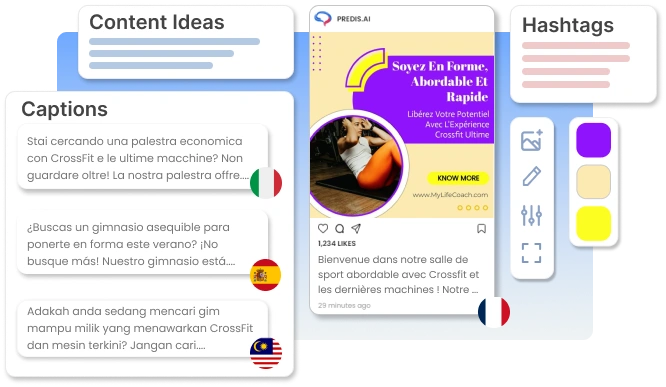
Select your target language before generating, and Predis.ai's AI writes the ad copy in that language while composing the Instagram visual alongside it. Useful for brands sharing photo and video content with Instagram followers across different regions, or reaching Instagram communities in multiple languages.

Create Instagram Ads with AI
Keep Instagram ads consistent with your brand
brand-icon

Keep Ad Output Consistent with Your Brand

Set your logo, brand color palette, and typography in your brand kit and every Instagram photo and video Predis.ai generates applies them automatically. Feed photo posts, Story images, Reel overlays, and carousel images all share the same visual identity. Keeping your Instagram grid consistent and reinforcing your brand across every follower interaction on your Instagram profile.

Create Instagram Ads for Free
Platform Features

Do More with Predis.ai

AI ad generation is one part of your Instagram visual workflow. Predis.ai is a browser-based online platform, no downloads or external software required. It includes a background removal tool for product photography, a curated library of high-resolution stock images and video clips, a post-generation editor for visual fine-tuning, and direct publishing to your Instagram profile, all in one place.

Remove background from product images for Instagram ads
background-icon

Remove Background

Remove the background from any product photo in one click. Clean, isolated product photography makes your Instagram photo posts more striking, the product stands out clearly against any background color or visual layout the AI generates around it.

Try for Free
stock-icon

Premium Stock Asset Library

Access high-resolution stock photography and video clips from Unsplash, Pexels, and other premium sources directly in the online platform. The engine draws from this photo and image library automatically when composing your Instagram ad, or you can search and select imagery manually.

Generate Instagram Ads
Premium stock assets for Instagram ads
Turn product catalog into Instagram ads
product-icon

Turn Product into Post

Connect your eCommerce store and the AI generation engine turns your product listings into Instagram photo posts and video ads automatically. Select a product and the AI sources the product imagery, builds the photo post layout, and writes the ad copy around it, generating a complete Instagram creative in seconds.

Create Ads for Free

Schedule Content with a Single Click

Never miss a posting window with Predis.ai's social media management tool. Schedule your Instagram photo posts and videos from the content calendar. Connect your social media accounts and publish directly to your Instagram profile, keeping your grid active without switching between tools.

Schedule Instagram content with one click
Start Scheduling for Free

Available as a Web App, Mobile App, and Instagram Add-On

Predis.ai is a social media management app and content scheduling tool for Instagram. Schedule photo posts, manage your Instagram content calendar, and publish to your social media accounts, all from one platform.

Mobile App: Android & iOS

Install the Predis.ai mobile app on your Android phone or iPhone. Generate Instagram photo posts, Story images, and Reel videos from the app and publish them directly to your Instagram profile. No desktop required.

  • Android app, download from Google Play
  • iOS app, download from the App Store
  • Create and post to your Instagram profile from the app
Download Mobile App

Web App: Browser Access

The Predis.ai web application runs in any browser. Chrome, Safari, or Firefox. No download or install required. Open the browser app, connect your Instagram account, and manage photo posts and Stories from your online app dashboard.

  • Browser-based web application, no install needed
  • Connect your Instagram account directly from the app
  • Full app dashboard accessible from any browser
Open Web App

Instagram Account Add-On

Connect Predis.ai to your Instagram profile as a social network add-on. The app integrates directly with your Instagram account publishing photo posts, Story images, and Reels to your feed, working as a scheduling and publishing add-on for Instagram.

  • Social network add-on for your Instagram account
  • Publish photo posts directly from the app
  • In-app social media scheduling dashboard
Connect Instagram Account

API Integration

Integrate Predis.ai into your platform via direct API connection. The API integration lets you generate Instagram photo posts and video ads programmatically. Adding Predis.ai as a platform integration add-on inside your own network dashboard or content workflow.

  • Direct API connection for developers
  • Platform integration add-on for custom builds
  • Network dashboard access for teams
View API Docs

Instagram Ad Tips and Resources

Learn how to create and optimize Instagram ads with our step-by-step guides, tutorials, and how-to resources. Follow these tutorials to learn how to set up your first ad, choose the right format, and write copy that performs.

Loved ❤️ by more than a Million Entrepreneurs,
Marketers and Content Creators.

Frequently Asked Questions

Follow these steps to make an Instagram ad with Predis.ai: Step 1: Sign up and enter a short text prompt describing your product or offer. Step 2: The AI generates your Instagram ad visual, ad text, and layout automatically. Step 3: Open the design interface to fine-tune imagery, typography, or colors. Step 4: Export and publish directly to your Instagram profile. This walkthrough takes under 3 minutes from first prompt to a complete Instagram ad creative.

Yes. Predis.ai is available as a social media app across all platforms. The web application runs in any browser, generate Instagram photo posts and manage ad visuals online. The mobile app is available on Android (Google Play) and iOS (App Store). Install the app and connect your Instagram account to publish photo posts directly from the app.

The best performing Instagram ad formats are carousel ads, video ads and story ads. With Predis.ai Instagram ad generator you can create all these types of ads for your Instagram profile.

After the AI generates your Instagram ad, you can edit the text overlay, swap imagery, adjust the color palette, rearrange the layout, and change the typography. All within the built-in multimedia editor, directly in your browser. You can also convert the creative to different aspect ratios for Instagram Reels, Stories, or Feed posts.

Yes. Type a prompt and the AI writes the headline, body text, and CTA while simultaneously composing the photo or video layout, so your copy and visual are generated together and designed to work as a single Instagram creative.

You can create various Instagram ad formats including feed ads, video ads, carousel ads, and story ads using Predis.ai Instagram ad generator.

Yes, Predis.ai Instagram ad generator supports creating ads in multiple languages to help you reach a broader audience.

Yes. Convert any AI-generated Instagram photo or video into different placement sizes. Square and portrait for Feed photo posts, vertical for Stories and Reels, and multi-image for Carousel frames, with one click directly in the browser.

You may also like to explore

Explore this page in your language