A few of the businesses making ads with Predis.ai















A few of the businesses making ads with Predis.ai
Pick a product from your Shopify store and get an ad like these back. No shoot, and no editing unless you want to.
Connect your store, pick a product, and Predis.ai builds the ad from its photos, details and price. Your brand colors and logo carry across every ad, 19 languages open up more markets, and one video resizes for TikTok, Reels and the Facebook feed.
Install our Shopify video ad app from the Shopify App Store, or connect your store inside Predis.ai.
Click Create, then choose the product you want to turn into a video ad.
Pick one of 19 languages and a template, then set your brand colors, logo and tone of voice. Predis.ai builds the ad from your product photos, details and price.
Open it in the editor to drag in text, images, music or stickers and adjust motion on the timeline. Swap templates in one click, then download the ad when it looks right.

Paste a product link or pick a product from your connected store. Predis.ai reads its name, description, photos and price. Then it writes the copy and builds the video ad around them, so you never write a brief or cut clips by hand.
Try for Free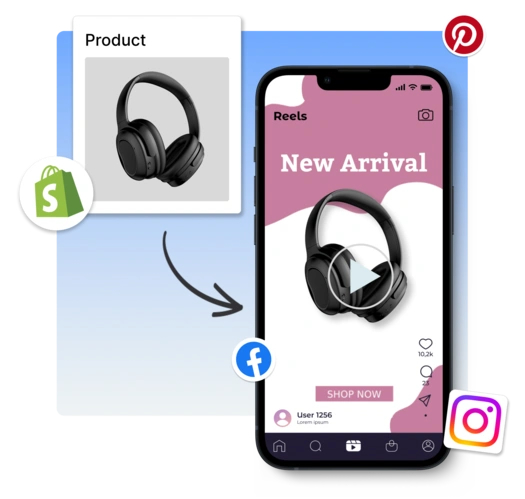
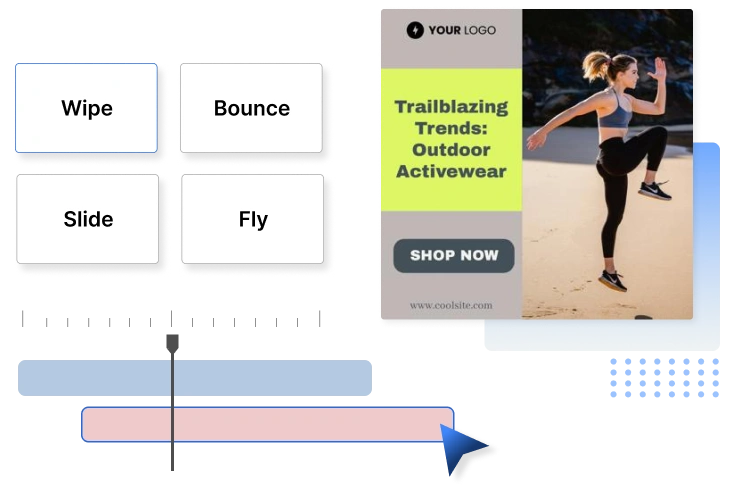

Catalog photos sit flat, so Predis.ai adds motion, transitions and music from its library to turn a product shot into an ad. Need a different shot? Pull premium and free stock images and clips without leaving the editor.
Try Now
Make the video once, then resize it for everywhere it runs. A few clicks give you vertical cuts for TikTok and Reels, and feed sizes for Facebook ads. Add a square cut for your product page so shoppers see the product move before they buy.
Design Shopify Product Video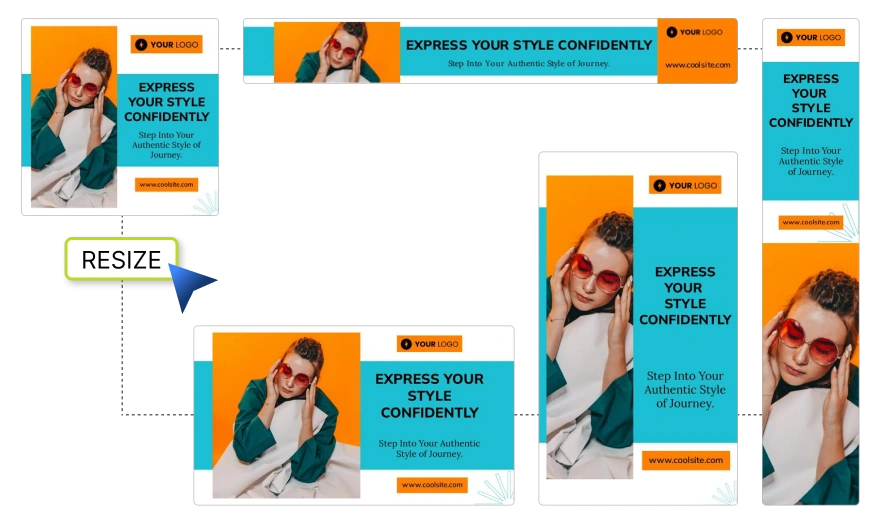
Rated 4.7/5 on G2. Reviews and stories from businesses creating their social content with Predis.ai.
Social media used to take too much time and energy. It has helped me stay visible in the marketplace and keep my marketing activities moving.

"Social media was something we knew we had to do, but it never really got done properly. Predis made content creation faster, simpler, and way more consistent for us."

"The images and the videos it has generated have been very beautiful and very successful in helping me sell my product. I would highly recommend them."

"Everything actually looks put together without me spending hours on it. I don't sit there staring at a screen wondering what to post anymore."

"There is no store that sells time, and that is exactly what Predis does. Once you've tried it, you won't let go."

"Social media was something we knew we had to do, but it never really got done properly. Predis made content creation faster, simpler, and way more consistent for us."
"The images and the videos it has generated have been very beautiful and very successful in helping me sell my product. I would highly recommend them."
"Everything actually looks put together without me spending hours on it. I don't sit there staring at a screen wondering what to post anymore."
"There is no store that sells time, and that is exactly what Predis does. Once you've tried it, you won't let go."
The Predis.ai Shopify video ad maker turns one product listing into a finished video ad. You get sizes for social feeds and for your store.
Connect your Shopify store to Predis.ai or install our app from the Shopify App Store. Pick a product and a template, and Predis.ai builds the ad for you to edit and download.