


Loved by 6.4M+ Users

AI LinkedIn Ad Generator
for image, carousel and video ads

Paste a prompt or a product link, pick your format, and Predis.ai writes the headline, the primary text and the CTA, then builds the image, carousel, video or sponsored content ad around them. Your colors, fonts and logo land on every version, so your time goes on picking a favorite instead of briefing a designer.

Make your first ad
4.7/5 on G2 7-day free trial

Brands already making ads with Predis.ai

tidewell
solace wellness
strata
harper lane boutique
milo studio
orixo
lume
zylph
sun and soil
marlo and co
kentro
novan
piko
nimbus
the porch
LinkedIn Ad Templates

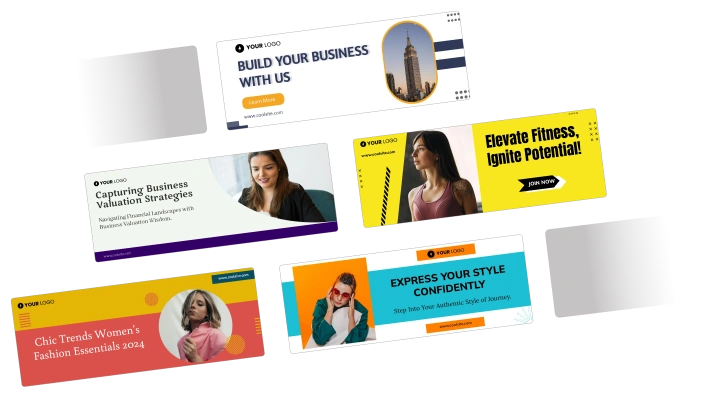
LinkedIn ad templates for services, consulting, courses and hiring

Pick one and Predis.ai applies your brand kit before you see the first draft. Each one comes sized for the placement it is built for, so your ad keeps its whole frame when you upload.

Professional & Legal Services

LinkedIn ad template for a California law practice LinkedIn ad template for a law firm consultation offer LinkedIn ad template for a career counseling service

Consulting & Agencies

LinkedIn ad template for a business growth consultancy LinkedIn ad template for a digital agency LinkedIn ad template for a business consulting practice

Courses, Webinars & Events

LinkedIn ad template for a free business webinar LinkedIn ad template for a marketing course LinkedIn ad template for a career development program

SaaS, Finance & Hiring

LinkedIn ad template for a personal finance app LinkedIn ad template for a B2B software product LinkedIn ad template for a graphic designer hiring post
1.5x
Increase in ROAS
75%
Reduction in Hours Spent
6.4M+
Users Across Countries
200M+
Ads Generated
How It Works

How to create LinkedIn Ads with AI?

Ad creation is the slow part of a LinkedIn campaign, and the first thing cut when the launch date moves. Here it is the fast part.

Predis.ai is an AI LinkedIn ad generator, so the copy and the creative come out of the same pass. It writes the headline, the primary text and the CTA, then puts them on a design that matches your brand. Four steps, start to finish.

Create LinkedIn Ads for Free
  1. Add your prompt or product link

    Type what the ad is for, or paste a product URL and Predis.ai reads the page. Pick your format: image, carousel, video or sponsored content.

  2. Set your brand kit

    Add your colors, fonts and logo once. Every ad after that comes out on-brand, so you are not fixing the same details on every draft.

  3. Predis.ai writes the copy and builds the ad

    You get the whole ad together: the headline, the primary text, the CTA and the visual. Ask for another angle if the first one is not right.

  4. Edit, then publish or schedule

    Swap a template, rewrite a line, change an image or add animation. Publish straight to LinkedIn or schedule it for later.

LinkedIn ad templates in Predis.ai

Start from a template or start from scratch

The gallery above is the shortlist. Pick a layout and Predis.ai fits your offer into it, or skip templates entirely and describe the ad you want. Either way your colors, fonts and logo are on it before the first draft, so you are editing an on-brand ad rather than building one.

Try for Free

Animated LinkedIn ads

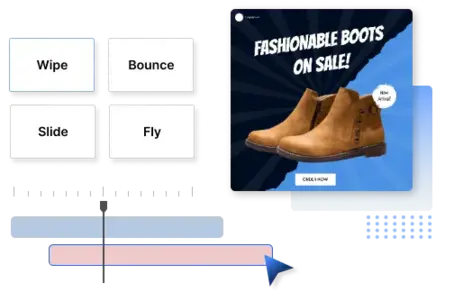
Turn a static ad into a moving one in one click. Pick a style from the animation library and Predis.ai handles the transitions and the text timing. Whether the moving version earns more than the static one is worth a test, not an assumption.

Animate Your LinkedIn Ads
make animated LinkedIn ads
personalized LinkedIn ads at scale

Personalized LinkedIn ads at scale

One prompt, hundreds of ads. Write the segments you sell to and you get a version per segment, so the CFO variant and the engineering-lead variant are not the same ad twice.

Predis.ai writes the copy for each and holds the brand kit steady across all of them. If one segment needs a different offer, change that line and leave the rest alone.

Create Personalized Ads

Edit any LinkedIn ad, then make the variations

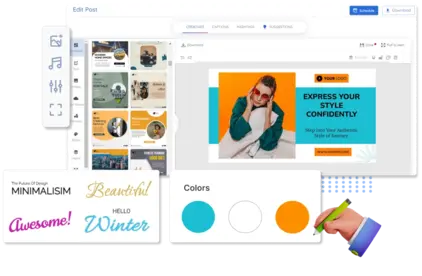
Every ad opens in the editor. Change the headline, swap the image or the whole template, move or recolor any text block.

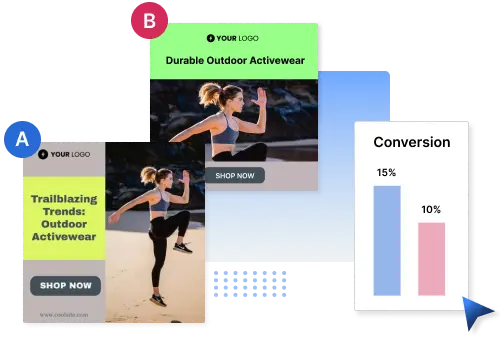
Take the ad that earned budget, make four versions with different hooks, then test them in LinkedIn Campaign Manager. Change one thing at a time so you can tell what moved the number.

Edit LinkedIn Ads
editing a LinkedIn ad in the Predis.ai editor
dynamic personalized LinkedIn ads

Dynamic LinkedIn ads

LinkedIn Dynamic Ads pull each viewer's name, company and job title from their profile at serve time, so the ad reads like someone wrote it for them. Predis.ai builds the creative and the copy around that, one per dynamic audience, and LinkedIn fills in the personal fields.

Create Dynamic Ads
Customer stories

What businesses say about Predis.ai

Reviews and stories from businesses running their social and ad creative on Predis.ai.

Frequently Asked Questions

Use a sharp image, copy that names the problem your buyer has, and one clear CTA. Keep the text short, because the LinkedIn feed truncates it. Or start from a LinkedIn ad template and edit the parts that need changing.

Keep the design clean and lead with the value in the first line. Test more than one creative per campaign, and change one element at a time so you know what moved the result.

It is a tool that writes your ad copy and builds the creative from a prompt or a product link. Some people call it a LinkedIn ad maker. Predis.ai handles the headline, the primary text and the CTA, then builds the visual. Your brand kit goes on every version.

Yes. Open any generated ad in the editor and change the text, the images, the colors or the layout. You can also swap the template or the animation style.

Other ways to make ads with Predis.ai