


Turn a simple text prompt into a ready-to-publish online video for TikTok. The AI adds visuals, captions and trending audio so your videos keep viewers watching. Customize everything in the built-in video editor, with templates, stock media and HD 1080p export. Generate, edit and post from the Predis app to grow your audience.
Type a single line, paste a blog, drop in a product link, or add your business details. AI script generation writes a full TikTok script from your prompt, then picks matching assets, captions, and hashtags. From brand stories to personalized product ads, your idea becomes a ready-to-post TikTok in seconds.
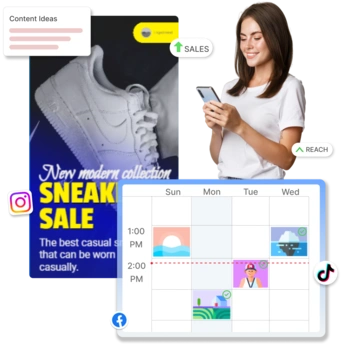
The AI picks a template, adds captions and trending audio, and syncs it together. Fine-tune in the built-in editor with transitions, animations, 10,000+ stock assets, or your own clips, then export in HD and schedule straight to TikTok without leaving the Predis app.
Turn a single idea into a finished, ready-to-publish TikTok. Here is everything you can do:
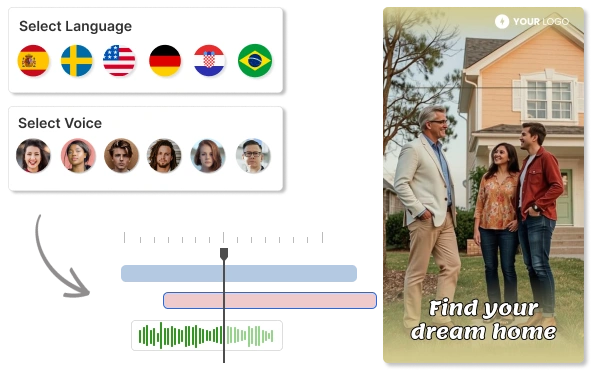
Give any TikTok a natural-sounding voice without picking up a mic. Add an AI voiceover in seconds, or type a script and let an AI narrator read it aloud in a human-sounding voice. Auto-synced captions put every word on screen, making your videos accessible and exactly how the algorithm likes it. Then translate and dub your video into 19+ languages to open it up to audiences worldwide.
Add AI Voices & TranslationBuild a faceless channel without ever being on camera, or choose a digital AI avatar, type a script, and get a talking-head video in minutes. It is the fastest way to make UGC-style ads and product demos at scale. Spin up creator-style videos for every product or offer without booking talent or setting up a shoot.
Make UGC & Faceless Videos
Making a TikTok video is easy with Predis.ai. Just sign up on Predis.ai and
1. Go to Content Library and click on Create.
2. Select Text to video option.
3. You can create a TikTok using a simple text input, business details, a blog, or a script.
4. Choose a template you like and hit Generate using our TikTok Video Maker.
1. Go to Content Library and click on Create
2. Select Text to video and choose your input type
3. Select Voiceover video option and choose template, generate the TikTok using our TikTok Video Generator
4. Open the generated TikTok, you will see the voiceover script and voices, both of which can be edited
The TikTok video maker is a tool that uses artificial intelligence to create TikTok videos based on user input. It can generate videos from text, images, or other media, and often includes features like voiceovers, music selection, and editing capabilities to help users create engaging content quickly and easily.
Yes, with a TikTok video generator, you can create engaging TikTok videos without ever appearing on camera. You can use text, images, voiceovers, and music to craft compelling content that resonates with your audience while maintaining your privacy.
The time it takes to generate a TikTok video can vary depending on the complexity of the content, the length of the video, and the features you choose to include (like voiceovers or animations). However, with an AI TikTok video generator, you can typically expect to have a video ready in just a few minutes, making it a quick and efficient way to create content for your audience.
Yes, TikTok allows AI-generated videos as long as they comply with the platform's community guidelines and terms of service. Using our TikTok Video Maker, you can create AI-generated content safely, ensuring it doesn’t include prohibited material such as hate speech, misinformation, or copyrighted content without permission.
Yes, you can use the free trial to create TikTok videos for free, just sign up, add your CC and start creating TikTok videos using our TikTok Video Maker. You can explore the features and see how it works for you. We do not charge you for the 7 Day trial.