


AI Facebook Ad Maker

Paste a product link or type a few words about your business, and our Facebook ad generator turns it into a ready to run ad in minutes. You get a finished static, carousel, or Facebook video ad with copy and visuals built together, so you can test more variations and get more out of every ad dollar. No designer needed.

Rated 4.8/5 from 3097 reviews

Why Teams Choose Predis.ai for Facebook Ads


40%
Savings in Cost

70%
Reduction in Hours Spent

500K+
Users Across Countries

200M+
Content Made

semrush logo icici bank logo hyatt logo indegene logo dentsu logo

Create Facebook Ads from a Prompt or Product Link

Facebook ad maker generating ads from a product link

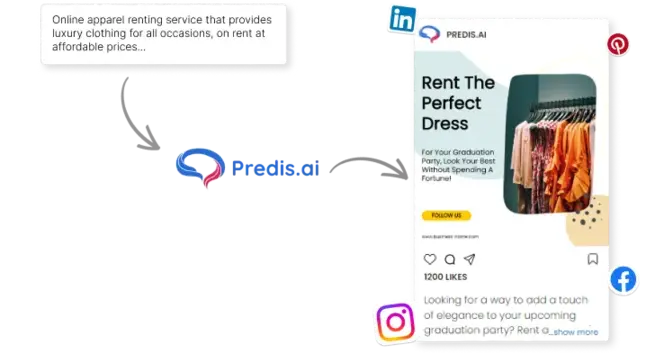
Predis.ai turns your idea or product link into a finished Facebook ad in seconds. It picks the template, designs the creative, and writes the caption for you. You can generate a batch of options in one go, then run the versions that bring the best return on your ad spend.

Design Facebook Ads

Type your campaign idea and Predis.ai writes the headline, primary text, and call to action, then builds the matching image to go with it. You get an opening line built to stop the scroll and copy written for the audience you are trying to reach, all from one prompt.

Curated Facebook Ad Templates for All Occasions

Whether you are promoting a business, service, or product, there is a template built for it. Pick a static layout or an animated one that stops the scroll, and check back often, since new templates are added regularly.

Facebook Ad Templates

football coaching ad template
courier transport template
travel social media post template
hvac post template
restaurant square template

Facebook Product Ad Templates

aloe vera face mask - ecommerce product template
facebook fashion ad template
footwear ad template
cafe food ad template
electronic ad template

Facebook Video Ad Templates

fashion video ad template
coffee video ad template
fitness video ad template
facebook pet product video ad template
bag accessories video ad template

How to Make a Facebook Ad with AI

You do not need any design or writing skills. Type a simple idea and Predis.ai handles the layout, colors, and copy for you.

Step 1: Pick a Template and Add Your Idea

Choose a ready to use ad template, then type a line of text or a few keywords. Predis.ai turns it into a complete ad with matching visuals, captions, and hashtags.

Step 2: Customize and Brand It

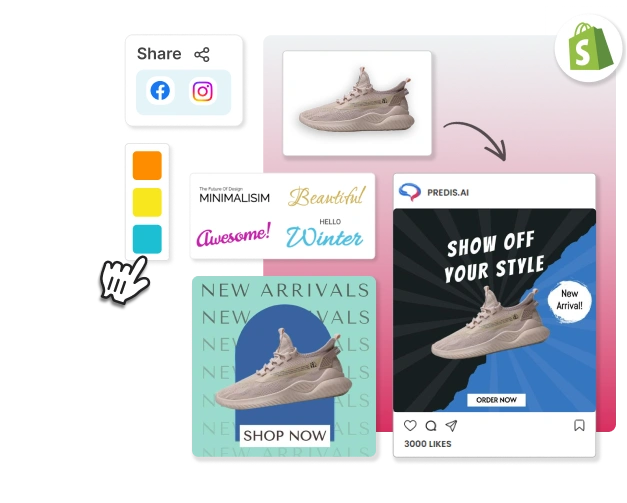
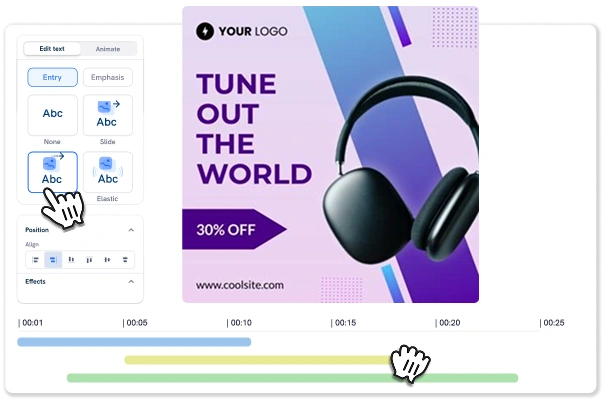
Set your brand colors, fonts, and logo, then fine-tune the result in the drag-and-drop editor. Swap images, reposition subjects, remove backgrounds, or edit text so every variation stays on-brand. No design skills needed.

Step 3: Download and Launch

When it is ready, download instantly as PNG or MP4 in your preferred size. Every ad is built to Facebook specs, so you can launch and start testing variations right away.

Facebook Ad Reviews and Testimonials


Trusted by users worldwide. 4.8/5 from 3097 reviews, check them out!

daniel testimonial

Daniel Reed

Ad Agency Owner

"For anyone in advertising, this is a game changer. It saves me so much time. The ads come out clean and have boosted our speed. Fantastic for agencies looking to scale their creative output!"
Carlos testimonial

Carlos Rivera

Agency Owner

"This has become a core part of our team. We can quickly generate multiple ad creatives, A/B test them and get the best results for our clients. Highly recommended."

isabella testimonial

Isabella Collins

Digital Marketing Consultant

"I've tried a lot of tools, but this is the most efficient. I can make everything from carousel to full video ads. The scheduling is fantastic. The calendar helps me keep track of all my published content in one place."

Facebook Feed, Story, Reel, and Carousel Ad Formats

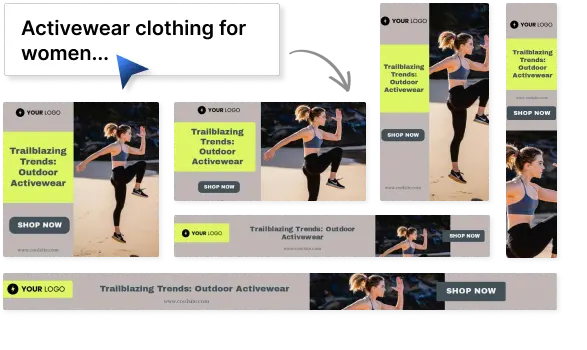
Facebook ads run across feed, stories, reels, and carousels, each with its own size. From one product link or idea, Predis.ai builds every placement at the right size, with matching copy and visuals, so nothing gets cropped or cut off. You can reuse the same creative for your Instagram ad campaigns too.

Facebook Feed, Story, and Carousel ads

Feed, Story, and Carousel Ads

Feed ads sit between organic posts, story ads run full screen between Stories, and carousel ads swipe through multiple products or steps in one unit. Predis.ai builds all three from a single brief, sized and captioned to fit.

Create Facebook Ads
Facebook Video ads

Facebook Video Ads

Video ads get more engagement and recall than static images, and they run across Feed, Stories, and Reels. Predis.ai turns a product link or prompt into a short video ad. You can also make UGC-style ads with a realistic AI creator, so the ad blends into the feed instead of looking like a polished promo.

Try for Free

Create Facebook Ads in Bulk

Batch Mode Generation

Produce dozens of Facebook ads in minutes. Batch mode turns one idea into a full set of variations, so you always have enough creative to A/B test and find your best performer. Feed the winners to Meta, and its algorithm optimizes delivery around the clock.

Create beautiful Facebook Ads
make facebook ads in bulk

Predis.ai acts like an in-house creative team that never clocks out. Generate fresh ad variations, test them, and feed the winners to Meta. Your campaigns keep optimizing around the clock while you plan the next move.

Frequently Asked Questions

You can make Feed ads, Story ads, Carousel ads, and video ads. Predis sizes each one correctly for Facebook, so you do not have to resize anything by hand.

A square feed ad works best at 1440 x 1440 pixels, and a story ad at 1440 x 2560 pixels. Predis builds your ad in the right size, so it looks sharp in every spot without any manual resizing.

Yes. When you type a prompt, Predis writes the headline, main text, and call to action along with the visual. You get a full ad in one step, so you do not have to jump between a writing tool and a design tool.

Yes, it is legal. Just follow Facebook's ad rules, keep your claims honest, and respect people's privacy. As long as your ad is truthful, you are free to use AI to create it.

You may also like to explore

Explore this page in your language