Explore this content with AI:
Stories disappear in 24 hours. The traffic they drive doesn’t have to.
Instagram Story links — now delivered through the tap-friendly link sticker — are one of the most direct paths from social engagement to real website action. No algorithm feed to fight. No competing posts in the frame. Just a viewer, your content, and a single tap standing between them and your landing page.
Most users who start watching a Story complete the full sequence. That’s an attention window most feed posts never get. The question isn’t whether to use Instagram Story links — it’s whether you’re using them well enough to convert that attention into clicks.
This guide covers everything: the history of how we got here, how to add a link sticker to your Instagram story, how to design it so people actually tap it, and how to measure whether any of it is working.
From Swipe-Up to Tap-Through: How Instagram Story Links Evolved
If you’ve been on Instagram long enough, you remember “swipe up.” It launched as an exclusive feature — only accounts with 10,000 or more followers could use it. For most creators and small businesses, it simply didn’t exist.
The mechanic also had a hidden cost: swiping up on a Story prevented any other interaction. You couldn’t reply to the Story, react with an emoji, or respond at all once you’d swiped. The link and engagement were mutually exclusive.
Instagram replaced the swipe-up with the link sticker, and the change was more significant than it first appeared. Link stickers are available to every account, regardless of follower count. A brand-new profile with 200 followers has the same link capability as an account with 2 million. That’s a meaningful shift in access.
The interaction dynamic changed, too. A sticker sits on the frame like any other element — poll sticker, question box, emoji slider. Viewers can tap the link and reply to the Story. Engagement and traffic are no longer competing choices.
What the Instagram Link Sticker Actually Is
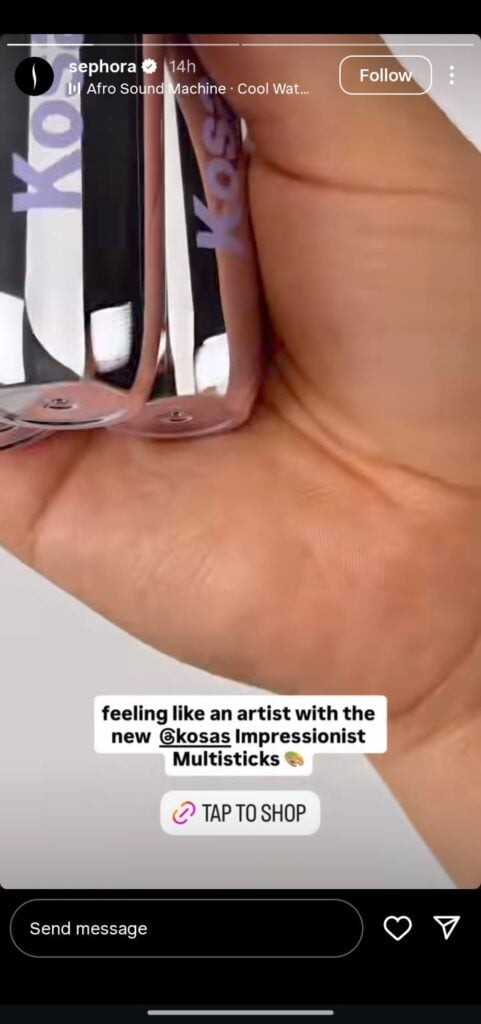
The link sticker is a persistent, tappable element you place on any Story frame. It opens a browser within the Instagram app, sending the viewer to whatever URL you’ve set — a product page, a blog post, a booking form, a YouTube video, anything with a URL.
A few things worth clarifying upfront:
- It’s available to everyone. No follower threshold. No verification requirement. If you have an Instagram account and the updated app, you can use it.
- It doesn’t suppress your reach. A persistent myth suggests that Stories with external links get shown to fewer viewers. Instagram hasn’t confirmed this behavior, and the practical evidence doesn’t support it. Stories with strong engagement — replies, reactions, shares — consistently perform well regardless of whether they contain a link sticker.
- It’s fully customizable. The default display shows a truncated version of your URL, which looks messy and generic. You can replace that with any text you want — more on that in the design section.
How to Add a Link Sticker to Your Instagram Story
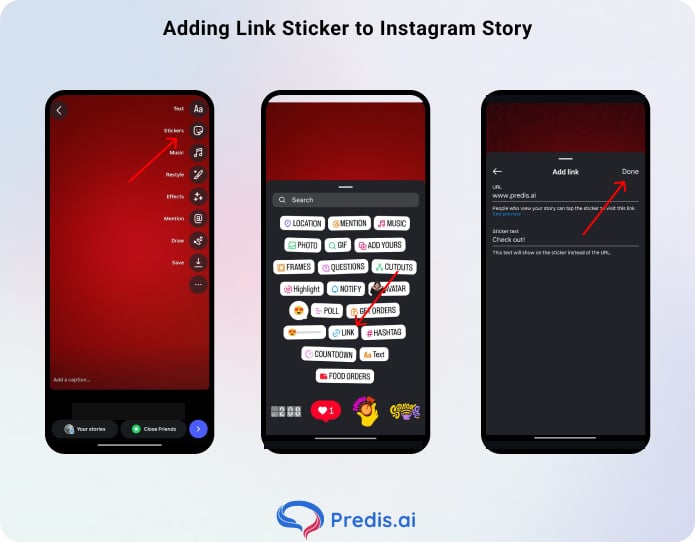
The setup takes about 30 seconds once you know where to look.
Step 1: Create or capture your Story content. Open the Instagram camera, shoot, or upload your photo or video. The quality of the visual matters — a blurry background or low-light video undermines the credibility that the link sticker is trying to build.
Step 2: Open the sticker tray. Tap the sticker icon at the top of the editor (it looks like a square with a folded corner). You’ll see a grid of sticker options.
Step 3: Tap the Link sticker. It’s labeled “Link” with a chain-link icon. If you don’t see it, scroll the sticker tray — it’s there for all accounts on the current app version.
Step 4: Enter your URL. Paste in your destination link. Double-check it before moving on. A broken link in a Story that’s live for 24 hours can mean hundreds of dead taps, and there’s no way to fix it after posting without deleting and reposting the entire Story.
Step 5: Customize the display text. Below the URL field, you’ll see a “Customize sticker text” option. Replace the raw URL with a clear CTA — “Shop the Drop,” “Read the Full Post,” “Book Your Spot,” “Get the Recipe.” This is where a large portion of the difference in click-through rate is made.
Step 6: Place and resize. Drag the sticker to a visible position — usually the lower third of the frame works well, as it feels natural to tap. Pinch to resize. Tap the sticker once to cycle through color variants until you find one that fits your visual.
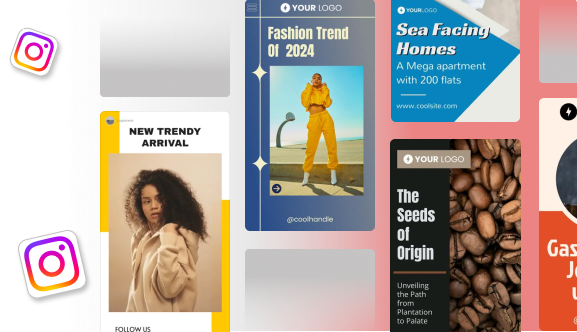
Customizing Your Link Sticker for Higher Click-Through Rates
The default link sticker is functional. A customized one actually converts.
1. Replace the URL with a Real CTA
“https://yourstore.com/collections/summer-drop-” tells the viewer nothing useful. “Shop the Collection” tells them exactly what they’ll get. The CTA should communicate value, not mechanics.
Strong CTAs are specific and promise something: “Watch the Full Video,” “Download the Free Template,” “See All 12 Products.” Vague ones like “Click Here” or “Learn More” convert worse because they don’t give the viewer a reason to act.
2. Color-Match to Your Brand
Tap the sticker to cycle through Instagram’s built-in color palette. Most accounts will find a variant that reasonably matches their brand colors. If none fit, the next option is to overlay something custom on top.
3. Use a Branded Overlay
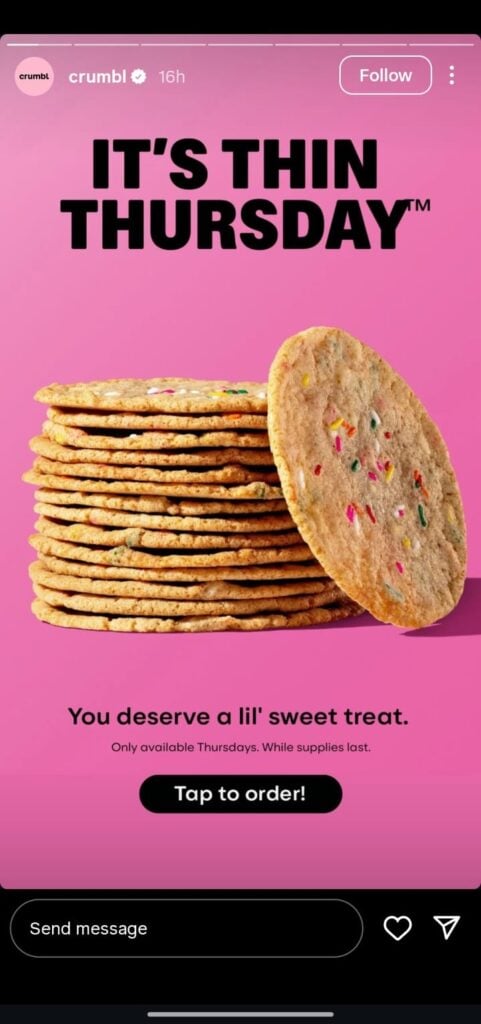
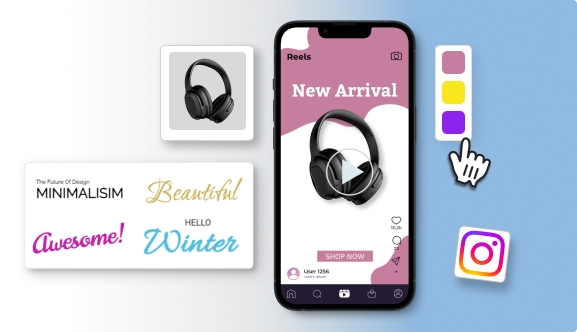
This is the technique that makes the link sticker invisible — in the best way. Design a button graphic in your brand colors (a rectangle with rounded corners and your CTA text, saved as a PNG with a transparent background), upload it to your Story, and place it directly over the link sticker.
The viewer taps what appears to be your custom button; the link sticker beneath registers the tap and opens the URL.
4. Reduce Clutter Around the Sticker
A link sticker fighting for attention against five other stickers, two lines of text, and a busy background will not get tapped. The area around your sticker should be clean.
If you’re using text, keep it short and position it above the sticker as a lead-in — something like “Full tutorial below 👇” — rather than surrounding it. Negative space around the sticker makes it feel like the natural place to look, and look means tap.
5. Use Visual Cues to Direct the Eye
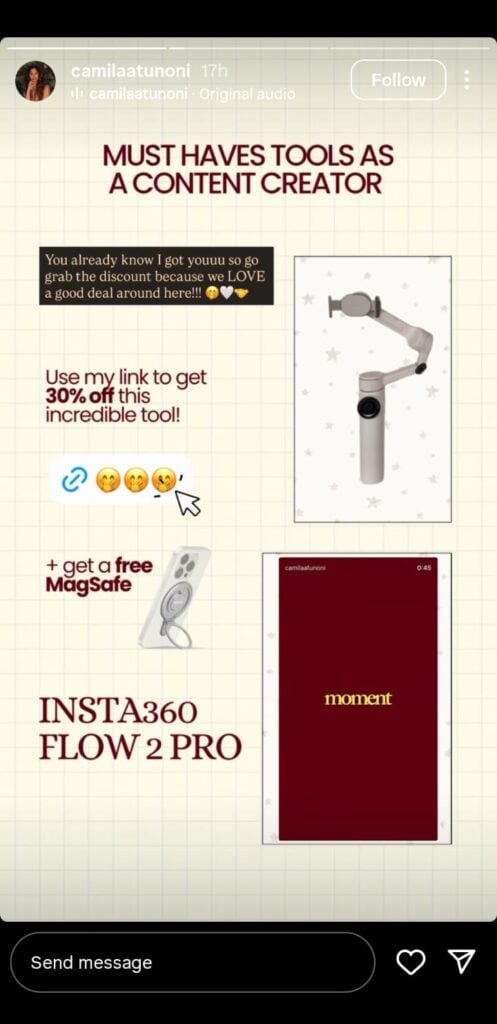
Don’t assume viewers will notice the sticker on their own.
An animated GIF arrow pointing toward the sticker, a hand emoji above it, or a drawn line leading toward the tap zone all increase the chance someone actually interacts.
Instagram’s GIF library (search “tap,” “click,” “arrow,” or “here”) has dozens of options that work without looking out of place. Accounts that add a directional cue consistently see higher tap rates than those that let the sticker stand alone.
6. Test Different Placements
Bottom-center is the default, but it’s not always the best. Some audiences tap more naturally when the sticker sits in the lower-left, closer to where a right-handed thumb rests. Others respond better to a sticker placed mid-frame where the eye is already focused.
Run the same content with the sticker in two different positions across two separate Stories, check your Insights tap counts, and let the data settle the question. A placement shift alone can move CTR by several percentage points without changing anything else.
Strategic Use Cases: How Brands Are Actually Using Story Links
The most effective use of Instagram Story links isn’t just “post a product and add a link.” The link should be the logical next step in a story the viewer is already following.
| Use Case | Story Content | Link Destination |
|---|---|---|
| Product launch | Behind-the-scenes teaser video | Product page or waitlist |
| FAQ/support | Key stat or visual pull quote from the post | Full article |
| Event | Countdown sticker + speaker announcement | Registration page |
| Tutorial | First 3 steps of a how-to | Full tutorial or YouTube video |
| FAQ / support | “You asked about X…” response | Help article or booking form |
| Flash sale | Countdown timer sticker | Sale collection page |
The pattern is the same across all of them: the Story delivers enough value to create interest, and the link sticker is the natural way to get more. The Story doesn’t try to do everything — it creates curiosity and hands off.
A skincare brand running a new product launch, for example, might sequence three Stories: a “What’s coming tomorrow” teaser with no link, an ingredient-focused Story with a “Read the science” link sticker pointing to a blog post, and a launch Story with a “Shop now” sticker pointing directly to the product page.
Each Story works independently; together they warm a viewer from awareness to purchase intent.
Beyond Stories: Driving Traffic from the Rest of Your Profile
Link stickers solve the Story traffic problem. The rest of your profile needs its own approach.
1. Link in bio

One URL in your bio isn’t enough for most accounts. Tools like Linktree, Later, or the native Instagram link tool let you host a landing page with multiple destinations — your latest blog post, your store, your newsletter signup, your YouTube channel.
2. Pinned comments
On a post that’s getting traction, pinning a comment that says “Full tutorial linked in bio 👆” keeps the traffic redirect visible without cluttering your caption.
3. Meta Ads
Feed posts and Reels don’t support organic external links, but paid placements do. If a Reel is performing well organically, a small paid boost with a link CTA can extend its reach and add a conversion layer without needing to rebuild the content.
4. Utilize DMs
Direct messages are an underused traffic channel. When someone replies to your Story or sends a question about a product, that’s an opening to drop a relevant link directly into the conversation — no algorithm in the way, no competing content in the frame.
Instagram also supports automated DM responses through its native tools and third-party integrations: set up a keyword trigger (someone DMs “link” or “info”) and automatically reply with the URL.
It’s one-to-one delivery, which means higher intent and higher click-through than almost any broadcast format on the platform.
How to Track Instagram Story Link Clicks
Adding a link sticker without tracking it is like running a campaign with no reporting. You have no idea what’s working.
Instagram Insights shows Story link taps natively. Open your Story, swipe up on the viewer list, and look for the “Link Clicks” metric. This tells you total taps but nothing about what those visitors did after they arrived.
UTM parameters fill that gap. A UTM-tagged URL looks like this:
https://yourstore.com/products/item?utm_source=instagram&utm_medium=story&utm_campaign=summer-launch
When someone clicks that link, Google Analytics (or whatever analytics platform you use) logs the source, medium, and campaign. You can then see not just how many people clicked, but whether they converted — purchased, signed up, read the article.
Build a UTM-tagged URL for every Story link using Google’s free Campaign URL Builder, and paste that into the link sticker field.
The Bottom Line
A link sticker on a Story that nobody taps is just decoration. One on a Story that builds genuine interest — that shows something real, promises clear value, and uses a CTA that earns the click — becomes a reliable traffic channel.
The setup takes 30 seconds. The design takes 5 minutes. The strategy — knowing which content earns the tap and where to send viewers once they get there — takes experimentation and iteration. Start with one well-designed Story link this week. Check your Insights 24 hours later. Adjust based on what you see, and build from there.
FAQs
Check that your app is fully updated — the sticker requires a recent version of Instagram. If you’re updated and still don’t see it, check your account standing. Accounts flagged for policy violations sometimes have features temporarily restricted.
No — each Story frame supports one link sticker. If you need to point viewers to multiple destinations, use separate Story frames, each with its own sticker, or direct them to your link-in-bio page where multiple links live.
No credible evidence supports this. The “link suppression” claim circulates regularly, but Instagram hasn’t confirmed it, and independent testing hasn’t consistently supported it. Stories perform based on engagement signals — replies, reactions, completion rate — not on whether they contain a link.