


AI Facebook Video Ad Maker

Turn any idea into a Facebook video ad in minutes. Type a prompt or drop a product link, and Predis's Free Facebook Ad Maker builds your script, scenes, and visuals. No editing experience needed.

Create Facebook Video Ad
money-saved-icon

40%
Savings in Cost

time-saved-icon

70%
Reduction in Hours Spent

globe-icon

500K+
Users Across Countries

posts-icon

200M+
Content Generated

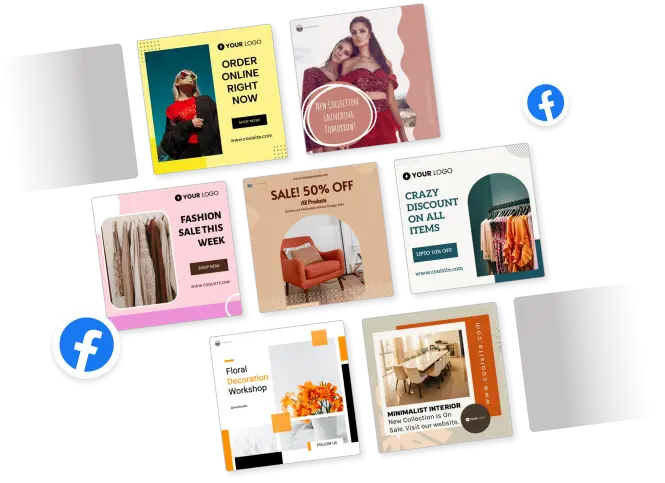
Discover a wide variety of Facebook Ad Templates

black friday facebook video template
minimal template
furniture ecommerce reel template
travel Instagram facebook video template
music night party template
online shop template
bright modern template
adventure facebook video template
business template
online clothing store template

Create Facebook Video Ads that Stop the Scroll

prompt-to-video-icon

Turn One Prompt into a Complete Facebook Video Ad

Type a short description of your product or offer. Predis reads it, writes a script, picks matching visuals, and assembles a ready-to-edit video. You go from a blank screen to a full ad draft in under a minute.

Generate Facebook Video Ad
turn prompt into video ad
mobile-friendly facebook video ads
mobile-video-icon

Build Short, Mobile-Friendly Ad Videos Fast

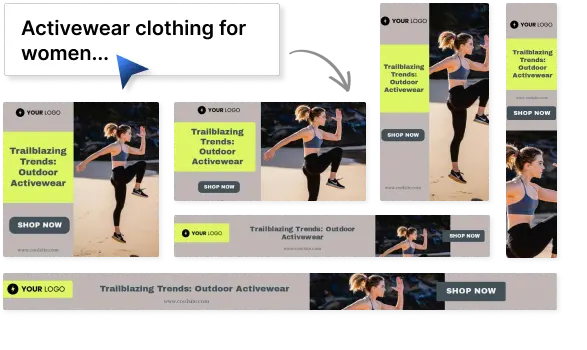
Facebook video ads that perform are almost always under 15 seconds and built for mobile-first viewing. Predis.ai makes ads that are sized and paced for the feed, so they look right without any manual resizing or reformatting.

Try Now
template-icon

Start with Templates made for Promos, Launches, and Offers

Browse templates designed for the ad types that actually run on Facebook - flash sales, product launches, limited-time promotions, and brand intros. Each one is structured to hold attention and end with a clear action.

Browse Facebook Video Ad Templates
facebook video ad templates for promos
CTA designs
cta-icon

Hook Viewers with Motion, Copy, and CTA

The first frame sets the tone for everything that follows. Predis's AI Facebook Ad Maker builds your opening scene with motion graphics, a direct headline, and a CTA so viewers know exactly what you want them to do before they scroll past.

Try for Free

How to create a Facebook Video Ad in Three Steps?

1

Describe your ad or paste your product link

Tell Predis.ai what you're promoting. Type a short brief or paste a product URL. The AI reads your input and uses it as the foundation for the script, visuals, and message.

2

AI builds your video with script, scenes, and music

Within seconds, Predis's Facebook ad generator generates a complete video draft with scene-by-scene copy, matched visuals, background music, and pacing set for the Facebook feed. No manual assembly required.

3

Edit and download your ad

Open the editor to adjust text, swap visuals, or add your logo and brand colors. When it looks right, download the finished video and upload it directly to your Facebook campaign.

Turn Ideas into Polished Facebook Video Ads in Minutes

script-scenes-icon

Generate the Ad Script and Scenes

Predis doesn’t write a script and then hands it off to a designer. It generates the full ad package in one step; copy, visual treatment, and a closing call to action that fits the offer. Everything lines up from the start.

Create Video Ad
generate script scenes and CTA
Voiceover and Audio Tools
music-voice-icon

Add Music, Motion, and Voice to bring the Ad to Life

Choose a background track from Predis’s music library, apply motion to your text and visuals, or add an AI voiceover that reads your script. Each element is optional, but they all work together when you use them.

Try Now
editor-icon

Edit Text, Timing, Visuals, and Branding without Friction

The Predis.ai video editor is designed for people who aren’t designers. Click any element to change it. Adjust the timing of individual scenes. Swap visuals or text in seconds. Your brand kit applies automatically, so you’re never starting from scratch.

Try for Free
edit text timing visuals and branding

Choose a Facebook Video Ad Template, then Make It Your Own

facebook video ad templates for ecommerce
templates-icon

Templates for eCommerce, Offers, and Brand Campaigns

The template library covers the formats that run most often on Facebook: product showcases, discount announcements, limited-time promotions, and brand awareness clips. Pick one that fits your campaign type and build from there.

Browse Templates
brand-kit-icon

Customize every ad with your brand kit

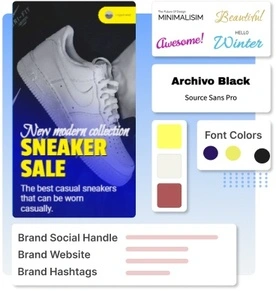
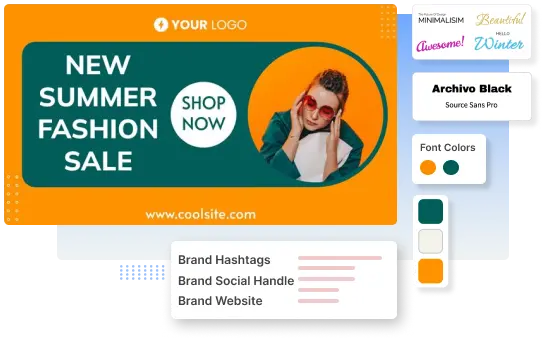
Upload your logo, set your brand colors, and choose your fonts once. Every template you open will automatically pull from your brand kit, so you spend less time adjusting and more time on the message.

Try Now
branded banner
swap styles assets and layouts
swap-styles-icon

Swap Styles, Assets, and Layouts without Starting Over

Changed your mind about the look? Switch to a different template without losing your copy or offer details. Predis carries your content across styles so you can test different visual directions fast.

Make Videos

Make Multiple Facebook Video Ad Variations Without Slowing Production

hooks-icon

Test different Hooks and Openings

Run more efficient ad tests by generating multiple opening hooks from the same brief. Change the first line, the first scene, or the approach without rebuilding the whole ad. Each version takes seconds to produce.

Create Variations
test different hooks and openings
create multilingual facebook video ads
multilingual-icon

Create Multilingual Versions for Wider Reach

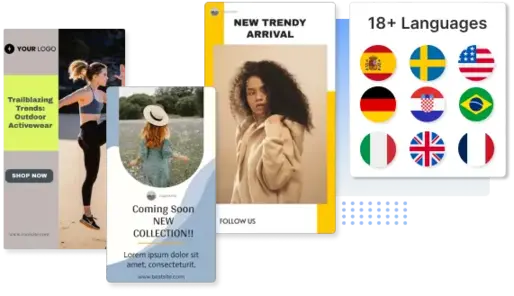
Predis.ai supports over 19 languages. Once your ad is ready in English, generate the same video in French, Spanish, Portuguese, or any other supported language. The layout and visuals stay the same — only the copy changes.

Generate Facebook Video Ad
resize-icon

Resize Once for Feed, Stories, and more Placements

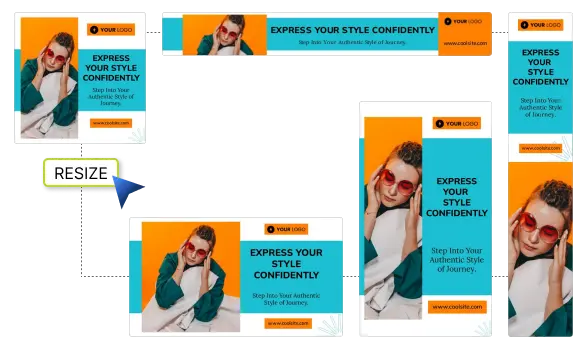
One Facebook video can run in the feed, in Stories, and in Reels; each at a different size. Predis resizes your ad to fit each placement in a single click, preserving the layout and keeping text legible at every ratio.

Design Videos
resize facebook video ads for all placements

Why Teams use Predis.ai for Facebook Video Ads?

Faster Turnaround from Concept to First Cut

Most ad teams spend days going from a brief to a video ready for review. With Predis.ai, that gap closes to hours. The AI handles the first draft so your team can focus on refining instead of building from scratch.

Reduced Production Effort

You don’t need a dedicated video editor, a motion designer, or a copywriter to produce a solid Facebook video ad. Predis.ai's Facebook ad design tool handles those roles through automation, keeping the work on one person’s plate.

Brand Safe, On-Template Output

Every ad comes out within your brand guidelines because your logo, colors, and fonts are baked into the process from the start. No more off-brand ads slipping through at the last minute.

Facebook Video Ad Tips and Resources

FAQs

Can I make multiple versions of the same ad?

Yes. You can generate multiple ad variations from the same brief by changing the hook, visuals, or copy direction. Each version takes seconds to create Facebook ads online and is ready to edit and export.

Can I add animations, music, and branding?

Yes. Predis's Free Facebook ad maker lets you add motion effects to text and visuals, choose from a library of licensed background music, and apply your brand kit — including logo, colors, and fonts — to every ad you create.

Can I resize Facebook video ads for different placements?

Yes. Once your ad is created, you can resize it to fit Facebook Stories, Reels, and other placements in a single click. The layout adjusts automatically while keeping your content legible.

Can I start from a template and customize it fast?

Yes. Browse templates built for specific ad types — promos, launches, product showcases — and open any one in the editor. Change the text, visuals, and branding without rebuilding the structure from scratch.

What are the suggested Facebook video ad dimensions?

For a Facebook feed ad, the recommended dimensions are at least 1080 x 1080 pixels. Ratio 1:1 (for desktop or mobile) or 4:5 (for mobile only).

What is the minimum and maximum file size for a Facebook video ad?

The maximum file size is 4 GB, minimum width: 120 pixels and minimum height is 120 pixels. Video duration should be 1 second to 241 minutes.

You may also like to explore

Explore this page in your language

Loved ❤️ by more than a Million Entrepreneurs,
Marketers and Content Creators.