
Explore this content with AI:
In the fast-paced world of modern marketing, your brand isn’t just what you say it is—it’s how people recognize you in a split second. Imagine scrolling through Instagram and seeing a post with a specific shade of primary red and a bold, black typeface. Before you even see the handle, you think: Netflix. That split-second recognition isn’t an accident. It is the result of a meticulously maintained brand kit.
The Real Problem: Fragmented Identity
The most common friction point in scaling companies is brand drift. One designer uses the 2022 logo, a social media manager chooses a “close enough” shade of blue from a preset, and an external agency uses a font that looks “cleaner” but isn’t part of your stack. The result? A disjointed customer experience that breeds subconscious distrust. If a company can’t keep its colors straight, can it keep its promises?
This guide will move beyond the basic “logo and colors” definition. We will explore the anatomy of a professional brand kit, differentiate it from other brand documents, look at real-world examples from giants, and provide a roadmap to building your own.
What Is a Brand Kit?
Definition: Assets + Rules
A brand kit is a curated collection of visual and editorial assets accompanied by a short set of “how-to” rules. It is the “utility belt” for anyone creating content for your company. While a full brand identity system is the philosophical “soul” of your brand, the kit is the practical “body.”
Brand Kit vs. Brand Guidelines vs. Style Guide
It’s easy to use these terms interchangeably, but for a Data Engineer or a Marketing Director, the distinction matters for documentation purposes.
| Document | Primary Focus | Best For… |
| Brand Kit | Visual Assets (Logos, Fonts, Colors) | Daily content creation and quick reference. |
| Brand Guidelines | The “Why” and “How” (Spacing, Grids, Philosophy) | Onboarding new designers or agencies. |
| Style Guide | Writing & Tone (Grammar, Voice, Formatting) | Copywriters, PR teams, and social media managers. |
When Do You Need Which?
- Startups: Often start with a Brand Kit. You need to move fast, so having the right logo files and HEX codes in a shared folder is the priority.
- Enterprises: Require Full Brand Guidelines. When you have 500+ employees, you need a 50-page PDF explaining exactly why the logo cannot be placed on a busy background.
Why Do You Need a Brand Kit?
1. Stopping “Creative Rogue.”
Without a kit, teams create assets in a vacuum. A salesperson might stretch a logo to fit a PowerPoint slide, or a dev might use a default system font for a landing page. A brand kit provides the guardrails to keep everyone on the same track.
2. Agency Alignment
When you hire an external agency, the first thing they ask for is your brand kit. If you don’t have one, they will charge you “discovery hours” to figure it out themselves—or worse, they’ll guess.
3. Building Trust Through Consistency
Consistency creates a “halo effect.” When every touchpoint—from your favicon to your billing statement—looks the same, it signals professional stability.
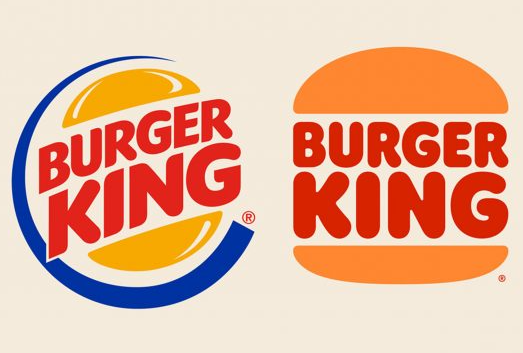
Example: Burger King
In 2021, Burger King executed a massive “retro” rebrand. They didn’t just change a logo; they built a comprehensive identity system that used a custom “Flame” font and a warm, organic color palette. Because their brand kit was so clear, they were able to roll it out across thousands of global locations with zero confusion, instantly modernizing their image while staying true to their heritage.
Core Components of a Brand Kit
1. Logo Files and Variations
A single logo file is never enough. You need:
- Primary Logo: The full version.
- Icon/Favicon: For small spaces like browser tabs or profile pictures.
- Wordmark: Just the text.
- Monochrome/Reverse: All-white or all-black versions for dark or busy backgrounds.
Tips and Best Practices
Here are some tips on what to add and what not to do:
- Mandatory File Formats: Store SVG (scalable/web), PNG (transparent/decks), and EPS/AI (professional printing). Avoid JPEGs to prevent “white box” background issues.
- Color Profile Splits: Organize folders by RGB (digital screens) and CMYK (physical print) to prevent color shifting and muddy tones.
- Clear Space Rule: Define a mandatory “buffer zone” (e.g., the width of the logo’s icon) to ensure no text or graphics crowd the logo.
- Responsive Variations: Provide a full logo for large displays, a simplified version for medium use, and an icon-only version for favicons or mobile apps.
- Background Adaptations: Include “Reverse/Knockout” (all-white) for dark backgrounds and “Monochrome” (all-black) for grayscale or high-contrast needs.
- Minimum Size Limits: Specify the smallest allowable size (e.g., 25px or 0.5 inches) to prevent the logo from becoming an illegible smudge.
- The “Wall of Shame”: Visually demonstrate prohibited edits like stretching, rotating, adding drop shadows, or changing official brand colors.
- Searchable Naming: Use descriptive file names like
Brand_Logo_Primary_RGB_FullColor.svgSo users can find assets without opening them. - Accessibility Versions: Include high-contrast variants that meet WCAG standards for users with visual impairments.
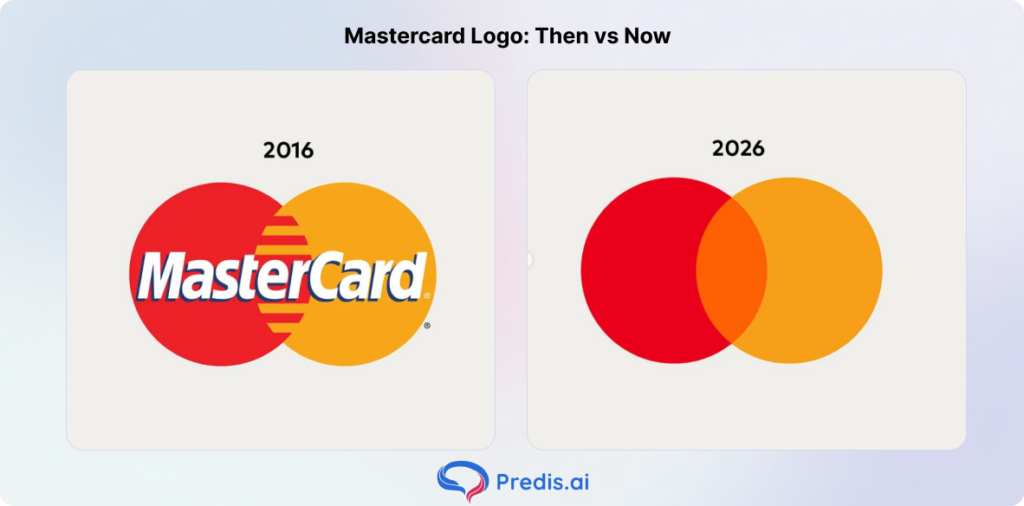
Example: Mastercard
Mastercard recently dropped its name from its logo in many contexts. They use their overlapping red and yellow circles (the “Interlocking Circles”) confidently. Their brand kit specifies exactly when the “wordmark-free” version can be used.
2. Brand Color System
Don’t just list colors; categorize them. When creating an aesthetic color palette and displaying it, these are some things that you need to know:
- Primary Colors: The “80%” colors people associate with you.
- Secondary/Accent Colors: Used for buttons (CTAs), highlights, or data visualization.
- Neutrals: The greys, whites, and off-blacks used for backgrounds and text.
Tips and Best Practices
- Primary Palette: Limit to 1–3 “hero” colors that drive immediate recognition. These should dominate 80% of your branded content.
- Secondary/Accent Palette: Provide 3–5 complementary colors for “call-to-action” buttons, highlights, and variety in social media graphics.
- The 60-30-10 Rule: Include a guide on color distribution—60% primary/neutral, 30% secondary, and 10% accent color to prevent visual clutter.
- Exact Color Codes: Supply every color in four formats: HEX (web), RGB (digital/video), CMYK (standard print), and Pantone (professional spot-color printing).
- Neutral Shades: Define specific whites, greys, and blacks. Avoid “pure” black (
#000000) or white (#FFFFFF) if your brand uses softer, “off-shade” tones for a premium feel.
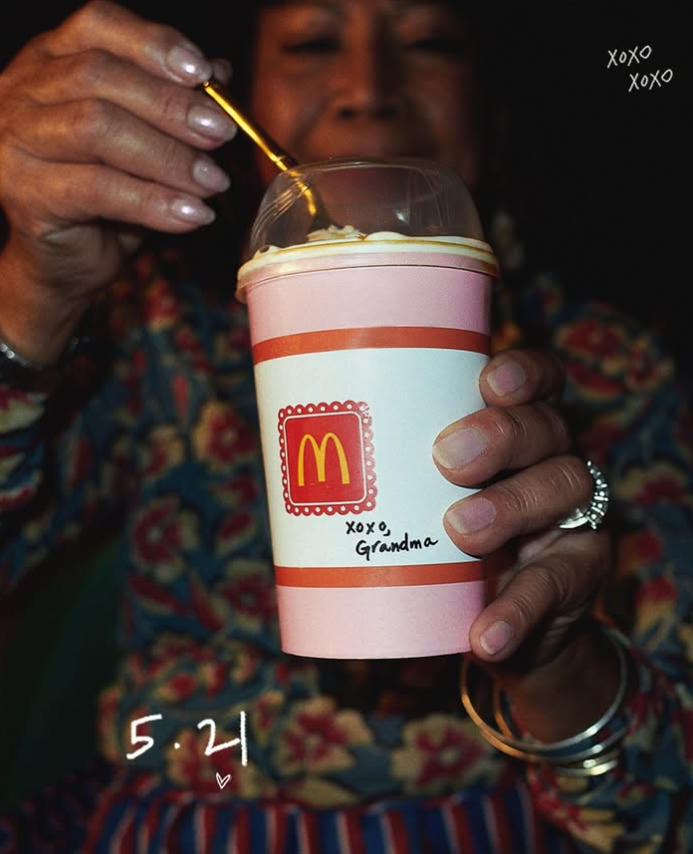
Example: McDonald’s
McDonald’s uses Red and Yellow for high-energy recognition, but their brand kit also includes specific “food-friendly” neutrals for their interior design and high-end packaging to keep the brand from feeling “cheap.”
Here is an example, where they used neutral shade packaging to increase the aesthetic appeal of their product:
3. Typography System
Fonts have personalities. Your kit should define:
- Heading Font: For big, bold statements.
- Body Font: For readability.
- UI/Support Font: For buttons and small labels.
Tips and Best Practices
- Font Hierarchy: Define specific roles for H1 (Headings), H2 (Subheaders), and Body Text. This ensures a clear reading order and prevents “font soup.”
- Primary & Secondary Typefaces: Limit your kit to two main font families—one for personality (Headings) and one for high legibility (Body).
- Web-Safe Fallbacks: Always list a “system font” alternative (like Arial or Helvetica) for use in emails or live websites where your custom brand font might fail to load.
- Weight & Style Limits: Specify which weights are allowed (e.g., “Use Bold for headers and Regular for body, avoid Thin or Ultra-Light weights as they fail on mobile”).
- Leading & Tracking Specs: Provide exact rules for Line Spacing (Leading) and Letter Spacing (Tracking). Proper “breathing room” between lines is what separates professional design from amateur work.
- Sourcing & Licensing: Provide direct links to download font files or Adobe/Google Font links, along with a note on licensing to ensure the team isn’t using fonts illegally.
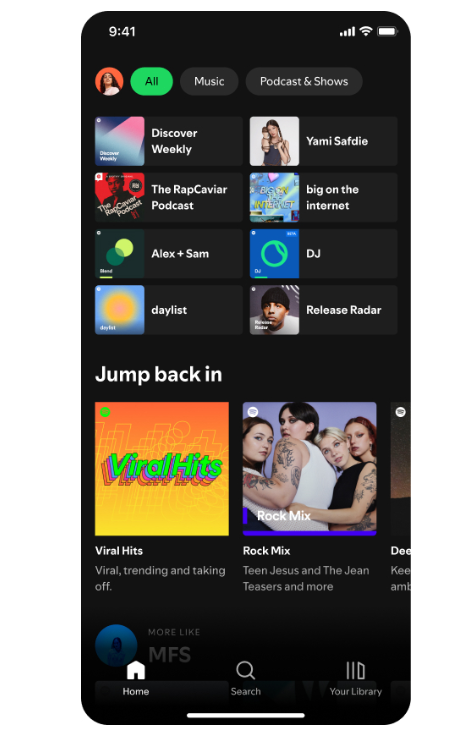
Example: Spotify
Spotify used to use Circular. It’s a clean, geometric sans-serif that works just as well on a massive billboard as it does in a tiny font size on a mobile play button.
But now they are rolling out their own variable font called Spotify Mix, which is a sans serif that blends classic and contemporary styles.
4. Photography Style Guide
Is your brand “High-contrast and edgy” or “Soft and airy”?
- Subject Matter: People, products, or landscapes?
- Lighting: Natural sunlight or studio neon?
Tips and Best Practices
- Visual Narrative & Mood: Define the “vibe”—is it high-energy and gritty, or clean and minimalist? Use descriptive keywords (e.g., “Authentic,” “Candid,” “Cinematic”) to guide photographers.
- Subject Matter Focus: Specify who or what should be in the frame. For a B2B brand, this might be “collaboration in modern workspaces”; for a lifestyle brand, “real people in unposed moments.”
- Lighting Direction: Standardize your lighting style. Do you use Natural/Golden Hour light for warmth, or High-Key/Studio lighting for a tech-focused, “sterile” look?
- Color Saturation & Temperature: Set rules for post-processing. Specify if photos should be warm-toned, cool-toned, or desaturated. This ensures images from different photographers look like they belong to the same set.
- Composition & Negative Space: Mandate “room to breathe.” Require photographers to leave negative space (empty areas) in shots so that marketing teams can overlay text or logos without cluttering the subject.
- Treatment of Logos & Branding: Determine if physical brand logos should appear in the “real world” (e.g., on a shirt) or if the photography should remain unbranded and let the style do the talking.
- What to Avoid: Create an “Anti-Library” of stock photo clichés. Prohibit overly staged “handshake” photos, “headset-wearing support” tropes, or artificial-looking models.
Example: Nike
Nike’s photography style is “Heroic Realism.” It’s gritty, sweat-soaked, and high-intensity. You won’t see soft, pastel lifestyle photos in a Nike brand kit. Look at this sample image from Nike’s Instagram:

5. Icons and UI Elements
Icons should look like they belong to the same family. Are they “Line icons” (hollow) or “Solid icons” (filled)?
Tips and Best Practices
- Visual Style Consistency: Define whether icons are Outlined (linear), Filled (solid), or Duo-tone. Never mix styles in the same interface or document.
- Corner Radius: Standardize the “roundness.” Specify if icons should have sharp 90-degree angles for a technical look or rounded corners (e.g., 2px or 4px) for a friendlier feel.
- Stroke Weight: If using outlined icons, mandate a specific pixel width (e.g., 1.5pt or 2px) to ensure all icons look like they belong to the same “weight” class.
- Grid and Padding: Require all icons to be built on a standard pixel grid (usually 24x24px or 32x32px). Include internal padding to ensure they don’t touch the edges of their container.
- File Organization: Store as SVG for web/app performance and PDF/EPS for high-res print. Avoid raster formats (PNG/JPG), which pixelate when scaled.
Example: Google
Look at the icons for Gmail, Drive, and Maps. They all use the same four-color logic and rounded geometry. This is the result of a strict UI brand kit.
6. Brand Voice and Tone
How do you talk? What is the voice of your brand, and how do you make sure your social media aligns with it? That is what this section covers:
- Formal vs. Casual: Do you say “Greetings” or “Hey there”?
- Witty vs. Serious: Are you a jokester or a trusted advisor?
Tips and Best Practices
- Formatting for Readability: Dictate how information is delivered. Does the brand prefer Bulleted Lists for clarity or dense paragraphs to show depth of thought?
- The “Human” Element: Specify the perspective. Do you use “We/Us” (Collective), “I” (Personal/Founder-led), or “The Company” (Formal/Institutional)?
- Customer Interaction Templates: Provide “Active” examples of how the voice sounds in high-stakes moments, such as responding to a complaint or announcing a major error.
Writing a clear copy for your social media posts and ads depends on the details you provide in this section.
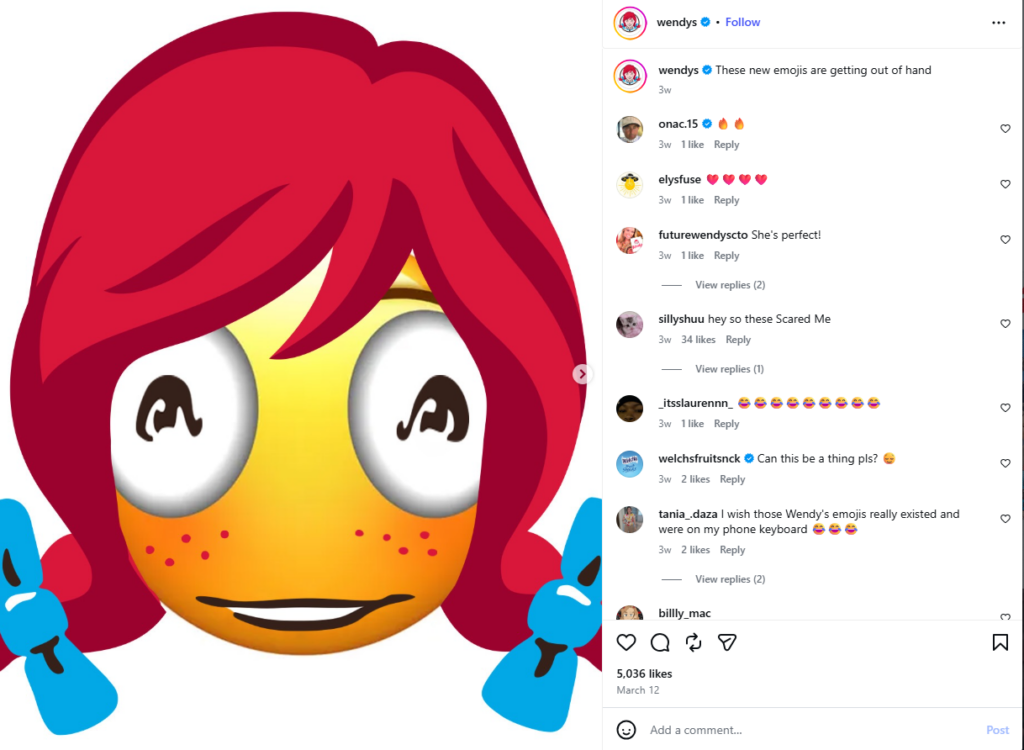
Example: Wendy’s
Wendy’s social media kit likely includes a section on “Roasting.” Their tone is bold, cheeky, and irreverent, which sets them apart from the “corporate” voice of competitors. Look at this sample Instagram post where they are mocking their own logo:
7. Social Media Style Guide
This includes specific templates for social media branding styling:
- Instagram Stories/Reels covers
- LinkedIn post headers
- YouTube Thumbnails
Tips and Best Practices
- Platform-Specific Layouts: Define “Safe Zones” for each platform (e.g., keeping text away from the “Like” buttons on TikTok or the profile picture on Instagram Reels).
- Thumbnail Strategy: Standardize your YouTube and Reel covers. Specify font size, background contrast, and whether a “human face” (host) must always be present to drive clicks.
- Emoji Usage Policy: Determine which emojis are “On-Brand.” For a fintech firm, it might be 📈 and 🔒; for a lifestyle brand, ✨ and 🌿. Limit the total number per post to avoid looking like spam.
- Engagement Tone: Define how the brand “talks back” in the comments. Is it a peer-to-peer conversation (1st person “I/me”) or a corporate representative (1st person “We/us”)?
- Post Frequency & Timing: While not visual, the “rhythm” is part of the style. Define the balance between “Value” posts (educational), “Community” posts (engagement), and “Sales” posts.
Example: Red Bull
Red Bull’s social media is entirely focused on “Extreme” content. Their kit ensures that no matter who is posting, the energy remains consistent—high-action, high-saturation, and adventurous.
The Most Overlooked Part: Video and Motion
In 2026, a brand kit that only covers static images is incomplete.
- Logo Animation: How does your logo appear? Does it “bounce,” “fade,” or “glitch”?
- Lower Thirds: How do names appear on screen during interviews?
- Subtitles: What font and background color are used for captions?
Example: MrBeast
The world’s biggest YouTuber has a very specific brand kit for video. Notice the specific yellow-and-black subtitle style and the high-saturation thumbnails. It makes his content recognizable in a crowded feed.
Brand Kits for Partnerships and Influencer Campaigns
When you work with influencers, you lose a degree of control. A brand kit helps you get it back.
- The “Safe” Zone: Provide examples of what a “Brand Safe” caption looks like.
- Asset Pack: Send a folder with transparent PNG logos and a few “Approved” background textures.
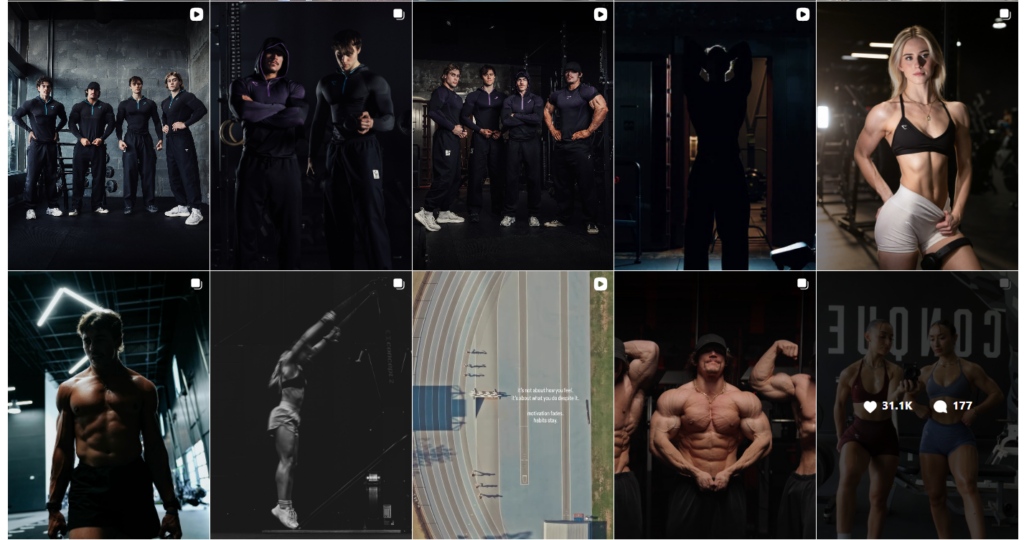
Example: Gymshark
Gymshark provides its “athletes” (influencers) with clear guidelines on how to display the logo and which hashtags are mandatory, ensuring that even though the content is “authentic,” it remains on-brand.
How to Update Without Breaking Everything
Brands are living things. You will eventually need to refresh. But how do you achieve that without breaking the system that you built? Here is how:
- Version Control: Don’t just delete old logos. Create a
Archivefolder. - The “Slow Roll”: Update digital assets (Social, Website) first, then physical assets (Packaging, Signage) as stock runs out.
- Communication: Send a “What’s New” memo to the whole company explaining why the change happened.
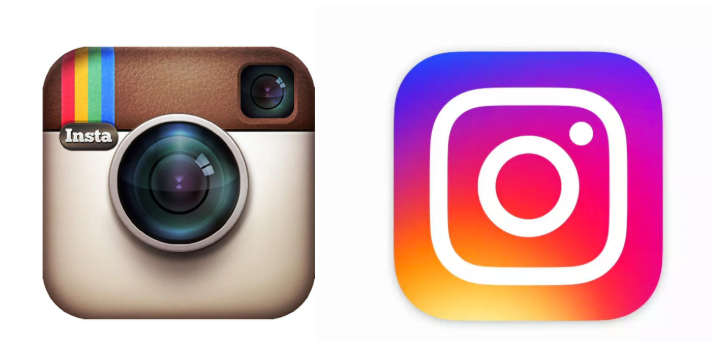
Example: Instagram
Instagram famously changed its “Polaroid” icon to a colorful gradient. They kept the basic shape of a camera but modernized the colors. Because the core silhouette remained, the brand stayed recognizable during the transition.
Conclusion
A brand kit is more than just a folder of pretty pictures. It is the operating system for your company’s reputation.
Your brand is a promise to your customer. A brand kit ensures you keep that promise, visually and emotionally, every single time they interact with you.
FAQs:
When it comes to organizing a brand kit for easy access by teams, a systematic approach is key. Start by categorizing assets logically based on type and usage.
Include essential file formats in the brand kit, such as high-resolution logos in PNG and SVG, brand guidelines in PDF, editable design files in AI or PSD, and font files in OTF or TTF.
To ensure agencies and freelancers adhere to the brand kit, conduct training sessions, provide detailed guidelines, and set up regular check-ins for feedback and corrections.
Regularly review and update the brand kit to keep up with market trends, changes in your business, or any feedback received from teams or external partners. Aim for at least an annual review to guarantee relevance and consistency.