
Video model by xAI

Grok Imagine Video 1.5

Grok Imagine Video 1.5 is at its best turning a still image into a moving clip with sound, keeping the picture you started with intact. It makes up to 15 seconds per clip in up to 1080p, and every clip on this page shows the image and prompt it came from.

Made with Grok Imagine Video 1.5

The prompt

Bring the poster to life while keeping its flat, screen-printed style and every letter exactly as printed. The rocket's engines ignite in a puff of stylized cream smoke, and it lifts slowly off the pad and climbs past the volcano. The two astronauts wave and shade their eyes to watch it go. Red dust drifts across the ground in gentle printed swirls, and a few small clouds slide across the sky. Camera: a slow push-in toward the volcano. Sound: a rising retro rocket rumble, a cheerful 1960s orchestral sting, wind.

References

  • The poster

Settings

  • 10 seconds
  • 1080p
  • 16:9
  • From a still image

Made with Grok Imagine Video 1.5 on October 26, 2026 from the poster shown. Trimmed only, nothing else touched.
Try this prompt

An invented retro travel poster, VISIT OLYMPUS MONS, comes to life: a rocket lifts off, the red dust drifts, and the lettering stays exactly as printed. Made with Grok Imagine Video 1.5 from a single still.

What it can do

Grok Imagine Video 1.5 and 1.5 Lite, side by side

xAI offers two video models, and Predis.ai offers Video 1.5. Here's what each one makes, how long and at what resolution, so you know the limits before you start.

FeatureVideo 1.5Video 1.5 Lite (xAI API only)
Starts fromText, an image or reference imagesText or an image
Longest clip15 seconds15 seconds
Resolution480p to 1080p (720p with references)480p to 1080p (1080p upscaled from 720p)
Lip-synced speechYesYes
Reference imagesUp to 7 on Predis.ai, 14 on xAI's APINot supported
VoicesPreset voices on xAI's API; not offered on Predis.aiNot supported
Pinned framesFirst frame on Predis.ai; first, middle and last on xAI's APINot supported
Extend from the last frameYes, with Grok Video ExtensionNot supported
Reference images

Six pictures, one scene

Give it a character, a costume, a prop, a place, a color palette and a style frame. Here, a mood board became a salvage captain on her submarine bridge.

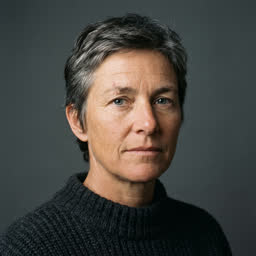
  • CharacterCaptain portraitImage 1
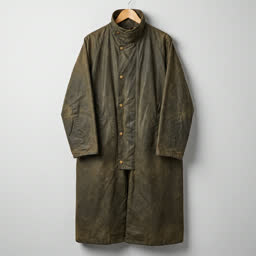
  • CostumeOilskin coatImage 2
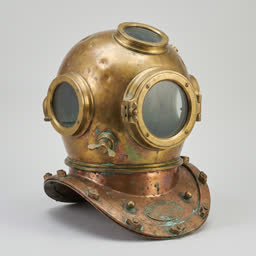
  • PropBrass diving helmetImage 3
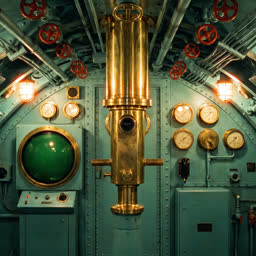
  • LocationSubmarine bridgeImage 4
  • PaletteTeal and brass swatchesImage 5
  • StyleFilm-still lookImage 6

Reference clips top out at 720p, so save them for scenes where consistency matters more than resolution.

The result, at 720p

A salvage captain in an oilskin coat stands on a brass-and-teal submarine bridge, holds up a diving helmet and gives an order, made from six reference images.

The prompt

Use the references as follows: the woman in Image 1 is the captain; she wears the coat from Image 2 and carries the helmet from Image 3; the scene is the submarine bridge from Image 4; the colors follow Image 5; the look follows Image 6. The captain stands by the periscope as the sonar pings. She lifts the brass helmet under one arm, turns to the crew off-screen and says, calm and firm: "We go down at dawn. Nobody touches the gold." The amber lights flicker as the hull creaks. Camera: a slow push-in from a medium shot to her face. Sound: steady sonar pings, a groaning hull, a distant engine thrum.

References

  • Image 1
  • Image 2
  • Image 3
  • Image 4
  • Image 5
  • Image 6

Settings

  • 10 seconds
  • 720p
  • 16:9
  • 6 reference images

Made with Grok Imagine Video 1.5 on October 26, 2026. Trimmed only, nothing else touched.
Try this prompt
Extension

One clip, carried on twice

Grok Video Extension picks up from the last frame of a clip and keeps going, then joins both into one video. This lantern scene was made in three parts; click a join to see where one ends and the next begins.

Click a join to jump to it.Tap a join to jump to it.

Extending is how you go past 15 seconds. Plan where each part ends, so the next one can start cleanly.

A paper lantern rises out of a canyon at dusk, more lanterns follow, and thousands fill the sky, made from one clip extended twice.

The prompts, part by part

Part 1 (Grok Imagine Video 1.5, 6 seconds): A deep red-rock canyon at dusk, the last orange light on its rim. On a narrow ledge, a hand releases a single glowing paper lantern, which lifts slowly into the still air, swaying gently. Camera: a slow upward tilt following the lantern. Sound: soft wind through the canyon and the faint crackle of the candle flame, still audible at the very end. Part 2 (Grok Video Extension, 6 seconds): Continue from the last frame. From the canyon floor below, dozens more glowing lanterns begin to rise around the first, drifting upward in loose clusters, their light warming the canyon walls. Camera: keeps tilting up slowly. Sound: the wind, with soft cheering far below, still audible at the very end. Part 3 (Grok Video Extension, 6 seconds): Continue from the last frame. Thousands of lanterns now fill the canyon sky, a river of warm light against the deepening blue. The camera rises above the canyon rim as the last of the sunset fades to night. Sound: one sustained choir note swelling under the wind.

Settings

  • 18 seconds in 3 parts
  • 720p
  • 16:9

Made with Grok Imagine Video 1.5 on October 26, 2026. Trimmed only, nothing else touched.
Try this prompt
Made with Grok Imagine Video 1.5

A photo, a product shot and a painting, set in motion

Every clip here started as a single image. Open a card to see the still and the prompt that moved it.

Image to video

How to animate a still image with Grok Imagine

  1. A still image uploaded as the starting frame
    01

    Pick your still

    Choose a sharp image at the aspect ratio you want the video in. Whatever is in the frame is what Grok Imagine keeps.

  2. A short motion prompt typed under the still
    02

    Describe the motion, not the picture

    The image already shows what everything looks like, so spend your words on what moves, how the camera moves and what we hear.

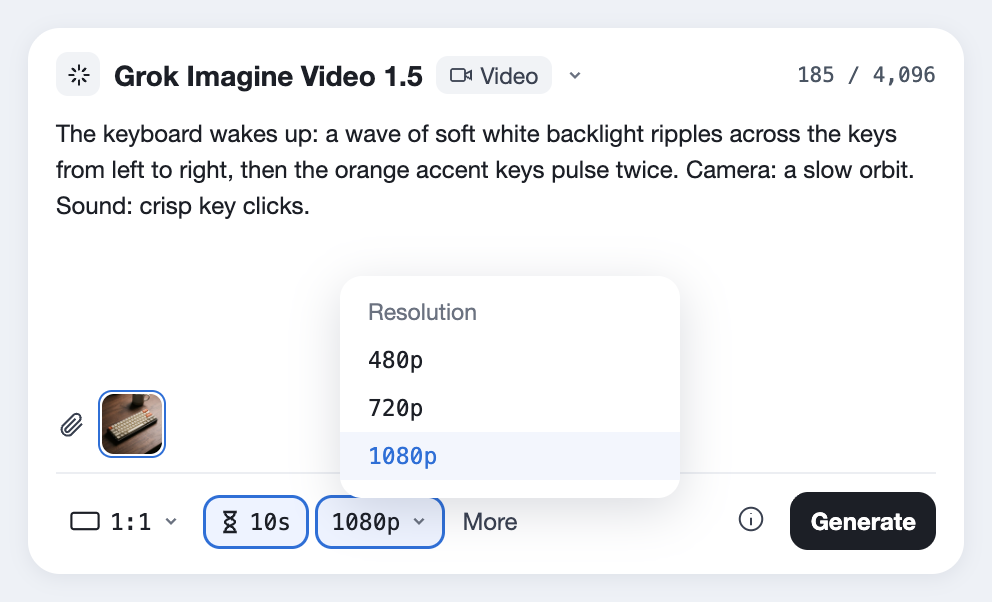
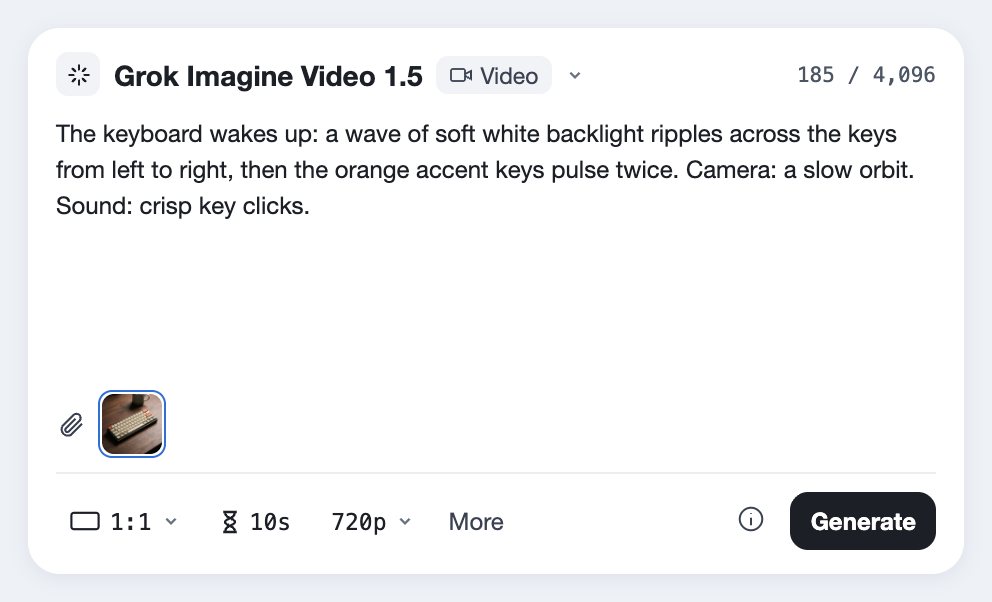
  3. Grok Imagine Video 1.5 selected in the Predis.ai Model Studio with a 10-second length
    03

    Make it, then extend it

    Open the Model Studio and choose Grok Imagine Video 1.5. In the bar under the prompt, pick a length up to 15 seconds and a resolution. You can carry it on from the last frame with Grok Video Extension if you need more.

xAI's own example prompt asks only for the water to crash down and the camera to pan out. When the image does the describing, a short motion prompt is enough.

[What moves first, and how.]
[What moves next.]
Camera: [one move: a slow push-in, a pan, an orbit or a hold].
Sound: [effects, ambience, music].
[Optional: who speaks, and their line in quotes.]

Grok Imagine video generation capabilities

  • Made byxAI
  • ReleasedJune 2026, after a preview from May 30
  • Clip lengthUp to 15 seconds; longer by extending
  • Resolution480p, 720p or 1080p
  • Frame rate24 fps
  • Starts fromText, a still image, or up to 7 reference images on Predis.ai
  • SoundLip-synced speech, effects and music
  • VoicesPreset voices on xAI's API; not offered on Predis.ai
  • Pinned framesThe first frame on Predis.ai
  • ExtensionUp to 10 seconds more per step, with Grok Video Extension
Last checked on October 26, 2026.
Limits

Grok Imagine video limits

Here's what it won't do, from xAI's own docs and early coverage, each with a way around it.

15 seconds per clip

Each generation stops at 15 seconds.

FixCarry it on from the last frame with Grok Video Extension, or use FLUX 3 Video for 20 seconds in one go.

References cap at 720p

Clips made from reference images top out at 720p, not 1080p.

FixUse a single starting image for 1080p, and save references for when consistency matters most.

No voice references

Predis.ai doesn't offer voice references for Grok Imagine, and on xAI's own API they're limited to its preset list.

FixDescribe the voice in the prompt, or record your voiceover and add it afterward.

Edits use an older model

Editing an existing video runs on xAI's previous Grok Imagine model, not 1.5.

FixFor edits by instruction, use Wan 2.7 VideoEdit or Runway Aleph 2.0.

Fixed at 24 fps

Clips come out at 24 frames per second.

FixAsk for slow motion in the prompt rather than slowing the clip down afterward.

Every clip is reviewed

xAI checks each clip against its content policy, so some prompts are refused.

FixUse invented people and plain wording.

Strongest from a still

Its top ranking was for turning images into video; text-to-video was added after launch.

FixFor the most control, start from an image.

Grok Imagine video questions

What are Grok Imagine's video generation capabilities?

Grok Imagine Video 1.5 makes clips up to 15 seconds long with sound, from text, a still image or up to 7 reference images on Predis.ai. It lip-syncs speech, starts from a still you set as the first frame, and can carry a clip on from its last frame with Grok Video Extension.

Up to 15 seconds per clip. You can go longer by extending a clip from its last frame with Grok Video Extension, which joins the parts into one video.

The model stops at 15 seconds per clip, 1080p (720p with reference images) and 24 fps. On Predis.ai you pick any length from 1 to 15 seconds, and each Grok Video Extension adds up to 10 seconds more from the last frame. Inside the Grok app, how much you can make depends on your X or SuperGrok plan; on Predis.ai, it depends on your plan.

Yes, and it's what the model is best known for: it ranked first for image-to-video when it launched. Upload a still, describe the motion, and it keeps the picture you started with.

Yes. Speech, effects and music are generated with the picture, and dialogue is lip-synced.

Not with Grok Imagine. On xAI's API voices come from a preset list, and Predis.ai doesn't offer voice references for it, so record your voiceover separately and add it to the clip.

Lite is xAI's cheapest video model and makes clips from text or an image, up to 1080p and 15 seconds. Video 1.5 adds reference images, pinned frames and preset voices. Predis.ai offers Video 1.5, not Lite.

It's a speed-tuned version in the Grok apps, which xAI says makes a 6-second 720p clip in about 25 seconds. It isn't offered on Predis.ai.

xAI released a preview on May 30, 2026 and made it generally available in mid-June 2026.

Yes. It's available through xAI's API and on platforms built on it, including Predis.ai, where it sits in the Model Studio.

On Predis.ai it's a paid model you can try during the 3-day trial, which needs a card and moves to a paid plan unless you cancel.

Bring a still, get a scene

Upload any image and describe what should move.

Make a video with Grok Imagine

Grok is a trademark of xAI. Predis.ai is not affiliated with or endorsed by xAI.