Three references at most
On Predis.ai you can add up to 3 images. Pick the ones that matter most, such as the character, the product and the place.
Write the design once and make it for every screen. Grok Imagine Image 2.0 lays the same ad out again for each shape, from a phone story to an ultra-wide banner, and keeps small type sharp.
Make an image with Grok Imagine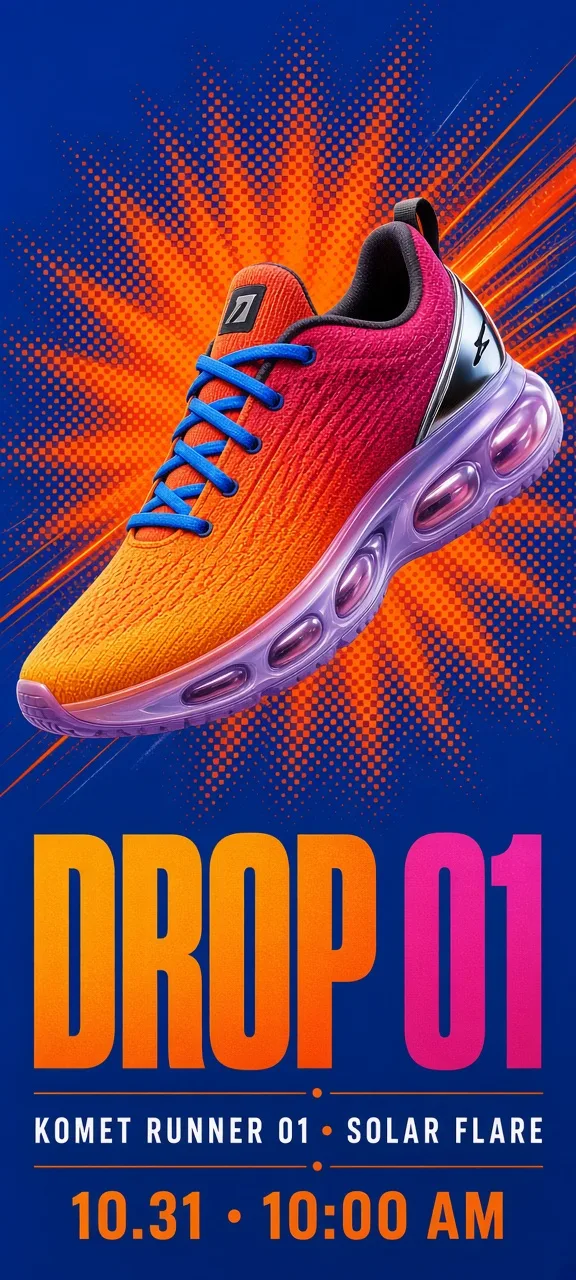
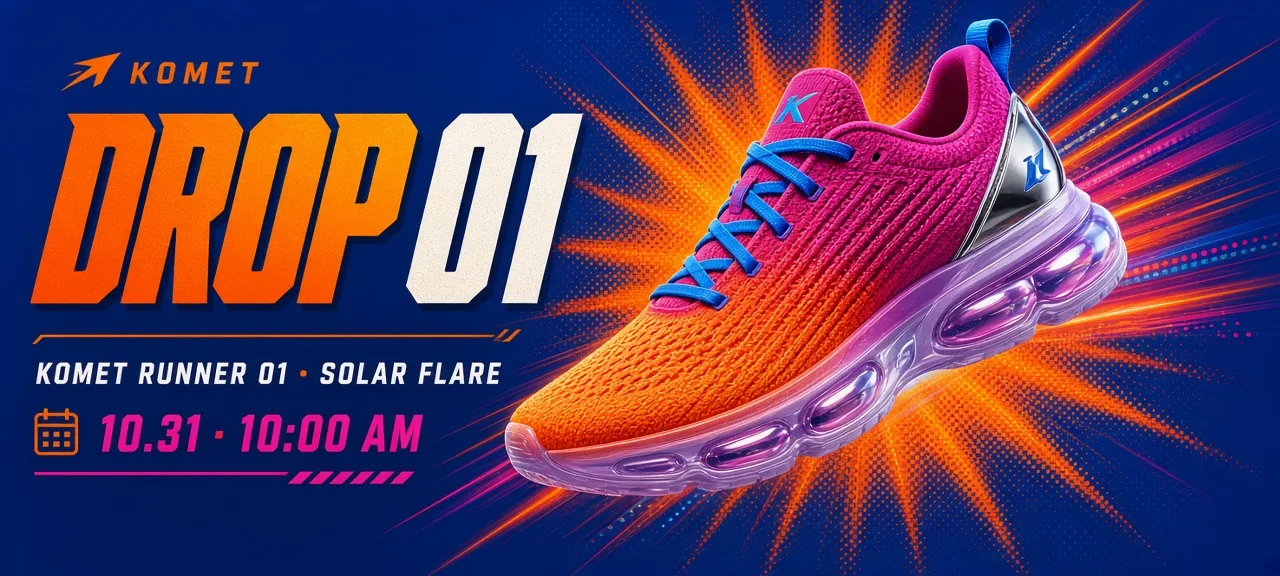
One prompt, run once per shape. The headline, the shoe and the date move to wherever that frame has room, instead of being cropped out. Scroll the strip.
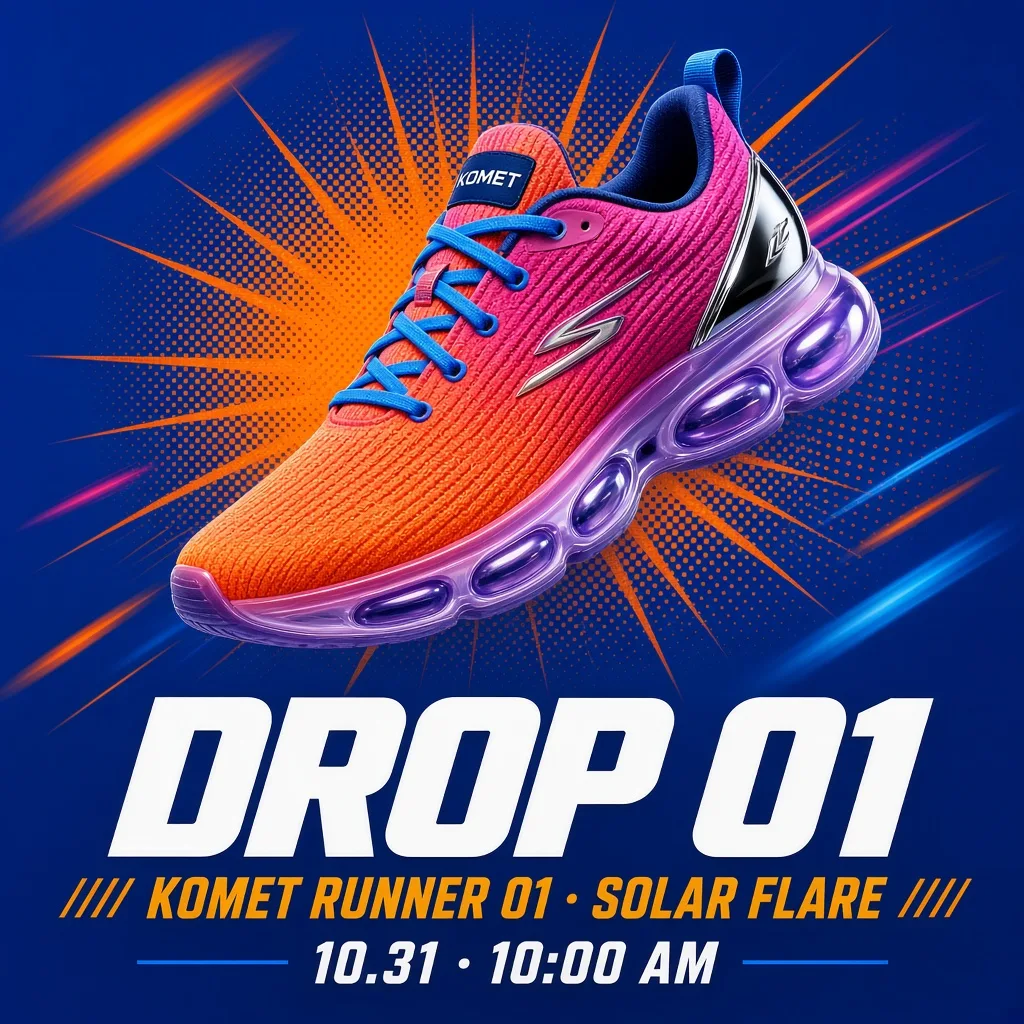
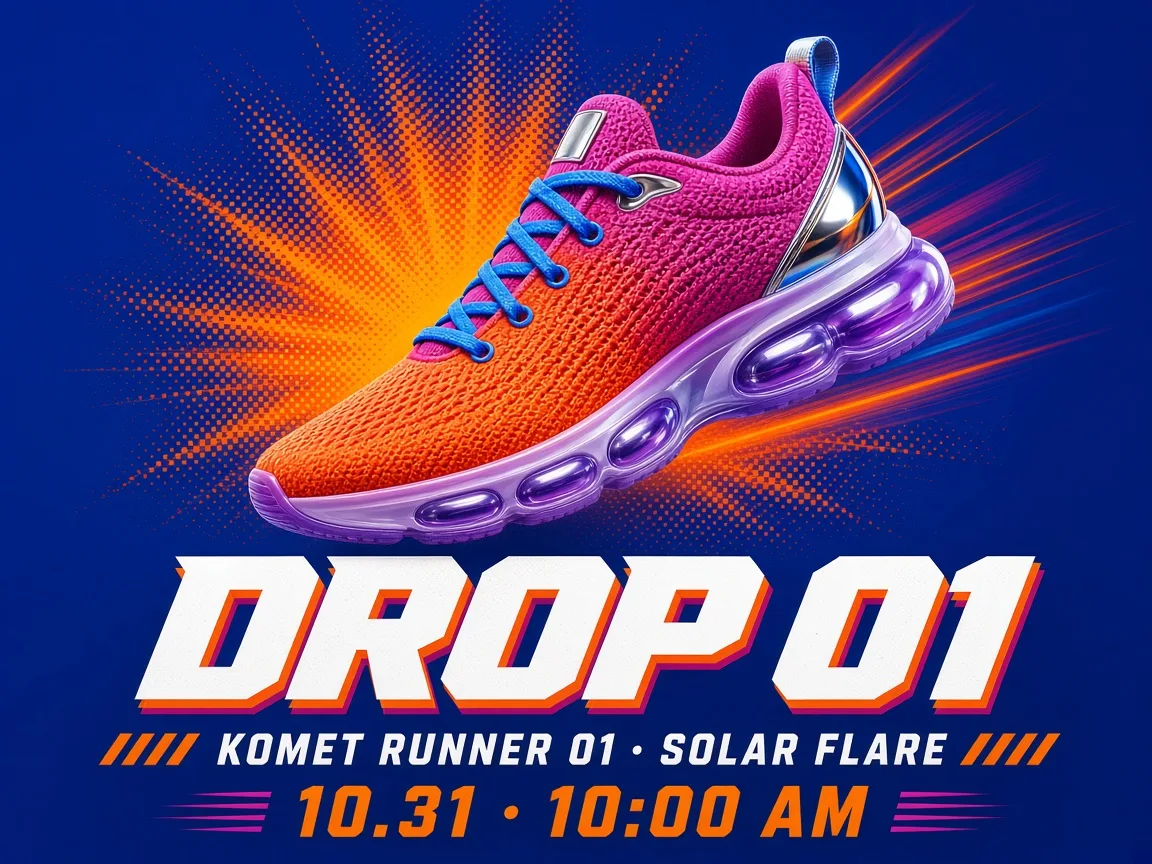
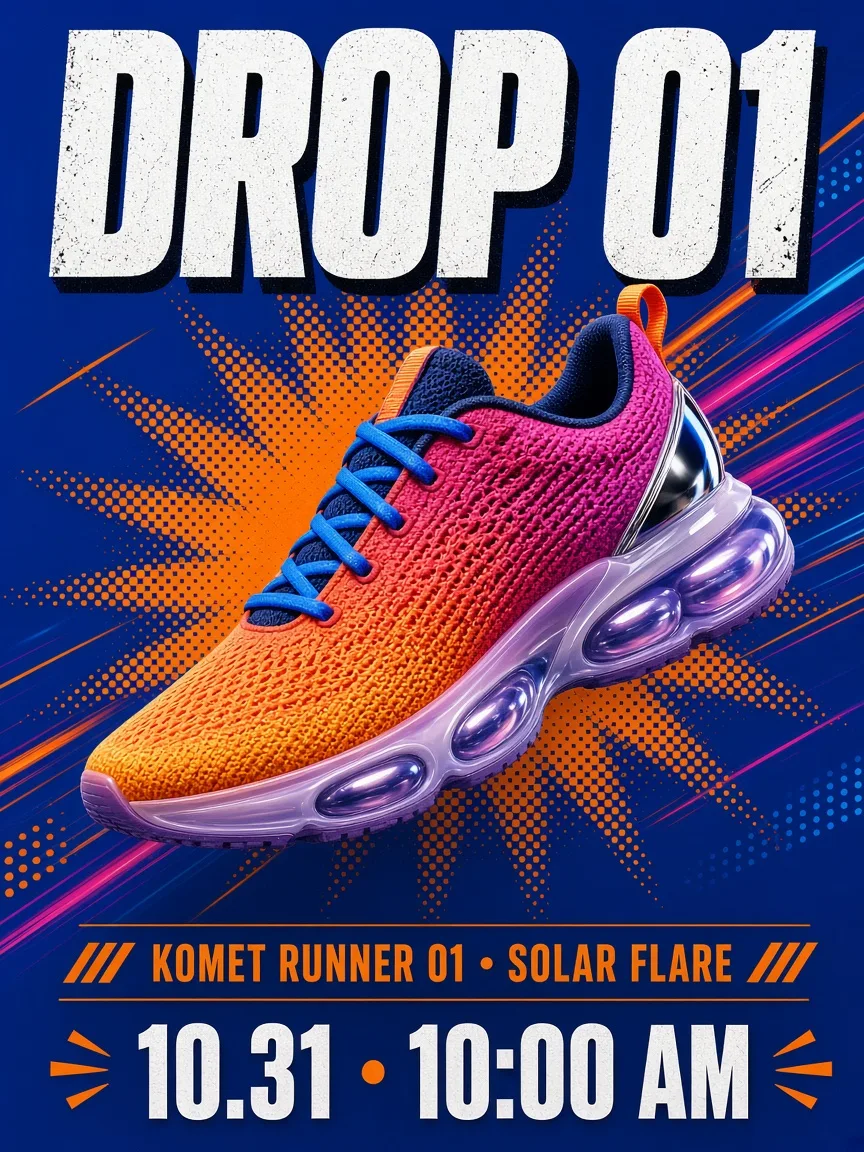
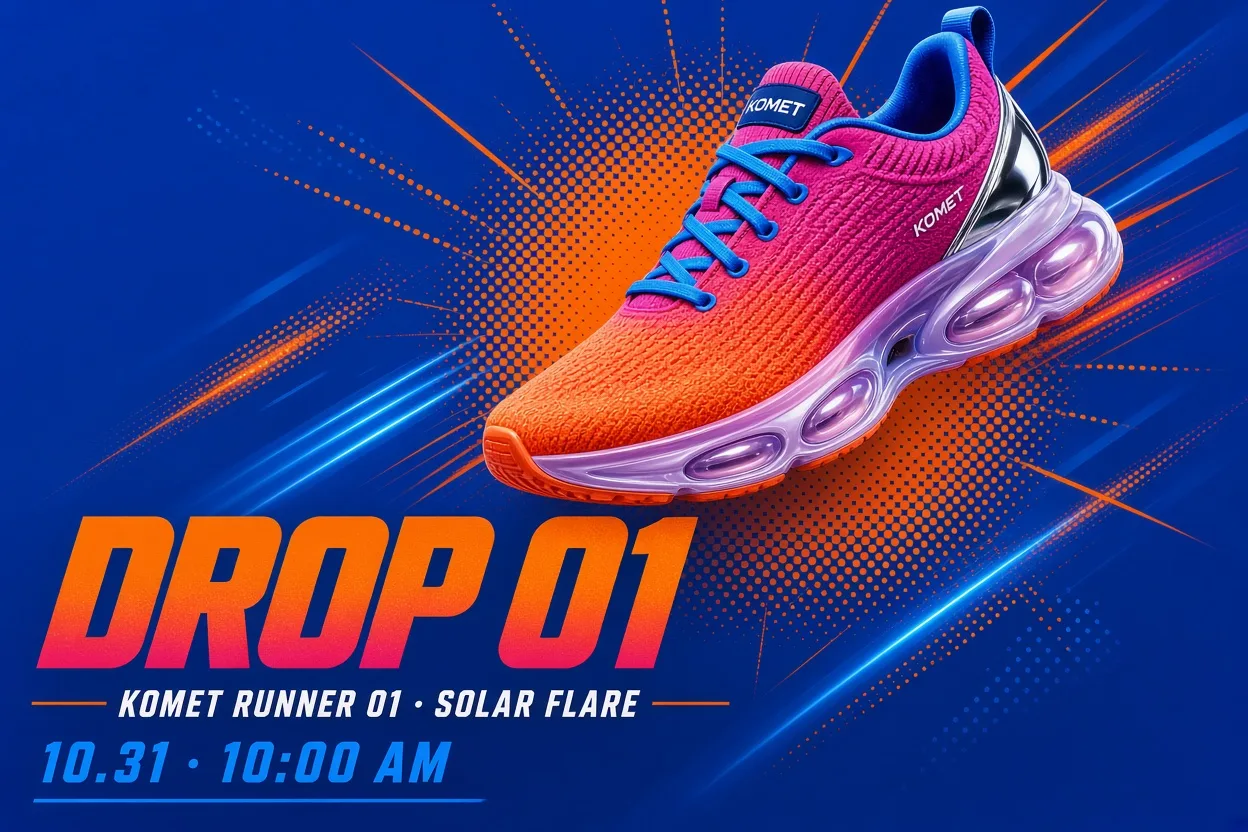
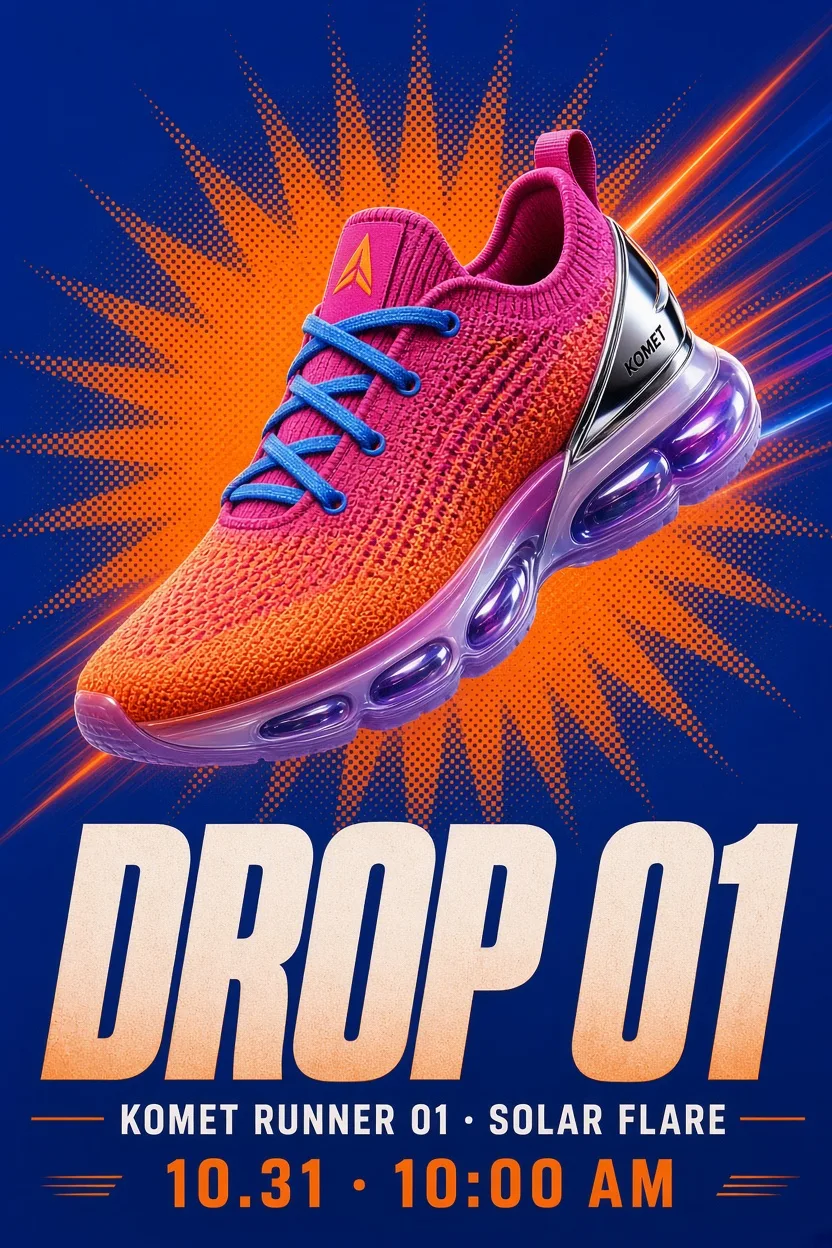
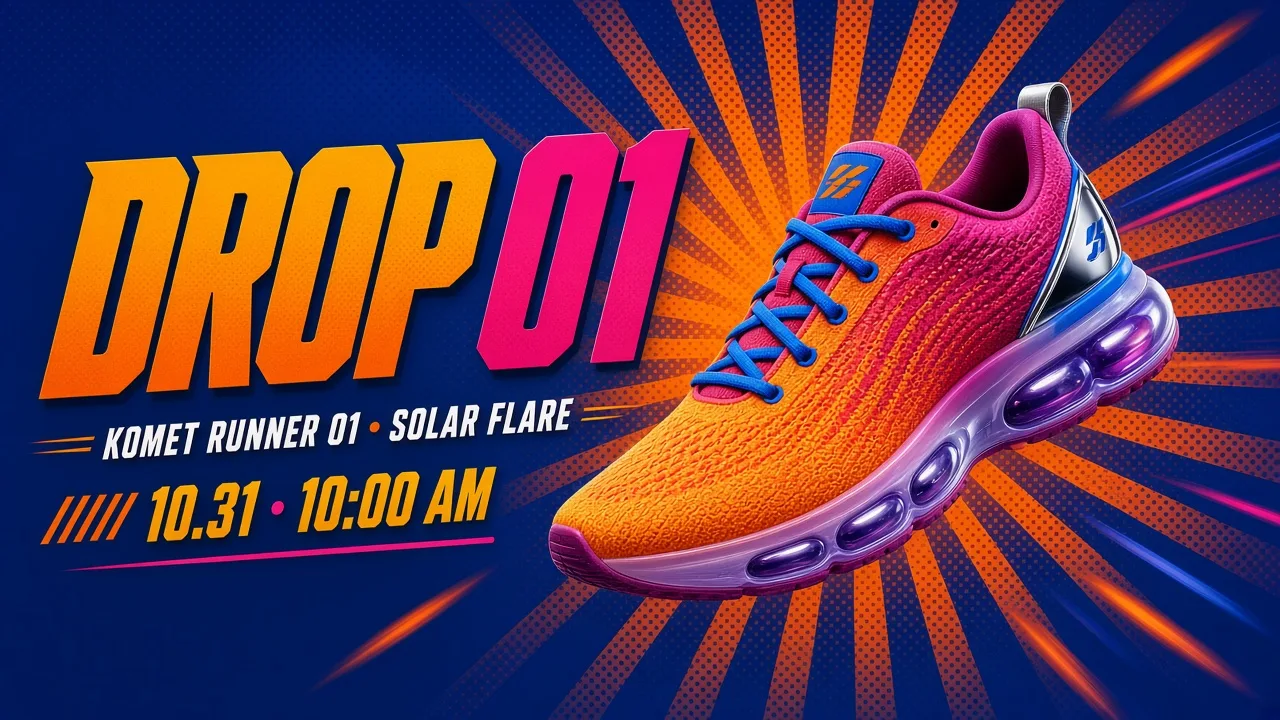
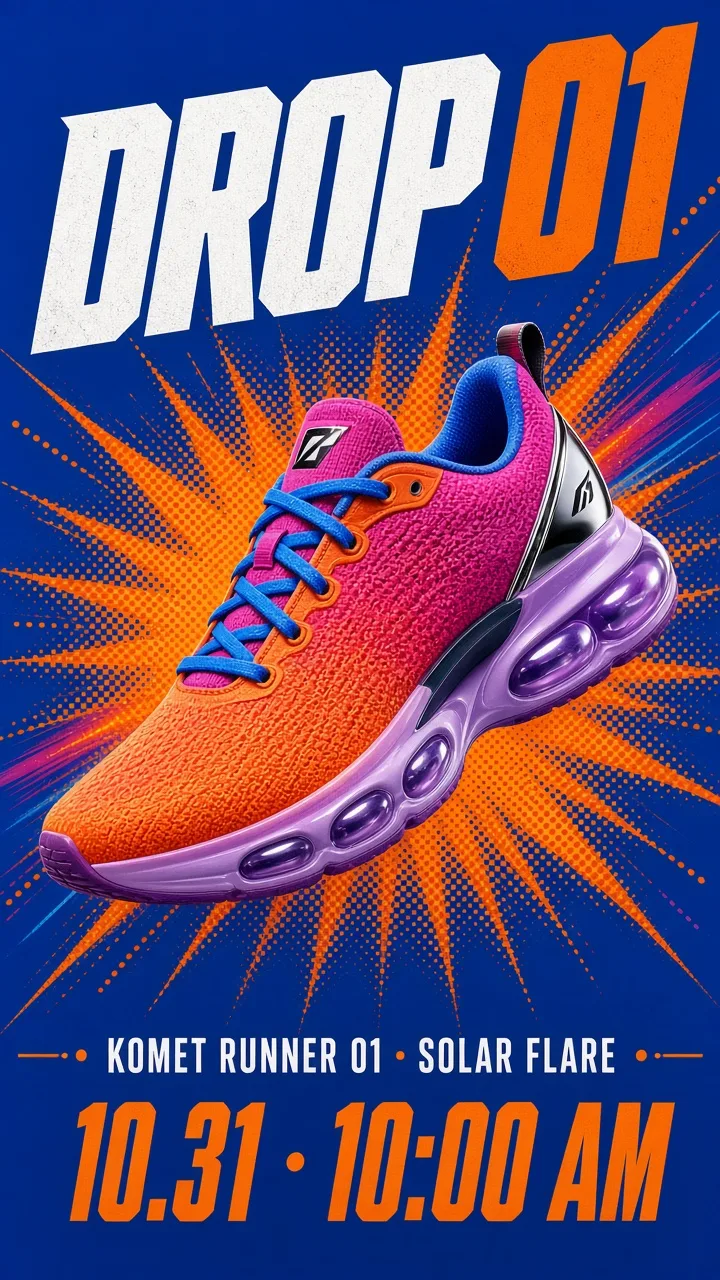
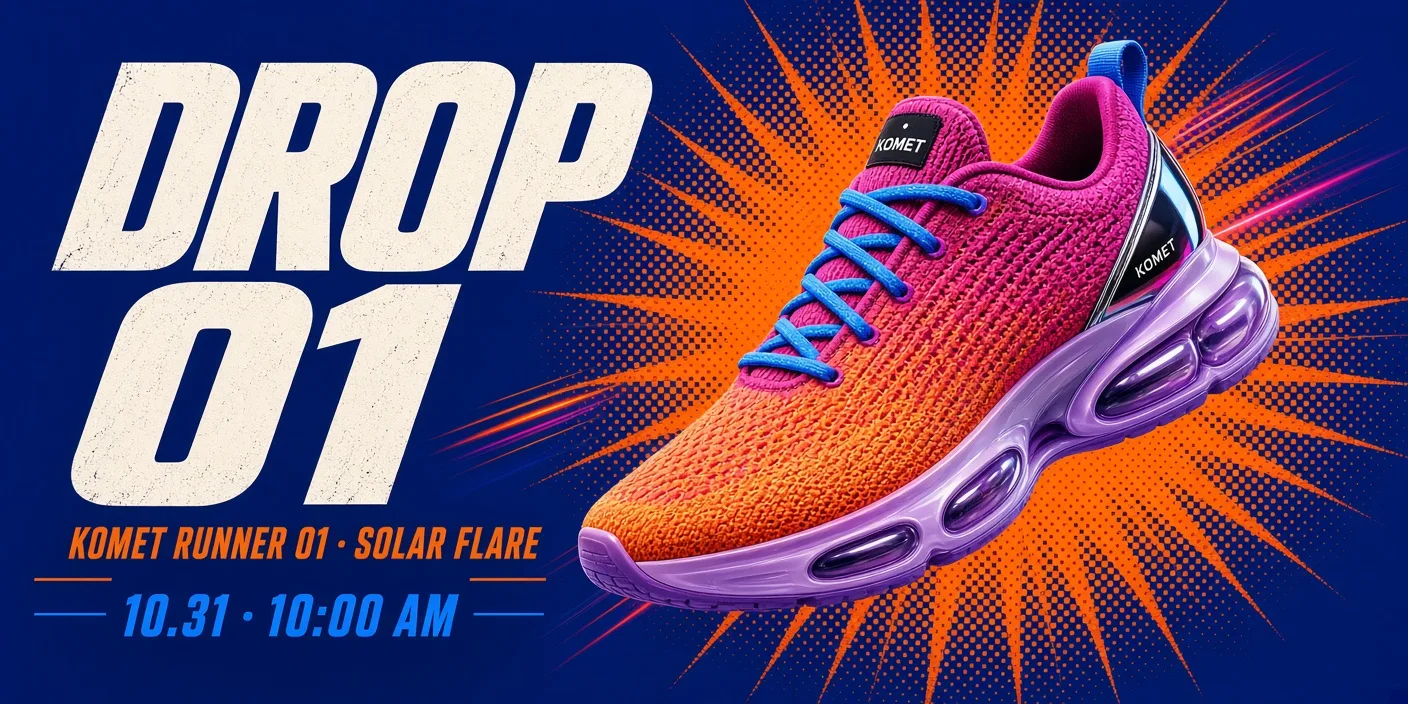
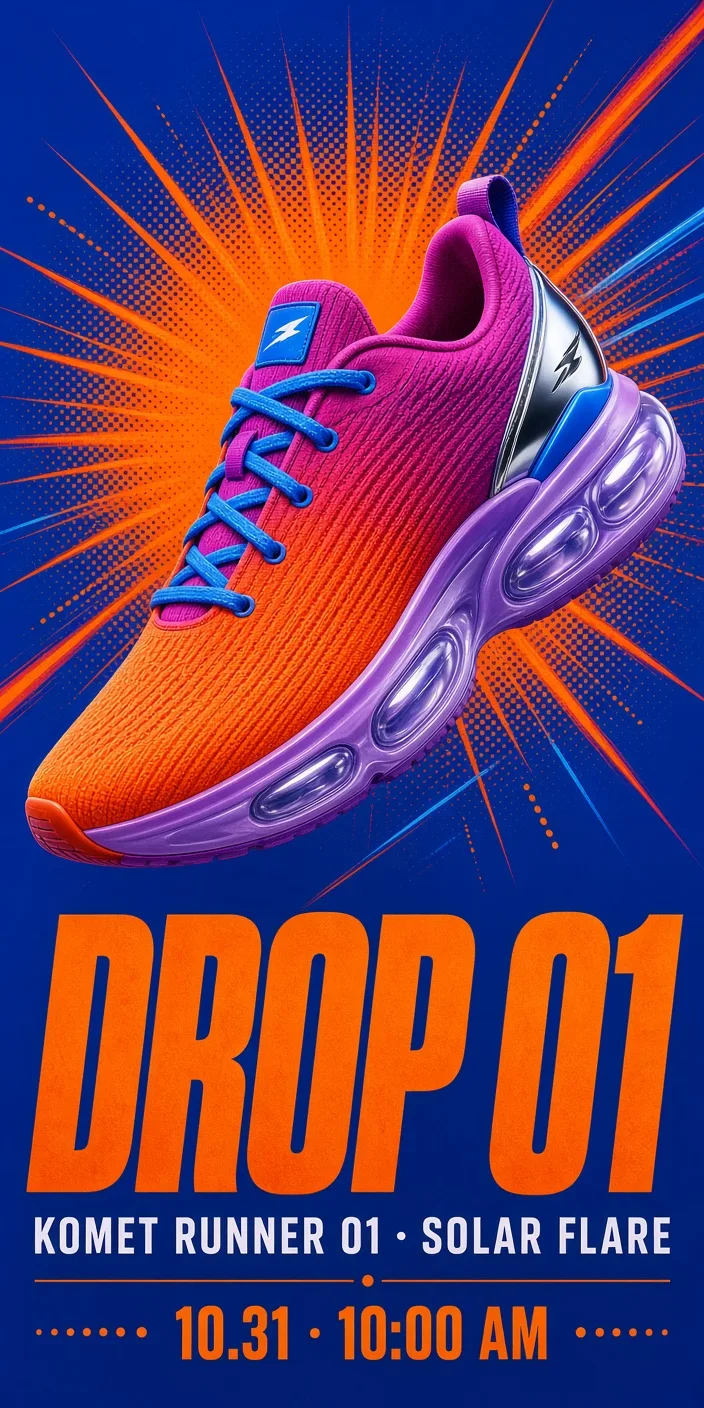
Bold sneaker launch graphic for an invented brand, KOMET. The Runner 01 sneaker in its "Solar Flare" colorway floats mid-air at a dynamic three-quarter angle: a knit upper fading from sunset orange to hot magenta, a chunky translucent lilac sole with visible air pods, a reflective silver heel tab and electric-blue laces. Behind it, a deep cobalt background with an orange halftone sunburst and a few motion streaks. Big heavy headline "DROP 01", a smaller line "KOMET RUNNER 01 · SOLAR FLARE", and a date line "10.31 · 10:00 AM". Arrange the shoe and the three lines of text to suit the shape of the frame, with crisp, sharp, correctly spelled type. Punchy, high-energy streetwear ad style.
Made with Grok Imagine Image 2.0 on Predis.ai on October 27, 2026, 1K, medium quality.
A robot, a backpack and a city went in as references. Three scenes came out with the same PIP, the same yellow pack and the same rooftops.
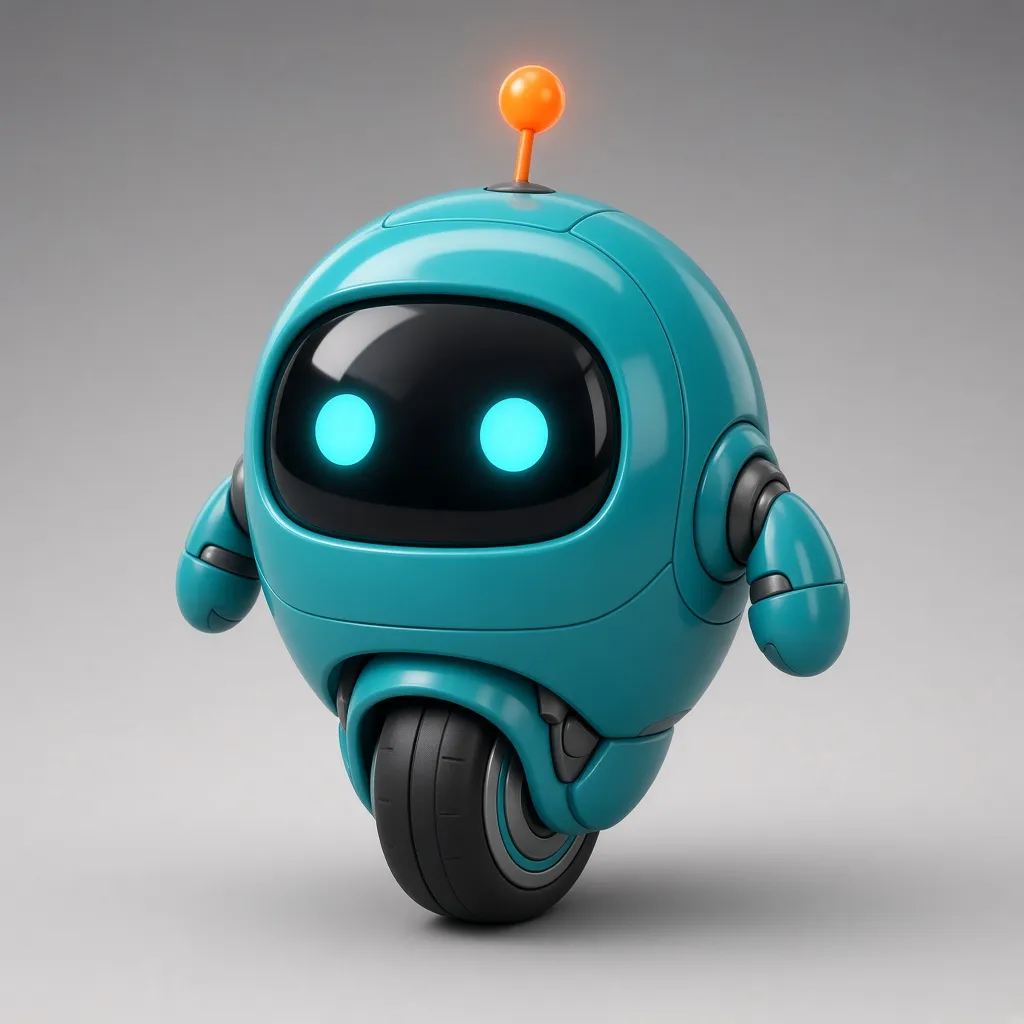 Image 1The character
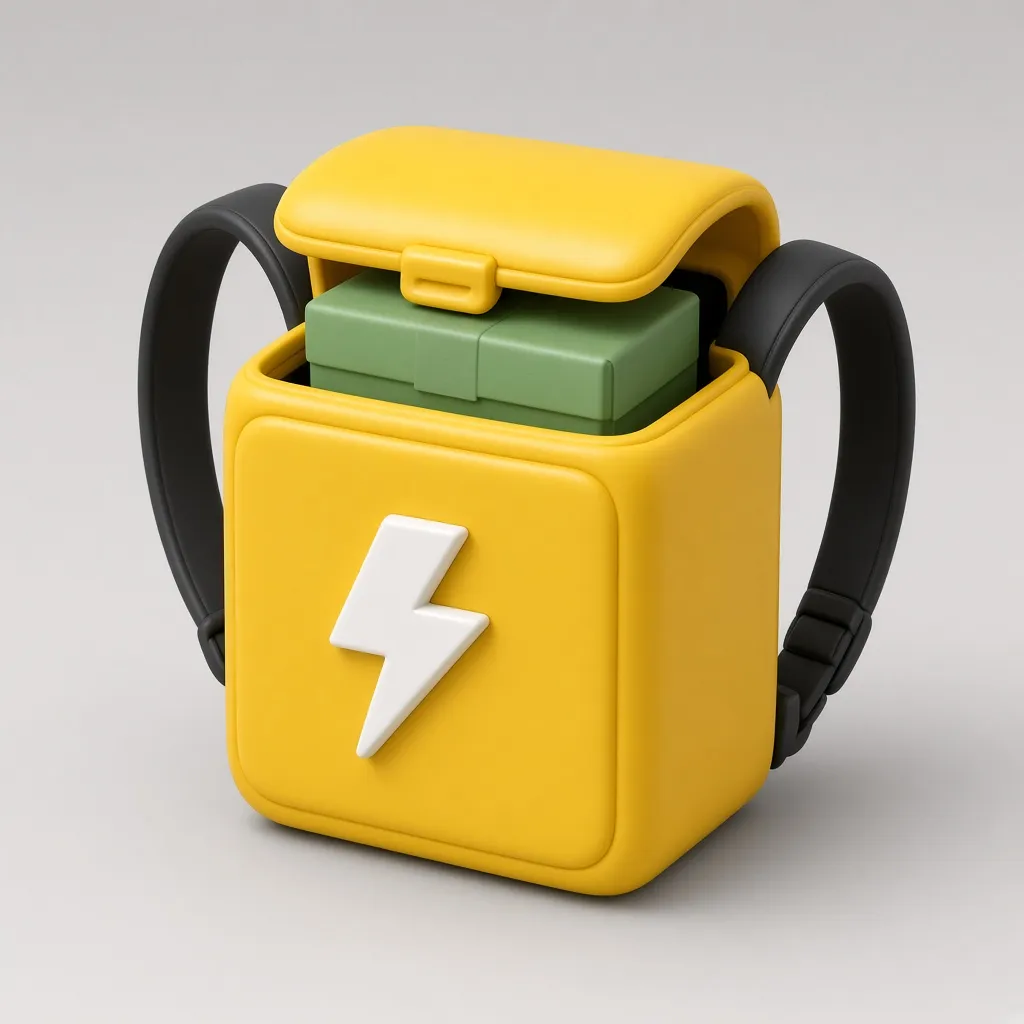 Image 2The prop
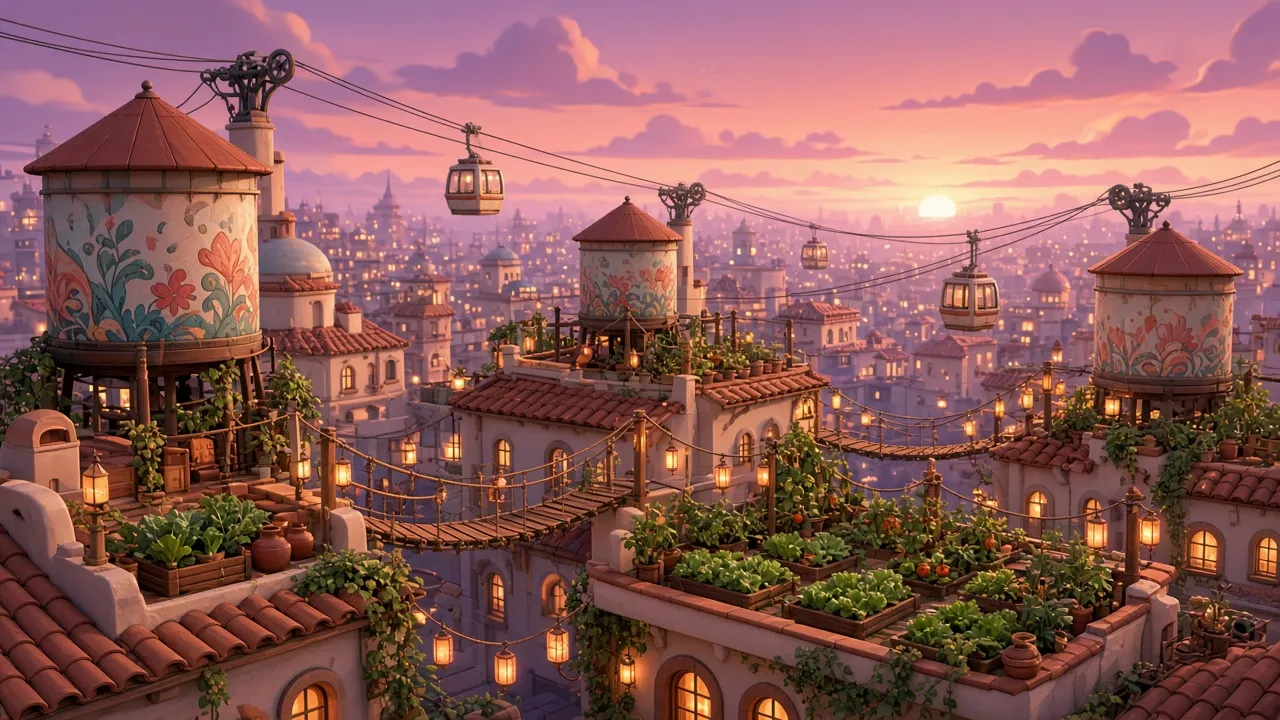 Image 3The place
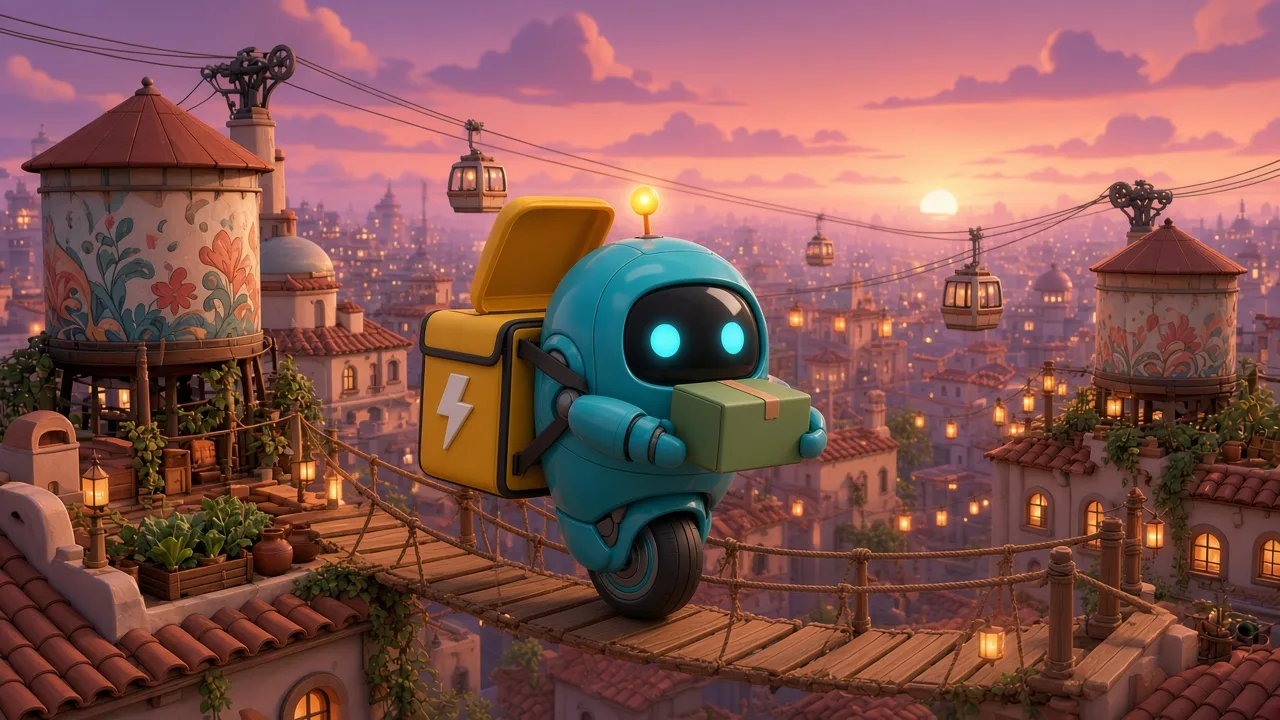
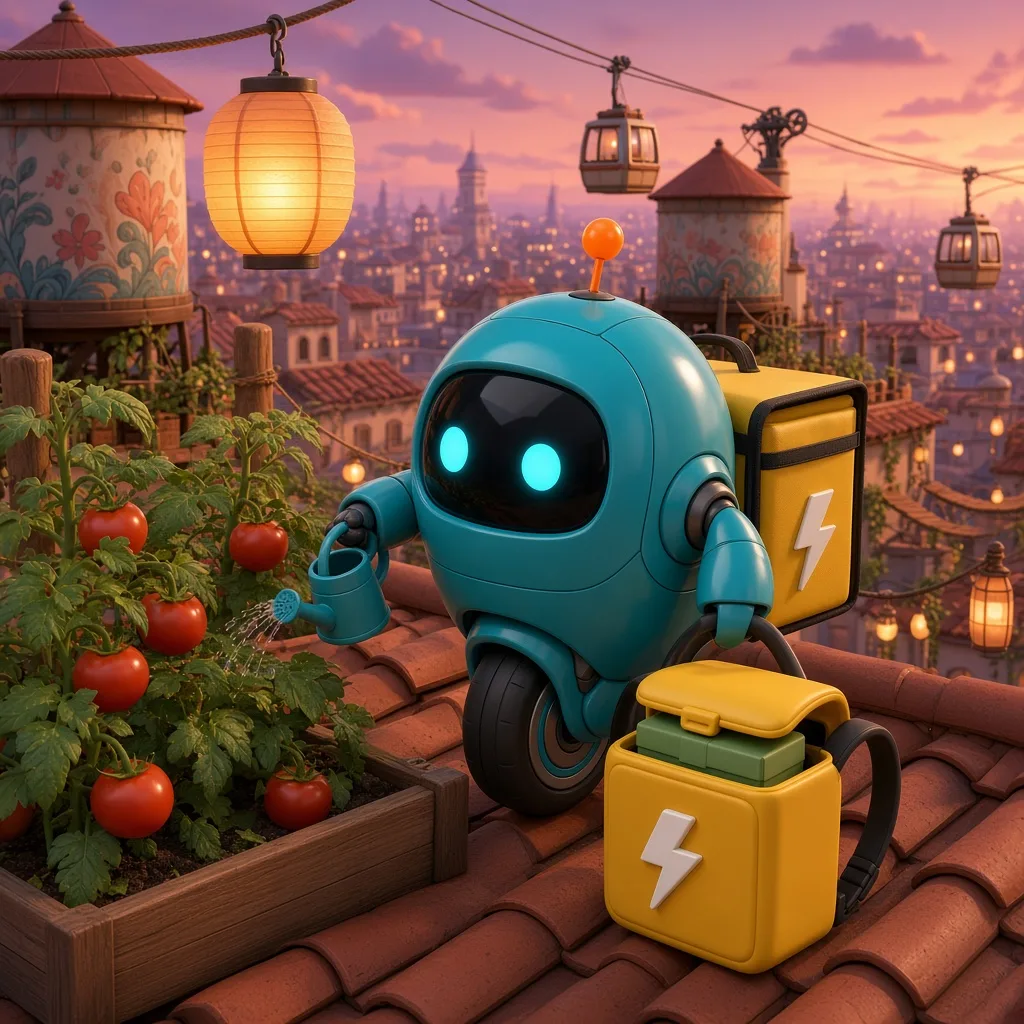

References. Image 1: PIP, a small round courier robot with a glossy teal shell, two big round cyan eye lights on a black visor, stubby arms, a single wheel and an orange antenna. Image 2: A sunflower-yellow cube backpack with black straps, a white lightning-bolt badge and a green parcel peeking out. Image 3: A rooftop garden city at dusk: terracotta rooftops, rope bridges, cable cars, lanterns and painted water towers. Crossing a rope bridge: Image 1 is PIP, the round teal courier robot. Image 2 is PIP's yellow delivery backpack. Image 3 is the rooftop garden city. Show PIP wearing the backpack from image 2, rolling across a narrow rope bridge between two terracotta rooftops of the city from image 3 at dusk, holding a small green parcel up in one hand, antenna blinking. Tending the roof garden: Same three references. Show PIP with the backpack from image 2 set down beside it, resting in a rooftop vegetable garden of the city from image 3 under a glowing paper lantern, watering a tomato plant with a tiny watering can while the sunset fades. Riding the cable car: Same three references. Show PIP wearing the backpack from image 2, riding inside a little red cable car above the rooftops of the city from image 3, waving one stubby arm out of the window at the viewer.
All made with Grok Imagine Image 2.0 on Predis.ai on October 27, 2026. In the garden scene PIP kept the pack on its back as well as setting one down, so check the details of each scene.
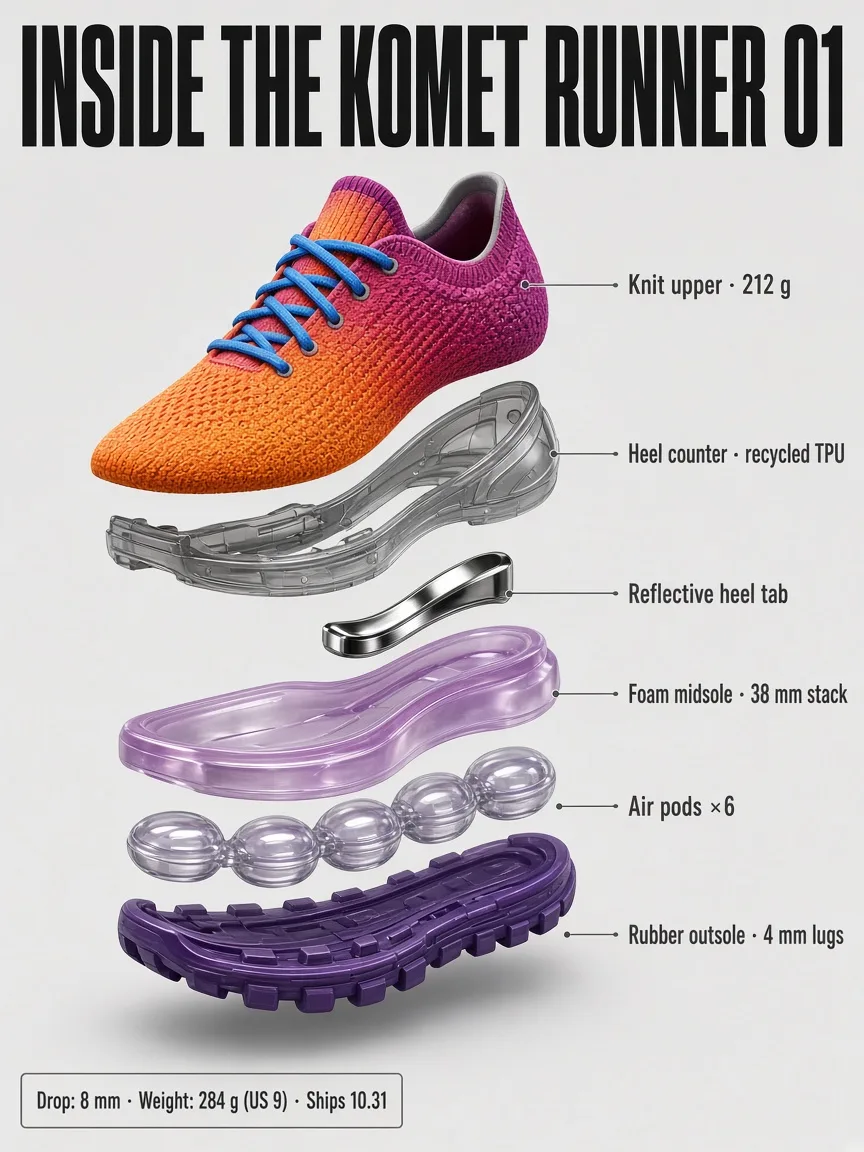
xAI built 2.0 to set type like a designer. In this exploded view, every layer label and the tiny specs line came out spelled the way we wrote them.
A detailed exploded-view infographic titled "INSIDE THE KOMET RUNNER 01" in a bold condensed sans-serif. The Solar Flare sneaker is separated into floating layers from top to bottom, each with a thin leader line and a small crisp label: "Knit upper · 212 g", "Heel counter · recycled TPU", "Reflective heel tab", "Foam midsole · 38 mm stack", "Air pods ×6", "Rubber outsole · 4 mm lugs". A small specs box in the corner reads "Drop: 8 mm · Weight: 284 g (US 9) · Ships 10.31". Clean light-gray background, technical product-diagram style, every label sharp and legible even at small size.
Made with Grok Imagine Image 2.0 on Predis.ai on October 27, 2026, 1K, 3:4. The specs are invented for this example.
Then make it move: use any of these images as the first frame in Grok Imagine Video 1.5, which brings a still to life with sound.
See Grok Imagine Video 1.5On Predis.ai you can add up to 3 images. Pick the ones that matter most, such as the character, the product and the place.
In one scene PIP wore its backpack and also had one beside it. Read each image for repeats like that.
It makes 1K or 2K images, which suits social posts and the web more than large print.
xAI reported it second on public image leaderboards at launch, behind OpenAI's GPT Image 2, so compare a few models on your own brief.
What is Grok Imagine Image 2.0?
It's xAI's image model, released on August 7, 2026 as the Quality Mode in Grok Imagine. xAI built it to follow detailed instructions, set typography the way a designer would, and keep the same characters and objects consistent across images.
Which shapes can Grok Imagine Image 2.0 make on Predis.ai?
Thirteen, from square to very wide or very tall: 1:1, 4:3, 3:4, 3:2, 2:3, 16:9, 9:16, 2:1, 1:2, 20:9, 9:20, 19.5:9 and 9:19.5. Each one is laid out fresh rather than cropped, as the KOMET drop on this page shows.
Can it keep a character the same across images?
Yes. Add up to 3 reference images on Predis.ai, such as a character, a prop and a place, and it reuses them from one scene to the next. The PIP robot on this page went through three scenes from the same three references.
What resolution and quality does it offer?
1K or 2K, at low or medium quality. You can make up to 4 images from one prompt, and prompts can be up to 8,000 characters long.
Can I turn a Grok image into a video?
Yes. Use the image as the starting frame in Grok Imagine Video 1.5, which brings a still to life with sound. Both are in the Predis.ai Model Studio.
Are my images used to train the model?
xAI says media generated through its API isn't used for training.
Write the brief once and make it for every screen you post to.
Grok is a trademark of xAI. Predis.ai is not affiliated with or endorsed by xAI.