If you’ve been hearing things like “automate YouTube Shorts,” “Zapier workflows,” and “AI content pipelines” and wondering whether this is actually doable or just another overhyped promise, you’re not alone. Most beginners feel exactly the same way. The idea sounds powerful. The execution? Often confusing.
This guide is meant to change that.
By the end of this blog, you’ll understand:
- What it actually means to automate YouTube Shorts with Zapier and AI
- How a full automation workflow works (yes, the complex one)
- Where most people get stuck or give up
- And why tools like Predis exist as a simpler, smarter alternative for real-world creators
No jargon overload. No pretending it’s all effortless. Just a clear, honest walkthrough.
Why YouTube Shorts Automation Is Suddenly Everywhere?
Short-form video is no longer optional. It’s the growth engine.

Here’s what’s driving the rush:
- YouTube Shorts now crosses 70+ billion daily views
- Shorts are being pushed aggressively by YouTube’s algorithm
- Creators who post consistently see faster subscriber growth than long-form-only channels
- Brands are reallocating budgets from static posts to vertical video
But consistency is the real problem.
Posting one or two Shorts is easy. Posting daily, week after week, while running a business or managing clients? That’s where things fall apart. This is exactly why people start searching for ways to automate YouTube Shorts with Zapier and AI.
Automation promises three things:
- Less manual work
- Faster content output
- Scalable growth without burnout
The promise is real. The process, however, can get complicated fast.
Let’s break it down step by step.
What Does “Automating YouTube Shorts” Actually Mean?
Before tools, workflows, or Zapier come into the picture, let’s get clear on the concept.
When people talk about automating YouTube Shorts, they usually mean automating parts of this pipeline:
- Content idea or script generation
- Turning that script into a short vertical video
- Adding captions, visuals, music
- Writing a title and description
- Uploading it to YouTube Shorts
- Repeating this daily or weekly
Full automation doesn’t mean zero human involvement. It means removing repetitive work so you’re not doing the same thing 50 times a month.
Zapier and AI tools are often used together to connect all these steps.
Understanding Zapier (In Simple Terms)
1. What Zapier Is and Why People Use It?
Zapier is a no-code automation tool. Think of it as a bridge.
It connects apps that don’t naturally talk to each other.
For example:
- When a Google Doc is created → trigger an AI script generator
- When a video is generated → upload it to YouTube
- When a spreadsheet row is added → create a new Short
Zapier works on a simple logic:
Trigger → Action → Action → Action
Sounds easy. And for simple tasks, it is.
But when you try to automate YouTube Shorts end to end, things get layered quickly.
The “Complex” Way: Automating YouTube Shorts with Zapier and AI
Let’s walk through what a full Zapier-based automation actually looks like in the real world.
This is the setup many advanced tutorials talk about, but rarely explain clearly.
Step 1: Automating Short Ideas and Scripts with AI
Tools Commonly Used
- Google Sheets or Airtable (idea storage)
- OpenAI or other AI writing tools
- Zapier as the connector
How It Works
- You add a topic idea to Google Sheets
- Zapier detects the new row
- Zapier sends that topic to an AI model
- AI generates a 30–60 second script
- Script is saved back to a document or database
Where Beginners Struggle
- Prompt writing matters more than expected
- AI scripts often sound robotic unless refined
- You still need to review for tone, accuracy, and length
At this stage alone, many people realize automation isn’t fully “set and forget.”
Step 2: Turning Scripts into Videos Automatically
This is where things get more technical.
Tools Typically Involved
- Text-to-video AI tools
- Stock video APIs
- Voiceover AI tools
- Caption generators
Zapier now has to:
- Send the script to a video generator
- Choose correct aspect ratio (9:16)
- Sync voiceover timing
- Overlay captions
The Reality Check
- Not all video tools integrate cleanly with Zapier
- Errors break workflows silently
- Customization is limited
- Visual quality varies wildly
Step 3: Auto-Generating Titles, Descriptions, and Hashtags
Sounds Simple, But…
Yes, AI can write titles and descriptions. But YouTube Shorts has its own quirks:
- Titles need to be punchy, not SEO-heavy
- Hashtags must be minimal
- Hook matters more than keywords
Zapier setups usually:
- Take the video script
- Send it to AI again
- Generate metadata
- Store it for upload
Step 4: Uploading YouTube Shorts via Automation
This is the most fragile part.
Why?
- YouTube’s API has limits
- Upload permissions can break
- Scheduled uploads need precise formatting
- One wrong parameter = failed post
Step 5: Monitoring, Fixing, and Maintaining the Workflow
Here’s the part most tutorials skip.
Automation needs maintenance.
- APIs change
- AI outputs drift in tone
- Zapier tasks fail without alerts
- Costs add up quickly
Is This Setup Powerful? Yes. Is It Beginner-Friendly? Not Really. This is the honest truth.
If you:
- Enjoy building systems
- Have time to troubleshoot
- Need extreme customization
Then automating YouTube Shorts with Zapier and AI can make sense. But for most creators, marketers, and small businesses, this setup feels heavy. Which brings us to the simpler alternative.
What Predis Does Differently
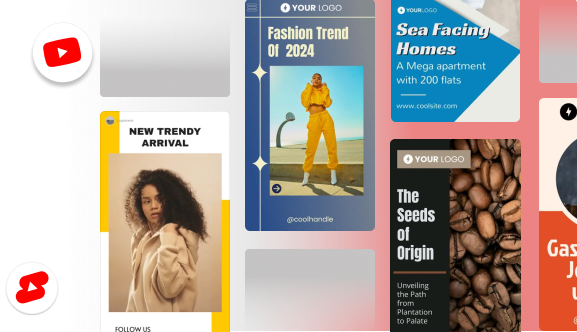
Predis is built specifically for social content automation, not generic workflows.
Here’s what that changes.
One Input, Multiple Outputs
You start with:
- A product
- A topic
- A simple prompt
Predis handles:
- Script generation
- Visual creation
- Captions and text overlays
- Titles and descriptions
- Short-form formatting
All optimized for platforms like YouTube Shorts.
How Automating YouTube Shorts with Predis Actually Feels
Let’s compare experiences.
With Zapier + Multiple Tools
- Configure triggers
- Write prompts
- Test APIs
- Debug failures
- Pay for each tool separately
With Predis
- Choose content type
- Enter idea or product info
- Generate Shorts
- Review and post
That’s it.
For beginners, this difference is massive.
Why Predis Is Better for Most Beginners and Teams
1. Fewer Moving Parts
No Zap chains breaking at 2 AM. No silent failures.
2. Content Is Social-First
Predis understands short-form behavior:
- Hook-first scripts
- Caption pacing
- Visual hierarchy
Generic AI tools don’t.
3. Faster Time to Publish
What takes days to build with Zapier takes minutes here.
4. Cost Predictability
One platform instead of stacking subscriptions.
But Is Predis Less Powerful Than Zapier?
Here’s the honest answer.
Zapier gives you:
- Extreme flexibility
- Custom logic
- Edge-case handling
Predis gives you:
- Speed
- Simplicity
- Consistency
Final Thoughts: What This Really Means for You
Automating YouTube Shorts with Zapier and AI is possible. Powerful, even.
But power comes with complexity.
If you love building systems and don’t mind troubleshooting, Zapier-based automation can work beautifully.
If you want speed, simplicity, and content that actually feels native to Shorts, Predis is the smarter choice for most beginners and growing teams.
Here’s the thing. Automation should remove friction, not create more of it.
Choose the path that helps you publish consistently, without burning out or getting buried in workflows.
That’s the real win.