Explore this content with AI:
In a world of 4K video and immersive AR, it’s almost miraculous that a file format created in the 1980s is still one of the most popular ways we communicate. The GIF is a persistent file format in the internet—it survived the rise and fall of Flash, the death of MySpace, and the transition to mobile.
Today, it is the universal language of reaction, emotion, and digital storytelling.
What is a GIF? The Simple Answer
If you’ve ever sent a three-second loop of a confused cat or a celebrity nodding in agreement, you’ve used a GIF. But what is it, exactly?
Defining the GIF
At its technical core, a GIF is an image file format. Unlike a JPEG or a PNG, which are static, a GIF (pronounced either “jif” or “gif”—more on that later) can hold multiple images in a single file. These images play in a specific sequence, creating a silent, repeating animation.
The Name
GIF stands for Graphics Interchange Format. It was designed to be a “universal” way to exchange images between different computer systems, which was a massive hurdle in the early days of computing.
The Origin Story
The GIF was born in 1987, created by a team at CompuServe led by computer scientist Steve Wilhite. At the time, the internet was incredibly slow. Wilhite needed a way to display color images without clogging up the narrow bandwidth of 1980s phone lines. His solution was a format that used a special compression algorithm to keep file sizes tiny while still looking sharp—for the time, at least.
Why People Love Using GIFs on Social Media
Why do we still use 256-color loops when we could send a high-definition video? The answer lies in psychology and the pace of digital life.
They Express Emotion Faster Than Words
The internet moves at the speed of light. In a fast-moving comment section or a group chat, typing out “I don’t have time for this” takes too long. Sending a GIF of Judge Judy tapping her watch does the job in half a second. They provide instant emotional context.

Transcending Language Barriers
A GIF of a baby laughing or a person face-palming is understood in Tokyo the same way it is in New York. Because they rely on visual cues, facial expressions, and physical comedy, GIFs are truly universal.
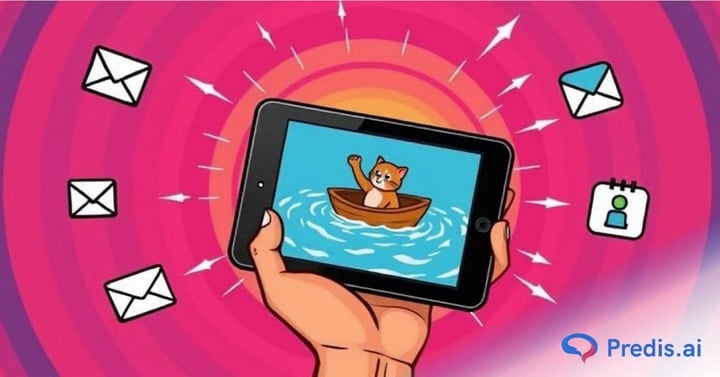
Let us look at the sample below. I mean, there is no way you don’t understand this GIF, no matter what language you speak.

Adding Personality to Flat Text
Text is “cold.” It’s easy to misinterpret tone in an email or a DM. A GIF adds “warmth” and personality. It tells the recipient exactly how you’re feeling—whether you’re being sarcastic, supportive, or excited.
The Nostalgia Factor
GIFs are the ultimate vessel for pop culture. They allow us to take a three-second moment from a movie we loved in the 90s or a viral meme from last week and turn it into a personal tool. They keep cultural moments alive in a perpetual loop.
A Brief History of the GIF
The GIF has had more “lives” than a cat. Its journey is a reflection of the web’s history. So, let us look at a timeline of how it progressed.
- 1987: The Birth. Originally used for static color images. The “animated” feature was actually added a year later in 1988.
- The 90s: The “Under Construction” Era. If you visited a website in 1996, you were blinded by dancing hamsters, spinning globes, and “Under Construction” signs. These were the golden years of decorative GIFs.
- The 2000s: The Dark Ages. As the internet got faster, web designers wanted “professional” tools. Flash became the king of animation. GIFs were seen as tacky, low-quality relics of the “old” internet.
- 2010 – 2012: The Tumblr Comeback. The microblogging platform Tumblr saved the GIF. Users started using high-quality movie clips and “cinemagraphs” (still photos with one moving element) to tell stories.
- Today: The Standard. With the integration of GIPHY and Tenor into every major app (WhatsApp, iMessage, Instagram), the GIF is now a foundational part of how humans interact online.
How Brands and Marketers Use GIFs
Savvy marketers know that a GIF is often more effective than a video because it requires zero effort from the user. It plays automatically, it’s silent, and it’s over before the user can get bored.
Email Marketing
Static emails are easy to ignore. An animated GIF showing a 360-degree view of a new sneaker or a “Flash Sale” timer creates a sense of urgency and movement that captures the eye immediately.
Social Media Engagement
A “Stop the Scroll” strategy often relies on movement. A GIF is a lightweight way to add visual interest to a Twitter thread or a LinkedIn post without the heavy loading time of a 4K video.
Lightweight Ad Campaigns
Because GIF files are small, they load instantly even on poor mobile connections. This makes them perfect for display ads or “stickers” on Instagram Stories that promote a brand’s personality.
How to Find and Use GIFs on Social Media
You don’t need to be a designer to use GIFs; the internet has built the infrastructure for you.
- GIPHY: Think of this as the Google of GIFs. Most apps use the GIPHY API, allowing you to search for “Happy Birthday” or “Facepalm” directly within your message bar.
- Tenor: Owned by Google, Tenor is the primary GIF provider for Android’s Gboard and many other platforms. It focuses heavily on “emotional” searches.
- Platform Native Tools: Instagram, TikTok, and Snapchat all have “GIF Stickers” powered by GIPHY that you can overlay on your videos.
How to Make Your Own GIFs
While searching for a GIF is easy, making a custom GIF is a superpower for creators and brands. It ensures your content is 100% original.
Using Predis AI for GIF Creation
If you want to create professional-grade GIFs without spending hours in Photoshop, Predis AI is a game-changer. It uses AI to generate visual content that you can easily turn into looping animations.
Check out this guide to see how you can turn your videos into a custom GIF.
Final Thoughts
The GIF is proof that sometimes, the simplest technology wins. It doesn’t need sound, it doesn’t need a “Play” button, and it doesn’t need a manual. It is a three-second burst of human connection. Whether you’re a brand trying to connect with customers or just someone trying to win a group chat argument, the GIF is your best friend.
Frequently Asked Questions
For personal use in chats? Yes. For commercial use in ads? It’s tricky. Using a GIF of a famous movie character in a paid ad can lead to copyright issues. It’s always safer for brands to create their own custom GIFs.
Open Stories, take a photo/video, tap the “Sticker” icon (the square smiley face), and tap “GIF.” Search for what you want and tap to add!
Absolutely. You can use tools like Predis AI, EZGif, or even the “Live Photo” settings on an iPhone.
GIFs are limited to a palette of only 256 colors. This is what gives them that slightly grainy, retro look, but it’s also what keeps the file size small enough to load instantly.