


Loved by 6.4M+ Users
Talking avatar videos for ads

AI Avatar Video Generator

Pick a presenter, give them a script, and Predis.ai makes a talking avatar video with a lip-synced voice, captions, and your product on screen. Use it for the demos, offers, and explainers you'd otherwise have to film.

Talking avatars AI script writer Brand kit Fix one frame
Make an avatar video
4.7/5 on G2 3-day trial, card required
g2-logo shopify-logo play-store-logo app-store-logo

Built for the teams behind growing businesses

tidewell
solace wellness
strata
harper lane boutique
milo studio
orixo
lume
zylph
sun and soil
marlo and co
kentro
novan
piko
nimbus
the porch
AI avatar ads

Four Jobs for a Presenter in Your Ads

A face on screen gives people someone to listen to while you explain the offer. These are the ads where that helps most.

Product demos

The avatar walks through what the product does while your product shots play alongside. Use it for anything buyers need explained before they'll pay.

Offers and launches

Change the script and the same presenter announces this week's sale or a new arrival. One face carries the whole campaign.

Answers to buyer questions

Turn the questions people ask before checkout into short videos about shipping, sizing, or setup. Each video answers one question.

A version for each market

Keep the visuals, change the language of the voice, and each market gets its own cut of the ad.

Choose Who Speaks for Your Brand

Pick from presenters across a range of ages, looks, and styles, and cast the one your buyers will listen to. Think of it as an AI spokesperson you can recast for every audience.

Pick a presenter

Start From Your Script or Your Product Page

Paste a script you already have, or drop in a product link and Predis.ai drafts one with a hook, the benefits, and a call to action. You can edit every line before the avatar says it.

Start with a script
Around the presenter

The Rest of the Video Comes Built In

A talking head on its own isn't an ad yet. Predis.ai adds the parts that make it one.

language-icon

Voices and Languages

Choose a male or female voice and the language it speaks, from 19+ languages. The lip-sync follows the voice, so one presenter can run your ad in every market you sell to.

Avatar video with captions burned in for viewers on muteCaptions
Avatar video with the product shown in the cutProduct shot
brand-kit-icon

Captions, B-roll, and Your Brand Kit

Captions carry the message for people watching on mute, and B-roll and product shots fill the frame between lines. Your logo, colors, and fonts go on every video, so it looks like your brand.

edit-icon

Fix One Frame, Keep the Rest

When one moment is off, change that frame instead of remaking the video. Swap a caption, an image, or the call to action and keep everything you liked.

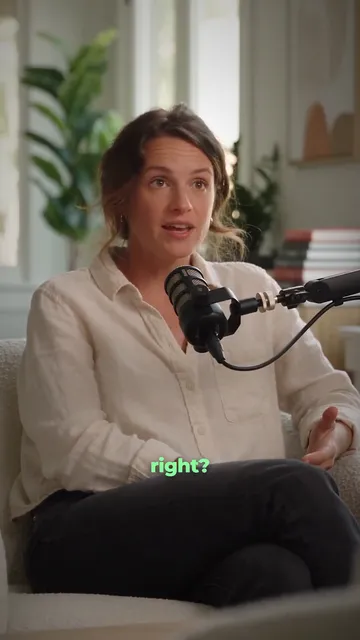
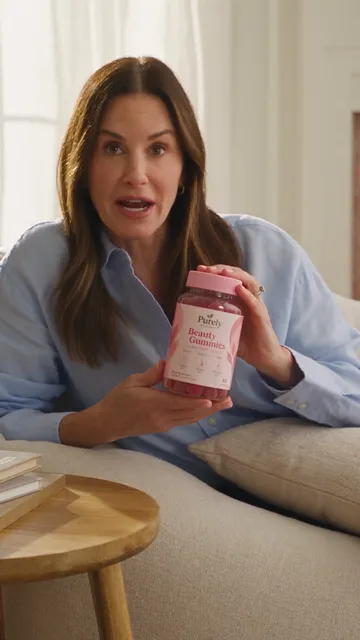
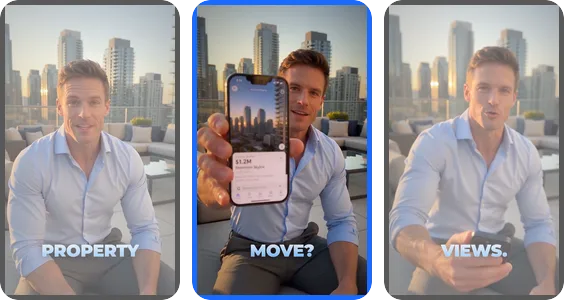
A presenter speaking straight to camera in an avatar videoAvatar video
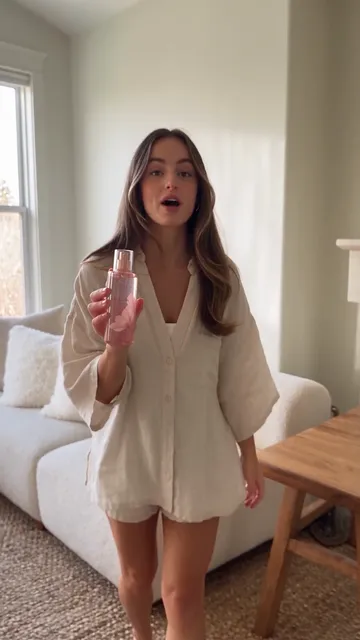
A casual creator-style frame in a UGC adUGC ad
online-video-icon

Avatar Video or UGC Ad?

Use an avatar video when you want one presenter explaining, demoing, or announcing straight to camera. When you want a casual, creator-style review instead, the UGC ad maker is built for that format.

Three steps

From Script to Presenter on Screen

Start your first video
  1. Cast your presenter

    Pick an avatar and a voice. If the video features a product, add its link or images.

  2. Give them their lines

    Paste your script or let Predis.ai write one from your product page. Predis.ai syncs the voice to the avatar and adds captions.

  3. Edit, then publish

    Change any frame in your browser, then download the video or schedule it to your social accounts.

From Predis.ai customers

Businesses Using Predis.ai, in Their Own Words

Reviews from businesses that make their videos and ads with Predis.ai.

Cast Your First Presenter

Pick an avatar, add your script, and see the finished video before any of it goes live.

Make an avatar video

Questions About AI Avatar Videos

It's a tool that turns a written script into a video of a digital presenter speaking it. Predis.ai adds the lip-synced voice, captions, B-roll, and your branding, so the video is ready to run as an ad.

An avatar video has a presenter speaking straight to the viewer, which suits demos, explainers, and announcements. A UGC ad imitates a customer's casual review, and the UGC ad maker handles that format.

Yes. Upload photos or a short clip of you talking to camera, and Predis.ai turns them into a custom AI avatar that can speak in your own voice or an AI one.

Predis.ai avatars speak 19+ languages, including Spanish, German, French, and Portuguese. You choose the language when you pick the voice, and the lip-sync matches it.

Instagram Reels, TikTok, Facebook, YouTube Shorts, and Stories, each exported in the right size for the placement. You can download it or schedule it to your social accounts from Predis.ai.

Yes. You can edit captions, images, colors, and timing in your browser, or fix one frame without remaking the whole video.
Predis.ai has a 3-day trial, and it needs a card. Your plan's charge starts when the trial ends unless you cancel before day 3.

More Ways to Make Video Ads