What do you see right at the front when you open any Instagram profile? Of course, it’s your bio. Just slightly below, you will find an important feature that Instagram provides: Instagram “highlights.”
They are front and center on your profile, thus serving as one of the perfect indicators to show users what your brand is all about. Unlike the Instagram stories that used to disappear after 24 hours, Instagram Stories Highlights can live permanently on your profile. This is why you should consider spending some time planning how to apply them to showcase and promote your brand.
So, in this guide, you will learn all you need to know about creating Instagram Highlights and covers that can improve your profile!
What are Instagram Highlights?
We all know that Instagram stories disappear in around 24 hours. But let me tell you, Instagram has provided you with a way to save some of your stories as pins on your profile. Specifically, here we have a feature known as Highlights. This feature allows you to keep your stories’ content on your Instagram feed as long as you want.
This means that once you post a story, you can save it in a highlight, like a folder, that will help you to display it on your Instagram profile.
The main attributes of the Instagram Highlights are:
- Highlight name: Option to name the Highlight the same as you do with the naming folder.
- Highlight covers: Gives you the option to apply an image or icon that explains the content in the highlights.
Tip: Now, when the highlight is created, it will appear below your bio on your Instagram profile.
How to Add Instagram Highlights?
Add Instagram Highlights to give your profile a curated and consistent appearance. You can also use them to reflect your profile style. Here’s how you can do it:
Create Instagram Highlights from the active story
If you intend to add an active story to your highlights, you need to follow these steps:
- Click on the active story to view it
- Tap the bottom option and Highlight
- Click the plus icon to create a new Highlight
- Enter the name of the new Highlight
- Click the blue buttons to Add
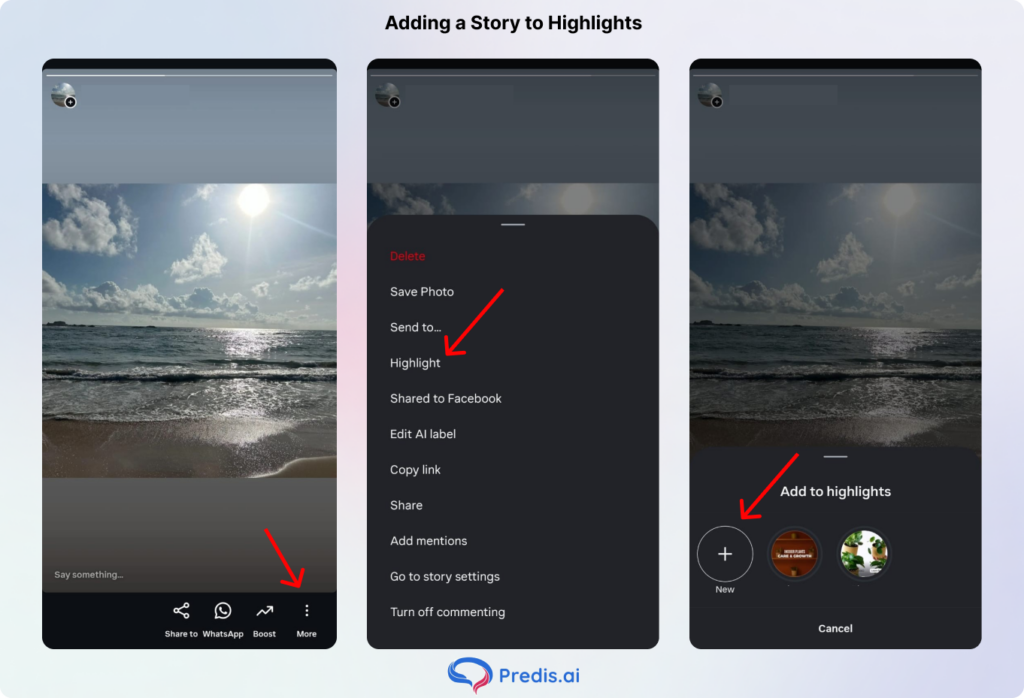
Once you do this, your new Highlight will appear on your profile, and your followers will be able to view it even after the 24-hour story lifetime.
Create Instagram Story Highlights from the archived stories
There is a high possibility of creating Highlights from the stories archive as well. Using the story controls and options, you can pull the different stories that you save to the archive.
If you want to add archived stories to your highlight, you need to follow these steps:
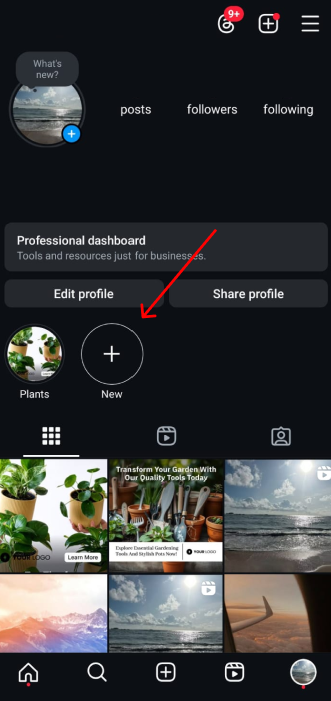
- Go to your Instagram profile and click Story Highlight below the bio
- Click the plus icon
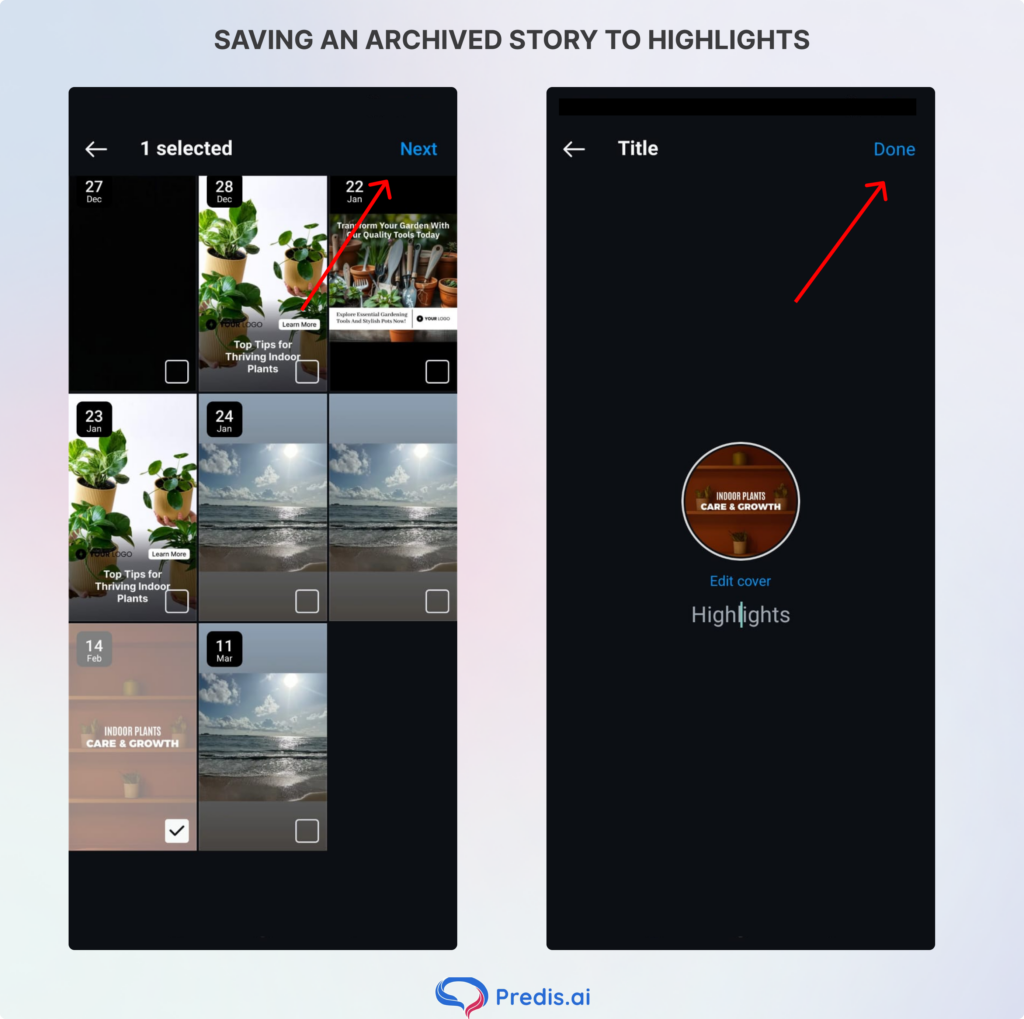
- In the new window, click and select the stories you want to appear in the Highlight, and click Next.
- Click ‘Edit Cover’ to choose which story will appear as a Highlight icon or just upload an icon.
- Enter a name for your highlight; whatever you want, you can give it.
- Click Add or Done as per the smartphone you have.
Adding More Stories to a Current Highlight
You can add more videos or photos to your Highlight at any time by following these steps:
- Open your profile, select and hold the highlight you want to edit.
- Click Edit Highlight.
- Choose the stories that you want to add and click Done.
- Also, in this ‘Edit Highlight‘ screen, the text and its cover image are shown. If you want to delete the Highlight, just press and hold on to the Highlight you want to delete and simply choose the option ‘Delete Highlight.’
How to Create Instagram Highlight Covers?
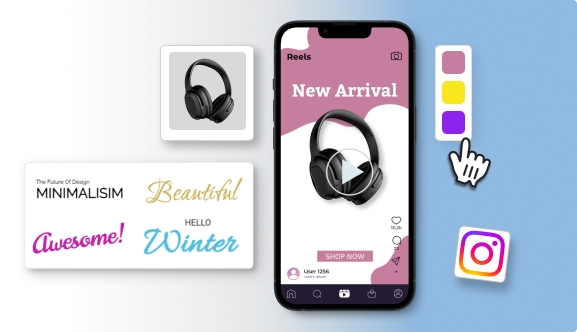
You can customize Instagram Highlight Covers to give your profile a polished and consistent appearance. You can also use them to reflect your brand’s style. Here’s how to do it with ease:
1. Use Instagram or External Tools
You can use Instagram or External Tools like Predis.ai. You can create highlight covers directly on Instagram using its text features or opt for external tools for more customization.
2. Set the Right Dimensions
Ensure your cover images are 1080 pixels wide by 1080 pixels tall, and align the icons in the centre. The circular thumbnail will be cropped to 150 x 150 pixels, so the icons might get cropped if it is not at the centre. Always make sure to keep a safe zone around the icons!
3. Add Covers to Highlights
Once created, add your cover images to the Highlight. This sets the tone for your highlights and enhances your profile’s aesthetic.
We have already seen that you can create highlights in 2 ways:
- Create a highlight from the active story: Post a story and manually save it in a highlight.
- Highlight created from archived stories: You simply need to activate your highlight option first, so that your stories will be saved in the archive. This way, in the future, you can use these saved stories to make new highlights.
Stand Out on Instagram with AI Content 🌟
Changing your Instagram Highlight Covers
Using Highlights covers is a simple way to personalize your profile and reinforce your brand identity. Here’s how to do it:
- Select the Highlight you want to edit or tap “More”.
- Choose “Edit Highlight” and then “Edit Cover”.
- Pick the image you’ve prepared for your cover.
When creating highlight covers, consider these tips:
- Use graphics, images, or designs that reflect your brand.
- Ensure the cover represents the content of the Highlight.
- Maintain consistency in size with your other content.
Aesthetic Instagram Highlight Covers
Know the how, but still facing difficulties with the what? Check out this aesthetic inspiration.
1. Subtle food graphics for foodies
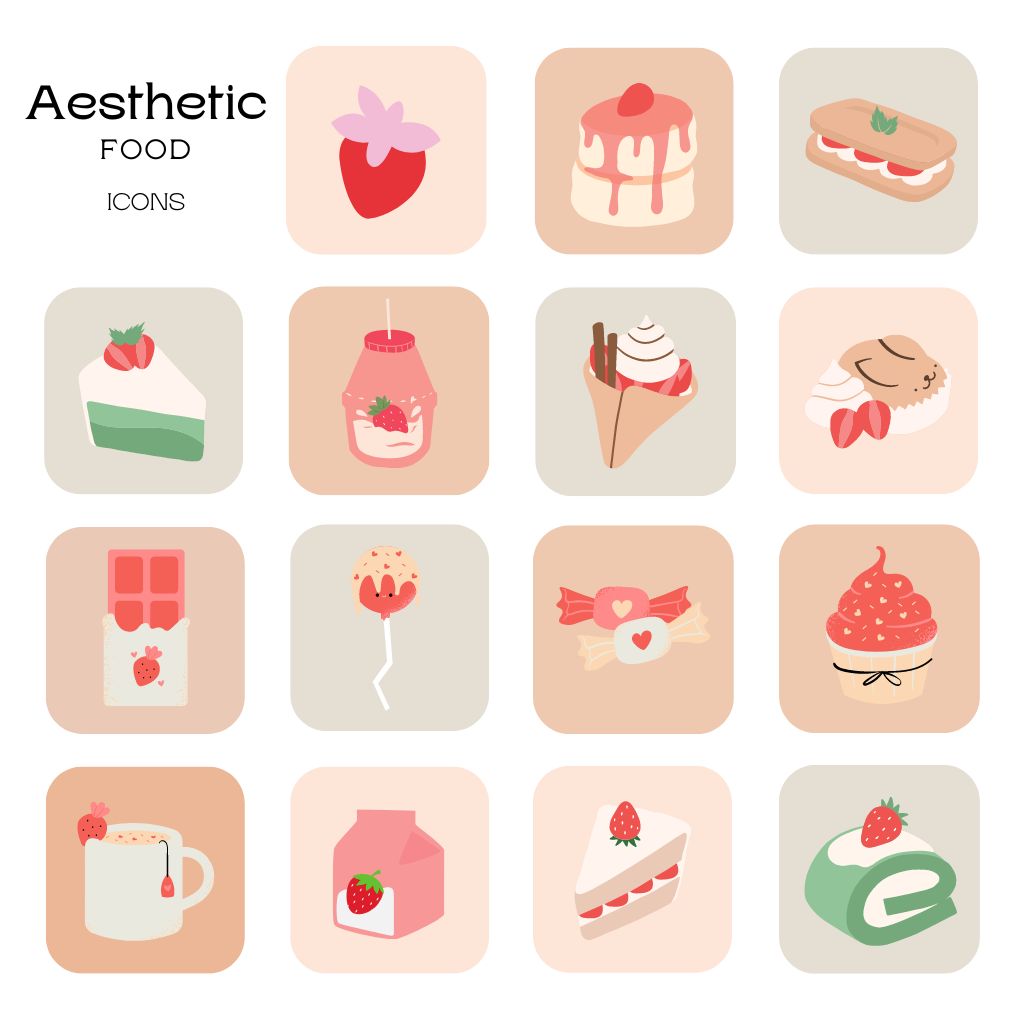
No matter whether you are a professional chef, a mere food enthusiast, or an amateur, now pair your favorite food graphics with a fancy script font, and voila! Cue drool-worthy Highlight covers!
Tip: You will need to distinguish your highlight cover icons by using different food graphics. Using the same graphic for every category can blur the concepts for your audience. In a scroll-and-skim culture, the more diversity you include, the longer people will stick around.
2. Boost moods with color gradients
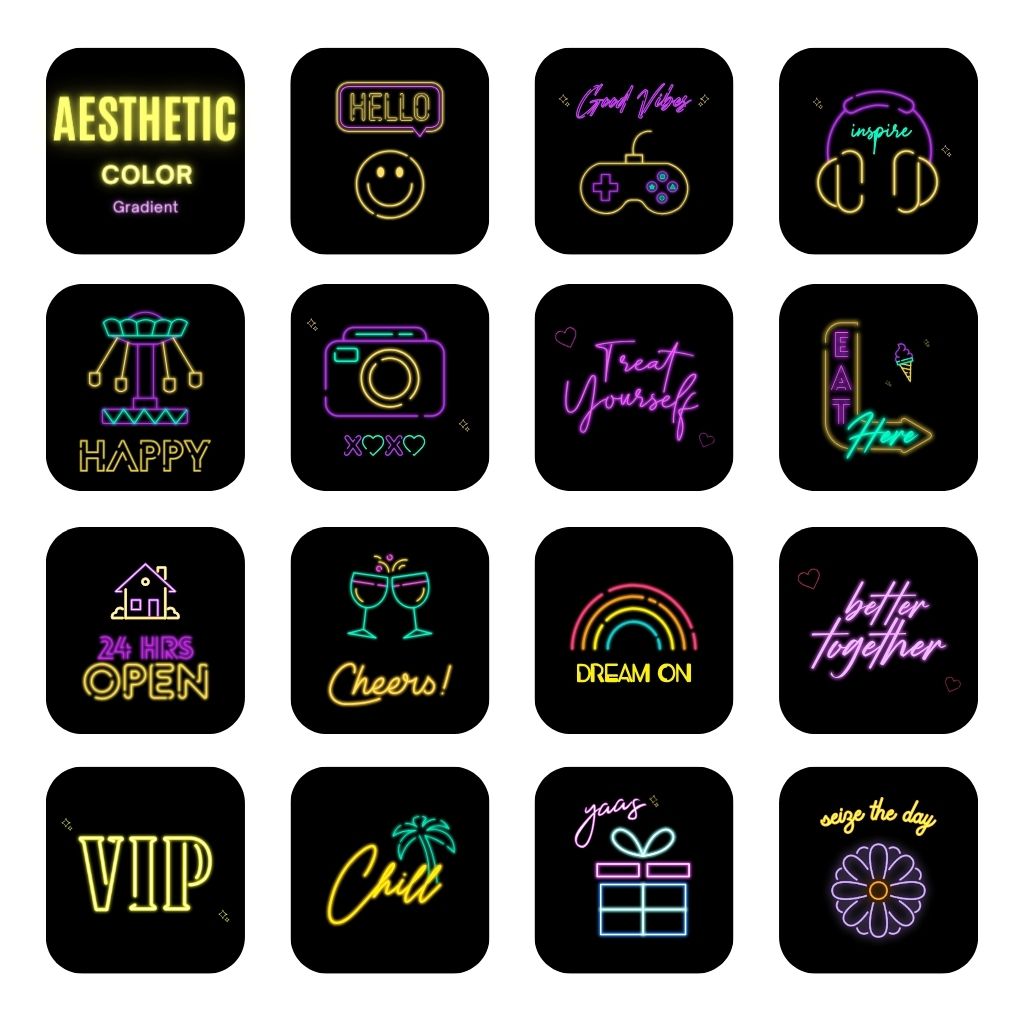
Color gradients are an amazing way to add dimension and pizzazz to your Instagram Highlight covers. Whether you are a service or product page, an EDM music producer, or a trendy influencer, the right colors can impact your mood as well as your followers.
Gradients can be subtle or bold depending on your vibe.
3. Lifestyle icons for lifestyle brands

Rocking a fitness, holistic, wellness, or lifestyle brand? The most important fields in today’s market scenario are healthcare and business. Make sure to customize your highlight covers for Instagram with a bold background color and lifestyle-related graphics.
4. Get down to business with business icons

If you are one of the millions of entrepreneurs across the globe, then there is a high chance you also have an Instagram account. Instagram Highlight covers are a great way to make your profile more aesthetic. Thus, they also give you the chance to highlight:
- Pertinent info
- Testimonials
- Statistics
- Events
- Announcements
- Accomplishments
Major Tip: If you want to diversify your brand concept or color palette, make sure to consider switching it up with secondary color palettes for social!
5. Embody the beauty
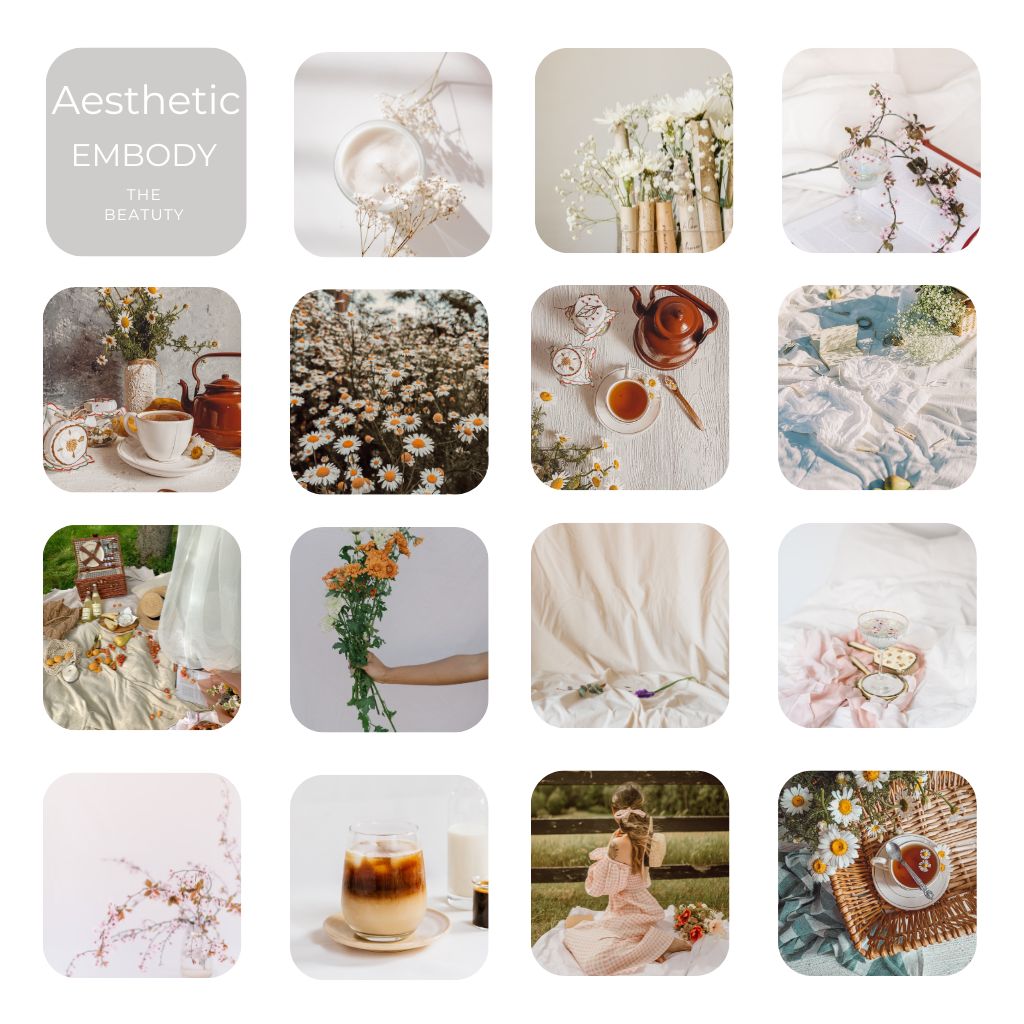
Notice how the icon colors differentiate from the brand color palette while also introducing some secondary color palette shades. If you can capture a style that feels equally predictable as it does unexpected, then you are golden, friends.
6. Aesthetic pink icons for femininity
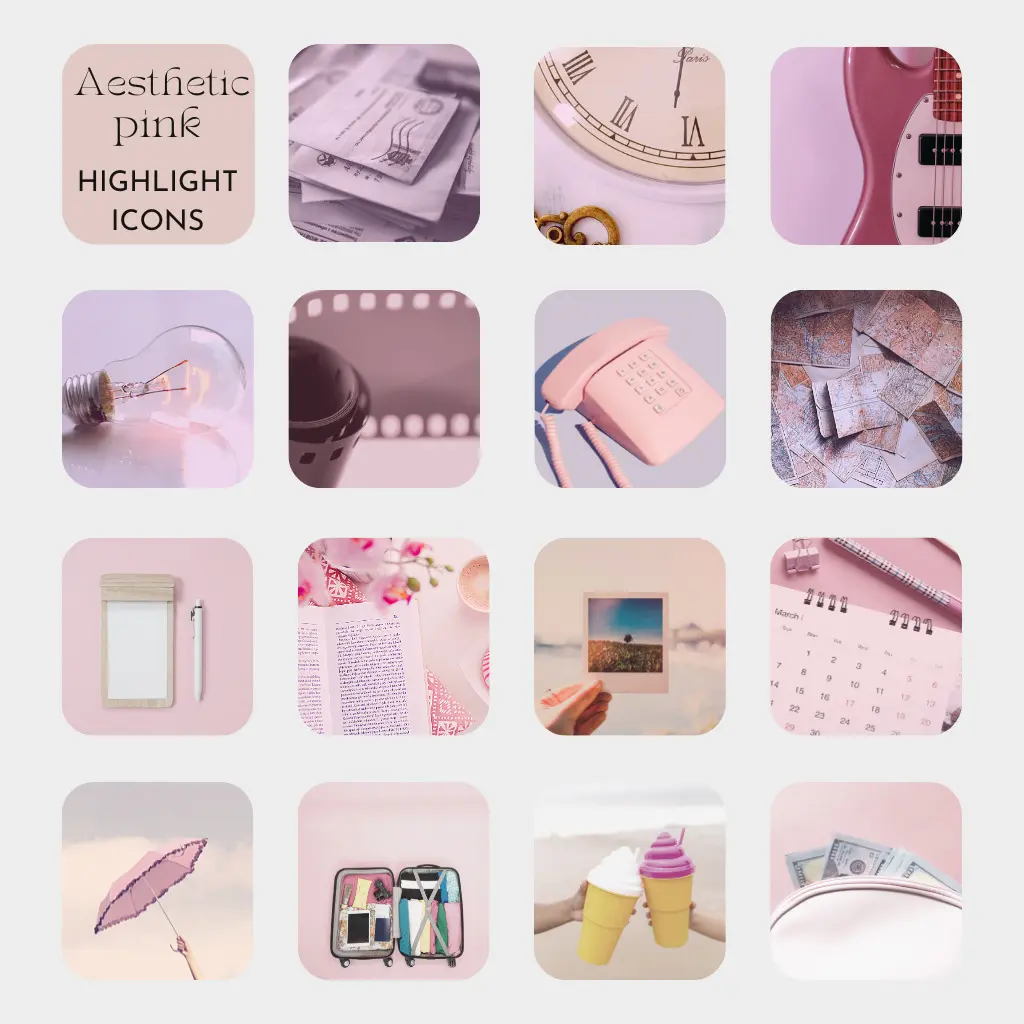
These aesthetic pink highlight icons will be an amazing fit for your profile if your brand includes different shades of pink. Moreover, the color pink is also used at times when you want to evoke certain emotions in your audience. These may include femininity, creativity, sentimentality, youthfulness, or romance.
For instance, if you’re a beauty brand, your brand will reflect femininity. To display this perfectly on your Instagram profile, you can use aesthetic pink highlight icons.
8. Nostalgic vintage feel

The vintage highlight icons would give an amazing feel to the overall antique look of your profile. Even when you opt to use a product photo instead, it should not miss the nostalgic background.
Real Life Example Of Instagram Story Highlight Icons & Covers
There are lots of brands that have created amazing custom Instagram story Highlight covers using various icons and colors to match their brand.
So, here are some of the best examples that we have found across the platform:
1. HubSpot

HubSpot is the first example of having nice, simplistic Instagram story highlight covers. They use some of the colorful highlight icons and emphasize the story covers with a very on-brand orange to outline the cover icon. Another point to add is that they maintain simplicity in their categories, using one-word cover names.
2. Buffer
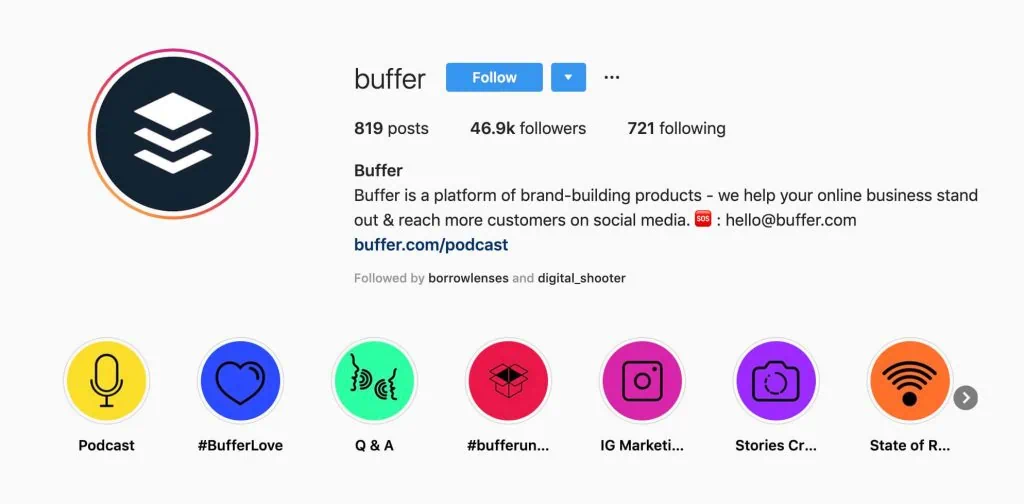
Buffer is another great instance with its use of colors throughout the Instagram highlight covers. They use very simple story icons, but the vibrant colors in the background of their highlight cover make them stand out.
3. Foundr
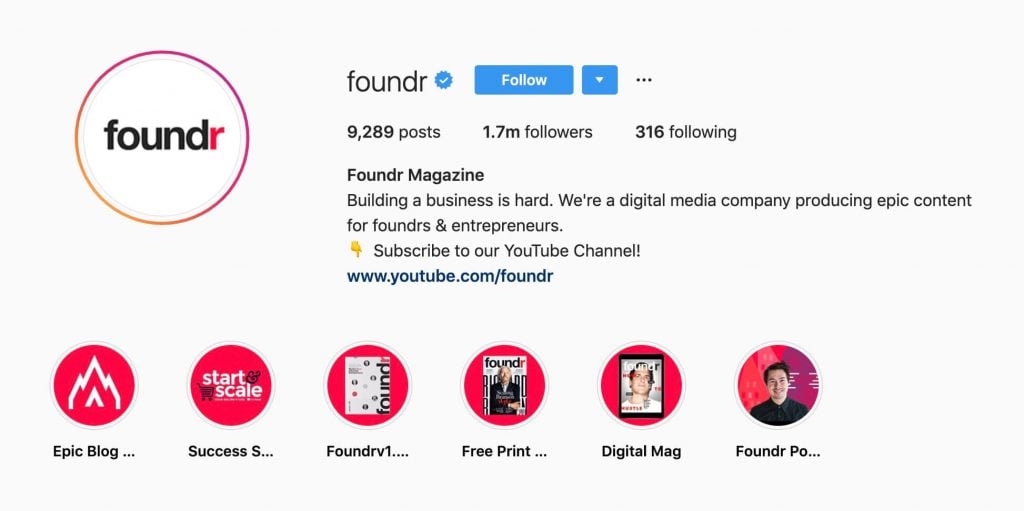
At the time of creating Instagram story covers, you are not just limited to using flat icons. Foundr does a great job of incorporating images and products into its highlight covers. Moreover, they use the same colored background on all of their highlights; they change the icon and image in the center of each cover. You know exactly what you are getting into just by looking at the story cover.
4. Bitrix24
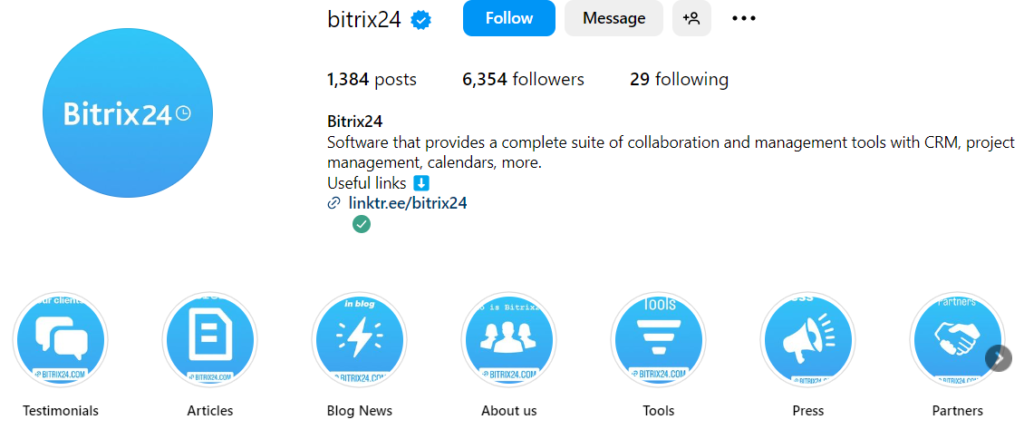
Now, when you see the highlight icons of Bitrix24, the color template perfectly matches the company’s design and style. This is a brand-related style at its best. You will notice that they have used bold and clear white icons that sit perfectly on the bright blue background. This will allow the user to check out the desired content without any fuss.
5. Filmora-editor
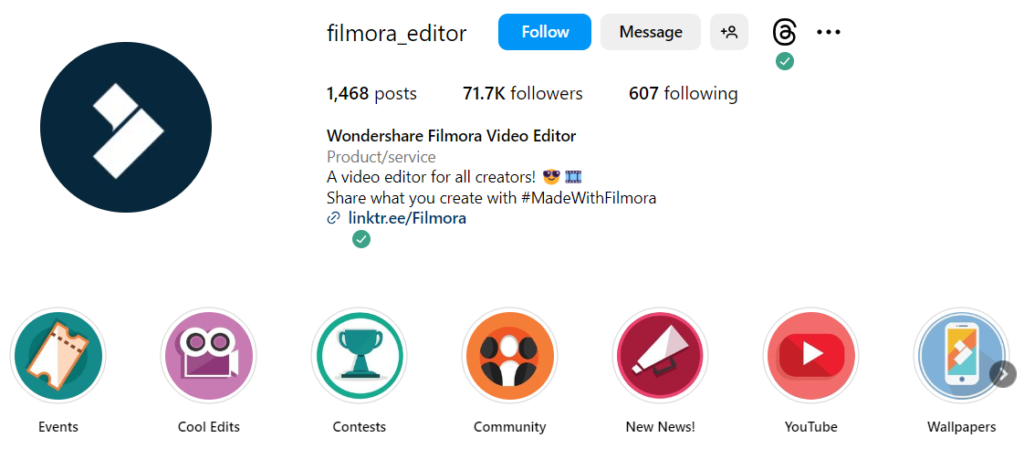
Filmora-editor presents before us an amazing example of a highlight icon. You do not have to take a deep look at it because the icons are bright and clear with high quality. Filmora Editor has come up with the idea of creating customized icons using different patterns, graphics, and colors.
6. Slack
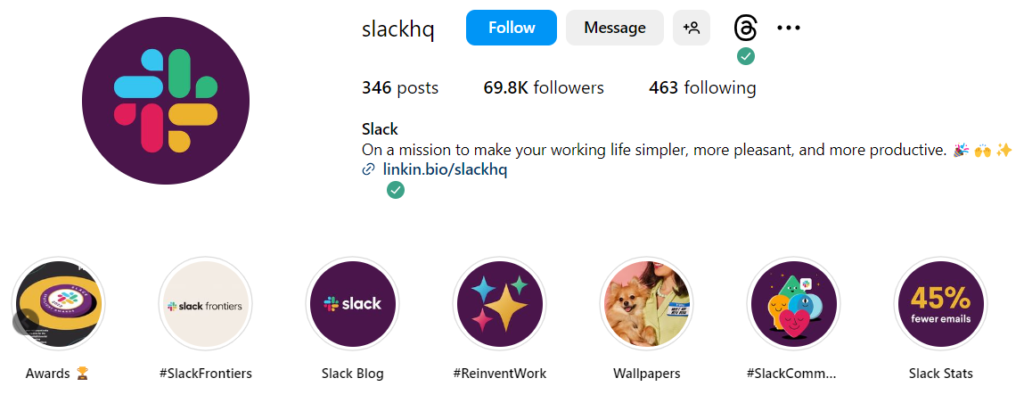
The highlight icons of Slack are in complete relevance with their Instagram profile and their brand website. It’s not necessary to always use icons for your highlights. A clear and bright image from your highlight content will also work wonders. Additionally, you can use short text to label your icons for a clear explanation regarding the highlighted content.
Tips for designing Instagram Highlight Covers
When you start creating your Instagram highlight, here are some tips that will help you out.
- When creating highlight covers, always make sure to keep your brand aesthetics in mind.
- If you are using icons, then you need to use ones that are clear even when small in size and easily recognizable icons.
- Experiment with different layouts and designs to maintain a fresh look on your profile.
- Highlights offer a preview of your content, which means they need to make your profile stand out by being visually appealing.
- Update your covers periodically
Why Are Instagram Highlights Crucial for Businesses?
Let us understand why it is integral to use Instagram Highlights for business promotions:
- Highlights are easy to spot and can grab viewer attention quickly.
- Works as a guide to kelp users navigate your profile.
- Offers the ability to immortalize your stories
- Can assist you in running promotional deals, flash sales, and so on.
- Helps in organising multiple facets of your business in one profile.
- Great way to showcase your user testimonials so that the user sees it first when they visit your profile.
- Stories allow you to add links. By displaying them permanently in highlights, you can drive traffic to these links easily.
Here are some effective ways businesses can make the most of Instagram highlights:
Use Highlights to display key details about your business, like return policies, hours of operation, menu items, mission statements, and FAQs.
- Highlight your top products or services to give them extra visibility.
- Keep your audience informed about upcoming events and announcements by dedicating Highlights to weekly updates.
- Save positive customer feedback in Highlights to showcase social proof. When customers share their satisfaction in Stories, save these testimonials instead of letting them disappear.
- Give followers a peek behind the curtain by showing how your products are made or introducing your team.
- Highlight collaborations with influencers or community members to diversify your profile and engage your audience.
- Highlights offer followers something unique by sharing exclusive content they can’t find elsewhere.
How to Jazz up Your Instagram Highlight Covers?
You can make them pop with various cover ideas. Here’s a rundown of what you can do:
- Quotes: Share motivational quotes or lines from your favorite books or movies.
- Bold Text: Use eye-catching text to indicate what each Highlight is about.
- Colorful Patterns: Add vibrancy to your Highlights with colorful designs.
- Geometric Shapes: Give your Highlights a modern touch with geometric patterns.
- Gradient Effects: Create a smooth transition of colors for a cohesive look.
- Photos: Grab attention with high-quality images.
- Holiday Vibes: Sprinkle some festive cheer with holiday-themed covers.
- Business Graphics: Keep it professional with covers that reflect your brand, featuring your logo, tagline, and more.
As for content ideas, consider showcasing:
- Reviews and testimonials
- Evergreen Posts and Stories
- Job openings
- Past event highlights
- Holiday-themed content
- Tips and tricks related to your niche
- Influencer partnerships
- Behind-the-scenes glimpses of your office life
Benefits of Using Instagram Highlights
Instagram Highlights are more than just a way to save your Stories. They are a strategic tool that can significantly enhance your Instagram presence. By curating and showcasing your best content, Instagram allows you to extend the lifespan of your Stories and create a lasting impression on new and returning visitors to your profile.
Below are some key benefits of Instagram Highlights for your profile:
- Extend Content Life: Instagram Highlights allow your best Stories to live beyond the standard 24-hour window, giving potential customers more time to engage with your content.
- First Impressions: Highlights act as a virtual ‘homepage’ on your profile, shaping visitors’ first impressions and providing easy access to your most important information.
- Rediscover Past Content: Followers can easily revisit past Stories that they may have missed, offering them another chance to connect with your brand.
- Organize by Topics: You can organize Highlights by relevant topics, such as travel destinations or parenting tips, making it easier for your audience to find the information they’re interested in.
- Encourage Follows: An organized and informative Highlights section can make it more likely for new visitors to hit the follow button. As they can quickly see the value of your content and connect with your brand story.
Conclusion
Instagram is arguably the most engaging and largest social media platform right now available in the market. It is essential to take advantage of the powerful features that the platform provides and to use them most efficiently and effectively to give your brand that extra advantage.
Instagram Highlight covers will help you create a stunning profile. You can use highlights to share content that you won’t in your daily posts. Eventually, this feature will help your viewers stay engaged with your brand.
For more social media tips and updates, follow us on Instagram!
FAQs
Yes, you can edit your Instagram Highlights at any time.
There’s no limit to the number of Instagram Highlights you can create. This flexibility allows you to organize and showcase as much content as you like.
Instagram Highlights remain on your profile until you choose to delete them. This makes them a great way to preserve and showcase your most valuable Stories.
Yes, you can easily add more photos or videos to your existing highlights. Just go into the highlight reel, select “more,” and then choose “edit highlight.” From there, you can select additional content to add to the highlight.
You may also like,
Top content ideas for podcast marketing on Instagram
September content calendar for social media marketing
How to change TikTok username?
Creating a brand identity on Instagram