



Kling MCP: Use Kling in Claude and ChatGPT
Connect the Predis.ai MCP and pick from 7 Kling versions inside Claude, ChatGPT or Claude Code, from low-cost photo animation up to Kling 3 Pro. You see what a clip costs before you start it.
One prompt, 3 versions“Gravity reverses over a construction site and a tower builds itself in one continuous FPV shot, 10 seconds.”
Work out what a clip costs before you ask
Kling is priced per second, and the rate changes a lot from one version to the next. Try a version and a length here, and your assistant confirms the exact number in the chat.
An estimate from current rates. Your assistant shows the exact cost and your balance before anything is made. Size doesn’t change the rate.
What each Kling version takes
| Version | Text | Photo | Video | Length | Sound |
|---|---|---|---|---|---|
| Kling 2.1 | – | Required, first and last frame | – | 5 or 10 s | No sound option |
| Kling 2.5 Turbo Pro | Yes | First frame | – | 5 or 10 s | No sound option |
| Kling O3 Pro | Yes | First frame and up to 4 references | – | 3 to 15 s | On by default |
| Kling 2.6 Pro | Yes | First frame | – | 5 or 10 s | On by default |
| Kling 3 Omni | Yes | Up to 7 | 1 clip | 3 to 15 s | Off by default |
| Kling 3 Standard | Yes | First and last frame | – | 5 to 10 s | On by default |
| Kling 3 Pro | Yes | First and last frame | – | 5 to 10 s | On by default |
Every version except Kling 2.1 makes 16:9, 9:16 and 1:1 clips. Kling 2.1 has no size setting and works from your photo.
Change a clip with Kling 3 Omni
Give Kling 3 Omni a video and up to 7 images, then ask for the change, like a new product in her hands or a new room. Clips run from 3 to 15 seconds, in standard or pro mode.
Try Kling 3 Omni
Bring a product photo to life with Kling 2.1
Kling 2.1 starts from a photo and only a photo, which makes it the lowest-cost way on this page to add motion to a still. Attach the photo and describe the movement.
Animate a photo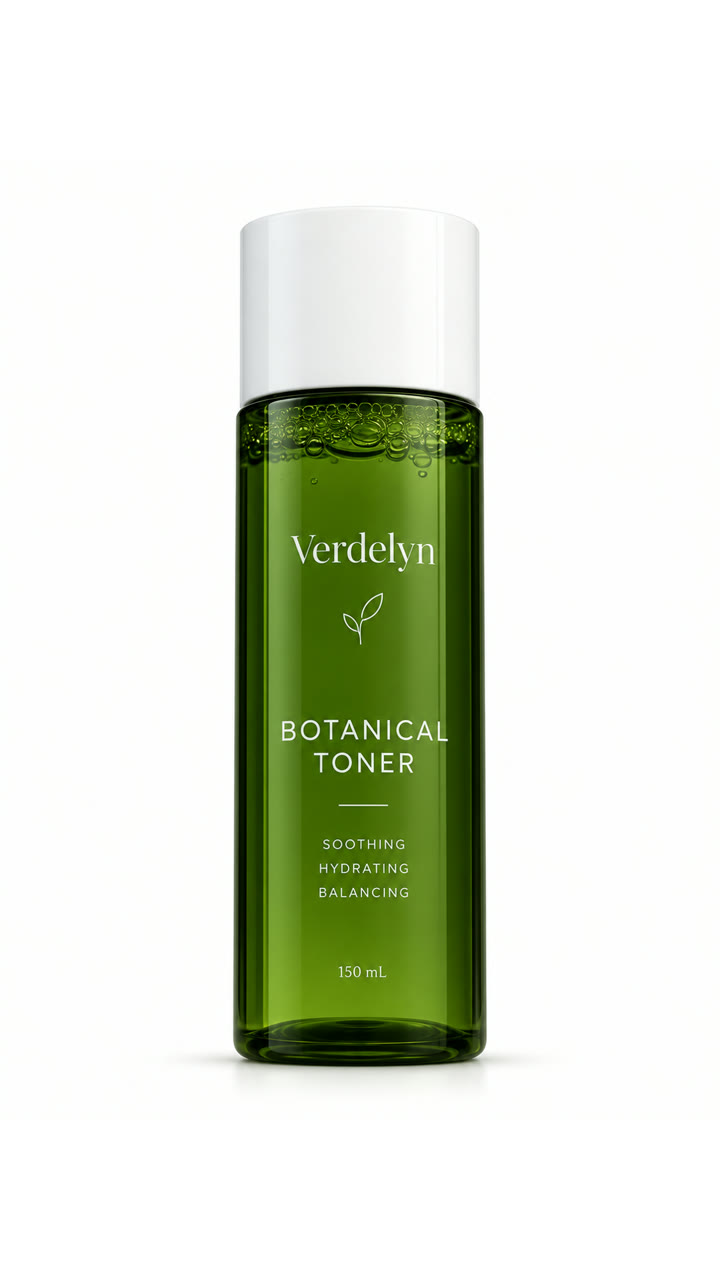
Add Kling to your assistant through Predis.ai
Sign in with your Predis.ai account. There's no API key to copy, and your brand kit and saved products come with you.
-
Open Connectors
In Claude on the web or Claude Desktop, go to Settings, then Connectors.
-
Add a custom connector
Name it Predis.ai and paste the MCP server URL below.
-
Sign in and ask
Click Connect, sign in with your Predis.ai account and start a new chat.
Then try: “Use Predis.ai with Kling 3 Pro to make a 5-second 16:9 video of [your product], with sound.”
-
Add a custom MCP server
In ChatGPT on your desktop browser, open Settings, then Apps (or Plugins, depending on your account). Select +, then Add custom MCP server.
-
Connect it to Predis.ai
Name it Predis.ai, paste the MCP server URL below under Connection, and sign in with your Predis.ai account.
-
Create the plugin and ask
Review the security warning, select Create as a plugin, then install it. Start a new chat and type @Predis.ai.
Then try: “Use Predis.ai with Kling 3 Pro to make a 5-second 16:9 video of [your product], with sound.”
-
Add the server
Run the command below in your terminal.
-
Sign in
Type /mcp in Claude Code and sign in with your Predis.ai account.
-
Make ads in bulk
Point it at a product feed or a CSV, and it makes ads for every row.
Then try: “Use Predis.ai with Kling 3 Pro to make a 5-second 16:9 video of [your product], with sound.”
Frequently Asked Questions
What is the Kling MCP?
The Predis.ai MCP is a remote MCP server that gives Claude, ChatGPT and Claude Code access to 7 Kling versions. Your brand kit and saved products come with it.
Which Kling versions can I use?
Kling 3 Pro, Kling 3 Standard, Kling 3 Omni, Kling O3 Pro, Kling 2.6 Pro, Kling 2.5 Turbo Pro and Kling 2.1.
Which version costs the least?
Kling 2.1 has the lowest rate, at 4 credits per second, and Kling 3 Pro the highest, at 27. Your assistant shows the exact cost before each clip.
How long can a Kling clip be?
Kling 3 Omni and Kling O3 Pro make 3 to 15 seconds, Kling 3 Pro and 3 Standard make 5 to 10 seconds, and Kling 2.6 Pro, 2.5 Turbo Pro and 2.1 make 5 or 10.
Do Kling clips have sound?
Kling 3 Pro, 3 Standard, O3 Pro and 2.6 Pro add sound by default. Kling 3 Omni leaves it off unless you ask for it, and Kling 2.5 Turbo Pro and 2.1 make clips without a sound option.
Can I edit a video I already have?
Yes, with Kling 3 Omni. Share the clip and up to 7 images, then say what to change.
Do I need a Kling account?
No. You sign in with your Predis.ai account, and each clip uses credits from your Predis.ai plan.
Is there a free trial?
Yes, for 3 days. A card is required, your first charge is on day 4, and you can cancel anytime before then.
Seven Kling versions, one connection to Predis.ai
Connect once and choose the version clip by clip, with the cost in front of you each time.
Connect Predis.ai MCP