


Type one line and this free faceless video creator builds the whole thing for you. It writes the script and voiceover, then adds the captions, music and clips. No camera, no retakes. Export faceless reels in 9:16 for TikTok, Instagram and Shorts, while feed posts get 1:1 and YouTube gets 16:9. Your first video takes under a minute.
Businesses making their videos with Predis.ai

Here's how to make a faceless video with AI in four steps. It's built for creators who want a channel that keeps posting without them on camera.
Start with One PromptSay what your video is about in a few words, or start from a niche template. The AI writes the script and opens it with a hook.
The AI picks clips, images and music from its stock library, then records the voiceover in the voice you choose. You never touch a mic.
Change a line of the script and the video updates. Captions come in timed to the voiceover, and you can restyle them to match your brand.
Download in HD, or publish and schedule straight to your social accounts from one dashboard.
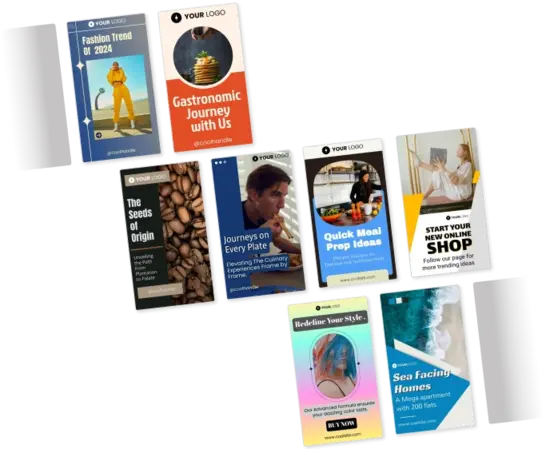
Pick a template for your niche and the AI applies your brand colors, fonts and logo. Templates cover tips, promos, explainers and product showcases. Each one fits faceless reels on Instagram, TikTok and Shorts, opens with a hook and closes with a call to action.
Pick a Template for Your Niche
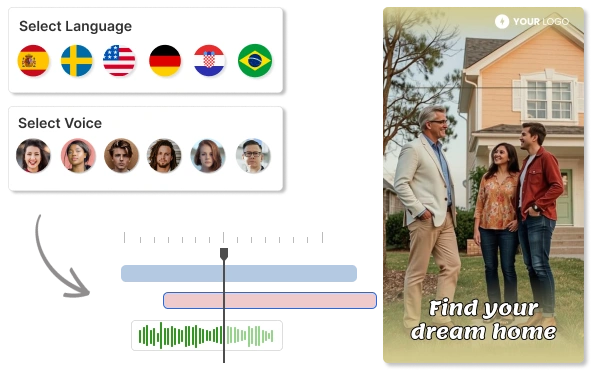
Pick from 400+ AI voices across 19 languages and accents, and go energetic for a promo or calm for an explainer. Opening a new market? The AI translates your script, records a new voiceover, and rewrites the subtitles, so the same faceless video runs in another language.
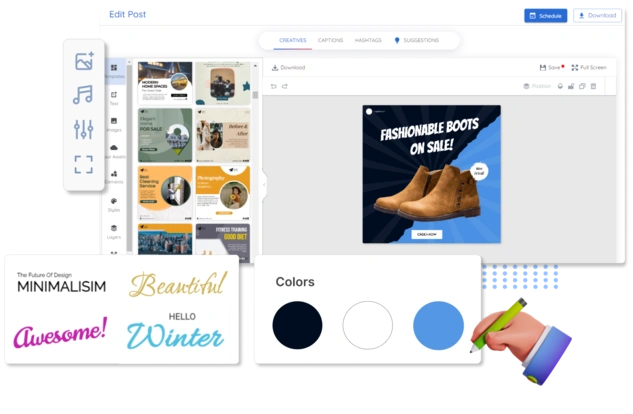
Hear the AI VoicesDon't like a clip? Swap it. Drag text, stickers and stock clips into any scene, or switch templates in one click. The whole faceless video tool runs in your browser, so there's nothing to install and no timeline to learn.
Try the Editor
Make a whole series from one seed idea and set the posting schedule once. Each video then posts itself to Instagram, TikTok, YouTube Shorts, Facebook, LinkedIn and Pinterest, sized right for each. Every clip and track is copyright-safe, so you can monetize what you post on a faceless YouTube channel.
Schedule a Week of Videos
Five businesses on what changed when they stopped making posts by hand.
"Social media used to take too much time and energy. It has helped me stay visible in the marketplace and keep my marketing activities moving."
"Social media was something we knew we had to do, but it never really got done properly. Predis made content creation faster, simpler, and way more consistent for us."
"The images and the videos it has generated have been very beautiful and very successful in helping me sell my product. I would highly recommend them."
"Everything actually looks put together without me spending hours on it. I don't sit there staring at a screen wondering what to post anymore."
"There is no store that sells time, and that is exactly what Predis does. Once you've tried it, you won't let go."
A faceless AI video generator makes videos without anyone on camera. You type a prompt, and the AI writes the script and voiceover, then adds stock clips and captions. People use it to make faceless reels for TikTok, Instagram and YouTube Shorts.
No. It runs in your browser, so it works on any device with an internet connection.
Skip the camera. Write a prompt and the AI builds the video from stock clips, AI images, and a voiceover. Your face never appears unless you add an AI avatar.
About a minute, which is the sweet spot for Shorts, Reels, and TikTok.
Yes, you can try it free for 3 days. The trial needs a card, and we charge your plan when the 3 days end unless you cancel first.
9:16 for Reels, Shorts, and TikTok, 1:1 for feed posts, and 16:9 for YouTube. One click resizes the same video for all three.
Yes. Upload it in the editor and the AI builds a short around it, with voiceover, captions, and music.
Yes. Every clip, image, and music track is copyright-safe, so you can monetize what you post on YouTube and TikTok as long as it meets each platform's rules. You keep the rights to what you export.
Yes. Paste a blog post URL or article text and the AI pulls out the key points, writes the script, and builds the video.
Type one prompt and get a finished video, ready to post. No camera and no editing skills needed.
Try for Free