Explore this content with AI:
Running your first Instagram ad is the ideal place to start if you’re eager to increase the reach of your brand and access a very interested audience. Instagram advertising lets the companies of all kinds to drive traffic, raise awareness, and turn inquisitive scrollers into devoted consumers. With over 2 billion active users and one of the greatest engagement rates across social networks. We’ll walk you through every stage you need to start to run your very first Instagram ad like a pro right here on this blog.
Why Run Instagram Ads?
Instagram has evolved from a photo-sharing app into a powerful marketing platform. It offers businesses a direct way to reach audiences visually through rich content formats like Stories, Reels, and interactive posts.
Today, Instagram ads can:
- Reach people who already know your brand
- Introduce you to new, relevant audiences
- Drive website visits, app installs, leads, product sales, and more
- Amplify content that performs well organically
The key is not just running ads, but running ads that match where your audience is in their journey.
The Power of Instagram Advertising
Instagram’s ad platform is powered by Meta and offers intelligent targeting, detailed analytics, and a variety of formats. This makes storytelling and selling very easy. In 2025, it’s no longer just about brand awareness but Instagram ads are also helping businesses generate measurable ROI with strategies that focus on performance.
Organic vs Paid Reach: What’s More Effective for Growth?
Even though Instagram’s formula is always changing, organic posts often don’t reach as many people as they could. When you use paid ads, you can be sure that your message will be seen and can be tailored to different groups of people based on area, interest, or behavior.
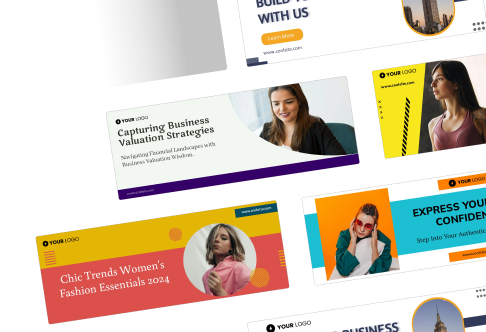
Setting the Right Goal for Your Instagram Ad Campaign
Before you run an ad, you need to decide what a successful campaign looks like. In other words, you need to choose the right aim that fits with your marketing goals.
1. Understanding Ad Objectives in Meta Ads Manager
There are a lot of marketing goals that Meta Ads Manager can set, such as Brand Awareness, Reach, Traffic, Engagement, App Installs, Leads, and Conversions. Each one does a different job and changes how Instagram shows your ad.
Every Instagram ad campaign starts with an objective. Your choice here influences how the system prioritizes delivery and who sees your ad.
Choose what aligns with your goal:
- Awareness: Let people know you exist
- Consideration: Get visits, engagement, or app activity
- Conversion: Drive actions like purchases or form fills
Don’t worry if you’re unsure — if you want people to take a specific action (like buy something), choose a conversion‑focused objective.
2. Define Your Audience
Audience targeting is where strategy matters most. Who should see your ad?
You can build audiences based on:
- Demographics (age, location, gender)
- Interests and behaviors
- People similar to your existing customers
- Past visitors (retargeting)
- Email or phone lists
If you’re just starting, keep your audience broad enough to let the system find patterns, but specific enough to be relevant. A good rule of thumb: think of your audience like a real group of people you know, not just a spreadsheet.
3. Choosing the Best Goal: Awareness, Traffic, Engagement, or Sales
- Start your first campaign by choosing a goal that fits your wants right now.
- Go for Awareness if you want more people to find your brand.
- Traffic is the best choice if you want more people to click on your link.
- For better communication, the best thing to do is to connect.
- Select “Conversions” when you’re ready to change people.
4. Set Your Budget and Schedule
Instagram lets you choose how much you want to spend and when you want your ad to run.
Two key choices:
- Daily Budget: How much you’re willing to spend per day
- Lifetime Budget: The total you want to spend over the campaign
Start with a budget that’s reasonable for your goals. Too little and the system won’t gather enough data to optimize; too much and you risk spending without clarity.
Decide whether you want:
- Continuous running: The ad runs indefinitely
- Scheduled run: The ad runs between specific dates
5. Creating a Business Profile & Connecting to Meta Business Suite
To access ad tools and analytics, you must use a professional account and integrate it with Meta’s business tools.
6. Switching to an Instagram Business Account
Head to your Instagram settings, tap on “Account,” and switch to a Business account. This unlocks insights, contact buttons, and the ability to run ads directly from your profile.
7. Linking Instagram to Your Facebook Page for Ads Access
To use Ads Manager, link your Instagram to a Facebook Business Page under Meta Business Suite. This integration is essential to access advanced ad features and performance tracking.
8. Navigating Meta Business Suite and Ads Manager
Once connected, you’ll use Meta Ads Manager to create and manage campaigns. It provides granular control over budgeting, placements, formats, and performance metrics—everything you need for a data-driven ad strategy.
9. Choose Placements
Placements are where your ad appears. You can choose:
- Instagram Feed
- Instagram Stories
- Reels
- Explore
- Messenger and partner apps (optional)
If you’re new, automatic placement is a safe choice, it lets the system place your ad where it’s most likely to perform. Later, you can experiment with specific placements to see what works best.
Defining Your Target Audience for Maximum ROI
Targeting is where Instagram ads truly shine. Meta’s targeting tools allow you to define exactly who sees your ads.
Using Core, Custom, and Lookalike Audiences
- Start with Core Audiences by selecting demographics like age, gender, location, interests, and behaviors.
- Custom Audiences allow you to retarget people who’ve interacted with your brand.
- While Lookalike Audiences help you reach new users similar to your best customers.
You can check out the blog based on how to target the right audience with Instagram ads, for better understanding.
How to Use Demographics, Interests & Behaviors for Precision Targeting?
Use detailed targeting to zero in on users who align with your buyer persona. For instance, if you sell yoga mats, target users interested in fitness, mindfulness, or wellness products.
Tips for Local Targeting vs Global Reach
If you’re a local business, focus on geo-targeting users within a certain radius of your store. For e-commerce, explore broader, interest-based targeting that extends beyond geographical boundaries.
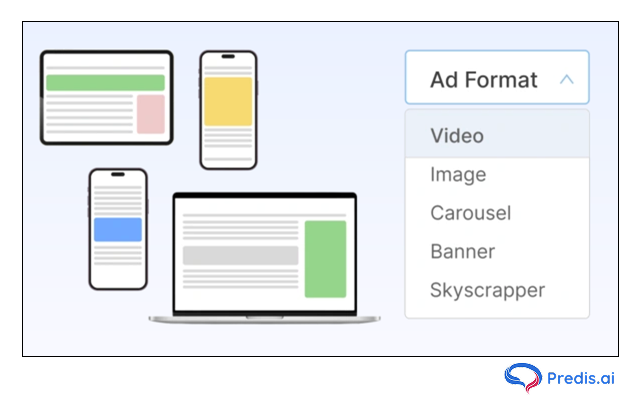
Choosing the Right Instagram Ad Format
Different goals require different ad formats. The right format can make or break your campaign’s effectiveness.
Image Ads vs Video Ads vs Carousel: What Works Best?
- Image Ads are great for strong Instagram ad visuals and simple messages.
- Video Ads offer more room for storytelling and product demos.
- Carousel Ads allow users to swipe through multiple images or videos—perfect for showcasing collections.
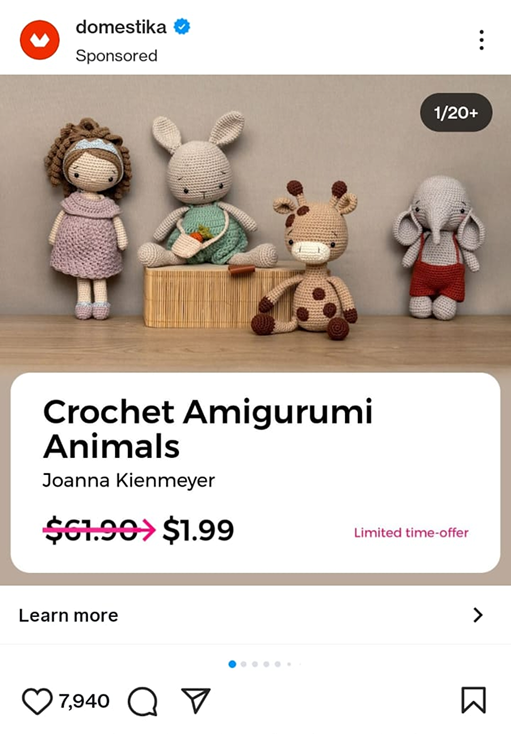
Instagram Stories Ads vs Reels Ads: Engagement Breakdown
- Stories Ads are full-screen vertical creatives that disappear after 24 hours, making them ideal for time-sensitive offers.
- Reels Ads, meanwhile, drive high engagement and work well for creative storytelling with music, transitions, and trending sounds.
How to Use Collection & Shopping Ads for E-commerce?
- For brands with a product catalog, Collection Ads let users browse and shop directly within the ad.
- Instagram Shopping Ads turn your posts into shoppable experiences, driving instant conversions.

Designing High-Converting Instagram Ad Creatives
An eye-catching creative is crucial to stopping the scroll and sparking interest.
Crafting Scroll-Stopping Visuals with Brand Consistency
- Use bold colors, clean design, and consistent branding elements (like logos or fonts) to maintain a professional look.
- High-resolution visuals matter—your first impression depends on it.
Writing Captions That Convert: CTA, Emojis, and Hashtags
Your caption should highlight the value, include a strong call-to-action (like “Shop Now” or “Learn More”), and use 3–5 relevant hashtags for visibility. Emojis can help break up text and add personality.

Image & Video Specs for Instagram Ads (2025 Update)
- Image/Carousel: 1080 x 1080 px (1:1 ratio)
- Stories/Reels: 1080 x 1920 px (9:16 ratio)
- Video Length: Max 60 seconds (15 seconds per story frame recommended)
Budgeting and Bidding Strategy for Your First Ad
Your budget decides how many people your ad reaches. Even a small investment can go a long way when managed well.
How to Set a Realistic Daily or Lifetime Budget?
- Set a daily budget if you’re testing content regularly, or use a lifetime budget if you have a fixed campaign duration.
- Start small—₹300 to ₹500/day is enough for beginners to learn and experiment.
Manual vs Automatic Bidding: Which One Should You Use?
- If you’re new, Automatic Bidding is best.
- Meta will optimize your ad delivery to get you the best results for your objective. Later, experiment with Manual Bidding for more control.
Understanding CPC, CPM & Conversion Metrics
- CPC (Cost per Click): Ideal for traffic campaigns
- CPM (Cost per 1,000 Impressions): Good for brand awareness
- CPA (Cost per Action): Useful when optimizing for leads or sales
Publishing Your First Instagram Ad
Now that everything is set up, it’s time to go live.
Previewing Your Ad Before It Goes Live
Always preview how your ad looks on different placements—feed, stories, explore, etc.—to ensure everything appears polished and professional.
How to Schedule Your Ad for Best Performance Times?
Use Instagram Insights to see when your audience is most active. Schedule your ads accordingly—usually, evenings and weekends work best for lifestyle and retail brands.
Ad Review Process: What to Expect After Submission
Meta will review your ad for compliance with its advertising policies. Most ads get approved within 24 hours. Once approved, you can monitor performance in real time.
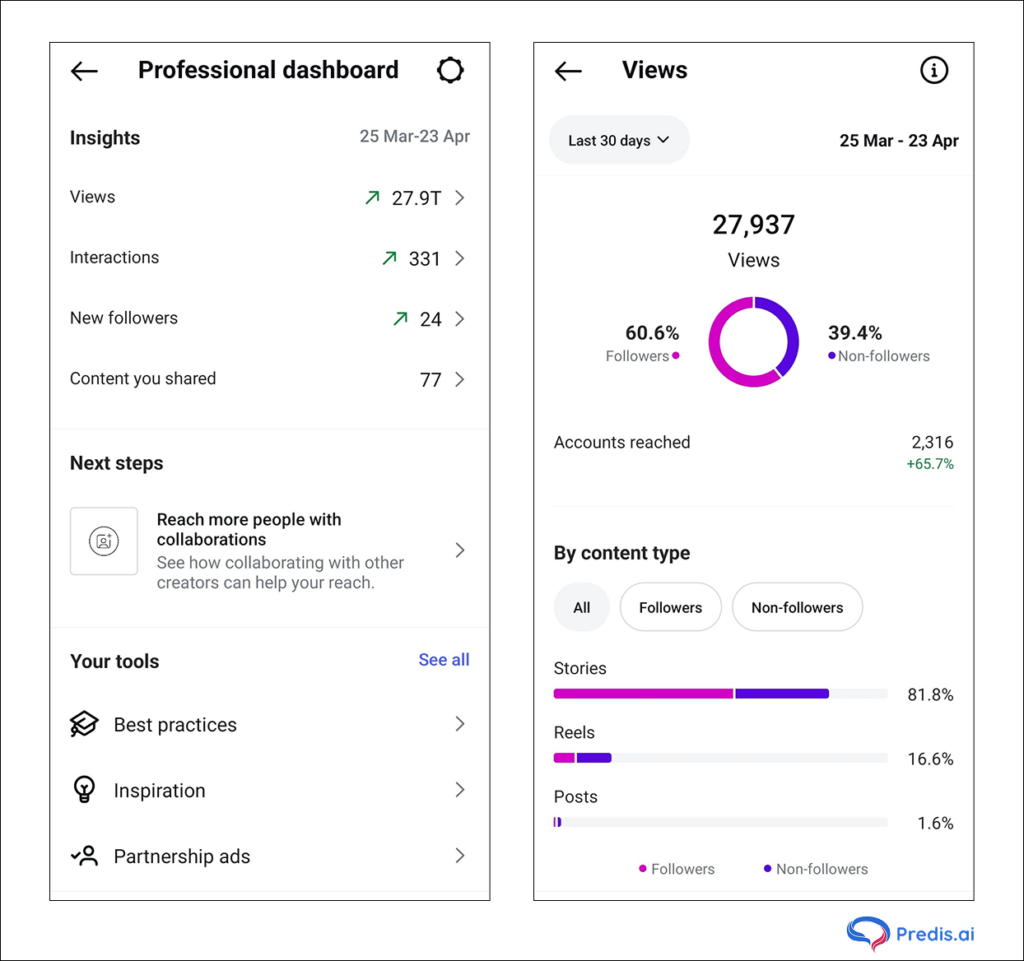
Tracking Performance and Optimizing for Better Results
Tracking allows you to learn what’s working and what’s not—then refine accordingly.
Key Metrics to Monitor: CTR, CPC, Conversions, Engagement
Focus on high click-through rates and low cost-per-click. Watch conversion numbers closely, and tweak your ad copy, creatives, or targeting based on performance.
A/B Testing Your Instagram Ads for Better ROI
Run multiple versions of your ad to test headlines, images, CTA buttons, or audiences. A/B testing helps you understand what resonates best with your audience.
When & How to Scale Your Winning Ad Campaign
If an ad performs well, increase your budget gradually and expand your targeting. Use the “Duplicate Ad” feature to create similar versions for other audiences.
Tips for Better Results Over Time
1. Test small variations
Run multiple versions of your ad with different images or headlines to see what resonates.
2. Track conversions properly
Set up tracking so you know when your ad leads to real results like sales or sign‑ups.
3. Scale what works
When an ad performs well, raise the budget gradually instead of all at once.
4. Retarget your audience
People who engaged but didn’t convert are your best next opportunity.
5. Keep creative fresh
Change visuals every few weeks to avoid fatigue.
Conclusion
Running your first Instagram ad is a step — not the whole journey.
The real success comes from clarity of goal, smart targeting, strong creative, and measured optimization. Follow the steps above, learn from the results, and refine your strategy.
If you want help with:
- SEO titles that rank
- Meta descriptions that convert
- A content upgrade to accompany this blog
- Social media promos for this article