

Explore this content with AI:
Submitting an Instagram ad and then watching it sit on “Pending” is one of the most frustrating experiences in digital advertising. You don’t know how long it takes to get Instagram ads approved, or what to do next!
Here’s the straight answer: most Instagram ads are approved within 1–24 hours. A clean image ad for a straightforward product can go live in as little as 15–30 minutes. But ads touching sensitive topics, video content, or ads submitted from brand-new accounts regularly take 24–48 hours — and regulated categories like finance, health claims, or political content can take 72 hours or more.
This guide breaks down the exact approval timeline by ad type, what slows things down, what to do if your ad gets rejected, and the steps that give you the best shot at fast approval.
TL;DR 🖋
Most Instagram ads are approved within 1–24 hours. Simple image ads with clean creative and no policy issues often go live in 15–30 minutes. Video ads, sensitive topics, and new accounts typically take 24–48 hours. Regulated categories (health, finance, political content) can take 48–72+ hours due to manual review.
Understanding Instagram’s Ad Policies
It is important to know Instagram policies before taking the journey of crafting an ad. Take time to review these rules and incorporate them into the fabric of your ad development process. Here are a few guidelines that you must adhere to:
- Do not promote illegal products or services, payday loans, payslip advances, bail bonds, regional lotteries, weapons, ammunition, and explosives, among others.
- Limit who can view posts that contain delicate content depending on age or location.
- Some categories demand that the business partner supporting the sponsored content have permission to market their services.
- Share branded material only where the branded content feature exists, for instance, Instagram posts.
How Long Do Instagram Ads Take to Get Approved?
Here’s the approval timeline broken down by scenario:
| Scenario | Typical Approval Time |
|---|---|
| Simple image ad, clean creative, established account | 15 minutes – 2 hours |
| Standard video ad, no policy concerns | 2–24 hours |
| New ad account or limited ad history | 24–48 hours |
| Sensitive topics (health claims, politics, social issues) | 24–48 hours (manual review) |
| Regulated categories (finance, gambling, alcohol, dating) | 48–72 hours |
| Policy violations or account flags | 72+ hours or rejected |
The most important number: 24 hours. If your ad has been “In Review” for more than 24 hours without approval or rejection, something has likely triggered a manual review. After 48 hours, it’s worth checking your ad content against Meta’s policies and potentially contacting support.
Meta uses automated systems for most ad reviews — the algorithm scans your creative, copy, targeting, and landing page in seconds. Ads that don’t trigger any flags are approved without a human ever looking at them. The wait time only becomes significant when the system flags something and routes the ad to a human reviewer.
What to Do When Your Instagram Ad Is Rejected
Rejection is not the end. Here’s the process:
1: Read the rejection reason
Meta always tells you why. Go to Ads Manager, find the rejected ad, and read the notification. It will cite a specific policy. Read that policy — not your interpretation of it, the actual policy document Meta links to.
2: Fix the specific issue
Edit the ad to address the flagged problem. Change the copy, replace the image, update the landing page, or adjust the targeting — whatever the rejection specified. Don’t make unrelated changes hoping something helps.
3: Resubmit
Once edited, resubmit. The ad goes through another review cycle — same 1–24-hour timeline as the first submission.
4: Appeal if you believe it was wrong
If you think the rejection was an error, use the “Request Review” option in Ads Manager. Appeals go through another full human review cycle — expect 24–48 hours, not instant resolution. Provide a clear explanation of why you believe the ad complies with the policy in question.
5: Contact Meta support for repeated or unclear rejections
If your ad is rejected twice for the same reason and you can’t identify what’s wrong, use Meta’s chat support. Sometimes the automated rejection message is vague, and a support agent can clarify exactly what the system flagged.
You can use the FREE Predis.ai social media ad copy generator to create effective ads.
8 Common Reasons Instagram Ads Get Rejected
1. No business account set up
You cannot run Instagram ads from a personal account. Before anything else, confirm you have a Meta Business account properly connected to your Instagram profile. Without this, ads can’t be submitted at all.
2. Prohibited or restricted content
Meta maintains a list of categories that cannot be advertised at all (weapons, tobacco, illegal drugs, payday loans, multilevel marketing schemes) and a separate list that requires special approval (alcohol, gambling, dating services, cryptocurrency, financial products, pharmaceuticals). Submitting in a restricted category without prior approval gets the ad rejected immediately.
3. Text-heavy images
While Meta removed the strict “20% text rule” in 2020, ads with significant text overlaid on images still perform worse in delivery and are more likely to be reviewed manually. Keep text on images minimal — use the ad copy field instead.
4. The landing page doesn’t match the ad
If your ad promotes a free trial and the landing page shows a pricing page, or if the ad mentions a specific product and the page is a generic homepage, Meta flags the mismatch. The landing page must be functional, mobile-optimised, and deliver on the ad’s promise.
5. Account policy history
New accounts and accounts with a history of violations face heightened scrutiny. Every ad from a flagged account goes through manual review, which extends approval time to 24–48 hours minimum. Maintaining a clean account history is the best long-term investment in fast approval times.
6. Ad specs violations
Wrong aspect ratio, file size too large, video too long for the placement, or audio issues in video ads can all cause rejection. Check Meta’s current ad specs before uploading — they update periodically by placement (Stories vs. Feed vs. Reels have different requirements).
7. Landing page or URL issues
A URL that redirects to an unexpected destination, a page that requires login to view, a broken link, or a URL that leads to prohibited content will get the ad rejected — even if the ad creative itself is perfectly compliant.
How to Speed Up Instagram Ad Approval
You can’t guarantee instant approval, but these steps remove the most common sources of delay:
1. Read the policies before you create
Spend 20 minutes reviewing Meta’s advertising policies before your first campaign in a new category. It’s far less painful than a rejection cycle.
2. Use clean, simple creative
Straightforward product images, clear copy without superlatives or prohibited claims, and a clear CTA get through automated review fastest. Avoid shocking imagery, text overlays covering more than 20% of the image, and anything that visually resembles a before-and-after.
3. Make sure your landing page works — on mobile
Pull up your landing page on your phone before you submit. Check that it loads within 3 seconds, the CTA is visible without scrolling, and the page delivers on exactly what the ad promises.
4. Get pre-approval for restricted categories before you need to run
If you advertise alcohol, gambling, dating services, financial products, or health claims, apply for Meta’s special category approval before your campaign launch. The approval process takes time — don’t start it the week you need to go live.
5. Submit at least 2 business days before your campaign needs to go live
This is the simplest insurance against delayed campaigns. If your ad is for a product launch on Friday, submit on Wednesday. Buffer time absorbs manual reviews, one-time rejections, and seasonal backlogs.
6. Avoid submitting during peak periods without an extra buffer
Black Friday, Cyber Monday, election season, and Q4 in general see Meta’s review queue get significantly backed up. Even clean ads can take 48+ hours during these windows. Plan accordingly.
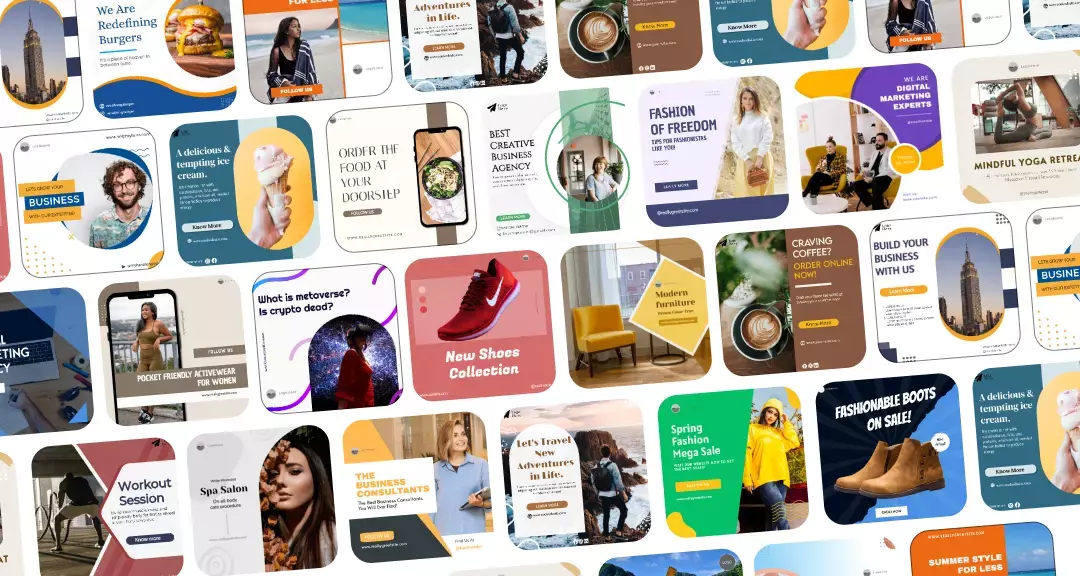
You can use Predis.ai's Instagram post generator to create stunning Instagram posts that catch the attention of your viewers!
Conclusion
Most of the time, Instagram ads are approved within 1–24 hours. If yours is taking longer, it’s almost always one of four things: a policy issue in your content, a landing page problem, a new or flagged account, or a submission during a high-volume period.
The fastest path to consistent quick approvals is simple: know Meta’s policies before you create, use clean creative that makes no unverifiable claims, ensure your landing page works on mobile and matches the ad, and submit with enough buffer time that a delay doesn’t derail your campaign.
Ready to create Instagram ads that are built for fast approval and strong performance? Predis.ai’s Instagram Ad Maker generates compliant, platform-optimised ad creatives from a product link or prompt — so you spend less time in the rejection cycle and more time running campaigns.
Related Content,