Explore this content with AI:
Your existing customers are your best audience. They already trust you, they’ve bought from you before, and they’re statistically 60–70% more likely to convert on a new offer than a cold prospect. Yet most eCommerce brands spend 80% of their Facebook ad budget trying to acquire new customers — and almost nothing on turning existing buyers into repeat, higher-value customers.
That’s the opportunity that upselling and cross-selling with Facebook Ads is built for. Instead of paying to convince strangers, you’re showing the right next product to people who already said yes to your brand. Done correctly, it raises your average order value (AOV), improves customer lifetime value (CLV), and produces some of the lowest cost-per-purchase numbers in your entire ad account.
This guide covers the exact setup — from building segmented buyer audiences and configuring Dynamic Product Ads to timing your offers correctly and writing copy that converts without feeling pushy.
What Is The Difference Between Upselling And Cross-Selling?
Upselling and cross-selling are two different ways to make sales. Before you start efforts, you should know the difference between the two!
- Upselling means getting people to buy a more expensive or better form of what they’re thinking about buying. If someone is looking at a basic coffee maker, you could try to sell them a more expensive one/premium one with more features.
- Cross-selling, on the other hand, means suggesting items that go well with each other. In the case of the coffee machine, this could mean selling extra coffee beans, mugs, or filters.
- Both strategies are meant to bring in more money, but they work at different points in the customer trip. Cross-selling is best right before or after a purchase, while upselling works best when a buyer is still choosing.
Why Are Facebook Ads Great For Cross-Selling And Upselling?
Facebook ads are different from ads on other sites because they can be highly targeted, have dynamic creatives, and offer many tracking options. AOV (Average Order Value) will go up because of these things:
- Custom Audiences: Facebook lets you create groups based on what users do, like when they buy something, visit your website, or leave an item in their shopping cart. This way, your ads will reach the right people at the right time.
- Lookalike Audiences: You can find new people who resemble your most expensive or highest-spending customers.
- Dynamic Product Ads (DPAs): When you use dynamic product ads (DPAs), you can show each user the most relevant goods based on how they browse.
- Retargeting Power: Facebook’s pixel lets you precisely track and retarget for upsell and cross-sell tactics.
- Cost Efficiency: Facebook ads usually cost less than Google ads, especially when it comes to retargeting.
Because of all of these factors, Facebook is the best place to give relevant, valuable product ideas that lead to sales.
How To Upsell And Cross-Sell With Facebook Ads?
Let’s look at how to design high-converting Facebook ads that effectively upsell and cross-sell products.
1. Set Up the Facebook Pixel and Conversion Tracking
- Start by adding the Facebook Pixel to your website. Facebook pixel is a little piece of code that monitors a user’s behavior for retargeting and conversion tracking.
- Shopify stores can skip the manual setup with a dedicated pixel tracking app, installed in one click, no code needed.
- You need to make sure to set up events such as ViewContent, AddToCart, InitiateCheckout, and Purchase.
- These signals help Facebook to understand where your consumers are in their purchasing journey. This allows you to target them with the appropriate upsell or cross-sell offer.
2. Build Custom Audiences Based on Buyer Behavior
Build Segmented Buyer Audiences (Not One Big “Past Customers” List)
The foundation of every successful upsell and cross-sell campaign is accurate customer segmentation. The mistake most brands make is uploading a single “all past customers” list and running one offer to everyone. That’s only marginally better than cold targeting.
What you actually need is a separate custom audience — and a separate ad set — for each buyer segment. Here’s the principle: you cannot show someone the right next product unless you know what they already bought.
How to set this up:
- Go to Meta Ads Manager → Audiences → Create Audience → Custom Audience → Customer List
- Export a segment from your Shopify, WooCommerce, or CRM: one CSV per product category or specific product purchased (e.g., “Bought Yoga Mat”, “Bought Entry-Level Supplement”, “Bought Camera Body”)
- Upload each list separately and name it clearly (e.g., “Buyers — Yoga Mat — Last 90 days”)
- Create a separate ad set for each segment, targeting only that audience
Alternatively, use Meta Pixel Purchase events filtered by product category if your Pixel passes product-level data. This creates dynamic audiences that update automatically as new purchases happen.
Why separate ad sets matter:
Your yoga mat buyers should see yoga blocks. Camera buyers should see lenses or bags. Your supplement buyers on the starter tier should see the premium bundle. One ad showing multiple unrelated products to everyone is the cross-sell equivalent of junk mail — it converts at a fraction of the rate of a precisely targeted single recommendation.
3. Create a Product Catalog and Use Dynamic Product Ads.
Meta built specific upsell and cross-sell audience options directly into Dynamic Product Ads (DPAs). Most advertisers don’t know these options exist. Here’s the complete setup:
Before you start: Your product catalog must be uploaded and active in Meta Commerce Manager, and your Pixel must be firing Purchase events with product IDs that match your catalog.
Step-by-step setup:
- Create two product sets in Meta Commerce Manager:
- Product set A (the retargeting set): the products people have already viewed or purchased that trigger the campaign
- Product set B (the recommendation set): the products you want to show as upsells or cross-sells
- Go to Meta Ads Manager → Create Campaign
- Choose Sales as your campaign objective at the campaign level
- Select your product catalog at the campaign level
- At the Ad Set level, go to the Products section and select Product Set B (your recommended products)
- Scroll to the Audience section and choose either “Upsell Products” or “Cross-Sell Products” — these are Meta’s built-in post-purchase targeting options
- Set your lookback window — how far back Meta looks for the triggering purchase event (7–30 days is typical)
- Select Product Set A as the retargeting product set — the products whose buyers you want to target
- Finish building your ad creative and launch
What makes this powerful:
Meta’s algorithm learns over time which products are frequently purchased together and automatically optimises cross-sell delivery. If customers who bought yoga mats consistently then buy yoga blocks, Meta starts prioritising that recommendation without you manually adjusting it.
4. Create Highly Effective Ad Creatives
- Your advertising creative must do more than simply look good; it must also motivate people to take action.
- You can use eye-catching visuals, group deals, and clear statements of what the product or service is worth.
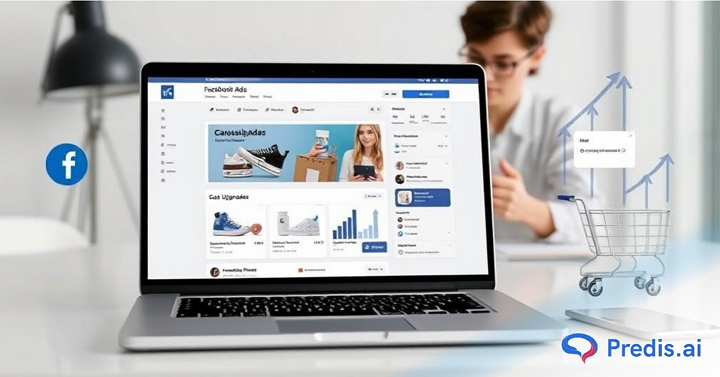
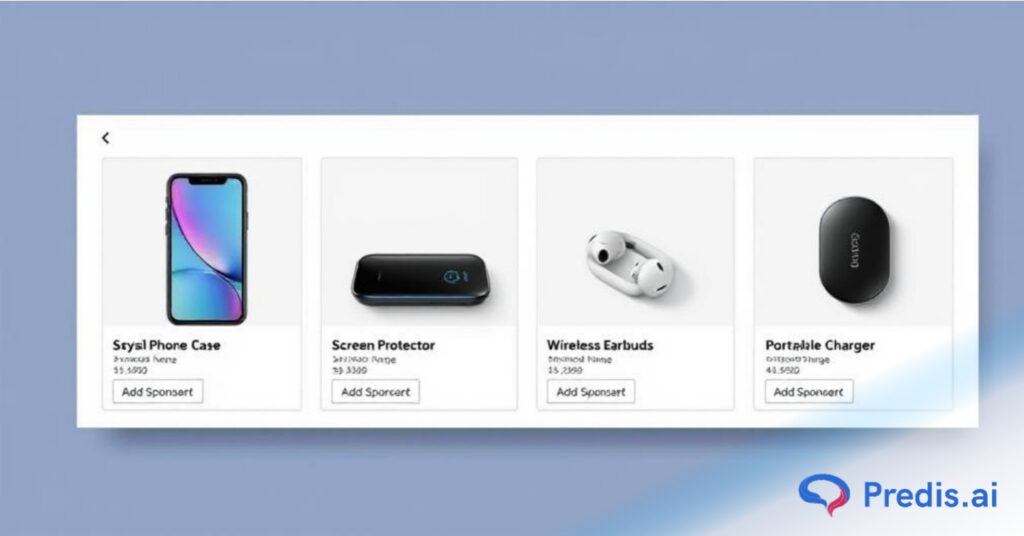
- You can make Carousel ads by using Predis AI’s AI ad maker. These are effective in showcasing a number of connected products for cross-selling.
- A side-by-side comparison of standard and premium solutions can be quite effective for upsells.
- Include urgency components such as “Limited stock” or “Upgrade today to get 20% off.” These psychological cues encourage users to make judgments faster.
5. Create Smart Ad Copy and CTAs
Your text should clearly state the benefits of upgrading or adding complementary items. You need to keep it concise, direct, and value-driven. You can check Predis AI’s “How to write a killer ad copy” for best results!
- Examples:
- Upsell: “Level up your skincare routine with our premium serum—only $5 more!”
- Cross-sell: “Don’t forget the perfect pair of sunglasses for your new summer outfit.”
- Use compelling CTAs such as “Upgrade Now,” “Add This to Your Cart,” or “Complete Your Kit.”
6. Optimize placements and budgets
- Facebook has a lot of ad placements, including Feed, Stories, and Reels.
- Most of the time, Feed and Story placements are most effective for upselling and cross-selling. This is because of their visual-first nature and increased engagement.
- Begin with Automatic Placements and let the algorithm choose which works best.
- Then refine the same based on performance.
- Keep your budget focused on remarketing advertising, which typically produces a greater ROI.
7. When to Show the Offer Matters as Much as What You Show
Timing is one of the most under-discussed variables in upsell and cross-sell campaigns. Show the offer too soon, and it feels pushy. Wait too long, and the purchase momentum fades. Studies show that cross-sell and upsell offers within 30 days of a purchase are more likely to convert than offers shown later.
Here’s the timing framework:
| Window | What to Show | Why It Works |
|---|---|---|
| 0–7 days post-purchase | Complementary accessories or add-ons that enhance the product just bought | The product is new, excitement is high, and add-ons feel natural (“complete the setup”) |
| 7–30 days post-purchase | Related products in the same category | They’ve used the product, satisfaction is highest, and they’re open to exploring more |
| 30–90 days post-purchase | Premium upgrade or higher-tier version | They now know the entry-level limitations firsthand — the upgrade feels like a natural next step |
| At natural replenishment point | Repeat purchase of consumables | Time based on average consumption rate (e.g., 30-day supplement supply → target at day 25) |
How to set this up in Meta Ads Manager: Use a Custom Audience with the Pixel Purchase event, set the lookback window to match your timing window (e.g., 7 days for immediate post-purchase), and exclude audiences with shorter windows from the longer-window ad sets to prevent overlap and double-serving.
Best Practices To Maximize Upsell and Cross-Sell Campaigns
Follow these tips from experts to get the most out of your campaigns:
- Personalize Whenever Possible: Ads can be made more relevant to users based on their past purchases or how they have behaved.
- Keep It Simple: Don’t send too many product ideas to users. Only include two or three very important things.
- Upsell Within Range: Make sure that the prices of offer items aren’t too much higher—they should be about 25–40% of the original price, at the very least.
- Create Urgency: Limited-time deals or alerts that stock is low can get people to act.
- A/B Test Continuously: An A/B test involves experimenting with a variety of creatives, calls to action, and offers to determine which ones are most effective in converting.
Common Mistakes To Avoid
It is simple to slip into classic traps, even when one is equipped with the best equipment. Be sure to avoid these errors:
- Irrelevant Suggestions: Do not display products that are not interrelated. It erodes trust and wastes money at the same time.
- Targeting cold audiences too early: It is common for people who have never interacted with your brand before to have a negative experience when you attempt to upsell or cross-sell to them.
- Skipping audience segmentation: Using a large audience will cause your message to not have a strong effect. Hence, create a tight segment, as you also risk serving the wrong offer at the wrong time.
- Ignoring ad fatigue signals: To avoid banner blindness and avoid ad fatigue, it is important to rotate creatives on a regular basis.
- Using generic messaging for everyone: When different parts of your audience have distinct requirements, behaviors, and purchasing patterns, it is extremely important to avoid taking a generic strategy when writing your advertising content and creatives.
- Forgetting to test and optimize: The mistake that many advertisers make is that they just run one version of an advertisement without conducting A/B tests for different features such as creatives, headlines, or offers. This restricts your potential to learn and scale, which is a significant disadvantage.
Tools & Integrations That Can Help
To streamline your process, consider these tools:
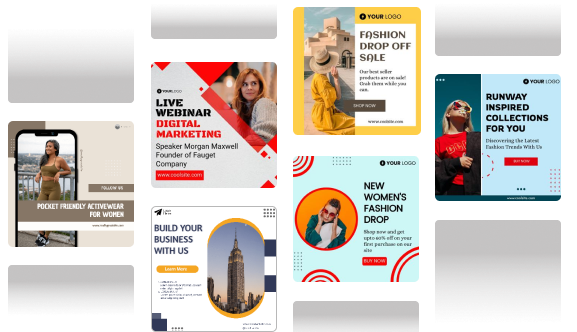
- Predis AI to generate Facebook ads from scratch by connecting it to your product catalogue.
- Meta Commerce Manager: Manage product catalogs and dynamic ad feeds.
- Shopify/Magento Integrations: Sync product data effortlessly, including Magento 2 extensions & Shopify apps, to ensure consistent product details across platforms.
- SaveMyLeads: Automate lead syncs and trigger sequences.
- Zapier: Connect Facebook to your CRM, email marketing tools, and more.
These integrations ensure your campaigns stay fresh, data-driven, and scalable.
How to Measure Campaign Success?
Once your upsell and cross-sell campaigns with Facebook ads are live, it’s important to measure their performance with the right metrics to determine what’s working and what needs optimization. To truly understand what’s working, monitor these key metrics in Facebook Ads Manager:
- ROAS (Return on Ad Spend): The most critical metric for eCommerce. It measures how much revenue your ads generate per dollar spent.
- AOV (Average Order Value): Track changes after implementing upsell/cross-sell strategies. Let you know if the customers are spending more or less.
- CTR (Click-Through Rate): Higher CTR usually means your copy and creative are working.
- Frequency: Helps to identify ad fatigue by tracking how often the same user sees your ad.
- Use A/B testing to compare different product bundles, creatives, and messaging. Small tweaks can lead to big performance gains.
- Repeat Purchase Rate: Businesses with active cross-sell strategies see up to 25% higher repeat purchase rates. Track what percentage of cross-sell campaign clickers make a second purchase within 60 days.
- Customer Lifetime Value (CLV): The ultimate measure. Cross-sell and upsell campaigns are an investment in CLV and CGR (customer growth rate), not just individual order value. Track CLV for customers touched by these campaigns vs. those who weren’t.
Benchmarking note: Your cost per purchase for cross-sell and upsell campaigns will almost always be lower than your acquisition campaigns — that’s expected, not a reason to treat them the same. Evaluate post-purchase campaigns against CLV improvement and repeat purchase rate, not against the acquisition CPA benchmark.
Conclusion
Upselling and cross-selling with Facebook Ads isn’t a bolt-on tactic — it’s a revenue infrastructure decision. The brands that do this well don’t run one generic “past customers” campaign. They segment buyers by what they purchased, time their offers to match the natural purchase cycle, build Dynamic Product Ads that automatically surface the right recommendation, and write copy that feels like a helpful suggestion rather than a sales push.
Start with your most obvious pairing: your best-selling product and its most natural add-on. Build one segmented buyer audience, one focused creative, and one targeted ad set. Measure AOV and repeat purchase rate, not just ROAS. Then expand.
The customers you’ve already earned are your best asset. These campaigns are how you make the most of them.
Ready to build the creatives that convert? Predis.ai’s Facebook Ad Maker generates platform-optimised ad creatives for cross-sell and upsell campaigns — from a product link or prompt, in minutes.
Create your Facebook Ads with Predis.ai →
FAQ:
Facebook ads allow you to target precisely based on customer behavior and purchase history. This helps in increasing order value and successfully upselling to your customers.
By using Facebook retargeting, you can get in touch with customers who are already familiar with your brand. These past customers and website visitors will be much more receptive to your marketing and will be more inclined to make another purchase.
Show only limited products to your users; 2 – 4 complementary products work best and are more effective than showing too many.
You May Also Like,
- How to Reverse Banner Blindness in Facebook Ads