Explore this content with AI:
Running Instagram ads without targeting the right audience is like throwing darts in the dark. You might hit the mark occasionally, but most of the time, you’re wasting budget on people who have no reason to care about your brand.
Custom audiences for Instagram ads fix this. Instead of targeting cold strangers based on broad interests, custom audiences let you reach people who have already signalled intent — they visited your site, engaged with your Instagram account, opened your emails, or bought from you before. These audiences convert at a fundamentally different rate than interest-based targeting, and building them is simpler than most advertisers expect.
In this guide, you’ll learn exactly how to set up every type of custom audience in Meta Ads Manager — plus how to use them to build Lookalike Audiences, the most powerful cold targeting tool available on the platform.
What Is a Custom Audiences for Instagram Ads?
A custom audience is any group of people who have already interacted with your business in some capacity, whether they visited your website, watched a video, chatted with your Instagram account, or registered for your newsletter. Custom audiences help you concentrate your ad expenditure on warm leads—people more likely to convert—instead of cold audiences.
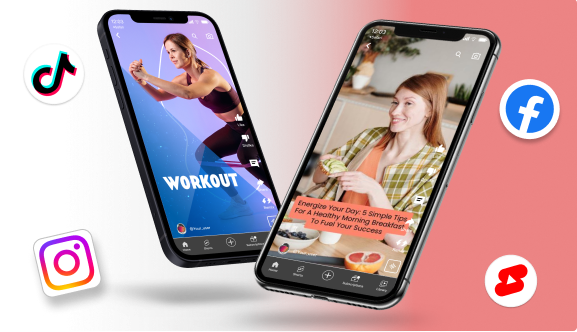
Video viewers are one of the most powerful custom audience sources in Meta Ads Manager, and Reels are the best way to build that audience organically. A free AI reel maker helps you consistently publish Reels that feed your retargeting pool without any video production cost.
Using Meta Ads Manager—previously Facebook Ads Manager—you build these audiences and may use them for Facebook and Instagram advertising. If you take ROI seriously, this is a must-have capability.
Why Do Custom Audiences Matter?
They are so useful that smart marketers swear by them:
- Better return on investment (ROI): People who already know your brand see your ads.
- Retargeting lets you get back in touch with people who looked at your site but didn’t buy anything.
- Better relevance: Ads feel more tailored to you, which makes them more interesting.
- Lookalike expansion: You can make crowds that are similar to high-performing custom groups.
Instagram’s Three Audience Types: Which One Is Which?
Before diving into setup, it helps to understand how Meta categorises its targeting options. There are three types:
| Audience Type | What It Is | Best For |
|---|---|---|
| Saved Audiences | Audiences you define by interests, demographics, location, and behaviours | Cold prospecting when you don’t yet have first-party data |
| Custom Audiences | Audiences built from people who have already interacted with your business | Retargeting, re-engagement, and exclusions |
| Lookalike Audiences | New audiences Meta builds to match your best existing customers | Scaling cold acquisition using your first-party data as a signal |
Custom audiences are the foundation of the other two. You need a strong custom audience before you can build a high-performing Lookalike. This guide focuses on Custom Audiences — and finishes with how to use them to build Lookalikes.
What Do You Need Before You Begin?
Before you start setting up, make sure you have these things:
- A Meta Business Manager profile. For more information, check out the Beginner’s Guide on Instagram ads!
- Your Facebook page is linked to your Instagram account.
- Meta Pixel on your website (for people who visit your website) is installed.
- Get some basic target data ready, like email lists, engagement data, and so on.
You’re ready to go if you have all of those things.
Types of Custom Audiences for Instagram Ads You Can Create
Meta provides numerous approaches to specify your own audience. The most often used ones are those here:
1. Website Traffic
Target people who have visited your website, particular product pages, or engaged in “Add to Cart.”
2. Customer List
Upload a file including phone numbers or emails of your clients. Meta links them with user profiles.
3. Instagram Account Engagement
Target people who have taken a specific action on your Instagram profile or content. This requires your account to be a Business Account or Creator Account — it does not work with personal Instagram profiles.
Before you can use this source, make sure your Instagram account is connected to your Meta Business Manager (under Business Settings → Accounts → Instagram Accounts).
The five engagement triggers you can choose from:
| Trigger | Who it includes | Best used for |
|---|---|---|
| Everyone who engaged with your professional account | Widest — includes all of the below | General retargeting, awareness re-engagement |
| Anyone who visited your profile | People who looked at your account even without engaging | Mild warm audience, good for brand awareness remarketing |
| People who engaged with any post or ad | Likes, comments, saves, shares, carousel swipes, button taps | Mid-funnel retargeting — these people showed active interest |
| People who sent a message to your account | DM senders | High-intent — these people reached out directly; follow up with a conversion campaign |
| People who saved any post or ad | Savers | Strong purchase intent signal — retargeting savers converts at nearly 4× the rate of general engagers |
4. App Activity
Perfect for companies focused on apps. Retarget individuals inside your app who carried out particular tasks.
5. Video Views
Target those who viewed part or all of your Instagram video content.
6. Lead Form Interactions
Perfect for retargeting consumers who opened or turned in a lead form from past advertising.
7. Shopping Activity
Retarget users who interacted with products, added items to their cart, or started checkout if you have Instagram Shop.
Step-by-Step Guide to Setting Up a Custom Audiences for Instagram Ads
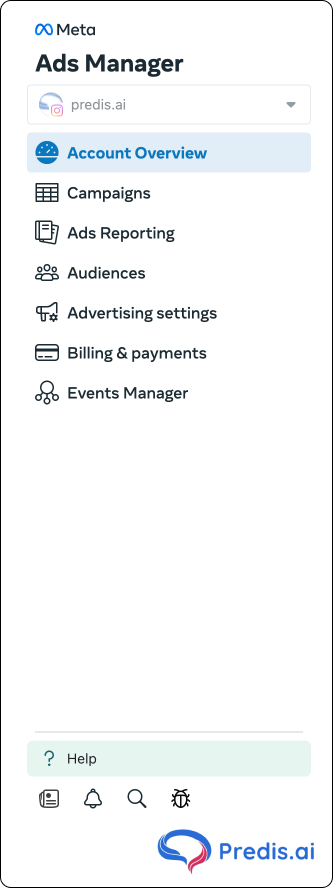
Step 1: Go to Meta Ads Manager
Log in to Meta Ads Manager and head to the “Audiences” section.
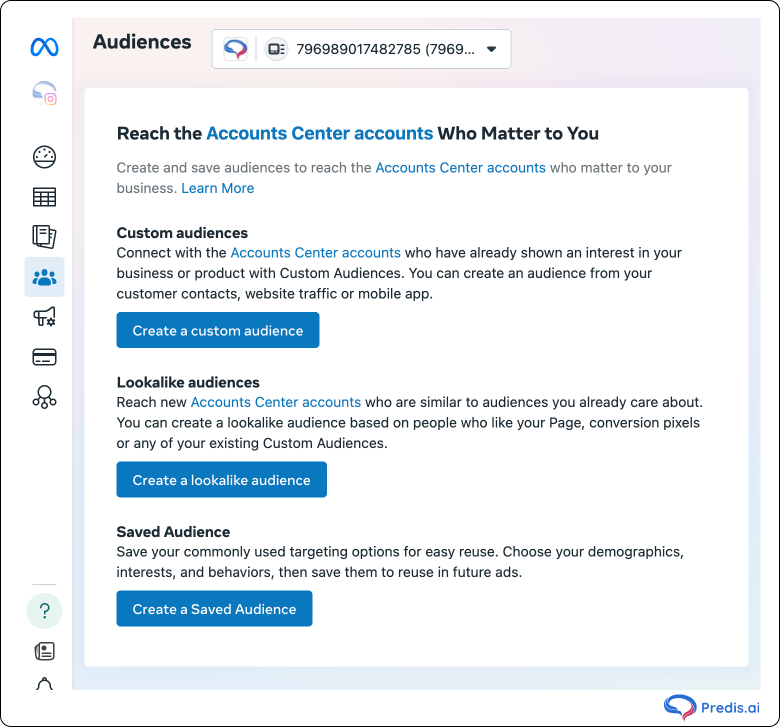
Step 2: Create a Custom Audience
Click on the Create Audience button and choose Custom Audience from the dropdown.
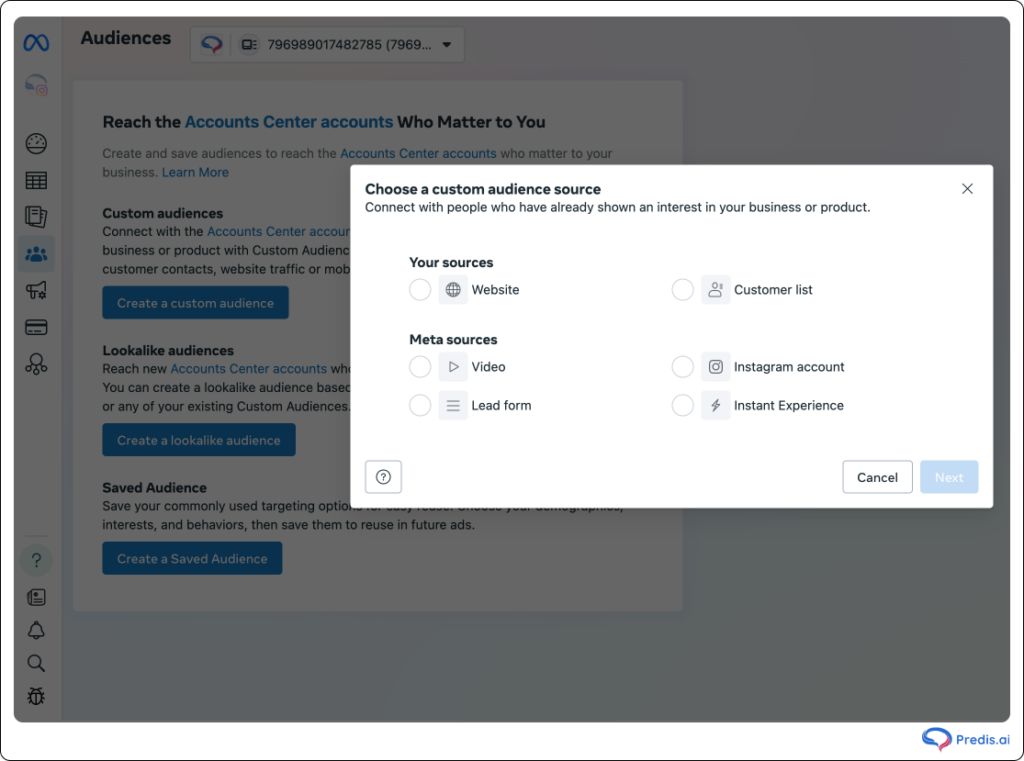
Step 3: Select Your Source
Pick the audience source that fits your goal—whether it’s Instagram engagement, website traffic, or a customer file.
Step 4: Set Conditions
For Instagram engagement, you’ll choose actions like “Everyone who engaged with your business” or “People who messaged your account.” You can also set a retention period (up to 365 days).
Step 5: Name Your Audience
Give your audience a clear, descriptive name (e.g., “IG Profile Visitors – Last 30 Days”). Click Create Audience, and you’re done!
Now, Meta will start populating your audience. It might take a few hours depending on the size.
How to Use Custom Audiences for Instagram Ads?
Custom audiences work at the ad set level. When creating a campaign, navigate to the Audience section at the Ad Set stage and either select a saved audience or build one on the fly.
Here are the most effective use cases:
1. Retarget website visitors who didn’t convert
Use a Pixel-based audience of product page visitors (last 14–30 days) and exclude purchasers. Show them a specific offer, a testimonial, or a social proof ad. This is the classic retargeting funnel that most advertisers start with — and for good reason.
2. Exclude existing customers from acquisition campaigns
Add your customer list (or Pixel purchase audience) as an exclusion in every cold prospecting campaign. Showing acquisition ads to people who already bought wastes budget and can frustrate your best customers. This is one of the highest-ROI campaign settings with almost no downside.
3. Segment by engagement level for sequential retargeting
Create separate audiences for: people who saved a post, people who visited your profile, and people who just watched 25% of a video. Show progressively stronger messages to each tier. The saver gets a direct offer. The profile visitor gets a brand story. The video viewer gets social proof. This mirrors how a good sales conversation works.
4. Seed Lookalike Audiences for cold acquisition
As covered above — use your best-quality custom audience as the input for a Lookalike. Your retargeting data builds your prospecting machine.
5. Build time-sensitive re-engagement audiences
Create a 180-day Instagram engagement audience and exclude your 30-day engagement audience. This isolates people who engaged with your brand 1–6 months ago but have since gone cold. Run a re-engagement campaign with a specific offer or a “we’ve missed you” message.
Building Lookalike Audiences from Custom Audiences for Instagram Ads
Once you have a strong custom audience, you can use it as a seed to create a Lookalike Audience — Meta’s most powerful cold acquisition tool. You provide a list of your best customers; Meta finds millions of new people who behave similarly.
According to Meta, Lookalike Audiences can increase conversion rates by up to 300% compared to broad interest-based targeting. The key word is can — the quality of your Lookalike is entirely determined by the quality of your seed.
Choosing Your Seed Audience
Not all custom audiences are equal seeds for a Lookalike. The more intent the source audience represents, the sharper the signal you give Meta’s algorithm.
Best seeds (in order of quality):
- Top 10–25% of customers by lifetime value (LTV) — Your biggest spenders. Upload from your CRM or Shopify as a customer list. This tells Meta to find more people like your best customers.
- Repeat buyers (2+ purchases) — Signals loyalty, not just a one-time transaction.
- Recent purchasers (last 60–90 days) — Reflects who your customer is right now, not 2 years ago.
- Customer list (all purchasers) — Solid all-purpose seed.
- Website purchasers (Pixel-based) — Good alternative if your customer list is small.
Weaker seeds (avoid for prospecting Lookalikes):
- All website visitors (too broad, includes bouncers)
- Instagram profile visitors (passive signal)
- Video viewers at 3 seconds (almost no intent)
- Page followers (includes people who followed years ago and never engaged)
How to Create a Lookalike Audience
- Go to Meta Ads Manager → Audiences → Create Audience → Lookalike Audience
- Select your source (the custom audience you want to clone)
- Select the target country or region — Lookalikes are built per geography
- Choose your audience size: 1%–10% of the target country’s population
First-Party Data: Why Your Own Lists Beat Everything
The single biggest upgrade most advertisers can make is using purchase data — not engagement data — as the foundation of their custom and Lookalike audiences. A customer list of 500 actual buyers will generate a better Lookalike than an engagement audience of 50,000 video viewers. Intent is the variable that matters. Passive signals (views, profile visits) tell Meta “this person saw something.” Purchase data tells Meta “this person handed over money.” Those are fundamentally different signals.
If you use an email marketing tool, export your engaged buyers and upload them as a customer list monthly. Keep the list current — a customer list from 18 months ago describes who your customer was then, not now.
Pro Tips to Optimize Custom Audience Performance
- Use shorter windows (7–14 days) for hot leads and longer ones (60–90 days) for awareness.
- Update customer lists regularly to keep data fresh.
- A/B test different audience segments to see what works.
- Exclude overlapping audiences to avoid spending on the same users multiple times.
- Use UTMs to track performance more accurately in Google Analytics.
Common Mistakes to Avoid
- Uploading incomplete or outdated lists: Poor-quality data lowers match rates and wastes your budget.
- Forgetting to refresh engagement-based audiences: Old interactions lose relevance; update them every 30–60 days.
- Overlapping custom and lookalike audiences: Without exclusions, your ads compete and cost more.
- Ignoring ad fatigue in long-running campaigns: Repeating the same ad too often kills engagement; rotate creatives regularly.
Conclusion
If you want your Instagram ads to convert, targeting the right audience is non-negotiable. Custom audiences let you reach the people who are already interested—making every click more meaningful and every dollar better spent. Start small, experiment, and refine your audience strategy over time. Your best-performing ad campaign could be just one custom audience away.
Running Instagram ads without targeting the right audience is like throwing darts in the dark. Equally important is making sure your organic Instagram posts support your ad messaging. An AI Instagram post generator helps you create cohesive, brand-consistent feed posts that reinforce your ad campaigns.
FAQs
Yes. Use Instagram engagement or a customer list instead.
Aim for at least 1,000 users for effectiveness. Smaller audiences work well for retargeting.
Absolutely. Custom audiences can be used across Stories, Feed, Reels, and more.
Monthly is a good starting point, more frequently if you’re scaling fast.