Explore this content with AI:
A single manual YouTube Shorts upload — editing, captioning, writing the description, adding tags, choosing a thumbnail, setting the schedule — takes 20 to 30 minutes. If you’re posting daily, that’s over 150 hours a year on upload mechanics alone. But when you automate it, you can change the game.
The right automation tools cut that to minutes. The best YouTube Shorts automation setups handle the entire pipeline: AI generates the video from a script or topic, captions are added automatically, and the Short uploads to YouTube on a schedule — no manual steps required once you’ve configured the workflow.
This guide covers the 8 best tools for automating YouTube Shorts, with pricing, a feature comparison table, a step-by-step workflow for setting up automation from scratch, and the most common mistakes to avoid.
Why Automating YouTube Shorts Matters
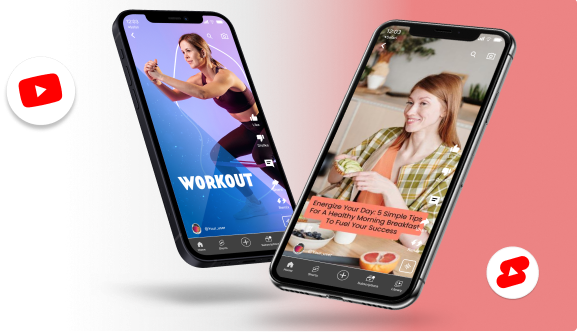
YouTube Shorts thrive on consistency. The algorithm rewards creators who post regularly, but keeping up manually can quickly lead to burnout. Automation helps you maintain a steady content rhythm without compromising quality or creativity.
Here’s why it’s essential:
- Stay Consistent: Automated workflows ensure you never miss a posting day, even when you’re busy.
- Save Time: By automating repetitive steps like editing, captioning, and uploading, you free up hours every week.
- Improve Engagement: Scheduling tools help you post at peak times when your audience is most active.
- Boost Productivity: Productivity tools can also help streamline repetitive tasks, organize your workflow, and save valuable time.
- Scale Effortlessly: Whether you’re a solo creator or a brand, automation makes it easy to produce more content efficiently.
In short, automation isn’t about doing less — it’s about working smarter and letting technology handle the tedious parts of your creative process.
YouTube Shorts Automation Tools: Quick Comparison (2026)
| Tool | Primary function | Direct YouTube posting | Free plan/tier | Best for |
|---|---|---|---|---|
| Predis.ai | Full pipeline (create + post) | ✅ Yes | ✅ Yes (limited) | Brands & marketers |
| OpusClip | Repurpose long-form → Shorts | ✅ Yes | ✅ Yes (limited) | Podcasters & creators |
| Pictory | AI video summarisation | ❌ Via export | ❌ Paid from $23/mo | Long-form repurposers |
| Taja.ai | Highlight detection + clips | ❌ Via export | ❌ Paid | YouTube-first creators |
| InVideo | Script-to-video | ❌ Via export | ✅ Yes (watermark) | Beginners & marketers |
| Canva Video | Design-led video editing | ✅ Yes (Pro) | ✅ Yes (limited) | Design-focused creators |
| Lumen5 | Blog/text → video | ❌ Via export | ✅ Yes (watermark) | Content marketers |
| Descript | Text-based video editing | ❌ Via export | ✅ Yes (limited) | Talking-head creators |
How to read this table: Tools with direct YouTube posting can publish without manual export. Tools without it require you to download the video and upload it separately — adding a step back into the workflow. If zero-touch automation is your goal, prioritise the “Direct YouTube posting: ✅” column.
How to Set Up a YouTube Shorts Automation Workflow (Step by Step)
Understanding which tools exist is only half the picture. Here’s how to build a workflow that runs with minimal manual intervention.
Step 1: Define Your Content Strategy
Automation works best inside clear guardrails. Before touching any tool, decide:
- Niche and topic clusters — What 3–5 topic areas will your Shorts cover? Consistency within a niche is what triggers the YouTube algorithm’s category recommendations.
- Posting frequency — Daily posting drives the fastest growth, but 3–4 times per week is sustainable for most creators and brands. Set a frequency you can maintain for 90 days.
- Video style — AI-generated voiceover + stock footage? Repurposed clips from long-form video? Talking head with auto-captions? Your answer determines which tool category to prioritise.
Step 2: Choose Your Tool Stack (Match to Your Use Case)
Not everyone needs the same setup:
- Solo creator / beginner (free): CapCut for editing → YouTube Studio for scheduling. Covers 90% of needs at zero cost.
- Content marketer / brand (under $50/month): Predis.ai or InVideo for creation → Buffer or Later for scheduling. Adds AI script generation and multi-platform posting.
- Podcast or long-form creator (under $100/month): OpusClip or Taja.ai to repurpose existing content → direct YouTube posting from the platform. Maximises existing footage without new production.
- Full-pipeline automation (under $30/month): Predis.ai handles creation, branding, and auto-posting in one platform. Best for brands that need volume and consistency with minimal oversight.
Step 3: Connect Your YouTube Channel
For tools that support direct posting, you’ll need to authorise the connection once:
- Inside your automation tool, go to Settings → Integrations (or Social Connections)
- Click Connect YouTube
- Sign in with the Google account linked to your YouTube channel
- Grant the requested permissions (upload access + channel management)
This is a one-time setup. Once connected, the tool can post on your behalf on the schedule you configure.
Step 4: Batch-Create Your Content
The efficiency advantage of automation comes from batch creation — producing a week or month of content in one session rather than creating day by day.
A well-configured batch session of 2–3 hours can produce 2–3 weeks of daily content.
Step 5: Configure Your Posting Schedule
When scheduling, set:
- Posting time: Publish when your audience is most active. YouTube Analytics → Audience tab shows when your existing subscribers are online. For new channels without data, 6–9 AM and 7–9 PM in your target audience’s timezone are reliable starting points.
- Titles and descriptions: Use AI-generated suggestions as a starting point, but review them. Titles with a clear hook (question, number, or strong outcome) consistently outperform generic ones and improve the performance of your automated social media strategy.
- Hashtags: Always include #Shorts plus 2–3 niche-relevant hashtags. Avoid hashtag stuffing — 3–5 total is optimal.
Step 6: Monitor and Adjust Weekly
Automation is not “set and forget.” Spend 15–20 minutes each week reviewing:
- Which Shorts got the most views in the first 48 hours (early performance = algorithm signal)
- Watch time percentage — if viewers drop off before 30 seconds, your hook needs work
- Click-through rate on the thumbnail — below 4% means testing a new thumbnail style is worth it
Double down on the topic and format combinations driving the best results. Adjust or pause what isn’t working.
Best Tools for Automating YouTube Shorts Uploads
1. Predis.ai — All-in-One AI Tool for YouTube Shorts Creation & Auto Posting
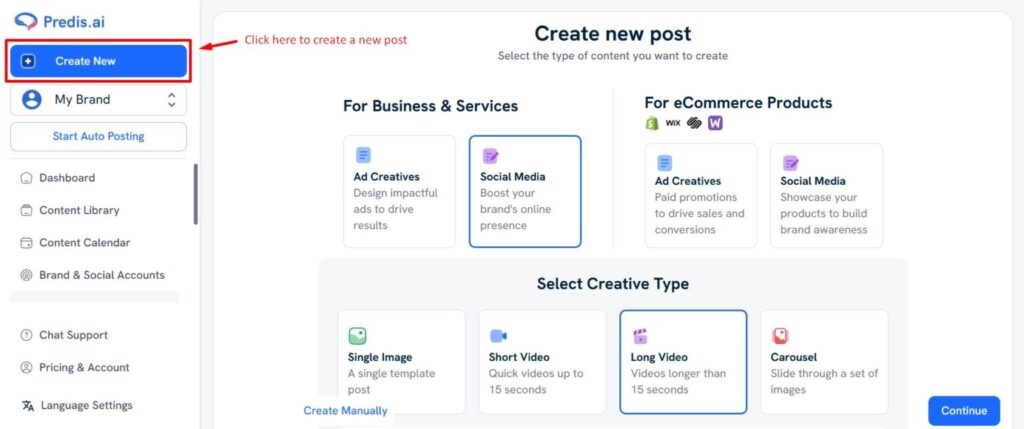
Predis.ai is a complete AI-powered content creation and automation platform designed for marketers, brands, and creators. It makes YouTube Shorts creation effortless — from generating video ideas to designing, editing, and even auto-posting directly on YouTube Shorts. It’s the only tool that lets you manage the full cycle of content creation, branding, and publishing in one place, making it the best solution to automate YouTube Shorts uploads efficiently and consistently.
What It Offers:
- Auto Posting to YouTube Shorts: Schedule and publish Shorts directly from the platform without switching tabs or uploading manually.
- AI Video Creation: Transform any text, script, or idea into visually engaging short videos with music, captions, and transitions.
- Text-to-Video & Script-to-Video: Simply paste your text, blog, or video script — Predis.ai automatically creates a polished, ready-to-publish Short.
- Brand Templates & Visual Consistency: Save your logo, fonts, and color palette to ensure every Short matches your brand style.
- AI Content Ideas & Captions: Get daily suggestions, captions, and hashtags to spark creativity and maintain consistency.
- Multi-Platform Scheduling: Manage YouTube, Instagram, LinkedIn, and Facebook posts — all from a unified dashboard.
- AI-generated ads: Use a free AI ad generator to create scroll-stopping ad creatives and copy in seconds, helping you launch campaigns faster across multiple platforms.
With Predis.ai, you don’t just create Shorts — you automate your entire YouTube workflow, saving hours every week while keeping your content on-brand and engaging.
2. Pictory
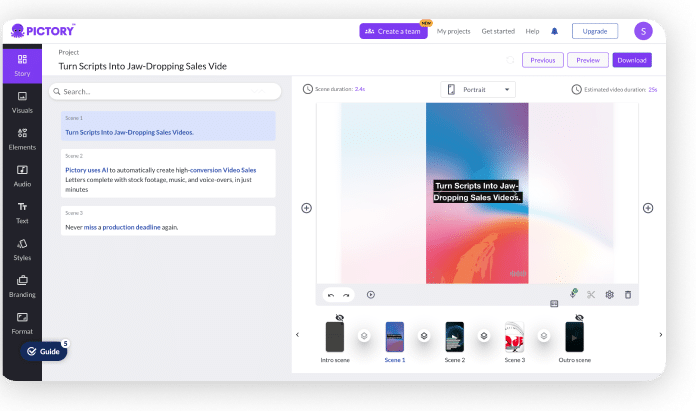
Pictory is an AI video summarization tool that helps creators repurpose long-form content like podcasts, webinars, and YouTube videos into short, engaging clips. It’s for those who want to reuse their existing content and save hours on manual editing. You can export videos and schedule through external tools (like Hootsuite or Buffer), but not directly post to YouTube Shorts.
What It Offers:
- AI-Powered Summarization: Extracts the most engaging parts of long videos automatically.
- Auto-Subtitles & Captions: Add accurate captions to improve accessibility and retention.
- Brand Customization: Lets you apply your brand colors, fonts, and logo for every Short.
3. OpusClip
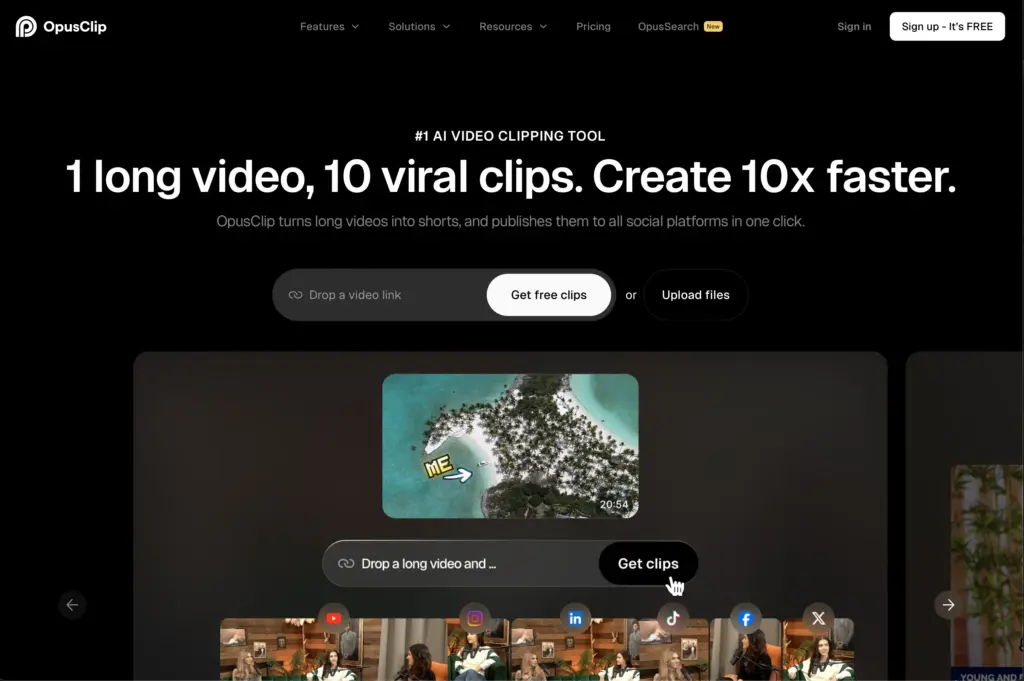
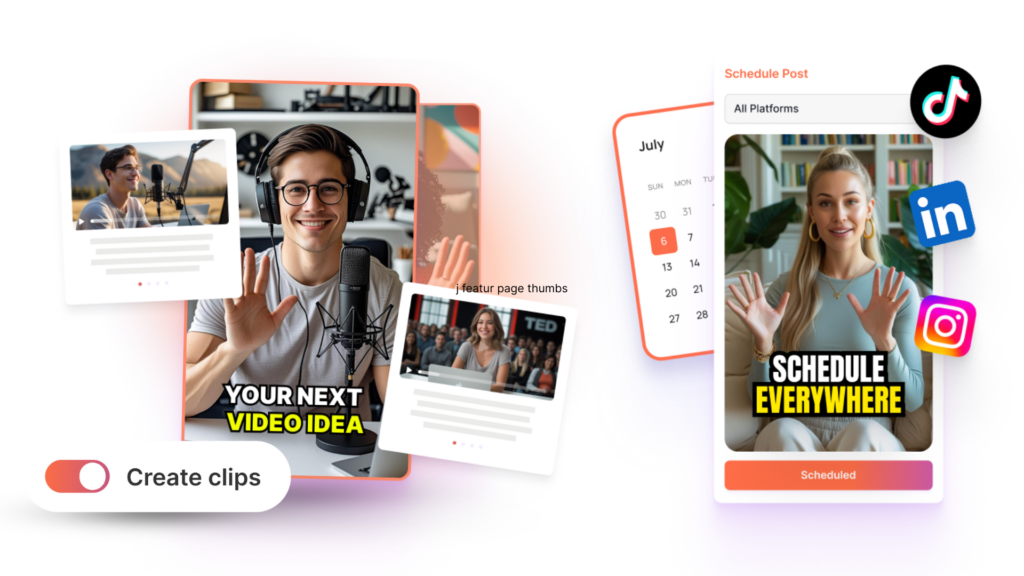
OpusClip uses artificial intelligence to detect the most viral moments from your long-form videos. Its automatic captioning, formatting, and engagement-focused edits make it a favorite among content creators and coaches.
What It Offers:
- Smart Moment Detection: Identifies high-engagement sections using AI and analytics.
- Social-Ready Formats: Automatically reformats videos for YouTube, TikTok, or Instagram.
- Dynamic Editing Tools: Add hooks, captions, and emojis to boost engagement.
4. Taja.ai
Taja.ai transforms long-form videos or scripts into short, high-impact clips designed for YouTube Shorts. It automates highlight detection, captions, and thumbnails so you can repurpose content quickly.
What It Offers:
- AI-powered highlight detection finds the most compelling segments in your footage.
- Auto-captions & thumbnail generation: add captions and create thumbnails optimized for Shorts visibility.
- Repurposing workflow: upload a long video or script and generate multiple short-form clips ready for YouTube.
5. InVideo — Simple AI Video Creation for Beginners

InVideo makes video creation easy with its drag-and-drop interface and AI script-to-video feature. It’s best suited for marketers and small creators who want professional-looking Shorts without complex editing tools.
What It Offers:
- AI Script-to-Video: Converts written content into short videos automatically.
- Stock Media Access: Includes a large library of videos, photos, and audio tracks.
- Quick Branding Setup: Save your logo and templates for consistent output.
6. Canva Video Suite

Canva isn’t just for graphic design — its video editor helps you create and schedule polished YouTube Shorts with transitions, templates, and brand elements. Perfect for creators who prioritize aesthetics and visual storytelling.
What It Offers:
- Drag-and-Drop Video Editing: Simple and intuitive for all skill levels.
- Magic Resize Feature: Instantly adjusts videos for Shorts and other formats.
- Brand Kits: Keep your fonts, colors, and logo consistent across videos.
7. Lumen5
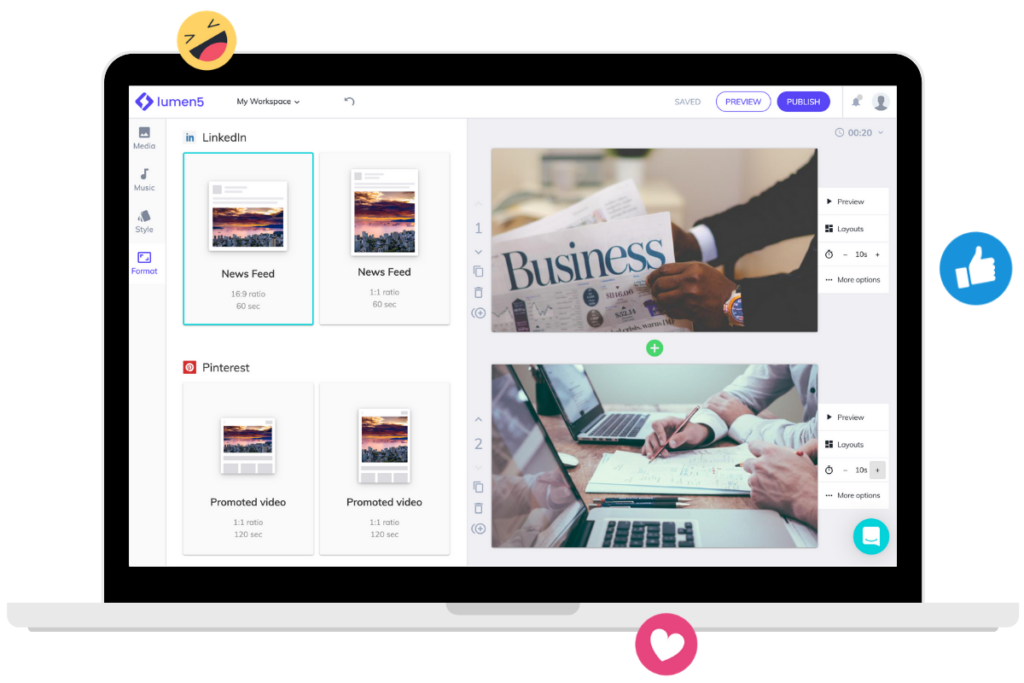
Lumen5 turns your blog posts, scripts, or articles into engaging YouTube Shorts. It uses AI to match visuals with text and generate quick story-based videos — great for content marketing or educational creators.
What It Offers:
- Text-to-Video AI: Converts any written content into bite-sized Shorts.
- Smart Scene Matching: Automatically selects visuals and transitions that fit your message.
- Team Collaboration: Allows multiple team members to edit and manage content together.
8. Descript
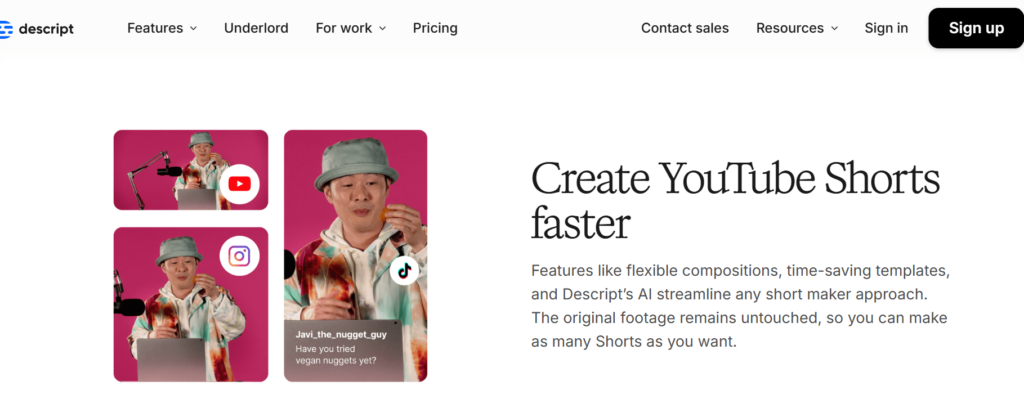
Descript is an all-in-one AI-powered video and audio editing platform that makes creating YouTube Shorts faster and easier. It lets you edit videos as if you’re editing text, automatically removing filler words, pauses, and even generating captions — saving creators hours of manual work.
What It Offers:
- Text-Based Video Editing: Edit videos simply by editing the transcript — delete words, and the corresponding video sections are cut automatically.
- AI-Powered Features: Includes voice cloning, auto-captioning, background noise removal, and auto-filler word deletion for cleaner, professional Shorts.
- Short-Form Video Creation: Easily trim long-form videos into engaging short clips, perfect for YouTube Shorts, Reels, or TikToks.
💡 Pro Tip
If you’re just starting out, test a few free versions first. Most of these tools offer free trials or limited plans that help you explore their features before committing.
And if you’re ready to go all-in on automation, branding, and auto-posting, Predis.ai is the clear winner — it handles everything from idea to upload.
Stand Out on YouTube Shorts with AI Content 🌟
How to Choose the Right YouTube Shorts Automation Tool
With so many AI tools promising quick results, choosing the right one for your Shorts strategy can be tricky. The best tool should fit your content style, workflow, and goals — not just to automate YouTube Shorts uploads. Here’s what to look for when making your choice:
- Ease of Use and Workflow Integration:
Pick a tool that lets you go from idea → video → upload smoothly, without switching between multiple apps. If it integrates directly with YouTube, that’s a major plus. - AI-Powered Features:
Go for tools that simplify content creation — such as script-to-video, text-to-video, or auto-captioning. These features save hours of editing time and help maintain creativity. - Branding and Consistency:
A good Shorts automation tool should let you use your brand colors, templates, and fonts. Consistency is what helps your audience recognize your content instantly. - Analytics and Optimization:
Don’t just automate posting — pick a tool that helps you track performance, engagement, and reach so you can refine your content strategy.
💡 Pro Tip
If you want a platform that checks all these boxes — from creation to posting — Predis.ai is one of the most complete options available today.
Conclusion
The world of YouTube Shorts moves fast — trends shift overnight, and staying consistent can feel like a full-time job. That’s where automation steps in. With the right tools, you can turn creativity into a system: plan, create, and publish engaging Shorts without losing your unique style.
Each tool we covered brings something valuable to the table — from AI-powered video generation to seamless scheduling. But if you’re looking for a single platform that simplifies everything, Predis.ai stands out with its complete workflow — from text-to-video creation to direct YouTube Shorts posting.
Success on YouTube will belong to creators who combine creativity with smart automation. The future isn’t just about working harder — it’s about working smarter, with AI by your side
To stay ahead of the curve and keep up with the latest creator tools and updates, follow the YouTube Creator Blog