Explore this content with AI:
Facebook reaches 3.07 billion monthly active users, and its average cost per click sits at $0.58 — compared to $2.69–$5.26 on Google Ads. The math is compelling. But the format you choose matters just as much as the budget you set. With 98.5% of users on mobile, the wrong ad type gets scrolled past before it has a chance.
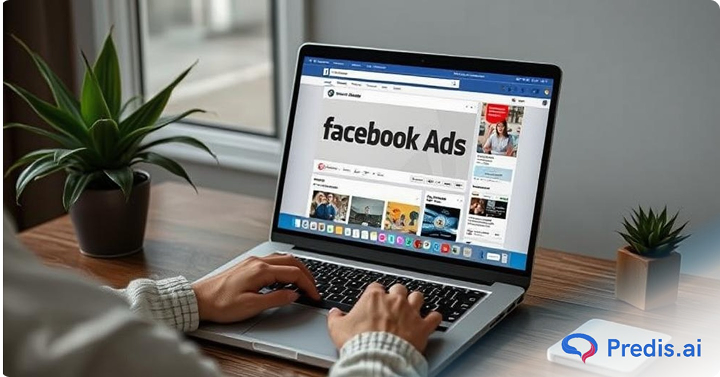
This guide covers all 13 Facebook ad types available in 2026 — what each one does, where it appears, when to use it, and what specs to follow so your creative doesn’t get rejected or cropped.
How to Choose the Right Facebook Ad Objective?
Before you select a Facebook ad, it’s important that you define what exactly are your marketing goals. Matching the right ad format to your campaign objective ensures better results and efficient ad spending. Below are the three categories of Facebook’s ad objectives:
- Awareness: These campaigns help in increasing the brand visibility by reaching a lot of users and creating interest in your brand, product, or service. Awareness ads are ideal for businesses wanting to introduce themselves to a new audience and also for strengthening their brand presence in the market.
- Consideration: These campaigns encourage users to engage with your brand by visiting your website, watching videos, signing up for newsletters, or installing an app. Businesses and professionals looking to improve their marketing knowledge often supplement practical advertising experience with structured learning resources and online tutoring platforms that help them develop digital marketing skills. These ads urge potential buyers, before making a purchase to learn more about what you offer and what your brand is all about.
- Conversion: These ads are designed to encourage certain actions, such as purchasing something, scheduling a service appointment, or enrolling for a trial. Conversion-oriented advertising aims to encourage consumers who have already been interested in your brand to make a purchase.
How Facebook Ad Objectives Map to Ad Types
Before picking a format, get clear on your campaign objective. Facebook organizes everything into three buckets, and your ad type choice should flow from there.
| Objective | Goal | Recommended Formats |
|---|---|---|
| Awareness | Brand recognition, reach | Image, Video, Stories, Reels |
| Consideration | Traffic, engagement, leads, app installs | Carousel, Lead Ads, Messenger, Slideshow |
| Conversion | Sales, catalog sales, store visits | Collection, Dynamic, VBO, AR |
Pick the objective first. Then pick the format. This prevents the most common mistake in Facebook advertising: running a conversion format on a cold audience, or using a brand awareness format when you need leads.
Quick Reference: All 13 Facebook Ad Types at a Glance
| Ad Type | Best For | Key Spec | Effort |
|---|---|---|---|
| Image Ads | Brand awareness, quick promos | 1:1 or 4:5 ratio, 1080×1080 px | Low |
| Video Ads | Storytelling, demos | Under 15 seconds for best CTR | Medium |
| Carousel Ads | Product showcases, tutorials | 2–10 cards, 1080×1080 px each | Medium |
| Slideshow Ads | Low-bandwidth markets | 3–10 images, under 15 seconds | Low |
| Collection Ads | E-commerce, mobile shopping | Cover image/video + product grid | Medium |
| Instant Experience | Immersive brand storytelling | Mobile-only, full-screen | Medium |
| Lead Ads | Lead capture, sign-ups | Instant Form, short fields | Medium |
| Dynamic Ads | Retargeting, catalog sales | Meta Pixel required | Medium |
| Messenger Ads | Direct conversations, bookings | Click-to-Messenger | Medium |
| Stories Ads | Time-sensitive, mobile-first | 9:16 vertical, full-screen | Medium |
| Reels Ads | High-reach, younger audiences | Under 30 seconds, vertical | High |
| Playable Ads | App installs, gaming | Interactive HTML5, under 15 sec | High |
| AR Ads | Try-on experiences, product previews | Spark AR required | High |
What Are The Different Facebook Ad Types?
Facebook provides several kinds of ad formats to fit various marketing goals and needs. These Facebook ad types vary depending on how they show content. It can be in the form of images, movies, interactive experiences etc. We will explore all the 11 types of Facebook ads further below:
1.Image Ads
Among Facebook’s most basic and often used forms of advertising are image ones. They include an ad copy, a call-to- action button, and one, excellent image. These ads are simple to make and effective at attracting viewers in a short span of time.
Where they appear: News Feed, Right Column (desktop), Marketplace, Stories, Search results, Instagram Feed (if enabled).
Best for: Brand awareness, single-product promotions, time-sensitive offers, testing messaging before investing in video.
Specs:
- Recommended size: 1080×1080 px (square) or 1200×628 px (landscape)
- Aspect ratio: 1:1 or 1.91:1
- File type: JPG or PNG
- Max file size: 30 MB
- Text on image: keep below 20% for best delivery
Best Practices:
- You can use image ads, if you are showing single product, service, or promotional offers.
- They also help to drive visitors to a website, raise brand recognition, and highlight special offers.
- For your brand logo, you need to select aesthetically beautiful and high-quality images.
- Keep the ad copy clean, brief, and majorly focusing on CTAs.
- To motivate customers to take actions, provide a strong call to action (CTA) such as “Shop Now” or “Sign Up.

If you want a faster way to generate on-brand image ads without a designer, Predis.ai’s ad creative generator produces Facebook-ready visuals from a text prompt or product URL.
2.Video Ads
Video ads let businesses and brands build interesting visual narratives that really connect with viewers. These ad types could show up in the news feed, Stories, in-stream movies, and elsewhere. For brand awareness efforts, customer testimonials, product demonstrations, and narrative, video advertising are quite successful. They grab viewers attention in a much faster way and help in providing more information as compared to static/image ads.
Where they appear: News Feed, In-Stream, Reels, Stories, Facebook Watch, Instagram Feed & Stories.
Best for: Product demos, customer testimonials, brand storytelling, app promotions, re-engagement campaigns.
Specs:
- Recommended length: 6–15 seconds for awareness; up to 2 minutes for consideration
- Aspect ratio: 4:5 (mobile feed) or 9:16 (Stories/Reels)
- Max file size: 4 GB
- File type: MP4 or MOV recommended
- Resolution: 1080p minimum
Best Practices:
- You need to keep the videos short and engaging, to maintain viewer’s interest. The ideal time is under 15 seconds
- Provide captions to cater to those users who prefer to watch them without sound.
- Use high-quality visuals and compelling narratives to evoke emotions and drive engagement. Ecommerce brands can also turn existing product images into short marketing videos when new filmed footage is unavailable.
3. Carousel Ads
Carousel ad let businesses highlight several pictures or videos inside one ad unit. Every carousel card contains a headline, description, and link, therefore it’s a flexible way to present several features or items. These commercials are ideal for e-commerce companies presenting several items, brands explaining a series of events, or companies highlighting several aspects of a service.
Where they appear: Facebook and Instagram Feeds, Stories (limited), Messenger (inside conversations), Audience Network.
Best for: E-commerce product ranges, feature walkthroughs, step-by-step tutorials, storytelling across multiple cards.
Specs:
- Cards: 2 minimum, 10 maximum
- Image size per card: 1080×1080 px (1:1)
- Headline per card: up to 45 characters
- Description per card: up to 18 characters
- Each card can link to a different URL
Best Practices:
- Encourage customers to swipe across the carousel by using engaging and striking graphics.
- Make sure every card has a clear purpose, such as stressing on different product advantages.
- On every card, provide a compelling CTA to best optimize click-through rates.

The Predis.ai Facebook carousel ad maker generates multi-card carousel sets from a product URL or brief, with brand-consistent visuals across all cards.
4.Slideshow Ads
Slide show ads provide a lightweight substitute for video commercials. Using a series of still pictures to create a video-like experience. For viewers in places with slow internet, these ads are perfect as they load rapidly and consume little data. Companies who are looking to provide motion-based information without creating full-scale movies, slide show advertising works well. For instructional material, product demos, and narrative, they shine.
Where they appear: News Feed, Right Column, Stories, Audience Network, Instagram (limited).
Best for: Brands without video production resources, markets with inconsistent connectivity, budget-conscious campaigns that still need motion.
Specs:
- Images: 3–10 per slideshow
- Recommended image size: 1280×720 px
- Duration: 5–15 seconds
- Supports text overlays and background music
- Built directly in Facebook Ads Manager — no external editor needed
Best Practices:
- Create seamless transitions with high quality photos. Watch this video to know how to turn the images into slideshow in Facebook Ad manager.
- To improve engagement, add voiceovers, text overlays, or music.
- Keep the messaging straightforward and easily to follow
5. Collection Ads
Collection ads provide an immersive purchasing experience by displaying a primary image or video with a grid of products beneath. By clicking on the ad, it expands into a full-screen for an instant experience. Collection ads are best suited for e-commerce brands who are looking to drive direct sales and want their product to be discovered.
Where they appear: Facebook and Instagram Mobile Feed only. Requires a product catalog connected to Facebook Commerce Manager.
Best for: E-commerce brands, new product launches, seasonal sales, showcasing product variety.
Specs:
- Cover: image or video (16:9 or 1:1)
- Product images: pulled from your catalog automatically
- Minimum 4 products in the catalog to run collection format
- Instant Experience loads in under 2 seconds
Best Practices:
- You need to show great product photos to appeal to the potential consumers.
- Emphasize on the top-selling and trendsetting items to increase sales.
- Verify that your product descriptions are interesting, concise, and clear.

6.Instant Experience Ads
Instant Experience, previously known as Canvas Ads, provides a full-screen and interactive ad format that is designed to create interesting experiences for mobile users. These ads should be used by those brands who are looking to engage users with visually rich and mobile-optimized content.
Where they appear: Facebook and Instagram Mobile Feed. Opens from image, video, or carousel ads when tapped.
Best for: Storytelling-heavy campaigns, multi-product showcases, brands wanting a branded experience without sending users to an external site.
Best Practices:
- You need to make sure that the users are easily able to navigating through the ads by using fast-loading content.
- Always use high-quality media elements such as videos and images.
- Make navigation easy for users to follow.
7.Lead Advertising
Lead advertising are meant to gather user data straight within Facebook, thereby enabling potential consumers to register without ever leaving the network. Ideal for companies trying to compile leads for newsletters, sign-ups, or sales calls.
Where they appear: Facebook Feed, Stories, Instagram Feed and Stories, Messenger, Audience Network.
Best for: B2B lead generation, newsletter sign-ups, webinar registrations, service inquiries, consultation bookings.
Specs:
- Instant Form: short and long form options
- Custom questions supported (multiple choice, short answer, appointment scheduling)
- CRM integrations available: HubSpot, Mailchimp, Salesforce, and 15+ others via native connections
Best Practices:
- Keep the forms short and request only the essential information.
- Use compelling copy, so that the users are encouraged to sign up.
- You can also offer an incentive, such as a discount or free resource.
8. Messenger Ads
Messenger ad is a type of Facebook ad that let companies to start interactions with consumers right on Facebook Messenger. Best for companies looking to answer consumer queries, customize exchanges, or use chatbots to generate purchases.
Where they appear: Messenger Home Tab, Sponsored Messages (sent to existing conversations), Click-to-Messenger from Feed ads.
Best for: High-touch sales, appointment booking, lead qualification, customer support funnels, personalized promotions.
Best Practices:
- You can engage the users effectively by using personalized messages.
- Make use of chatbots for quick responses and automation.
- Provide a clear CTA to guide users toward the desired action.

9.Stories ads
Providing an immersive mobile experience, these full-screen vertical ads show between users’ Facebook Stories. Stories ads are best for companies that are trying to produce interesting, time-sensitive material with great graphic appeal.
Where they appear: Facebook Stories, Messenger Stories, Instagram Stories (when Advantage+ placements are enabled).
Best for: Flash sales, product launches, behind-the-scenes content, time-sensitive announcements, mobile-first engagement campaigns.
Specs:
- Aspect ratio: 9:16 (full vertical screen)
- Resolution: 1080×1920 px
- Keep key content within the middle 70% of the screen — top and bottom are covered by UI elements
- Video length: up to 15 seconds (longer videos appear as “tap to continue” segments)
Best Practices:
- Use full-screen visuals with minimal text for making it more impactful.
- Use interactive and engaging elements such as polls and stickers.
- Always make sure the message is clear within the first few seconds. This makes the user engaged.
10. Playable Ads
Playable ads let users interact with a mini-preview of an app before downloading it. They’re most common in mobile gaming but work for any app with an interactive hook — a quiz, a product configurator, or a quick tool demo.
Where they appear: Facebook and Instagram Mobile Feed, Audience Network (in-app placements).
Best for: Mobile app installs, gaming campaigns, apps with a “try before you commit” value proposition.
Best Practices:
- Provide an engaging preview of the app.
- Keep interactions simple and user-friendly.
- Ensure a smooth transition from the ad to the app store.
- Use mobile attribution platforms such as Appsflyer or Branch to track how effectively the ad drives installs and in-app actions.
- Alongside these, mobile marketing software development such as Apptrove helps brands attribute installs, analyze campaign ROI, and gain deeper insights into user behavior.
11. AR Ads (Augmented Reality)
AR ads use phone camera effects to let users interact with your product in real time — trying on sunglasses, previewing how furniture looks in their room, testing lipstick shades. They’re built with Meta’s Spark AR platform and represent the most immersive format available on Facebook.
Where they appear: Facebook and Instagram Mobile Feed, Stories, Reels (in some cases), camera effects.
Best for: Beauty, fashion, eyewear, home decor, tech gadgets — any category where “seeing it on yourself” or “in your space” drives purchase confidence.
Best practices:
- Build effects in Spark AR Studio and submit for approval before launching — approval takes 5–7 business days
- Keep the interaction simple: one clear action (tap to try on, swipe to change color)
- Combine with a CTA that takes users directly to the product page after the experience
- Test with a small audience first — AR experiences that feel gimmicky without a clear product connection underperform
12. Dynamic Ads
Dynamic ads automatically pull products from your catalog and show the most relevant items to each user based on their behavior — pages viewed, items added to cart, past purchases. They’re the engine behind most e-commerce retargeting on Facebook.
Where they appear: Facebook and Instagram Feeds, Stories, Audience Network, Messenger.
Best for: E-commerce retargeting, travel and real estate listings, personalized product recommendations at scale.
Requirements: Meta Pixel installed on your site, product catalog connected to Facebook Commerce Manager, standard events (ViewContent, AddToCart, Purchase) firing correctly.
Best practices:
- Segment your audiences: “viewed but didn’t buy” and “added to cart but didn’t check out” need different messaging and urgency levels
- Use Carousel format for Dynamic Ads when showing multiple products; use single-image for specific retargeting offers
- Exclude recent purchasers from retargeting — showing them the product they just bought wastes budget and annoys customers
- Set a frequency cap — retargeting works best at 2–4 exposures per week; more than that triggers negative brand sentiment
13. Reels Ads
Reels ads are short-form video ads that run within Facebook Reels. This is one of the fastest-growing placements on Meta — Reels drives double-digit year-over-year growth in views and shares, and Reels ads generate 22% higher engagement than standard video posts.
Where they appear: Facebook Reels feed, between organic Reels content.
Best for: Brand awareness with younger audiences, high-reach campaigns, content that mimics native entertainment rather than traditional advertising.
Specs:
- Aspect ratio: 9:16 (vertical, full-screen)
- Recommended length: 15–30 seconds
- Resolution: 1080×1920 px
- Audio: strongly recommended — Reels is a sound-on environment by default
Best practices:
- Native-style content performs better than polished advertising — rough cuts, on-screen text, and trending audio feel more authentic in the Reels environment
- Don’t front-load with a logo or brand name — hook the viewer with the content first, brand later
- Use trending audio tracks when available — Meta’s algorithm gives reach advantages to content using popular sounds
- Keep your message tight: 15 seconds with one clear point beats 30 seconds with three loose ones
How to Choose the Right Facebook Ad Type
Use this as your decision filter before building any campaign:
| If your goal is… | Use this format | Why |
|---|---|---|
| Getting in front of new audiences cheaply | Image or Video (Feed) | Low CPM, broad reach, easy to test |
| Showcasing multiple products | Carousel or Collection | Interactive format drives higher CTR |
| Capturing leads without a landing page | Lead Ads | Pre-filled forms reduce friction |
| Retargeting past visitors or cart abandoners | Dynamic Ads | Personalized product-level targeting |
| Reaching mobile-first, younger audiences | Stories or Reels | Native vertical format, sound-on |
| Starting real conversations | Messenger Ads | Direct path to a conversation |
| Driving app installs | Playable Ads | Try-before-you-download reduces drop-off |
| Building immersive brand experiences | Instant Experience or AR | Full-screen, high engagement |
A few rules that apply across all formats: refresh your creative every 2–4 weeks to prevent ad fatigue, use Advantage+ placements to let Meta’s AI find the best-performing placement combinations automatically, and test at least 2–3 creative variations per ad set so the algorithm has something to optimize toward.
Latest Trends and Updates in Facebook Ads
- AI-powered ad placements: They help to optimize conversions by automatically selecting the best ad placements.
- New targeting options: allow advertisers to reach niche audiences with enhanced precision.
- Enhanced analytics tools: provide deeper insights into campaign performance, helping businesses refine their strategies.
Conclusion
The format you pick is a strategic decision, not a default. Image ads are easy to launch and good for testing. Carousel and Dynamic ads do the heavy lifting for e-commerce. Reels and Stories reach mobile-first audiences where attention is shortest but scale is highest. Lead Ads remove the landing page from the equation entirely.
If you want to move faster on Facebook ad creation — generating on-brand creatives for any of these formats without needing a designer — Predis.ai’s Facebook Ad Maker handles everything from image ads and carousels to video scripts, with built-in scheduling so you can publish directly from the platform.
FAQ:
Collection Ads and Dynamic Ads are the strongest conversion formats for e-commerce brands. Lead Ads work best for service businesses capturing contact information. For direct purchase campaigns, Carousel Ads consistently show 20–30% higher CTR than single-image formats.
Image Ads have the lowest production cost and competitive CPMs for awareness campaigns. Slideshow Ads also keep costs low while adding motion. That said, “cheapest to produce” and “cheapest cost per result” aren’t the same thing — a well-optimized Dynamic Ad campaign often delivers a lower cost per sale than a cheap image ad.
Not all — but it’s essential for Dynamic Ads, retargeting campaigns, and any conversion-objective campaign. If you’re running awareness or lead ads only, you can start without it. For anything involving website traffic or purchases, install the Pixel before you spend a dollar.