


Explore this content with AI:
The problem isn’t that you don’t have enough content ideas. It’s that those ideas live in your head, your DMs, a half-finished Notion doc, and three sticky notes on your monitor and by Tuesday you’re posting something you came up with 20 minutes ago.
Most social media teams aren’t disorganised. They’re using the wrong system. Or more accurately, they’re using no system at all — just a loosely shared sense of what needs to go out and when.
A social media content calendar fixes this. But only if you build it the right way. Here’s a 5-stage framework that turns a blank spreadsheet into a living content operation, plus the best tools and templates to make it work.
Most Social Media Teams Are Reacting, Not Planning
Reactive posting has a real cost. When content gets created the day it goes out, you lose consistency, miss campaign windows, and burn out the person doing the work. Engagement drops not because the content is bad, but because audiences can tell when a brand is scrambling.
A social media content calendar gives your team a shared view of what’s going out, on which platform, in what format, and who owns it. That visibility alone reduces the “what are we posting today?” crisis.
Before you build one, though, there’s a distinction worth drawing.
Content calendar vs. post scheduler — they’re not the same thing.
A content calendar is a planning document: it holds your content strategy across weeks or months. A post scheduler is an execution tool: it queues and publishes approved content automatically.
Most teams conflate the two, then wonder why their “calendar” — which is really just a publishing queue — doesn’t help them think further ahead. You need both, but they serve different jobs.

1. Define Your Calendar Architecture Before Touching Any Tool
The structure of your social media content calendar determines everything downstream. Get this wrong, and you’ll rebuild it in three weeks.
Every solid content calendar rests on four layers:
1. Content pillars
The 3–5 recurring themes that connect your content to business goals. For a D2C skincare brand, this might be: product education, founder story, customer results, ingredient science, and community UGC. Every post maps to a pillar.
2. Platforms
Don’t run one unified calendar for all channels. Instagram Reels, LinkedIn articles, and X threads require different formats, tones, and cadences. Build platform-separated views, even if they live inside one master document.
3. Formats
Within each platform, track format explicitly: carousel, single image, short video, story, poll, long-form post. This matters for workload forecasting and for spotting when you’ve defaulted to one format for three weeks straight.
4. Frequency
Set a realistic posting cadence based on your team’s actual capacity. Committing to daily posts across four platforms when you have one content person is a calendar that collapses by Week 2.
On cadence: a monthly calendar works well for teams with defined campaigns. A rolling two-week calendar suits smaller teams who need flexibility. A bi-weekly planning cycle — planning two weeks at a time, every two weeks — tends to be the most sustainable rhythm for teams of 2–5 people.
2. Choose the Right Tool for Your Team’s Actual Workflow
The tool must fit the workflow, not the other way around. Here’s a quick decision matrix before the full tool breakdown.
| Team Size | Platform Count | Approval Needs | Best Fit |
|---|---|---|---|
| Solo / 1–2 people | 2–4 platforms | None or light | Predis.ai, Buffer, Metricool |
| Small team (3–6) | 3–5 platforms | Simple 2-stage | Later, Planable, Buffer |
| Agency / multi-brand | 5+ platforms, multi-client | Structured client approval | Planable, Hootsuite |
| Ops-heavy / SaaS | Multiple teams + campaigns | Complex multi-stage | Airtable, CoSchedule, Sprout Social |
| Systems-oriented / custom | Varies | Custom workflows | Notion, Airtable |
The Top Social Media Content Calendar Tools for 2026
1. Predis.ai

Most calendar tools assume you already have content ready to drop in. Predis.ai doesn’t make that assumption.
It’s built for solo creators, small teams, and D2C brands who need to go from “we need content this week” to “posts are scheduled” without switching between five tools. The AI post generator lives inside the calendar workflow — you pick a date, enter a brief, and get platform-native captions and visuals generated in the same interface. No copy-paste between a writing tool, a design tool, and a scheduler.
The standout feature is the competitor intelligence layer. You can monitor what rival brands are posting and use that context when planning your own calendar slots — a capability that typically requires a separate social listening tool. For small teams without a dedicated analyst, this changes how calendar planning sessions actually go.
2. Later
Later wins on one thing: seeing your Instagram grid before anything goes live. The drag-and-drop grid preview lets you arrange posts visually, which matters for e-commerce and lifestyle brands where the profile aesthetic is part of the product experience.
Best fit: Nykaa-style brands managing high-volume Instagram content with a visual storytelling requirement. Where Later falls short is AI generation depth — you’re planning and scheduling, but content creation still needs external tools.
3. Buffer

Buffer has been the reliable default for small teams since before most social platforms existed. Its calendar view and queue view serve genuinely different needs — the calendar view for campaign oversight, the queue for day-to-day scheduling. Clean, fast, rarely breaks.
The gap: No content generation, no competitor monitoring. Buffer does one job well and expects you to bring everything else.
4. Indzu Social

If you’re looking for a simple way to plan, create, and manage social media content, Indzu Social is a practical solution for marketers, creators, agencies, and businesses. The platform helps users organize content calendars, streamline publishing workflows, and maintain a consistent posting schedule across multiple social media channels.
One standout feature is its AI-powered Instagram Post Generator, which helps users quickly create engaging Instagram post ideas, captions, and content variations. This makes it easier to keep content calendars full without spending hours brainstorming new posts.
The platform is designed to improve content planning efficiency while helping teams stay organized and consistent with their social media strategy.
5. Hootsuite and Sprout Social
When your team exceeds 10 people and content goes through legal, brand, and exec review before publishing, enterprise tools earn their price. Multi-stage approval workflows are built into both platforms — not bolted on.
The approval pipeline advantage is real: content moves from draft to live through a defined chain without email chains or shared Google Docs with comment threads six layers deep.
Cost-benefit check: For teams under 10, enterprise pricing rarely justifies itself. Start here only if approval workflow complexity is already breaking your current setup.

6. Planable

If you manage content across multiple client brands simultaneously, Planable is the most purpose-built tool for that workflow. Workspace separation means each client’s calendar is isolated. The client view access feature lets clients review and approve content without logging in to your full tool stack.
The approval-first design embeds sign-off into the calendar itself — clients comment, approve, or request changes directly on the post preview. No email chain required.
7. CoSchedule
CoSchedule makes the most sense when your team also manages blog content, email campaigns, and paid campaigns alongside social — and needs all of it visible in one place. The ReQueue feature for evergreen post recycling is genuinely useful for content-heavy teams that build up a library of always-on posts.
The tradeoff: More features mean more complexity. For teams whose only calendar need is social, CoSchedule is more of a tool than necessary.
8. Metricool
Metricool’s angle is simple: see what performed before deciding what to plan next. Performance reporting and calendar planning live in the same interface, which matters for solo social media managers and freelancers who don’t have a separate analytics platform.
For a D2C brand or freelance social manager making monthly content decisions from data, Metricool removes a reporting step that most tools ignore entirely.
9. Airtable

The core advantage is relational data. In a spreadsheet, every piece of information lives in a cell. In Airtable, records are linked — so your post record for a June 10 Instagram carousel can be linked to its parent campaign record, the brief document, the assigned designer, and the approval status, all in one place.
Filter your calendar by platform, and only Instagram posts appear. Filter by pillar, and you see your educational content in isolation. Group by approval status, and your review queue is instantly visible.
For a growth-stage D2C team running simultaneous campaigns across Instagram, LinkedIn, and email — with posts that need to be tied to campaign phases — this relational structure is the difference between a calendar that helps and one that creates more questions than it answers.
10. Trello
Trello works best when approval-stage visibility matters more than date-first planning. A kanban board shows exactly where every piece of content is in the workflow.
Date-first planning — the traditional calendar grid — works well once you know what content you’re making. Trello works better before that clarity exists, when the more pressing question isn’t “what goes out on the 14th?” but “what stage is everything in right now?”
For a lean marketing team where content moves through ideation → briefing → writing → design → review → approval → scheduling, a Trello board gives every team member a live view of the pipeline at a glance. A grid calendar tells you when things publish; Trello tells you whether they’re actually going to be ready.
The two tools solve different visibility problems. Teams that need both often run Trello for production tracking and a separate scheduler (or even a simple spreadsheet) for date-based publication planning.
11. Breeze
Breeze works well for marketing teams that want the content calendar and the production work in one place. Posts sit as tasks on a board for each stage, from brief to approval, and the same tasks show up on a shared calendar and timeline.
Comments, files and due dates stay on each task, so reviews do not get lost in email. It is project management for marketing teams rather than a scheduler, so most teams pair it with a publishing tool.
3. Build Your First Month’s Calendar Using a Proven Template
The fastest way to populate a blank calendar is to start with what already exists. Run a quick content audit: which blog posts could become LinkedIn threads? Which customer reviews could become Instagram carousels? Which FAQs from your sales team could become educational posts?
The 5-column template structure that works across every platform and team size:
| Date | Platform | Content Pillar | Format | Caption Draft | Visual Status | Approval | Scheduled Time |
|---|---|---|---|---|---|---|---|
| June 2 | Customer Results | Carousel | Draft in Notion | Needed | Pending | 10:00 AM | |
| June 3 | Product Education | Long-form | Ready | N/A | Approved | 8:30 AM |
Layer seasonal and campaign overlays on top of your evergreen slots — not instead of them. A product launch campaign occupying Weeks 2–3 of the month shouldn’t wipe out the standing content rhythm. Reserve roughly 30% of your calendar for always-on evergreen content that doesn’t depend on the campaign calendar.
4. Build an Approval and Publishing Workflow That Keeps the Calendar Moving
A calendar no one can approve is content no one publishes.
The simplest approval flow that actually works: Draft → Review → Approved for Scheduling. Three stages, a clear owner at each.
- Draft: content creator owns this. Populate all fields in the calendar row before flagging for review.
- Review: brand lead or team lead. One person, clear turnaround expectation (24 hours is the standard).
- Approved for Scheduling: content moves directly into the publish queue. No re-uploading.
Role clarity matters as much as stage clarity. The person who writes the caption should not also be the person approving it — even in a two-person team, that separation prevents the “good enough” trap.
5. Measure, Review, and Rebuild the Calendar Each Month
The calendar is a living system, not a set-and-forget document. The teams that see compounding gains from calendar planning are the ones that run a monthly review and rebuild.
The four metrics worth tracking:
- Posting consistency — Did you hit your planned cadence? Gaps reveal capacity problems, not just discipline problems.
- Engagement rate by format — Which formats are pulling? Carousels outperforming single images on Instagram is a signal to rebalance the format mix.
- Reach by content pillar — Which pillars drive discovery vs. which drive retention?
- Content exhaustion — Are any pillar slots consistently running empty? That’s a content supply problem that needs to be addressed.
A 30-minute monthly review using these four metrics produces a rebuilt next-month calendar that gets progressively smarter.
How to Fill a Full Month’s Calendar From One Weekly Session
This is the part most calendar guides skip. Building the system is the easy part. Filling it week after week, month after month, without burning out your content team — that’s the real problem.
The solution is a content multiplication workflow, run in a 90-minute weekly session.
The structured session agenda:
- Review last week’s performance and identify one top-performing insight to build on
- Generate 3–5 core content ideas mapped to your pillars
- Expand each core idea into platform-native variants
Mine your existing assets
Blog posts, customer reviews, FAQ documents, and even sales call transcripts are raw calendar material. A three-year-old blog post broken into a carousel series is new content to 95% of your current audience.
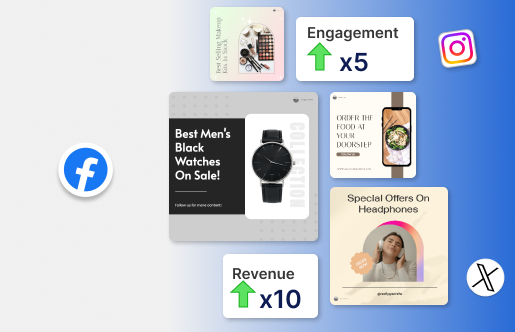
Tools like Predis.ai’s AI post generator accelerate this multiplication step — feed it a brief and get multiple platform-native variants ready to drop into your calendar slots. For teams without a dedicated copywriter, this closes the gap between “we have the ideas” and “we have the posts.”
Build a monthly content bank
Reserve one batch session per month to create 8–10 evergreen posts with no expiry date — product education, brand values, how-to content — that can fill any calendar gap without needing a new brief.
Social Media Content Calendar Mistakes That Keep Teams Stuck
1. Building one calendar and copy-pasting it across platforms
A LinkedIn caption pasted onto Instagram reads exactly like what it is. Platform-native content requires platform-specific thinking at the planning stage, not at the copy-paste stage.
2. Filling every slot with promotional content
If every post is asking the audience to buy something, follow something, or click something, engagement flatlines. The 80/20 rule still holds: 80% value, education, or entertainment; 20% direct promotion.
3. Treating the calendar as law
A calendar is a plan, not a contract. When a trending topic or breaking news creates a relevant posting opportunity, take it. The calendar should flex without breaking.
4. Building the calendar in isolation
Sales has customer objections worth addressing in content. Product has launch dates the calendar needs to know. Campaign teams have paid spend plans that should influence organic. A calendar built in a silo misses half its strategic opportunities.
5. Abandoning it after three weeks
This is almost always a maintenance cost problem, not a motivation problem. If the calendar is too heavy to update weekly, simplify the structure. A lighter system you actually use beats a comprehensive one that collects dust.
The Bottom Line
A fully populated, consistently maintained social media content calendar doesn’t happen because a team has more time. It happens because they have a system. Build the architecture first. Choose a tool that fits how your team actually works. Run the monthly review. And when the calendar starts running dry, use the content multiplication engine — not a last-minute scramble — to keep it full.
Frequently Asked Questions
A calendar is a planning and strategy tool. A scheduler is an execution tool that automates publishing at set times. You need both — they solve different problems.
For most teams, two to four weeks ahead is the practical sweet spot. Far enough to be strategic; close enough to stay relevant.
Yes — and this is where the biggest efficiency gains. AI post generators like Predis.ai can turn a single brief into multiple platform-native post variants, cutting the time to populate a full month’s calendar from hours to minutes.