


Explore this content with AI:
Most AI video generator comparisons test dragons, astronauts, and slow-motion explosions. That’s fun to watch and useless if you sell skincare. A product ad has jobs the demo reels never test: the product has to look like your product, and the clip has to come out in the shape your ad slot needs.
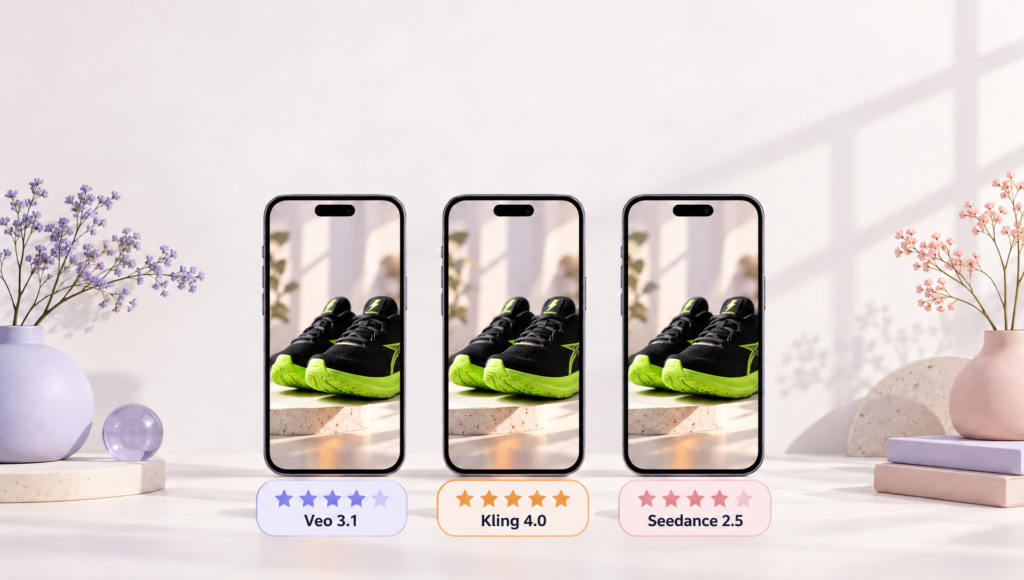
So we gave three current models the same small job. One product photo, one prompt, one vertical ad. Two of them made clips we liked. Only one gave us a clip we liked in the format we asked for.
The short answer
Seedance 2.5 gave us a good clip in the vertical 9:16 format we asked for, on the first try.
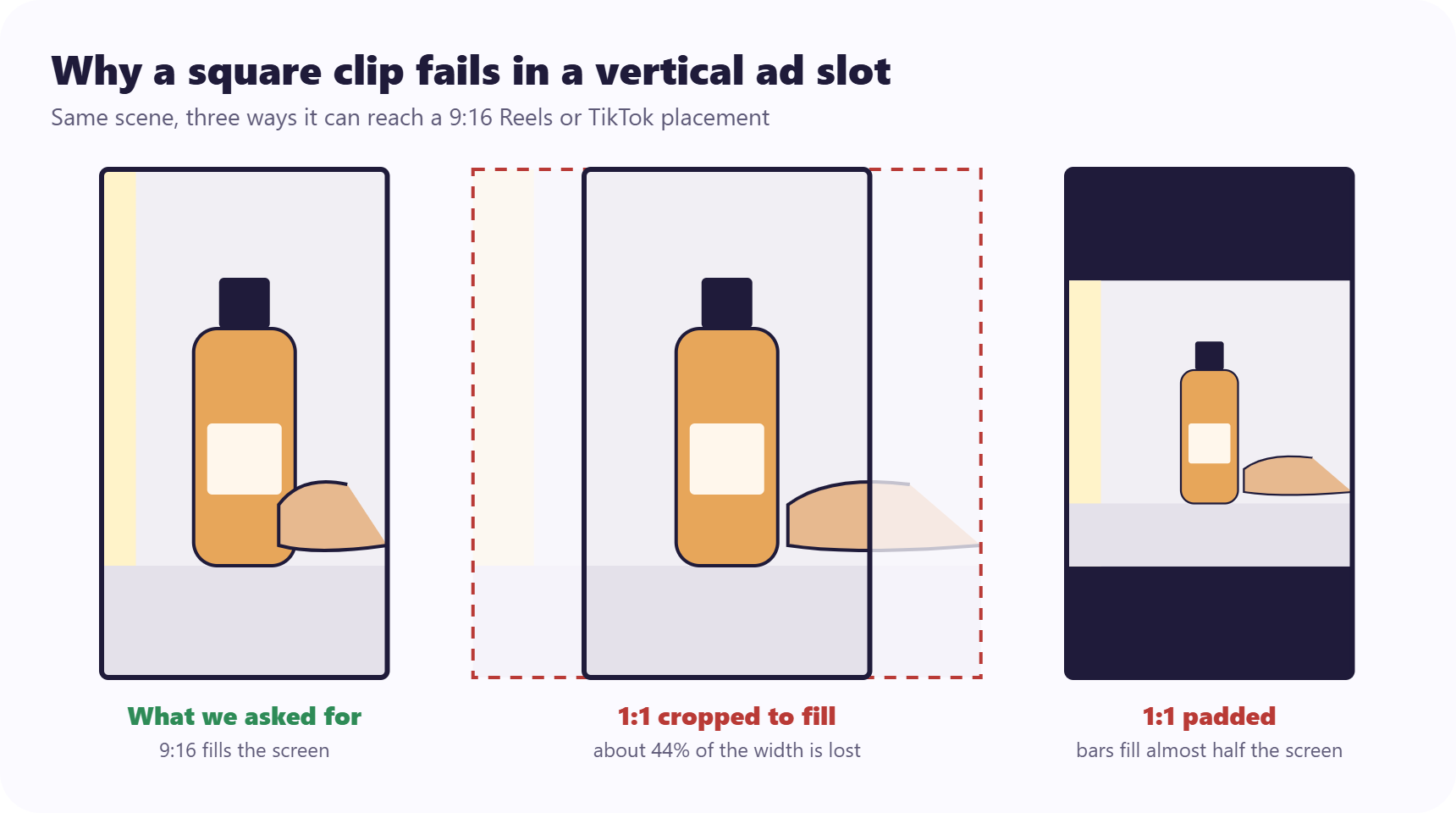
Kling 4.0 also made a good-looking clip, but it came out square (1:1) instead of vertical. We tried twice and got 1:1 both times. For a Reels or TikTok ad, that’s a clip you can’t use without cropping or regenerating.
Veo 3.1 kept the right format, but the quality and movement dropped down.
This was a quick hands-on test, one generation per model, not a scored study. Read it as a first look, and see the last section for what a fuller test would add.
How we ran the test
We built the test around the moments product ads usually fail: a camera move, a hand touching the product, and a label that has to survive both.
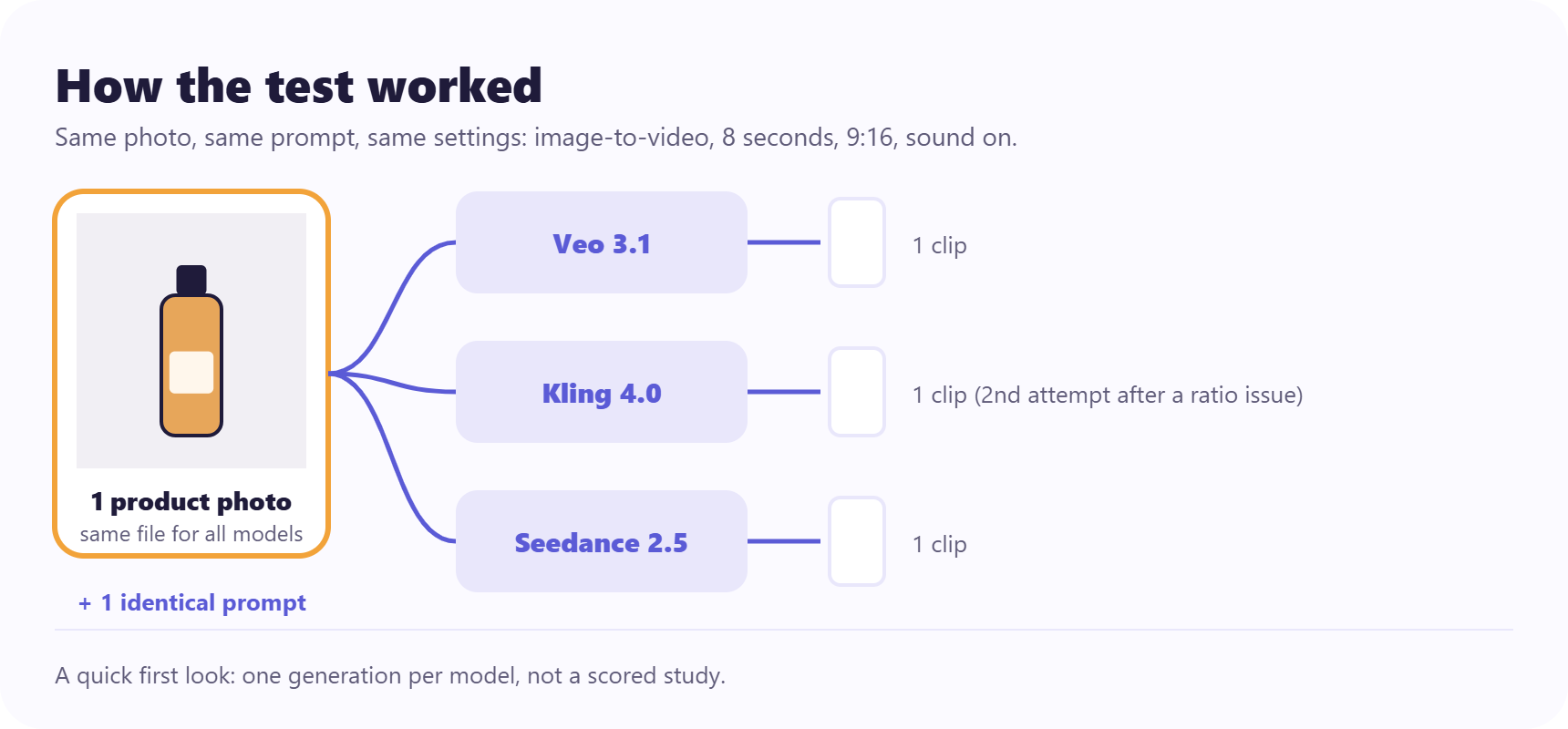
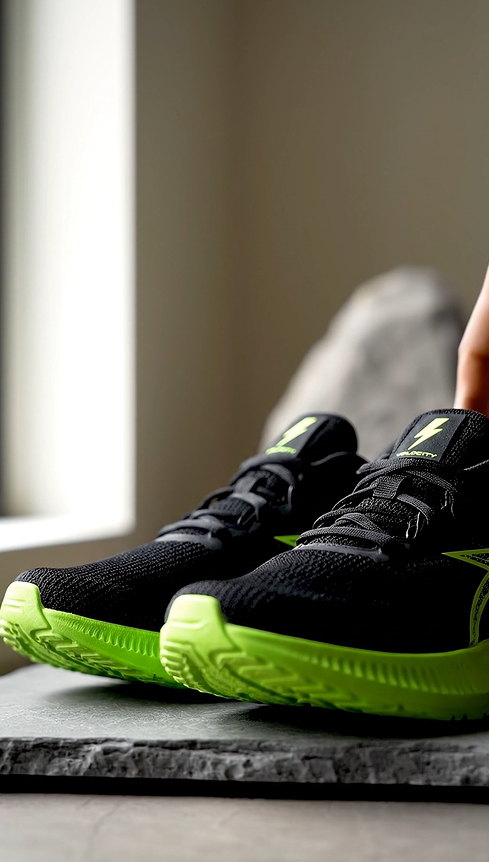
The product. We started where most product ads start, with a real photo, the same approach as our guide to turning product images into motion. We shot a Black and Neon Green Running Shoes on a white marble table surface.
The prompt. Every model got the same prompt, word for word, with no model-specific tricks:
Slow push-in toward the Black and Neon Green Running Shoes on the rock. Soft window light from the left. A hand enters from the right, lifts the shoes gently and holds it toward the camera, label facing forward. The shoes keeps its exact shape, and its label stays sharp and unchanged. Quiet room tone and a soft sound as the shoes leaves the counter. 8 seconds. Ratio 9:16.The settings. We asked each model for image-to-video from the start frame, 8 seconds, vertical 9:16, with sound on. We chose 8 seconds because it’s roughly Veo 3.1’s maximum clip length, so no model was asked to do something the others couldn’t.
The takes. We generated one clip per model. Kling got a second attempt because the first came out in the wrong aspect ratio; the second came out the same way.
The three models, as tested
All three versions are current as of November 2026, and two of them are newer than most comparisons you’ll find. Kling 4.0 replaced Kling 3.0 as Kuaishou’s flagship in October, and Seedance 2.5 replaced Seedance 2.0 in July.
| Veo 3.1 | Kling 4.0 | Seedance 2.5 | |
|---|---|---|---|
| Made by | Google DeepMind | Kuaishou | ByteDance |
| Current since | October 2025 | October 2026 | July 2026 |
| Sound | Yes | Yes | Yes |
| Our result | Average clip, right format | Good clip, wrong format (1:1) | Good clip, right format |
A note on names, because they’re a mess right now. Despite pages claiming otherwise, Google hasn’t released a Veo 4; Veo 3.1 is still its current Veo model, and its newer video work shipped as Gemini Omni instead. Kuaishou’s own release lists Kling 4.0’s reference limits, and ByteDance’s published specs list Seedance 2.5’s 30-second clips and up to 50 references.
None of that decided our test, though. We kept every model to one start frame and 8 seconds, so it came down to how each handled the same small job.
Seedance 2.5: good, and in the right shape
Seedance 2.5 gave us the result we were after on its first and only generation: a good-looking clip, in vertical 9:16, the format a Reels or TikTok ad needs.
The shoes were portrayed perfectly with tiny details and with a proper movement of hands picking it and showing it.
Kling 4.0: a good clip in the wrong shape
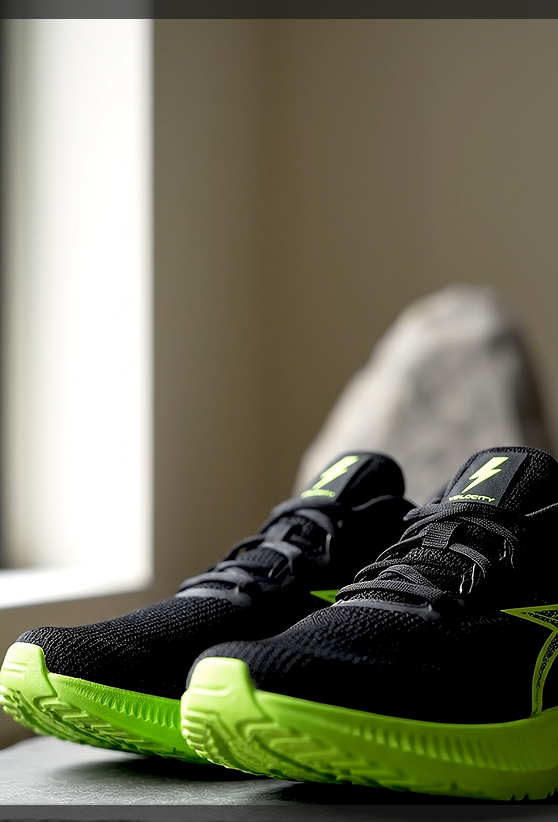
Kling 4.0’s clip looked good too. The problem was the frame. We asked for vertical 9:16 and got a square 1:1 video, and a second attempt came out square again.
That matters more than it sounds. A square clip in a vertical ad slot leaves you two bad options. You can scale it up to fill the frame, which cuts off about 44% of the width, often including the hand or the edges of your product. Or you can let it sit in the middle with empty bars above and below, which wastes most of the screen. Either way, the clip that looked good in the preview isn’t the clip your viewers see.
The fix may be a setting rather than the model. Depending on where you run Kling, the aspect ratio is chosen as a separate setting before you generate, with defaults that vary by platform, and on some platforms image-to-video follows the shape of the source image instead. Before you generate, check the ratio setting and make sure your start frame is already 9:16.
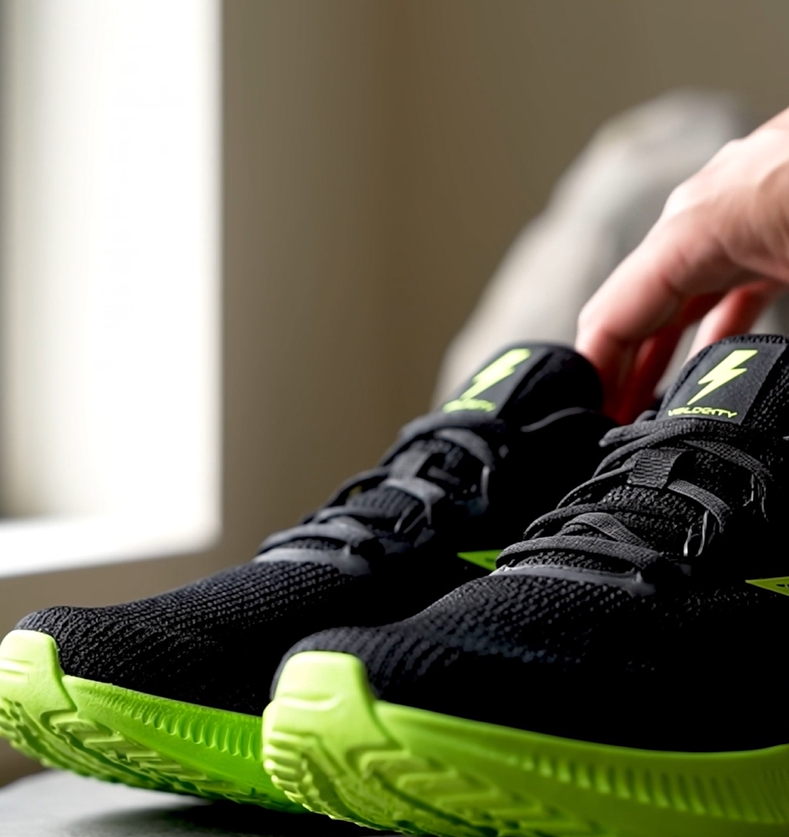
Veo 3.1: Generated the right shape, but softer detail
Compared with Seedance 2.5 it lacked in the tiny details, and seamless movements.
Even a good take may need a touch-up. Labels are one of the five tells that give away AI video, and when one moment breaks, you don’t have to throw away the whole clip. Predis.ai lets you edit a single frame of a video ad and keep the rest, so the shots that worked stay put.
The lesson nobody tests for: aspect ratio
Most comparisons judge how a clip looks in a preview window. Our biggest finding had nothing to do with looks. One of two good clips came out in a shape we couldn’t use.
For product ads, check these before you judge quality:
- Make the start frame 9:16. If a model copies the shape of your source image, a square photo gives you a square video.
- Set the ratio explicitly in every tool, even when the default looks right.
- Check the downloaded file, not the preview. Some previews letterbox the clip, which hides the real shape.
If you’re planning a Reels campaign, our guide to Instagram Reel length covers the other half of the format question.
Which one should you use?
Based on our test, start with Seedance 2.5 if you want a vertical product clip with the fewest steps. It was the only model that got both the look and the format right on the first try.
Kling 4.0 is worth a try too, since its clip looked good. Just confirm the aspect ratio setting and your start frame’s shape before you spend credits.
Veo 3.1 is good for light weight scenes and lesser details.
Whichever you choose, run your own product through it before you commit to a plan. Spec sheets compare clip length and resolution; your customers compare your ad to what your product actually looks like.
What this test can’t tell you
This was one generation per model, so it shows what each model did once, not how consistent it is. A model that nailed our clip might miss on the next take, and one that missed might do better with a second try.
We also didn’t score the clips blind or track cost per clip, and one product behaves differently from another.
A fuller test would run 3 takes per model, have several reviewers score the clips without knowing which model made them, and compare cost per usable clip. If we run that version, we’ll update this article.
These tools also change fast; two of the three versions we tested didn’t exist six months ago, which is why roundups like our AI video ad generators list need regular updates.
The best model is the one that fits your ad
Most AI video generator comparison charts stop at clip length and resolution. Our test came down to something simpler: one model gave us a good clip in the shape we needed, and that was Seedance 2.5.
Whichever model you pick, test the result, not the promise. Make 2 or 3 versions of the ad and see which one earns attention. Predis.ai’s insights show how each variant performed after it ran, so your winner is something you found rather than something you guessed.
You may also like:
- Product Advertisement Video Examples
- Hailuo AI: How to Make a Realistic AI Video With H3
- Creative Ad Copywriting Examples
FAQs
No. As of November 2026, Google hasn’t released a model called Veo 4, and Veo 3.1 is still its current Veo model. Google’s newest video model is Gemini Omni, launched in May 2026. Pages claiming a Veo 4 launch aren’t backed by any Google announcement.
Sora 2 is no longer available. OpenAI closed the Sora app worldwide on April 26, 2026 and shut down the API on September 24, 2026. If you used Sora 2 for product videos, Veo 3.1, Kling 4.0, and Seedance 2.5 are the closest current alternatives, which is why we tested them.
Depending on the platform, Kling’s aspect ratio is a separate setting that has to be chosen before you generate, and the default isn’t always 9:16. On some platforms, image-to-video also follows the shape of your source image. Set 9:16 explicitly and use a 9:16 start frame. In our test, Kling returned 1:1 on both attempts.
Kling 4.0 replaced Kling 3.0 in October 2026. Kuaishou says the new version improves realism and control, with up to 15 reference inputs and up to 10 keyframes per task. Kling 3.0 is still available on many platforms, but we tested 4.0 because it’s the current flagship.
In our quick test, Seedance 2.5 was the only model that gave us a good clip in the vertical format we asked for on the first try. Kling 4.0 also looked good but came out square. With one generation per model, treat that as a starting point and test your own product before you commit.