

Explore this content with AI:
500 million people use Instagram Stories every day. Most business accounts are posting to an audience that taps straight through.
The difference between a Story that gets skipped and one that holds attention isn’t production budget — it’s clarity of purpose. Every Story that performs has a single job: drive engagement, build trust, educate, or convert. The ones that get skipped are trying to do all of those at once, or none of them clearly.
Here are 10 Story formats, each built around one specific job, with execution guidance so you can use any of them this week.
At a Glance: 10 Story Ideas by Format and Goal
| # | Story Idea | Primary Goal | Best Posting Time |
|---|---|---|---|
| 1 | Behind-the-Scenes | Trust-building | Mid-week, late morning |
| 2 | Poll or Quiz | Engagement | Early week, peak hours |
| 3 | Product Spotlight | Conversion | Weekend, shopping hours |
| 4 | Customer Story (UGC) | Social proof | Any day, high-traffic window |
| 5 | Limited-Time Offer | Urgency-driven sales | Day of sale, staggered |
| 6 | FAQ Story | Objection handling | Mid-week, educational hours |
| 7 | This or That | Lightweight engagement | Friday, pre-weekend |
| 8 | Educational or Tutorial | Saves and authority | Any day, informational intent |
| 9 | Team or Founder Story | Humanisation | Start of week |
| 10 | Repurposed Content Teaser | Traffic to other content | Day of publish |
One rule before you post anything: every Story should have a single clear job. If you can’t answer “what do I want the viewer to do or feel after this Story?” in one sentence, the frame isn’t ready.
1. The Behind-the-Scenes Story
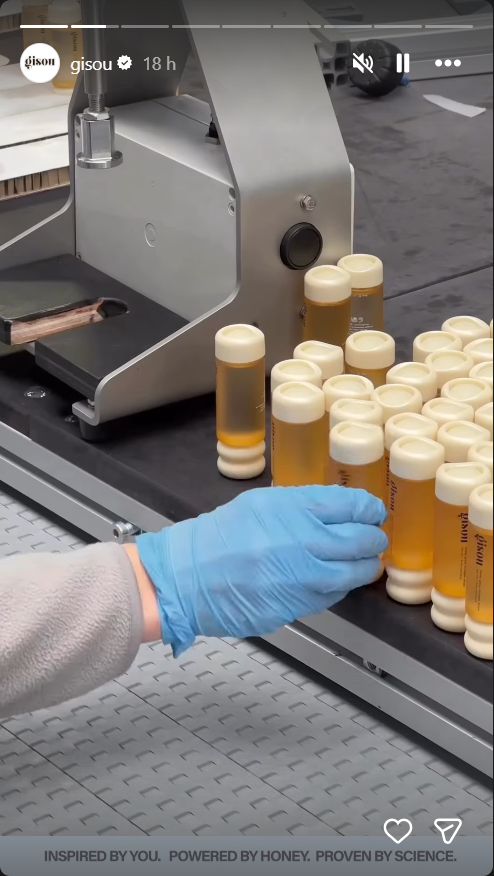
Behind-the-scenes content is the trust-building format most brands never use because they think their process isn’t interesting. It almost always is — because audiences are more curious about how things get made than most businesses assume.
For a product brand: show the warehouse, the packaging line, a quality check, and an ingredient being sourced.
A service business: show a client brief being worked through, a team brainstorm, a delivery being prepared.
The 3-frame structure:
- Frame 1 — Setup: “Here’s what we’re making/doing today.” Quick context, no explanation needed.
- Frame 2 — Process: The actual thing happening. Raw, real, imperfect.
- Frame 3 — Result: The finished state. The connection between the process and the product, the audience knows.
What to protect:
- Proprietary processes
- Supplier relationships
- Anything confidential
What to show freely:
- Team faces
- Physical spaces
- Moments of craft or effort
The goal is candid, not unpolished — a slightly shaky phone video of your packaging team is more believable than a cinematic production of the same thing.
2. The Poll or Quiz Story
The easiest engagement format on Instagram and the most consistently underused. A poll takes three minutes to create and generates audience data you can use for a week of follow-up content.
Poll vs. Quiz vs. Slider:
- Poll (two-option tap): best for preference questions and content direction gauging
- Quiz (one correct answer): best for educational or product knowledge content
- Emoji Slider: best for sentiment — “how much do you love X?”
Poll questions that do double duty — generate opinions and feed your content strategy:
- “Which skincare concern should we address next?” (engagement + content direction)
- “Morning routine or evening routine — which matters more?” (engagement + product relevance signal)
- “Have you tried [product]?” (engagement + awareness gauge)
The follow-up is where most brands stop short. After a poll closes, post a follow-up Story sharing the result and connecting it to something: the product that addresses the winning answer, the content you’re creating based on the result, or a simple “you asked for X, here it is.” That loop — question, result, response — is what builds audience behavior around your Stories.
3. The Product Spotlight Story
Most brands run product Stories that lead with features. The format that converts leads with outcomes.
The outcome-first framework: Start with the result the customer gets, not the product’s specification. “Softer skin in 7 days” before “contains 2% niacinamide.” “Shipped in 2 hours” before “real-time inventory system.” The feature validates the outcome — it doesn’t replace it.
Single product vs. product comparison:
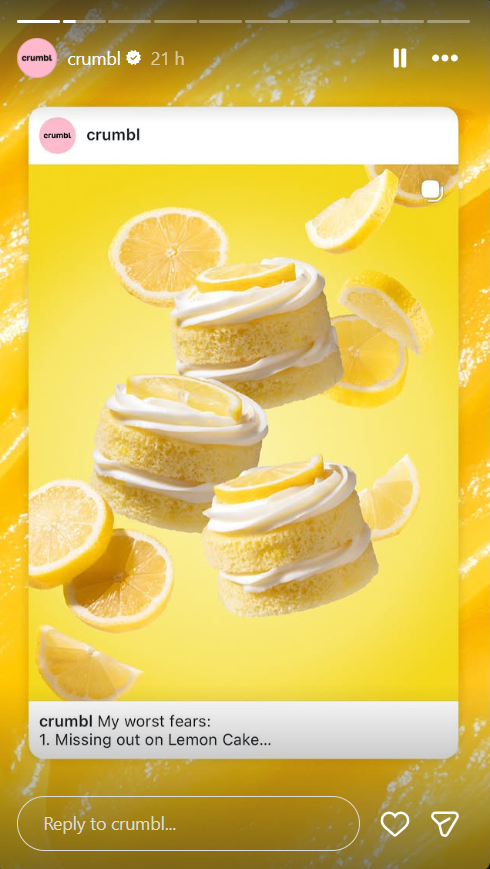
- Single product Stories: Cleaner, higher conversion when the audience already knows the category
- Comparison Stories (“X vs. Y — here’s the difference”): Higher engagement, better for audiences in the consideration phase
The sticker stack for maximum conversion from one Story frame: Link sticker (destination URL with UTM tag) + Product Tag (shoppable, sends to product page) + Countdown sticker if there’s a launch or sale element.
Three stickers, one frame, three conversion pathways. Not every Story needs all three — but a product spotlight Story should have, at minimum, a link sticker and a product tag.
For teams without a designer producing every Story, tools like Predis AI generate on-brand product Story creatives from a brief — brand colors, fonts, and product image combined into a publishable frame without a design round-trip.
4. The Customer Story (UGC Repost)
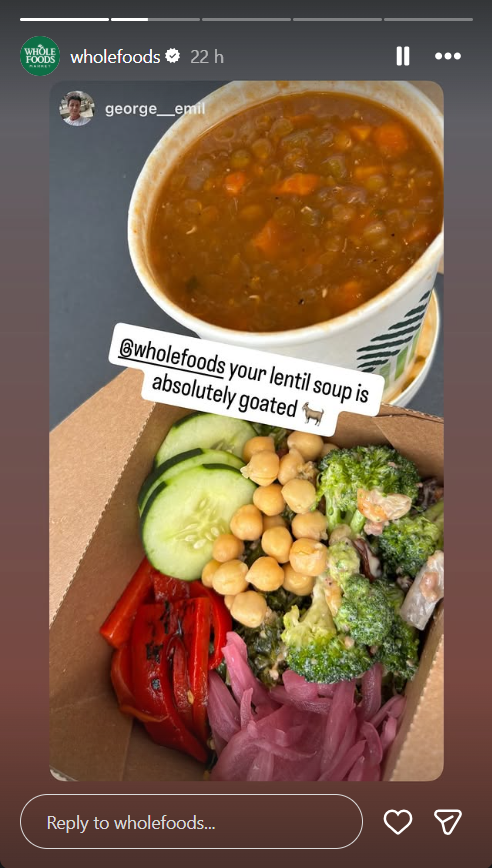
One reposted customer Story can outperform a week of brand-created content in trust and conversion signals. The reason: audiences trust other customers more than they trust brands. A real person showing your product in their actual context is social proof that no creative budget can replicate.
Getting UGC submissions: Make it easy and worth doing.
- A pinned comment on your recent posts inviting customers to tag you
- A Story asking followers to share their experience using your branded hashtag
- Or a direct DM to customers after purchase, asking for a photo — all three work.
- Using the “Add Yours” sticker to encourage users to post their own photos
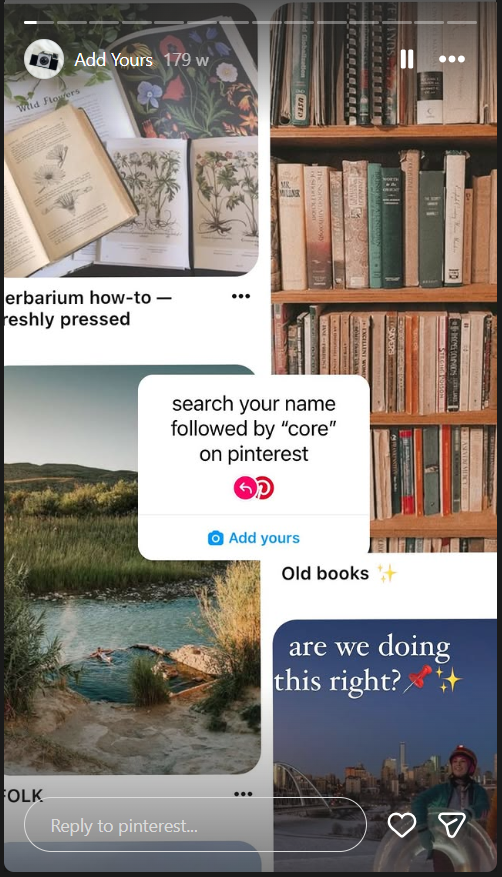
The brands that get consistent UGC don’t wait for it; they ask specifically and repeatedly.
Reposting without losing visual consistency: When you reshare a customer Story, add your brand’s color palette frame around it, your logo in a corner, and a brief text overlay if needed (“Real customer, real results 🙌”). This signals brand curation rather than lazy reposting.
The 3-slide social proof sequence:
- Customer Story repost with context
- Quote overlay (“Here’s what they said about it”)
- Link sticker frame pointing to the product or a dedicated testimonials page
5. The Limited-Time Offer or Flash Sale Story
Stories’ 24-hour expiry is usually treated as a limitation. For flash sales and limited-time offers, it’s the strategic advantage. The format naturally creates urgency without manufactured pressure — the Story disappears when the offer does.
The 3-Story sequence:
- Tease (Day before or morning of): “Something’s dropping tomorrow” / “Our biggest sale of the quarter starts in [X] hours.” No product reveal yet.
- Reveal (Start of sale): Full offer details, sticker stack (link + countdown), product visual. The countdown sticker timestamps the offer visibly.
- Last chance (2–4 hours before close): “Ends tonight at midnight.” Simpler design, bolder urgency copy, same link.
The countdown sticker drives taps back to your Story as it nears zero — Instagram notifies followers who’ve reacted to the sticker when time is running out, which extends the reach of your offer beyond the initial Story view.
Don’t overuse the countdown sticker. One per week maximum, reserved for genuine deadlines. If every post has a countdown, none of them feel urgent.
6. The FAQ Story
FAQ Stories are the most underrated conversion format in the Instagram toolkit. They handle customer objections before they become reasons not to buy, and they do it in the format that feels most like a helpful conversation rather than a sales pitch.
Mining your FAQ content:
- Open your DMs from the last 30 days.
- Look at the questions in your product comments.
- Check your product reviews for phrases like “I wasn’t sure if…” or “I was worried that…” — those are objections that FAQ Stories are built to address.
Single-question format vs. FAQ series:
- Single question, one Story: “Does [product] work on sensitive skin? Here’s the answer.” Clean, fast, specific.
- FAQ series across five to seven frames: Builds a Stories Highlight that becomes a permanent resource on your profile
The Highlight use case is the real multiplier: a “FAQs” or “Before You Buy” Highlight turns your best objection-handling Stories into evergreen profile content that new visitors find on their first visit.
7. The “This or That” Preference Story
The lightest-lift engagement format on this list. A “This or That” Story is two side-by-side options — two product colorways, two ingredients, two lifestyle aesthetics — with a poll sticker asking followers to pick one. Takes five minutes to create and generates significantly higher tap-through than passive Stories.
Build slides that feel native to your brand rather than templated: use your brand colors, real product imagery, and a clean layout rather than a generic “This or That” template downloaded from a Google search.
The strategic layer: Tie the preference question to something real.
- “Which color should we bring back?” (product decision input)
- “Morning or night — when do you use SPF?” (content direction + product education hook)
- “Style A or Style B — we’re launching one next month” (launch anticipation + audience co-creation feeling).
Responses from “This or That” Stories are micro-research signals. Track which options win consistently — they tell you what your audience prefers before you invest in production, inventory, or a full content series.
8. The Educational or Tutorial Story
Educational Stories are the format most likely to be seen. A viewer who sees your Story has told you two things: this was valuable enough to return to, and they trust you on this topic. Both are algorithmic signals and relationship signals simultaneously.
The 5-frame tutorial structure:
- Hook frame: The outcome. “Here’s how to remove dark circles in 3 steps.”
- Ingredient or step 1: First actionable piece. Short, specific.
- Ingredient or step 2: Second piece. Same format as frame 2.
- Ingredient or step 3: Third piece. Or combine 2 and 3 if the tutorial is shorter.
- CTA frame: “Save this for later” or a link sticker to the full guide, product page, or video.
Text-heavy vs. video tutorial:
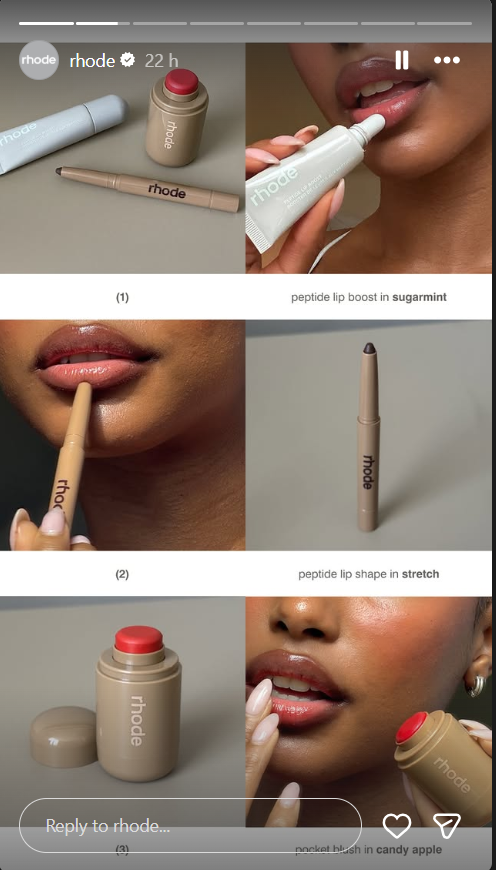
- Text-with-graphics works better for step-by-step processes that don’t require demonstration.
- Video works better for technique, application, or anything that has a physical component.
Match the format to what actually needs to be shown — don’t default to video if a clean graphic tells the story more efficiently.
9. The Team or Founder Story
The highest-trust humanisation format, especially for founder-led brands or mission-driven companies. An audience that knows who built the product and why is more loyal to it than one that only knows what the product does.
Formats that work:
- Day-in-the-life sequences from a founder or team lead
- Team introductions that show personalities, not just job titles
- Origin moments — “Here’s why we started this” told in 4 frames
- Behind-the-decision Stories — “We almost didn’t launch X. Here’s what changed.”
What to show: Genuine moments, real opinions, specific details that feel personal rather than polished.
What to avoid: Content that feels like it was scripted by a PR team, or personal sharing that crosses into oversharing and makes the audience uncomfortable.
The secondary benefit: Team Stories double as recruitment signals. Founders who post consistently about their work culture, team dynamics, and building process attract candidates who’ve been following the brand long before they see a job listing.
10. The Repurposed Content Teaser Story
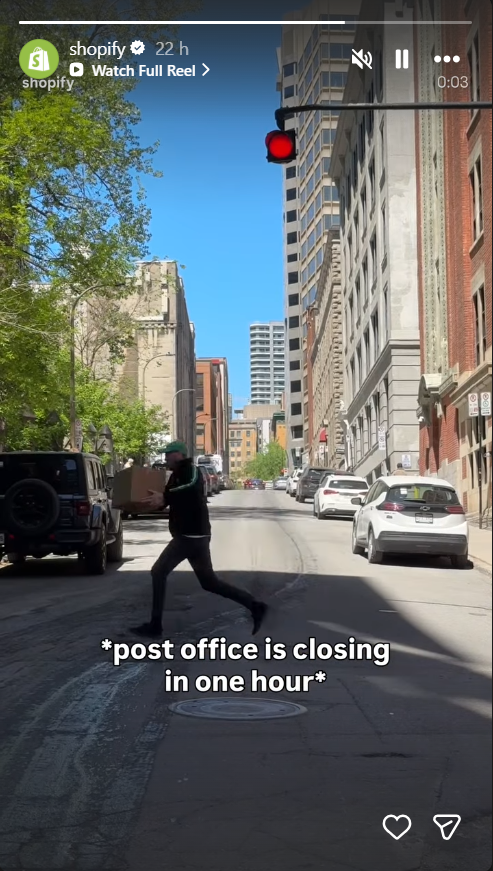
The most efficient format on this list. A piece of content you’ve already created — a blog post, a Reel, a carousel, a podcast episode — becomes a Stories sequence that drives traffic back to it. One piece of work, two traffic channels.
The 3-second hook frame: The Story opens with the single most compelling line from the content. Not a summary. Not “new post up.” The most interesting fact, the most surprising stat, the most useful takeaway — pulled out and presented as a reason to tap the link before the Story ends.
Repurposing hierarchy by content type:
- Blog post → 3-frame Story: headline hook, best insight from the post, link sticker to read the full piece
- Reel → Story teaser: 3-second clip from the Reel’s best moment, “Watch the full video” with a link
- Carousel → Story: First slide as a static Story with a “Swipe through the full carousel — link in bio” text overlay
- Podcast → Story: Quote from the episode as a text graphic, audio clip if the platform allows, link to listen
The link sticker here is non-negotiable. A Story that teases content but gives the viewer no direct path to it loses the traffic it was designed to drive.
The Instagram Stories Content Engine: 10 Ideas Into 30 Days Without Starting From Scratch
The ideas above are most valuable when they stop being individual posts and start being a system. Here’s how to build one.
The 3-pillar weekly rhythm: Every week, post at minimum one Story from each pillar:
- Engagement pillar: Poll, Quiz, This or That, or BTS (drives interaction signals)
- Education or trust pillar: Tutorial, FAQ, or Team Story (builds authority and saves)
- Conversion pillar: Product Spotlight, Limited Offer, or UGC Repost (drives traffic and sales)
Three Stories per week minimum. One per pillar. The algorithm gets consistent interaction signals across all three types; the audience gets variety without feeling like they’re being sold to constantly.
Batching in 90 minutes: Once a week, create all your Stories for the coming week in one session. Frame your layouts, write your copy, add your stickers, and schedule. The creative consistency is higher when you’re in one visual mode rather than creating daily from scratch.
Predis AI’s batch creation workflow lets you generate a full week of branded Story creatives in one session — same brand template applied across all formats, scheduled in advance.
Building a Highlights library: Every FAQ Story → FAQ Highlight. Every Tutorial Story → How-To Highlight. Every Customer Story → Reviews Highlight.
Stories that expire after 24 hours become permanent profile real estate in Highlights. A well-organized Highlights row turns your Stories history into an always-on resource for new profile visitors.
The Bottom Line
Ten formats, each with a single clear job. The accounts that grow on Stories aren’t creating more — they’re creating more deliberately, matching each Story to a specific goal and rotating across all three pillars consistently.
Start this week with one Story from each pillar. Review your Insights after seven days. Then batch the next week in one 90-minute session. The blank-screen moment goes away once you have a system.
FAQs
Three to five frames per day is the current sweet spot for business accounts. Fewer than three, and your sequence doesn’t have enough room to build context. More than five, and completion rates typically drop because the commitment to watch all the way through feels heavier.
Interactive formats — polls, quizzes, sliders, and Q&A stickers — consistently drive the highest engagement rate because they require a tap rather than a passive view. Behind-the-scenes and team Stories generate the most replies.
Not always. Pure engagement Stories (polls, BTS, team moments) don’t need a CTA — the interaction is the goal. Product, educational, and teaser Stories should always have one. A general rule: every story in a conversion or traffic pillar needs a CTA; every story in an engagement pillar doesn’t.