

Explore this content with AI:
Your next 10,000 followers are already on Instagram. They just haven’t seen your content yet.
The Instagram Explore page is the only organic channel that puts you in front of people who’ve never heard of your brand — without paying for it. It’s Instagram’s recommendation engine: a feed of content chosen specifically for each user based on what they’ve engaged with before. Get your content into that feed, and you reach an audience that’s already predisposed to care about what you make.
Most accounts never appear there. Not because their content is bad, but because they’re missing the specific signals the algorithm needs to recommend them.
Here’s the 6-step playbook for deliberately building those signals.
The 6-Step Explore Playbook at a Glance
| Step | Action | Primary Signal Built |
|---|---|---|
| 1 | Understand ranking signals | Algorithm fluency |
| 2 | Build a content category signal | Account classification |
| 3 | Engineer for saves and shares | Engagement quality |
| 4 | Choose the right formats | Distribution eligibility |
| 5 | Optimise metadata | Discoverability layer |
| 6 | Time posts to the velocity window | First-hour signal |
One foundational point: Follower count is not a prerequisite for Explore placement. The algorithm surfaces content to users based on their interest graph — the topics, formats, and accounts they’ve shown affinity for — not based on how many followers the posting account has.
A 500-follower account posting content that earns genuine saves and shares in a defined niche has a real path to Explore. A 200K account posting generic content has no guaranteed path at all.
1. Understand What the Explore Algorithm Is Optimising For in 2026
The Explore algorithm doesn’t ask “Is this account popular?” It asks, “Will this specific user find this content interesting based on their behavior?” Those are fundamentally different questions, and the second one is what creates opportunity for smaller accounts.
The 4 primary ranking signals:
1. Interest match:
How closely your post’s topic, format, and visual style align with what the viewer has previously engaged with. The algorithm builds an interest profile from every save, share, comment, and extended view — and uses that profile to match content.
2. Engagement velocity:
How fast your post accumulates saves, shares, comments, and watches in the window immediately after posting. A post that earns 50 saves in its first hour is weighted differently from one that earns the same 50 saves over 48 hours.
3. Relationship proximity:
Has the viewer interacted with accounts similar to yours? The algorithm extends trust from accounts they know to accounts they don’t — if your niche overlaps with accounts they follow, you’re already closer to their Explore feed than you think.
4. Content completeness signals:
- For Reels, watch-through rate.
- For carousels, swipe-through rate.
- For static posts, time spent viewing before scrolling.
Each format has a completion signal that the algorithm uses to judge whether the content held attention.
What changed:
The algorithm has de-weighted likes significantly as an Explore signal and increased the weight given to saves and shares — particularly shares to non-followers (DMs, Story reposts to people who don’t follow the original account).
This shift reflects a move from measuring passive engagement to measuring active, high-intent engagement. Most guides still talk about likes. The metric that actually moves Explore placement is saves.
2. Build a Content Profile the Algorithm Can Classify
Before the Explore algorithm can recommend your content, it needs to know what category your content belongs to. An account that posts skincare one week, travel the next, and motivational quotes the week after gives the algorithm contradictory signals — and unfocused accounts rarely get Explore placement because the algorithm can’t reliably match them to a specific interest graph.
Niche clarity is the prerequisite
The algorithm classifies accounts and posts into topic categories — fitness, skincare, personal finance, home decor, food — and matches those categories to users who’ve shown interest in them.
The tighter your content stays within one or two categories, the more confident the algorithm becomes about where to route your content.
The 30-post audit:
Look at your last 30 posts. How many different topic categories appear? If more than three, your account category signal is diluted. Identify your primary category and commit to it for the next 90 days.
The account signal stack: Four inputs the algorithm reads together to classify your account:
- Bio keywords: The words that describe what you do and who you serve
- Alt text: The description you write for each image
- Caption topics: The consistent language, terminology, and themes across your captions
- Hashtag clusters: The topic clusters your tags group into
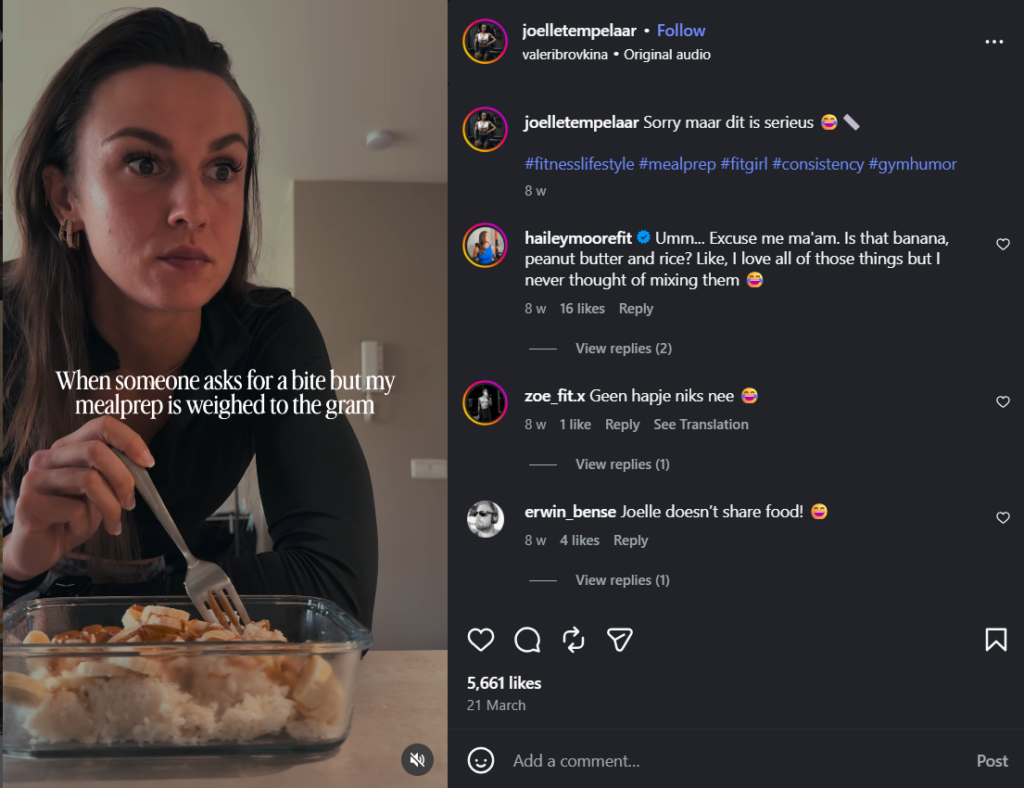
All four should point to the same category. A skincare brand with a bio that says “beauty & wellness,” captions that consistently use skincare terminology, and hashtags clustered around ingredients and routines sends a strong, coherent category signal. The same brand with an inconsistent hashtag strategy sends a weaker one.
3. Engineer Your Content for the Signals That Trigger Explore Placement
Knowing the signals is only useful if your content is designed to earn them. Here’s how to build for each one deliberately.
1. Optimize for Save rate
A save means “I want to come back to this.” It’s a stronger intent signal than a like, and it’s what the algorithm currently weights most heavily for Explore distribution.
Content formats that drive saves:
- Step-by-step tutorials
- Checklists
- Frameworks
- Comparison guides and anything the viewer will want to reference again.
Before every post, ask: “Would someone who doesn’t follow me save this?” If the answer is no, the post isn’t Explore-ready.
2. Share-to-non-follower ratio:
When someone shares your post with a friend who doesn’t follow you, that’s the algorithm’s clearest signal that your content is reaching beyond your existing audience — exactly what Explore is designed to do.
Content that earns shares is opinionated, surprising, or says something the viewer wants someone specific to see. The test: “Would someone send this to a friend in a DM?” Design some posts specifically for that moment.
3. Comment depth, not just comment volume:
The algorithm distinguishes between one-word reactions (“Love this,” “So true”) and substantive comments that indicate genuine engagement with the content. A post with 10 substantive comments outperforms one with 50 one-word reactions for Explore purposes.
Ask questions in your captions that require a considered response — not “which is your fave?” but “what’s the most counterintuitive thing you’ve learned about X?”
4. Choose the Right Content Formats
1. Reels still dominate Explore distribution
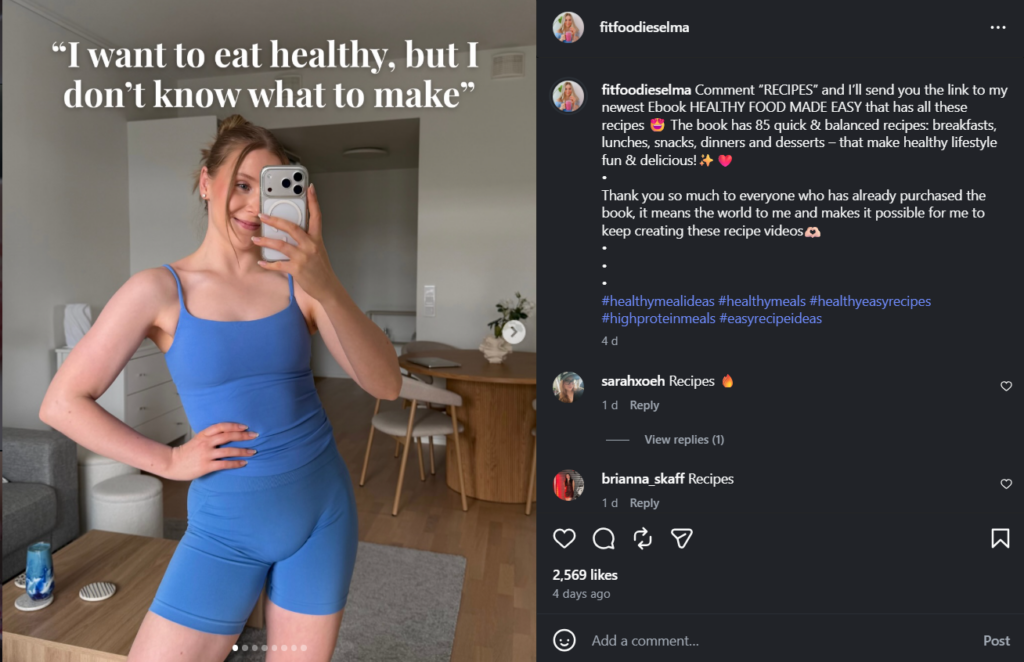
The algorithm prioritizes video content in the Explore feed because watch time is a stronger intent signal than any static content interaction.
The Reel structures that perform best on Explore: hook → value delivery → pattern interrupt → CTA. The hook creates curiosity, the value delivery rewards the watch, the pattern interrupt prevents drop-off mid-video, and the CTA (asking viewers to save, share, or follow) seeds the engagement signals.
2. The carousel comeback
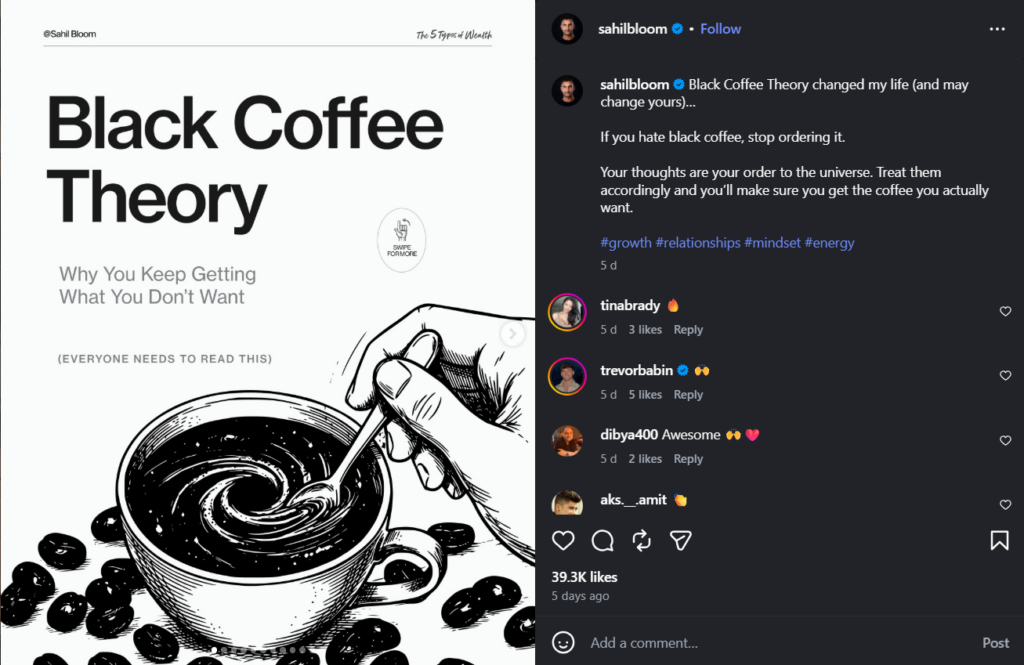
Multi-frame carousels are earning more Explore placement than they did two years ago, specifically because the swipe-through rate gives the algorithm a completion signal similar to video watch-through.
A well-constructed carousel — one that rewards every swipe with new information rather than padding — can compete with Reels for Explore placement in information-dense niches like finance, skincare, fitness, and education.
3. Static single images
Images have the lowest Explore distribution probability, but they’re not zero. A high-save static post — an infographic, a quote that earns shares, a before-and-after visual — can reach Explore if the engagement quality is high enough.
The limitation is that a single image produces fewer algorithmic signals per post than a Reel or carousel.
5. Optimise Every Post’s Metadata
The metadata layer is where most accounts leave Explore opportunity on the table. It’s invisible to viewers but directly readable by the algorithm.
1. Caption structure for Explore:
The first line is the only line that appears before the “more” tap — it’s your hook, and it determines whether anyone reads the rest.
A first-line formula that works for Explore: A specific claim or counterintuitive statement that creates curiosity without giving everything away. “Most skincare routines are making your skin barrier worse” earns more taps than “Here’s how to improve your skincare routine.”
Keyword placement matters in captions — not as keyword stuffing, but as natural use of the specific terminology your target audience uses. A fitness post that uses “progressive overload” in its caption is more classifiable than one that says “getting stronger over time.”
2. Hashtag strategy for Instagram Explore Page
Broad, high-volume hashtags (#fitness, #skincare, #food) place your content in a pool of millions of posts competing for the same algorithmic attention. The Explore algorithm can’t surface you there.
Niche-tier hashtags — specific to your sub-topic, with 10K–200K posts — put you in a smaller, more targetable category where your engagement rate actually matters. Build hashtag clusters (3–5 tags around the same specific topic) rather than scattering broad tags across different categories.
3. Alt text as an algorithmic signal:
Every image you post on Instagram allows you to add alt text — a written description of the image. Most accounts leave it blank. The algorithm reads alt text to classify image content.
Adding keyword-relevant alt text to every post is a 30-second change that most competitors don’t make.
4. Location tags and collaboration tags:
Location tags expand your content’s graph reach to users interested in that location. Collaboration tags (co-posting with another account) distribute your post to both accounts’ audiences and both accounts’ algorithmic context — a signal multiplier most brands underuse.
6. Time Your Posts to Maximise the Velocity Window
The first 30–60 minutes after posting are disproportionately important for Explore eligibility. The algorithm uses early engagement velocity as a quality signal — content that earns saves and shares immediately after posting gets pushed to progressively larger Explore audiences. Content that posts into silence gets no push at all.
1. Finding your velocity window:
Open your Instagram Insights and look at “Most Active Times” under Audience. This shows when your specific followers are online — not a general benchmark, but your account’s actual data. Post at the peak of that window.
Your existing followers seeing and engaging with your post in the first hour creates the velocity signal that unlocks Explore distribution to non-followers.
2. The pre-post warm-up tactic:
15–30 minutes before posting, engage actively on 5–10 posts in your niche. Leave substantive comments. Reply to Stories.
The algorithm’s activity signal from your account primes the feed to surface your incoming post to the accounts you’ve just interacted with — creating a slightly warmer initial audience for the post’s first engagement window.
Mistakes That Are Actively Blocking Your Instagram Explore Page Discovery
1. Optimising for likes instead of saves and shares
Likes are the vanity metric. The algorithm has moved on. Every content decision should ask “Will this get saved?” not “Will this get liked?”
2. Using broad, high-volume hashtags
#motivation has 500 million posts. Your post doesn’t exist there. #productivityhabit has 80,000 posts. You can be found there. Niche tags beat broad tags for Explore every time.
3. Creating content for existing followers
Explore surfaces your content to people who don’t know you. Content that assumes familiarity with your brand, ongoing storylines, or inside references doesn’t land with a cold audience. Every post should work as a standalone introduction.
4. Posting inconsistently
Three weeks of fitness content followed by two weeks of food and lifestyle content reset the algorithm’s classification of your account. Consistency of topic is more important than consistency of posting frequency for Explore eligibility.
5. Ignoring Reels entirely
A static-only Instagram strategy accepts a significant Explore reach ceiling. Even one Reel per week — a simple talking-head video, a product demo, a text-on-screen tutorial — adds the format the algorithm currently prioritises for discovery distribution.
Quick Wins vs. 90-Day Strategy – Instagram Explore page
This week — 3 immediate changes:
- Add keyword-relevant alt text to your next five posts
- Switch your next two posts from broad hashtags to a niche-tier cluster of 5–7 specific tags
- Post your next Reel at your audience’s peak active time and engage actively in the 30 minutes before it goes live
This month:
- Audit your last 30 posts for topic consistency.
- Commit to one or two primary content categories.
- Produce at least two Reels with deliberate save-driving hooks.
- Start tracking save rate in your Insights alongside reach and likes.
90-day horizon:
Consistent topic focus over 90 days builds the algorithm’s confidence in your account’s category. Each post that earns above-average saves strengthens the signal for the next one.
Explore placement compounds — accounts that get featured once are more likely to get featured again because the algorithm has learned that their content matches a specific interest graph reliably.
The Explore Reverse-Engineering Method
The most strategically underused tactic for Explore growth: studying which of your competitors’ posts are getting Explore distribution and reverse-engineering the exact signals that triggered it.
How to identify Explore-distributed posts:
Check a competitor’s recent posts. A post with significantly higher engagement than their average — especially likes, saves, and comments from accounts that clearly don’t follow the original creator — is likely getting Explore distribution.
The reach-to-follower ratio diagnostic: if a post appears to be reaching 5–10x its typical per-post engagement, it’s getting external distribution.
The 5-point reverse-engineering checklist:
For each Explore-distributed competitor post, record:
- Content format (Reel, carousel, static)
- Hook type (question, bold claim, counterintuitive statement, how-to)
- Caption structure (first-line hook, keyword density, CTA placement)
- Hashtag cluster (niche-specific or broad? How many? What topics?)
- Estimated posting time (what day, what hour)
Do this for 10 competitor posts over a month, and patterns emerge. The hook types that recur, the hashtag clusters that correlate with high-reach posts, the formats that appear most in the high-engagement outliers — these are your creative brief for the next 30 posts.
Building a swipe file:
Log every Explore-distributed competitor post you find in a simple document: post format, hook, what made it shareable or saveable, and what version of that idea you could create originally in your own brand voice. Over 30 days, this swipe file becomes the most valuable content planning resource you have.
Predis AI’s competitor analysis tool automates the monitoring layer — tracking posting patterns, content categories, and engagement anomalies across competitor accounts in real time, so you’re not manually checking five accounts every week.
The tool surfaces the outlier posts that warrant reverse-engineering, which means your swipe file builds faster with less manual research.
The Bottom Line
Getting on the Instagram Explore page isn’t luck. It’s a classification problem: the algorithm needs to know what your account is about, believe that specific users will find it valuable, and see early proof in the form of saves and shares that the content earns attention.
Build the six signals deliberately. Start with your content category, then engineer for saves, then optimise your metadata. Time your posts to the velocity window. And start reverse-engineering what’s working for your competitors before you spend another week posting into silence.
FAQs
Yes. Follower count is not a ranking factor for Explore placement. The algorithm routes content based on topic match and engagement quality — a 500-follower account posting niche content that earns genuine saves in a defined category has a real path to Explore. The prerequisite is topic consistency, not audience size.
Explore distribution happens in the hours immediately following a post, based on first-hour engagement velocity. If your post earns strong engagement in the first 60 minutes, the algorithm begins expanding distribution — including Explore — within that same window. There’s no delay or queue; the signal is read in real time.
Reels with strong first-3-second hooks and high watch-through rates, carousels that earn swipes on every frame, and any format — including static — that drives deliberate saves. The content type that saves most consistently: educational how-to posts, frameworks, checklists, and reference material that viewers want to return to.