



AI Video MCP: Make Videos in Claude and ChatGPT
Describe a video, attach a photo or share a clip, and Predis.ai makes it in the same chat with your brand kit applied. You see the credit cost before it starts.
Start from words, a photo or a clip you already have
Pick a starting point to see what you’d type and the video that came back in the chat.
“A macro shot of a perfume bottle on wet black stone in heavy rain, slow push-in, warm light at the end.”
- longueur du câble8s
- Taille16:9
- Les crédits150
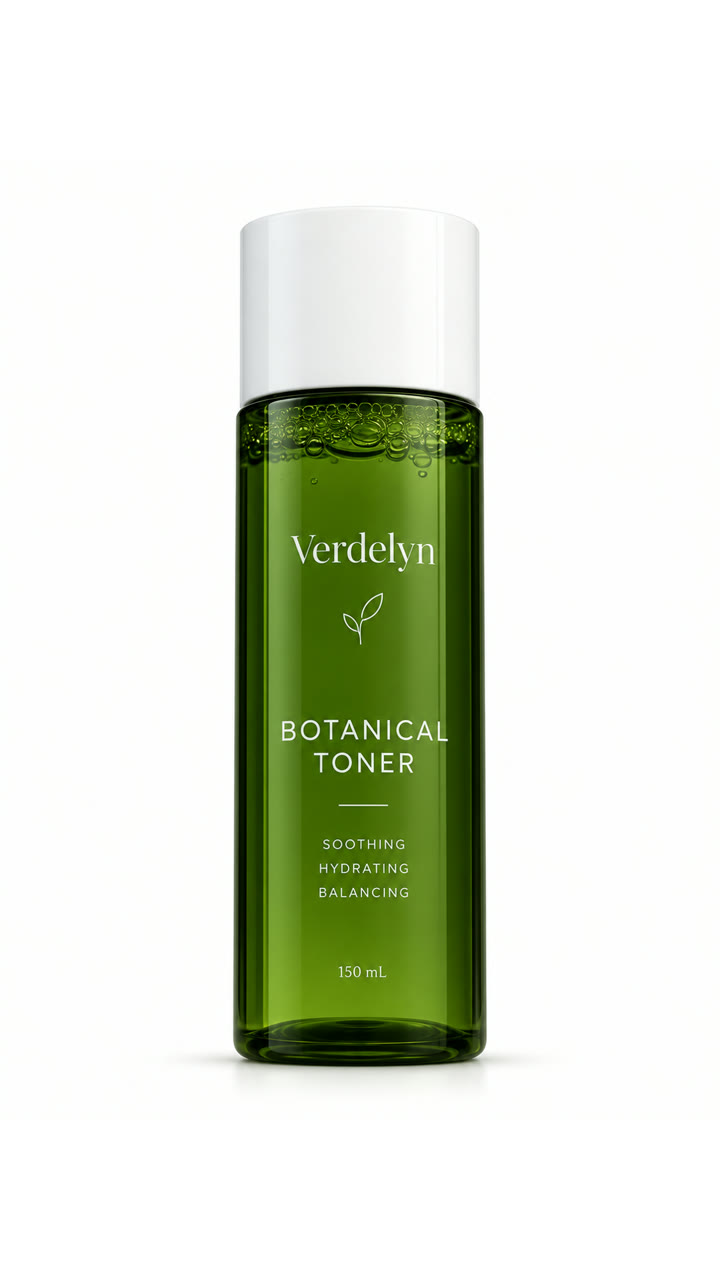
“Turn our toner bottle into a 10-second Reels ad: green water, a leaf, a drop falling from the bottle.”
- longueur du câble10s
- Taille9:16
- Les crédits273
“Keep this clip, but swap the subway for a sunlit airport lounge.”
- longueur du câble10s
- Taille16:9
- Les crédits273
Ask for a video, see the shots planned first
Your brief becomes a shot list, with the camera move and lighting for each shot, before anything is made. Change a shot in the chat, then let it run.
- 1 Shot0 à 2Aerial push between towersNeon night, haze
- 2 Shot2 à 3Drone lowers the canRain-slick rooftop
- 3 Shot3 à 4Macro on the canCyan ring glow
- 4 Shot4 à 7Close-up, city blurredHologram light on her face
- 5 Shot7 à 8Low wide, hold on the canBlue-black, lens flare
Connect once, then describe the video
Connectez-vous avec votre Predis.ai compte. Il n'y a pas API La clé de copie, votre kit de marque et vos produits enregistrés vous suivent.
-
Connecteurs ouverts
Dans Claude sur le web ou Claude Desktop, allez dans Paramètres, puis Connecteurs.
-
Ajouter un connecteur personnalisé
Nomme le Predis.ai et collez l'URL du serveur MCP ci-dessous.
-
Connectez-vous et demandez
Cliquez sur « Se connecter », connectez-vous avec votre compte. Predis.ai Créez un compte et démarrez une nouvelle conversation.
Essayez ensuite : « Utilisez » Predis.ai to make a 6-second video of [your product] for Reels, slow push-in, warm light.”
-
Ajouter un serveur MCP personnalisé
In ChatGPT Sur votre navigateur web, ouvrez Paramètres, puis Applications (ou Plugins, selon votre compte). Sélectionnez +, puis Ajouter un serveur MCP personnalisé.
-
Connectez-le à Predis.ai
Nomme le Predis.aiCollez l'URL du serveur MCP ci-dessous dans la section Connexion, puis connectez-vous avec votre compte. Predis.ai compte.
-
Créez le plugin et demandez
Consultez l'avertissement de sécurité, sélectionnez « Créer comme plugin », puis installez-le. Démarrez une nouvelle conversation et tapez @.Predis.ai.
Essayez ensuite : « Utilisez » Predis.ai to make a 6-second video of [your product] for Reels, slow push-in, warm light.”
-
Ajouter le serveur
Exécutez la commande ci-dessous dans votre terminal.
-
Connexion
Tapez /mcp dans le code Claude et connectez-vous avec votre Predis.ai compte.
-
Faire des annonces en masse
Il suffit de le connecter à un flux de produits ou à un fichier CSV, et il crée des publicités pour chaque ligne.
Essayez ensuite : « Utilisez » Predis.ai to make a 6-second video of [your product] for Reels, slow push-in, warm light.”
Modifier une vidéo without starting over
Ask for a new opening or a different background in one shot, and the rest of the video stays as it was. It keeps the parts already earning attention.
Try an editMake it longer, or cut it for another size
Extend a clip you like by a few seconds, or ask for 9:16, 1:1 and 16:9 versions in one message.
Connexion Predis.ai MCPPut a creator À l'écran
Ask for a creator-style video and Predis.ai writes the script and casts an AI creator to deliver it. Recast the person and keep the script that’s working.
Make a creator videoKnow the cost and the wait avant que ça commence
Your assistant checks the price with Predis.ai and tells you the credits and your balance before anything is made. Most clips come back in 1 to 6 minutes, depending on length and quality.
- Vous demandez
- Credits and balance shown
- You say go
- Video back in the chat
Vidéos réalisées from one message
Each one started as a sentence, a photo or a clip. Tap to play.

Questions fréquemment posées
What is an AI video MCP?
It's an MCP server that lets an assistant like Claude or ChatGPT make and edit videos through an outside tool. The Predis.ai MCP brings Predis.ai's video making, your brand kit and your saved products into the chat.
Can I turn a photo into a video?
Yes. Attach the photo in the chat or pick one you've already uploaded to Predis.ai, then describe the motion you want.
Can I edit a video I already have?
Yes. Share the clip in the chat or pick one you've already uploaded to Predis.ai, and say what to change, such as the setting or the weather.
How long can a video be?
Up to 30 seconds per clip, depending on the option your assistant picks. Most clips are 4 to 15 seconds.
Do the videos have sound?
They can. Many options make sound with the video, such as dialogue, voiceover or ambient sound. Ask for sound in your message and your assistant picks an option that includes it.
How long does a video take to make?
Most clips take 1 to 6 minutes, depending on length and quality. Your assistant tells you when it's ready.
What does a video cost?
Each video uses credits from your plan, based on its length and quality. Your assistant shows you the cost and your balance first, and nothing is charged until you say go.
Can I post the video straight to social media?
Le Predis.ai MCP makes the video and gives you a link to it. Posting depends on the other tools you connect to your assistant.
Votre prochaine vidéo starts as a sentence
Connexion Predis.ai à Claude, ChatGPT or Claude Code, then describe the video you want to see.
Connexion Predis.ai MCP