FLUJO.1 [schnell]
- 1216 x 832
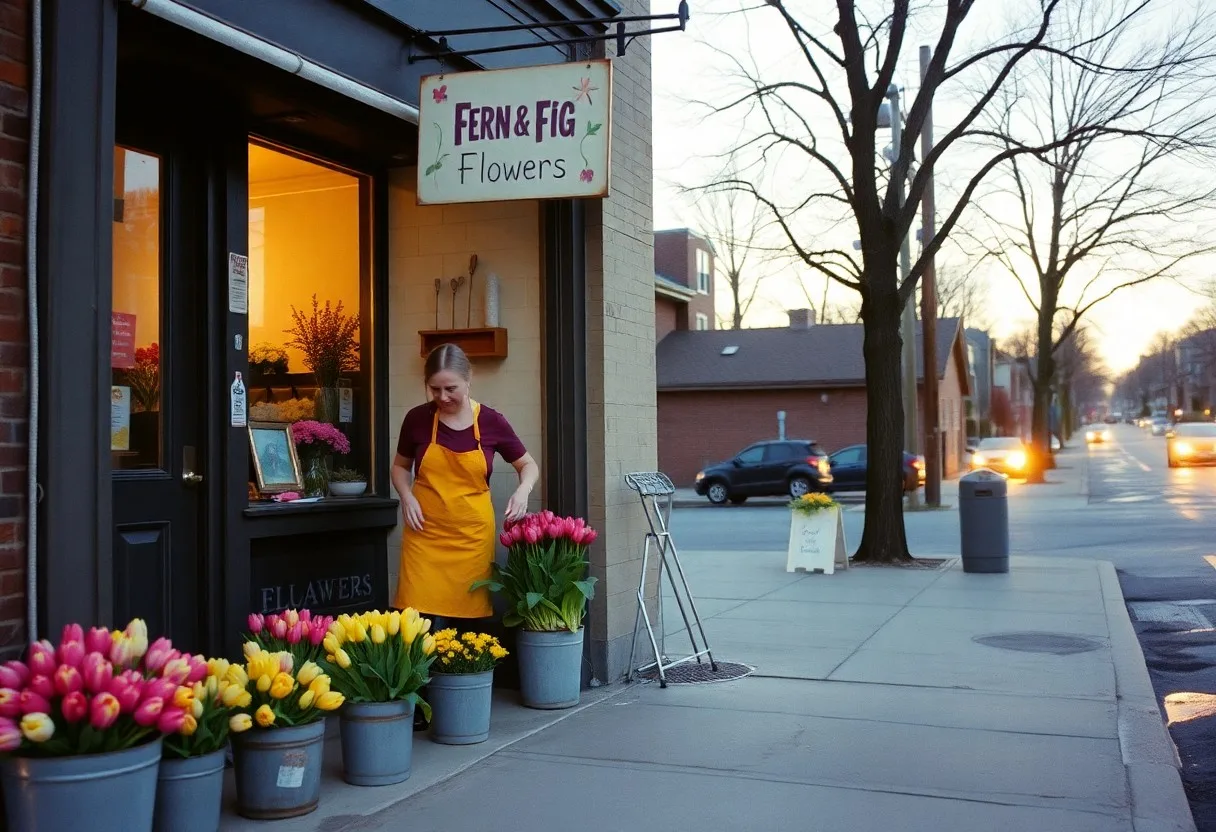
The sign reads "Fern & Fig Flowers" correctly, and the whole scene is there. The light is flatter and the pavement is dry, but as a fast first draft it is usable.
FLUX is Black Forest Labs' family of image models, and Predis.ai has 8 of them, from the fast FLUX.1 [schnell] to FLUX.2 [max] and FLUX 3 Image. We ran the same prompt through all 8 so you can see how the versions differ before you pick one.
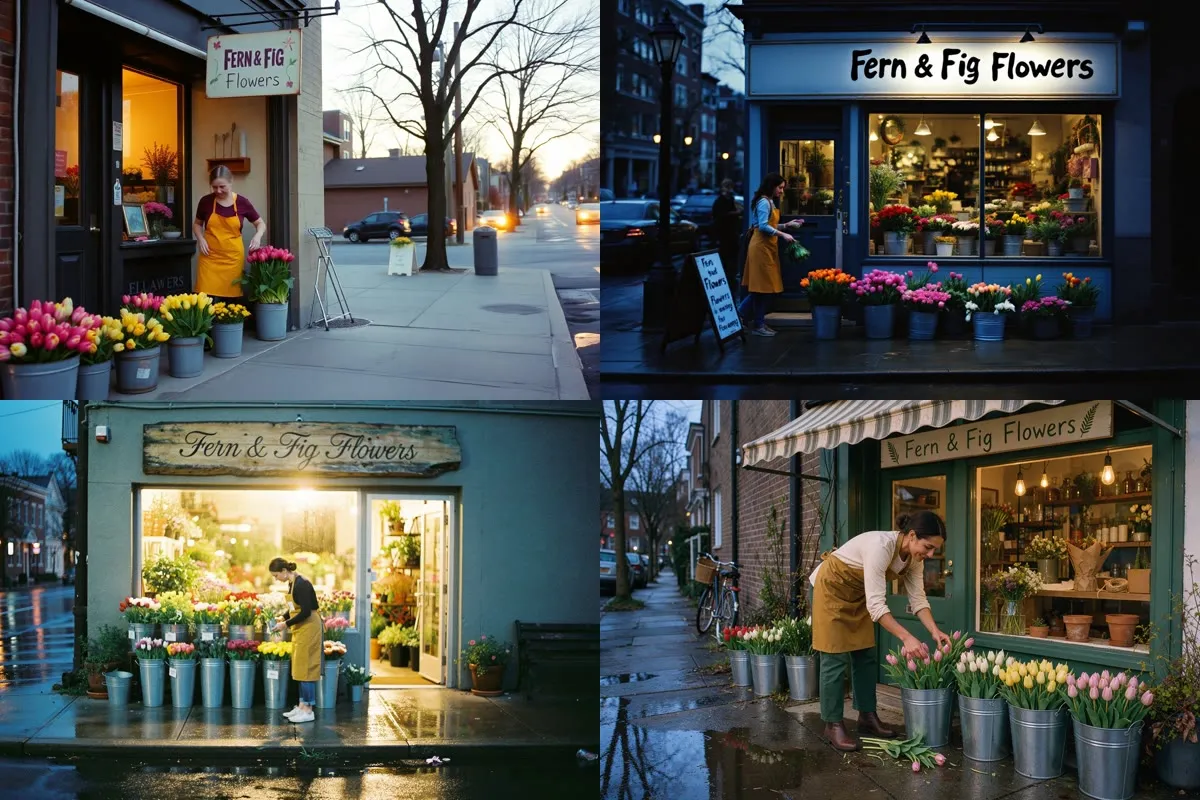
One prompt, 4 FLUX models"A neighborhood flower shop at dusk… A hand-painted sign above the door reads 'Fern & Fig Flowers'." Top row: FLUX.1 [schnell], FLUX 1.1 [pro]. Bottom row: FLUX.2 [max], FLUX 3 Image. All 8 results
FLUX is a family of AI image models from Black Forest Labs, a company in Freiburg, Germany, founded by researchers who co-created Stable Diffusion. The first FLUX models came out on August 1, 2024, and the family now runs from fast FLUX.1 versions to FLUX.2 and FLUX 3.
Black Forest Labs releases each generation in tiers. [Pro] y [Max] models are the highest quality and run through an API. [desarrollador] y [schnell] ("fast" in German) have open weights that anyone can download and run on their own computer, under different licenses.
FLUJO.2, released on November 25, 2025, added editing and up to 10 reference images, so you can show it your product and get it back in a new scene. FLUJO 3 followed in 2026 with an image model that goes to 4K. All of these share the FLUX look: photoreal, with natural light and readable short text.
Every FLUX image model in the Predis.ai Model Studio, oldest to newest, with what you can set for each.
| Modelo | Publicado | Hecho para | Imágenes de referencia | Opciones de tamaño |
|---|---|---|---|---|
| FLUJO.1 [schnell] | 2024 de agosto | Fastest drafts | Ninguna | 1 MP o 0.25 MP |
| FLUJO.1 [desarrollador] | 2024 de agosto | Open-weights quality model | 1, with strength control | 1 MP o 0.25 MP |
| FLUX 1.1 [pro] | oct 2024 | Faster, sharper FLUX.1 [pro] | Ninguna | About 1 MP |
| FLUX 1.1 [pro] Ultra | nov 2024 | Large 4 MP images | 1, with strength control | About 4 MP, up to 21:9 |
| FLUJO.2 [pro] | nov 2025 | Everyday default with references | Hasta 10 | 0.5 a 4 megapíxeles |
| FLUX.2 [flexible] | nov 2025 | Text and fine detail | Hasta 10 | 0.5 a 4 megapíxeles |
| FLUX.2 [máx.] | Late 2025 | Highest FLUX.2 quality | Hasta 10 | 0.5 a 4 megapíxeles |
| Imagen FLUX 3 | oct 2026 | Newest, up to 4K | Hasta 10 | 768 píxeles a 4K |
Options from the Predis.ai Model Studio on November 23, 2026. Release dates from Black Forest Labs' announcements. FLUX 3 Video has its own page.
One prompt, one aspect ratio (3:2), default settings, first try on each model, made on Predis.ai on November 23, 2026. The sign is the hardest part, so look there first.
A neighborhood flower shop at dusk. A woman in a mustard apron arranges tulips in metal buckets on the sidewalk outside. A hand-painted sign above the door reads "Fern & Fig Flowers". Warm light spills from the shop window onto the wet pavement. 35mm photo, natural color.
The sign reads "Fern & Fig Flowers" correctly, and the whole scene is there. The light is flatter and the pavement is dry, but as a fast first draft it is usable.

The best-looking scene of the FLUX.1 models, with a green awning and glowing window, but the sign is garbled into made-up letters. Not the model for anything with words on it.
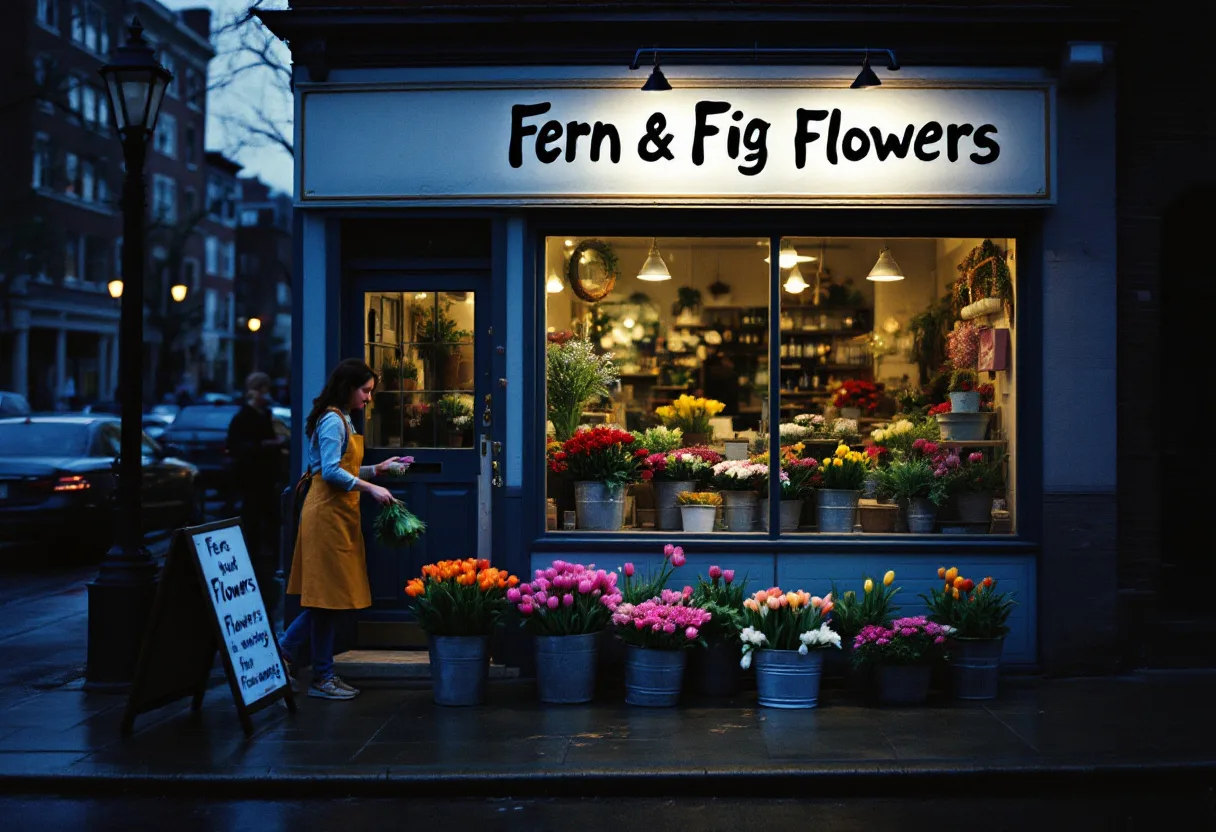
Clean, centered sign in a neat hand-painted font, wet pavement and warm window light. The most reliable of the FLUX.1 and 1.1 models.
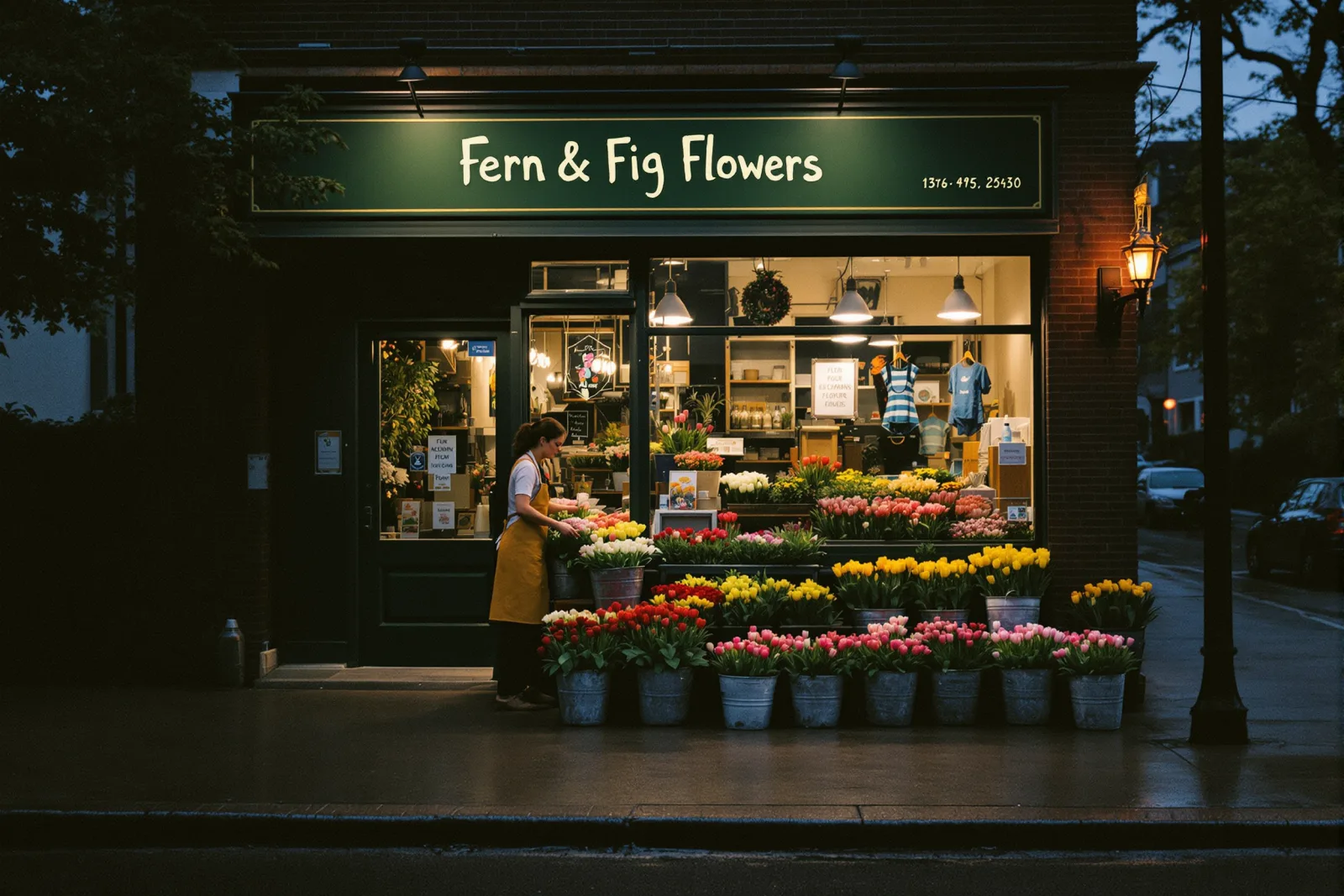
4 times the pixels and a correct main sign, but it added a line of made-up small print next to it. Zoom in on large images before you use them.
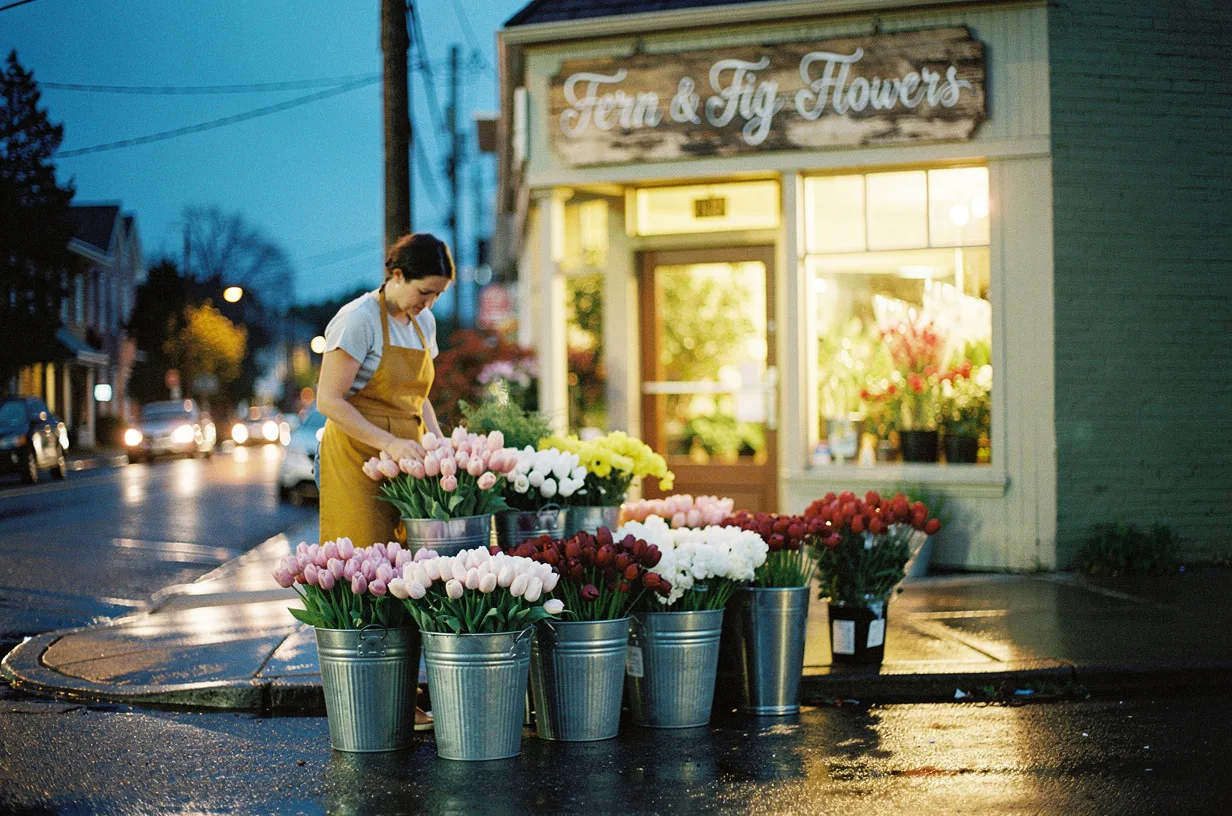
Correct sign in a hand-painted style, a wet street and dusk-blue light with a film-grain look. A clear step up from the FLUX.1 models on the same prompt.
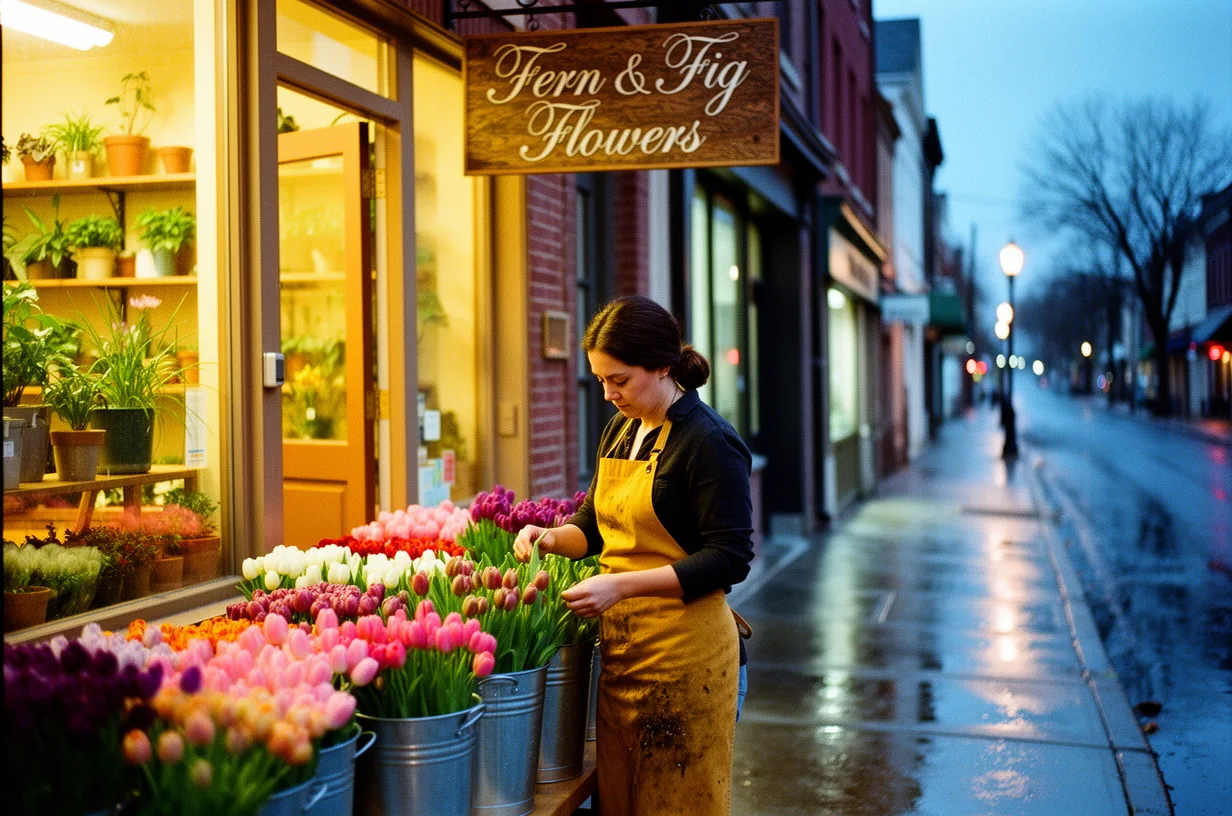
Correct sign in a neat script on a hanging wooden board, the closest to a real shopfront sign, with strong reflections on the wet pavement.
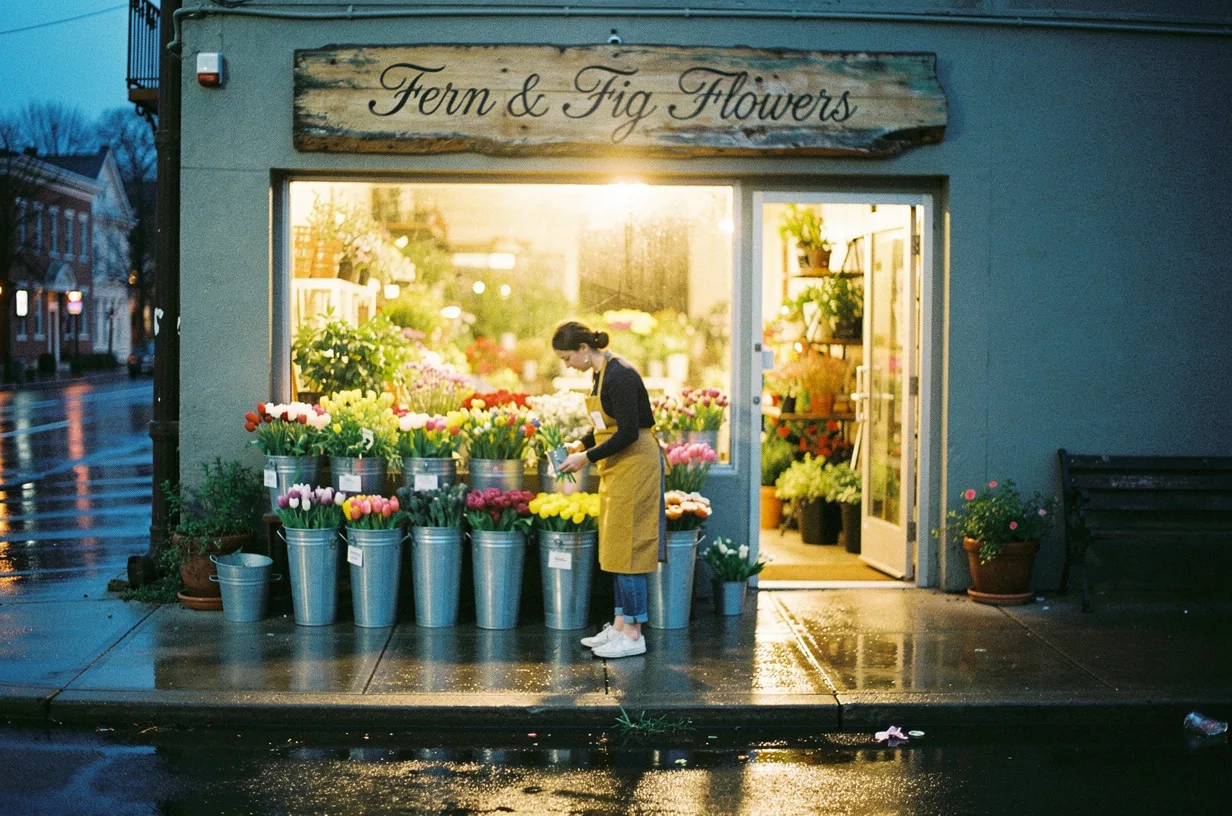
Correct sign on a weathered wooden board, the most convincing "hand-painted" look of the 8, with warm window light spilling onto the wet street.
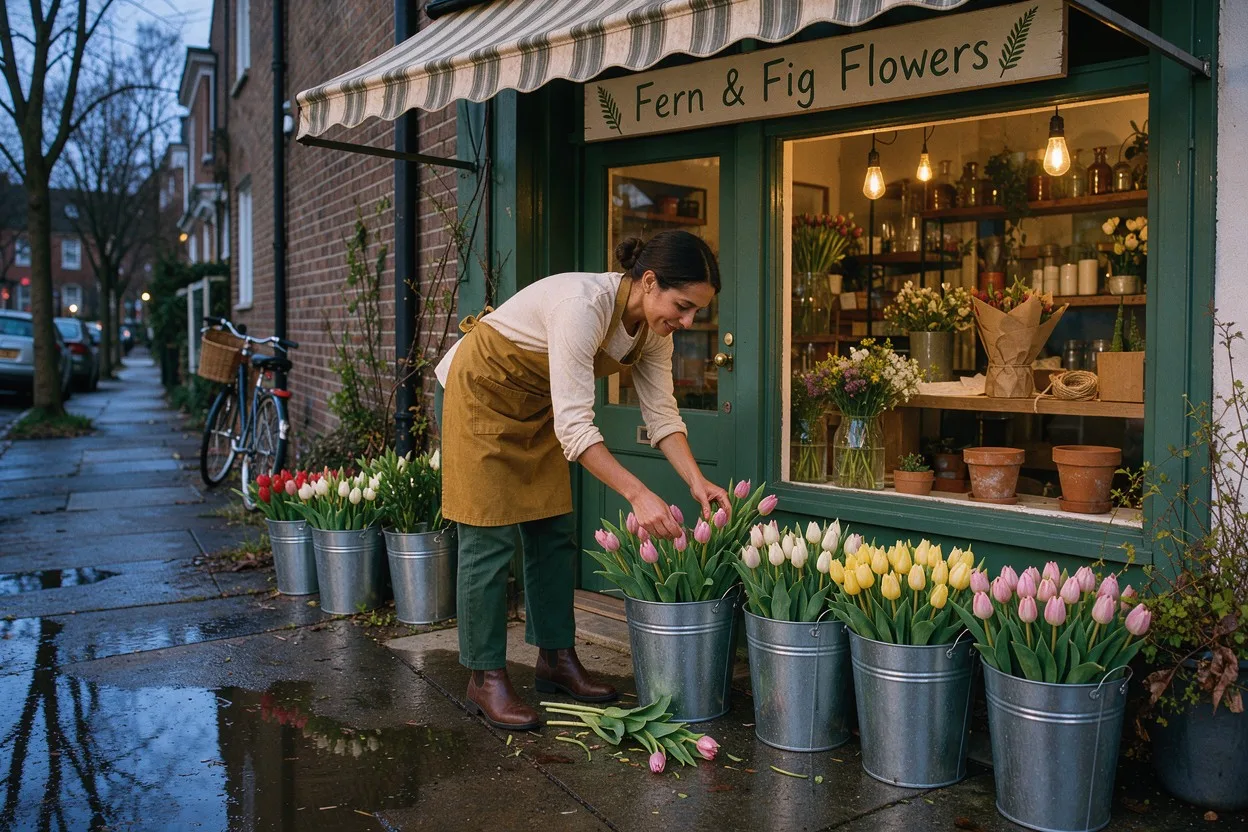
Correct sign with small leaf details and the most going on in the scene: an awning, a bicycle, cut tulips on the ground. Made at the default 1K setting.
Pick by the job, not the version number.
Run many versions of an idea quickly, then remake the best one on a stronger model.
Good quality, up to 4 MP and up to 10 reference images, for everyday images.
Add your product photos as references on FLUX.2 [pro], [flex] or [max] and describe the scene you want it in.
Black Forest Labs built [flex] for typography and small detail, so try it for signs, labels and packaging.
About 4 MP and aspect ratios up to 21:9, for website headers and wide ad formats.
The newest FLUX model goes to 4K and takes 10 references. Ver imagen de FLUX 3
Every FLUX model turns a written prompt into an image. FLUX follows long, detailed prompts well, so describe the light, lens and layout as you'd brief a photographer.
FLUX.2 and FLUX 3 take up to 10 reference images on Predis.ai. Name each one ("image 1 is the bottle, image 2 is the kitchen") and FLUX combines them in one picture.
Give FLUX.2 a photo and a change ("make it night", "swap the label color") and it edits that image instead of starting fresh. FLUX.1 [dev] and 1.1 [pro] Ultra take one image with a strength slider instead.
FLUX.2 goes to 4 MP and FLUX 3 Image to 4K, big enough for print and for cropping one photo into several ad sizes.
No install, no GPU, no Black Forest Labs API key. All 8 FLUX models are in the Predis.ai Estudio de maquetas.
Open the Model Studio and choose a FLUX version. FLUX.2 [pro] is a good start.
Optional: upload up to 10 product or style photos on FLUX.2 or FLUX 3.
Describe the subject, the setting, the light and any words in quotes. Pick an aspect ratio and size.
Ask for up to 4 images per run.
FLUX reads natural sentences, not keyword lists. Write it like a photo brief, most important thing first.
A FLUX prompt template for a product photo
[Image 1 is the product. Keep its shape, color and label exactly.]
[Subject] [doing what] in [setting], [time of day].
A [sign / label / poster] reads "[exact words]".
[Light: direction, warmth]. [Camera: lens, angle]. [Film or color look].
FLUX gives the most weight to what comes first. Put the product or person at the start, the background later.
Put any sign or label text in quotes and keep it short. Check every letter, especially on FLUX.1 models.
Larger FLUX images sometimes add small made-up print. Add "no other text" when the image has to be clean.
How FLUX compares with other image models in the Predis.ai Estudio de maquetas.
Nano Banana Pro is Google's model for conversational edits and product shots from your photos. FLUX.2 [pro] also takes up to 10 references, so it's a good place to start for photoreal product scenes. Ver Nano Banana Pro
OpenAI's GPT Image models are strong at following complex instructions and long text. FLUX gives you more versions to choose from and larger sizes. Ver imagen GPT 2.6
Recraft V3 has 10 style presets for illustration and flat design but no reference images. FLUX is the pick for photoreal images and your own products. Ver Recraft V3
FLUX 3 Image is newer, goes to 4K and adds more aspect ratios. FLUX.2 [pro] stays a good pick for everyday images. Ver imagen de FLUX 3
FLUX is a family of AI image models from Black Forest Labs, a German company founded by researchers who co-created Stable Diffusion. The first FLUX models came out on August 1, 2024, followed by FLUX 1.1, FLUX.2 and FLUX 3.
Black Forest Labs, based in Freiburg, Germany. Its founders, including CEO Robin Rombach, previously co-created latent diffusion and Stable Diffusion.
FLUX.1 [schnell] and FLUX.1 [dev] have open weights you can run yourself for free on a capable computer. The [pro] and [max] models are paid. On Predis.ai every FLUX model is part of paid plans, and you can try them during the 3-day trial, which needs a card.
Partly. FLUX.1 [schnell] is under the Apache 2.0 license. FLUX.1 [dev] and FLUX.2 [dev] have open weights under a non-commercial license. The [pro], [flex] and [max] models are not released as weights.
It depends on the job. FLUX.2 [pro] is a good default with up to 10 reference images, FLUX.1 [schnell] is the fastest for drafts, and FLUX 3 Image is the newest and goes to 4K. See the table on this page for each one.
Both have open weights. [dev] is the higher-quality model, distilled from FLUX.1 [pro], while [schnell] is built for speed. In our flower-shop test [schnell] spelled the sign correctly and [dev] did not.
FLUX 3 Image is newer, goes up to 4K and offers more aspect ratios. FLUX.2 [pro] also takes up to 10 reference images and is a good everyday default.
Sí. En Predis.ai, FLUX.2 [pro], [flex], [max] and FLUX 3 Image take up to 10 reference images, and FLUX.1 [dev] and FLUX 1.1 [pro] Ultra take one image with a strength setting.
Short text, usually. In our test 7 of 8 FLUX models spelled a shop sign correctly, and only FLUX.1 [dev] did not. Black Forest Labs says FLUX.2 [flex] is built for text and fine detail.
A FLUX 1.1 model that makes images of about 4 megapixels, released in November 2024. On Predis.ai it supports wide ratios up to 21:9.
Yes, by using it on a platform like Predis.ai, where the models run in the cloud. Running the open-weights versions yourself needs a strong graphics card.
Draft fast on FLUX.1 [schnell], then finish on FLUX.2 or FLUX 3.
FLUX es una marca registrada de Black Forest Labs. Predis.ai No está afiliado ni cuenta con el respaldo de Black Forest Labs.