



Erstellen Sie Anzeigen in Claude und ChatGPT an. Nach der Installation können Sie HEIC-Dateien mit der Predis.ai MCP
Verbinden Predis.ai Einmal eingewiesen, dann briefen Sie Ihren Assistenten genauso wie Sie einen Designer briefen würden. Videoanzeigen, nutzergenerierte Inhalte, statische Anzeigen und Karussellanzeigen werden im selben Chat zurückgesendet, erstellt in Ihrem Marken-Kit und bereit zum Testen.
In einem Satz nach Werbung fragen. Bringt sie fertig zurück.
Wählen Sie ein Beispiel aus, um zu sehen, was Sie eingeben würden und welche Anzeigen Ihnen dann angezeigt würden. Predis.ai Er schreibt die Drehbücher, plant die Aufnahmen und produziert die Werbespots, sodass Sie nichts selbst zusammenstellen müssen.
Sie erhalten: 3 UGC-Videoanzeigen
Zurück im selben Chat
Rep-Anzahl

Social-Media-Planer

Billbird
Predis.ai Ich habe ein Skript erstellt und für jede App einen KI-Creator ausgewählt. Anschließend bitte ich um 15-Sekunden-Ausschnitte oder darum, im selben Chat verschiedene Creator einzusetzen.
Sie erhalten: 3 Produktvideos
Zurück im selben Chat
Solara Parfüm
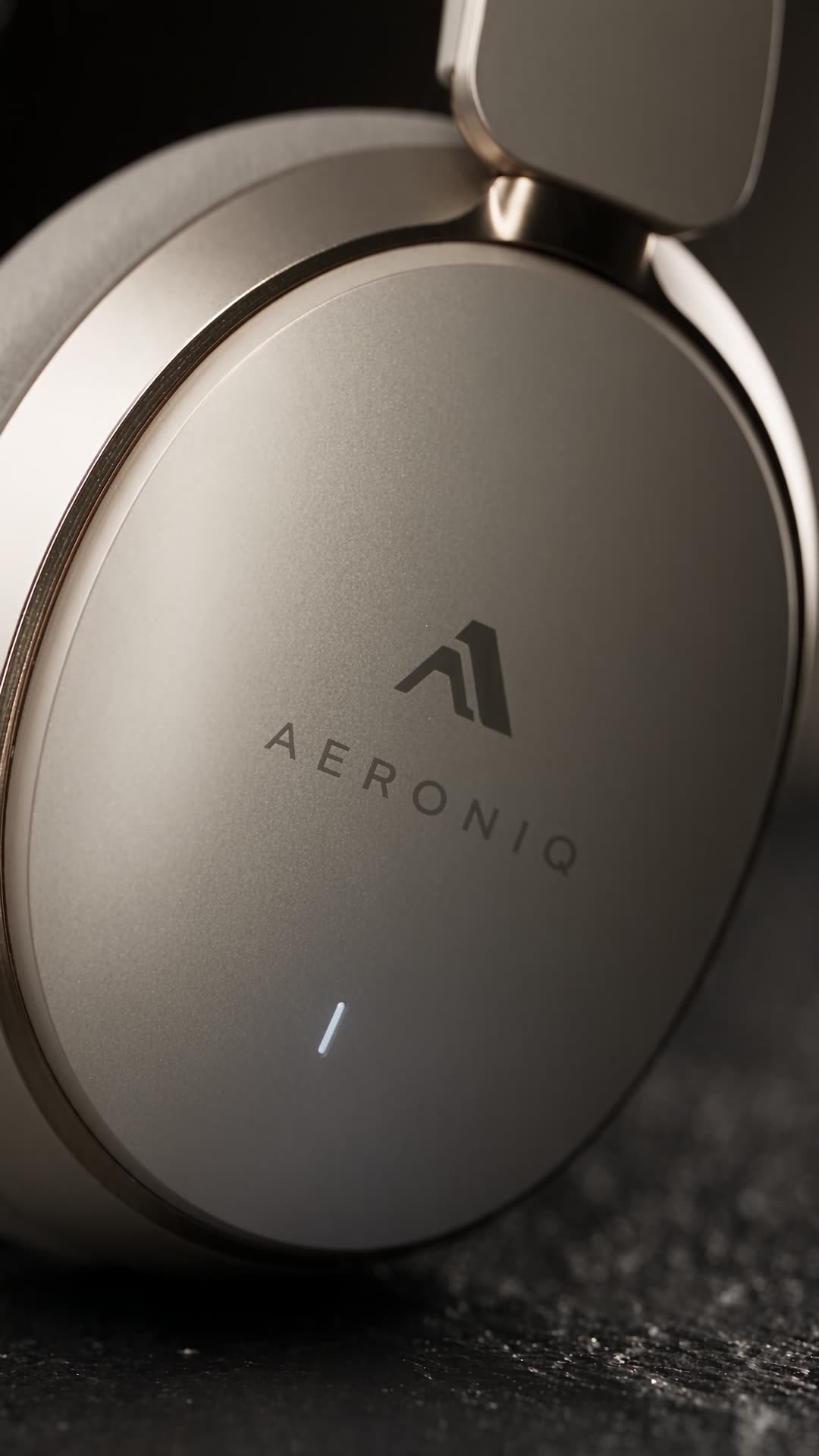
Aeronic-Kopfhörer
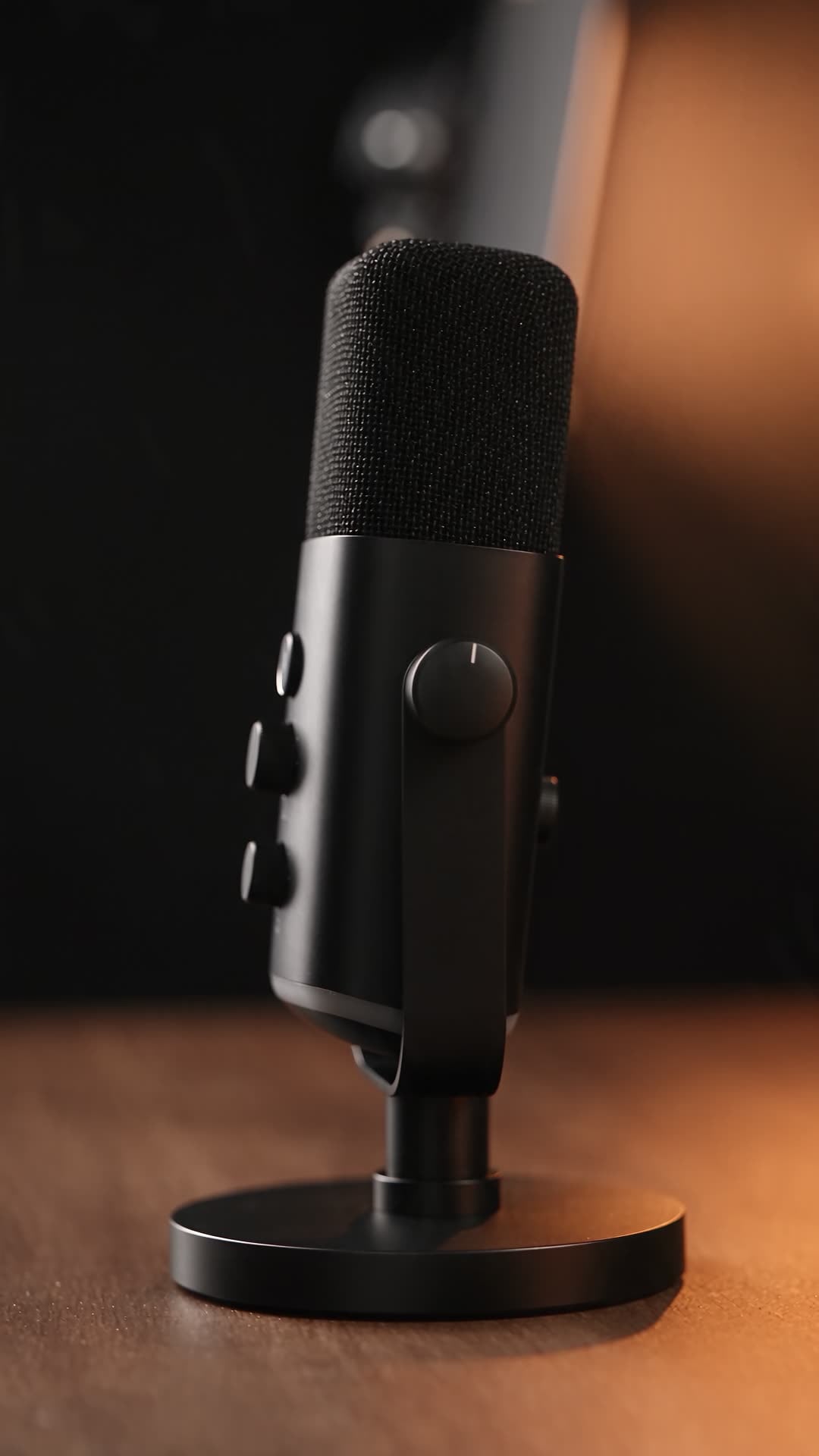
USB-Studiomikrofon
Predis.ai Ich habe die Aufnahmen geplant und die Studiobeleuchtung für jedes Produkt eingestellt. Anschließend habe ich nach einer Preisauszeichnung oder quadratischen 1:1-Versionen gefragt.
Sie erhalten: 2 statische Anzeigen
Zurück im selben Chat
Pawfect Bites Nassfutter
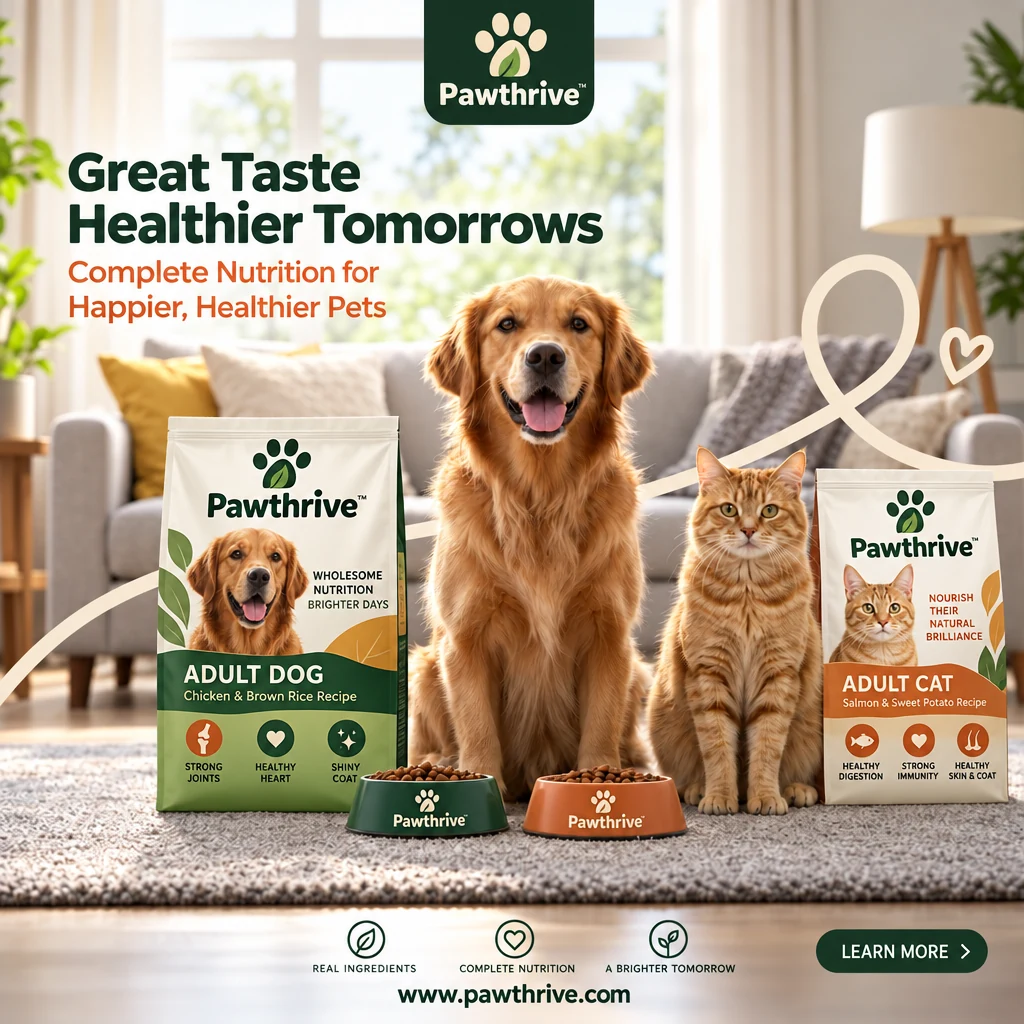
Pawthrive Trockenfutter
Predis.ai Ich habe für jede Anzeige ein Briefing und den Anzeigentext verfasst. Anschließend habe ich nach Story-Formaten, einem Karussell oder einem Video gefragt, das aus einer der Anzeigen erstellt werden kann.
Echte Anzeigen, Jetzt nur noch eine Nachricht entfernt
Jede Anzeige hier begann als Produktlink, Referenzanzeige oder grobe Idee. Beim MCP bitten Sie Claude um dasselbe. ChatGPT oder Claude Code.
Speichern Predis.ai zu Claude in weniger als 2 Minuten
Melden Sie sich an mit Predis.ai Konto. Es gibt keins. API Der Schlüssel zum Kopieren sowie Ihr Marken-Kit und Ihre gespeicherten Produkte werden mitgenommen.
Nein Predis.ai Sie haben bereits ein Konto? Erstellen Sie zuerst eines und verbinden Sie dann Ihren Assistenten.
Versuchen Predis.ai-
Offene Konnektoren
In Claude im Web oder Claude Desktop gehen Sie zu Einstellungen, dann zu Konnektoren.
-
Fügen Sie einen benutzerdefinierten Konnektor hinzu.
Benenne es Predis.ai und fügen Sie die MCP-Server-URL unten ein.
-
Melden Sie sich an und fragen Sie nach
Klicken Sie auf Verbinden und melden Sie sich mit Ihrem Konto an. Predis.ai Erstelle ein Konto und starte einen neuen Chat.
Versuchen Sie dann Folgendes: „Verwenden Sie Predis.ai „3 UGC-Videoanzeigen für [Ihr Produktlink] erstellen.“
Fügen Sie Predis.ai Plugin
Öffnen Sie den Microsoft Store auf Ihrem Windows-PC Predis.ai einstecken ChatGPTWählen Sie „Installieren“ und melden Sie sich mit Ihrem Konto an. Predis.ai Konto. Geben Sie dann @ ein.Predis.ai in einem neuen Chat.
Oder fügen Sie es als benutzerdefinierten MCP-Server hinzu.
-
Fügen Sie einen benutzerdefinierten MCP-Server hinzu.
In ChatGPT Öffnen Sie in Ihrem Desktop-Browser die Einstellungen und anschließend Apps (oder Plugins, je nach Ihrem Konto). Wählen Sie + und dann „Benutzerdefinierten MCP-Server hinzufügen“.
-
Verbinden Sie es mit Predis.ai
Benenne es Predis.aiFügen Sie die unten stehende MCP-Server-URL unter „Verbindung“ ein und melden Sie sich mit Ihrem Konto an. Predis.ai -Konto.
-
Erstelle das Plugin und frage nach
Lesen Sie die Sicherheitswarnung, wählen Sie „Als Plugin erstellen“ und installieren Sie es anschließend. Starten Sie einen neuen Chat und geben Sie @ ein.Predis.ai.
Versuchen Sie dann Folgendes: „Verwenden Sie Predis.ai „3 UGC-Videoanzeigen für [Ihr Produktlink] erstellen.“
-
Fügen Sie den Server hinzu
Führen Sie den folgenden Befehl in Ihrem Terminal aus.
-
Anmelden
Geben Sie /mcp im Claude-Code ein und melden Sie sich mit Ihrem Konto an. Predis.ai -Konto.
-
Erstellen Sie Massenanzeigen
Richten Sie es auf einen Produktfeed oder eine CSV-Datei aus, und es erstellt Anzeigen für jede Zeile.
Versuchen Sie dann Folgendes: „Verwenden Sie Predis.ai „3 UGC-Videoanzeigen für [Ihr Produktlink] erstellen.“
Kurz zusammenfassen, die Charge abholen, Skalieren Sie die, die sich verkaufen
Der Kreislauf, den ein gutes Kreativteam durchläuft, abgehalten in einem einzigen Chat.
Beginnen Sie mit einem Link. eine Referenzanzeige oder eine Zeile
Predis.ai Es liest Ihre Produktseite, bezieht Ihr Marken-Kit ein und schlägt verschiedene Blickwinkel vor, bevor es überhaupt etwas produziert. Deshalb stimmen Sie der Richtung vorher zu.
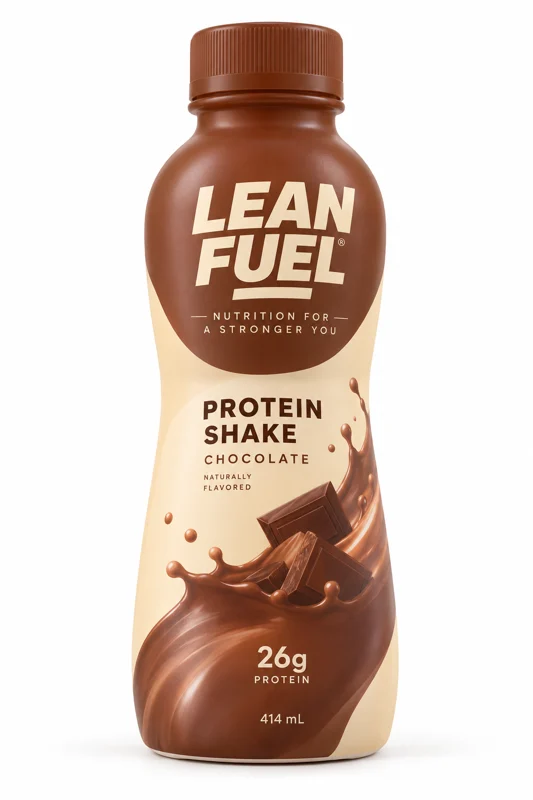
Versuch mal: „Hier ist unser Lean Fuel Proteinshake. Nenn mir 3 Perspektiven für die Fitnessstudio-Saison im Januar.“
 yourstore.com/product
-
Produktlink
Fügen Sie eine Produktseite ein und Predis.ai Ruft für Sie Namen, Bilder und Details ab.
-
Referenzanzeige
Teilen Sie eine Anzeige, die Ihnen gefällt, und erhalten Sie die gleiche Struktur, angepasst an Ihr Produkt.
-
Marken-Kit
Ihr Logo, Ihre Farben, Ihre Schriftarten und Ihr Sprachstil stehen fest, bevor das erste Bild erstellt wird.
-
Winkel zuerst
Wählen Sie vor dem Rendern Optionen wie „26 g Protein, keine Vorbereitung“ oder „Der Post-Gym-Fix“.
Jedes Format von eine Bitte
Fragen Sie einmal an und erhalten Sie Videoanzeigen, nutzergenerierte Inhalte, statische Bilder und Karussellanzeigen zusammen, anstatt jedes Element einzeln. Beispiel: „Erstellen Sie 6 statische Bilder, 2 Produktvideos und eine nutzergenerierte Rezension für den Launch.“
-
Videoanzeigen und nutzergenerierte Inhalte
Produktvideos, die wie bei einem Studiodreh ausgeleuchtet sind, und Werbespots im Creator-Stil mit einem sofortigen Aufhänger.
-
Statische Fahrzeuge und Karussells
Feed- und Story-Formate, inklusive vorgefertigter Überschrift und Handlungsaufforderung.
-
Ein Set pro Marke
Jede Marke, mit der Sie zusammenarbeiten, behält ihre eigenen Farben, Schriftarten, ihr eigenes Logo und ihren eigenen Tonfall, sodass das Erscheinungsbild einer Marke niemals in der Werbung einer anderen Marke landet.
Verwandle deinen Gewinner in die nächste Testrunde
Behalte die erfolgreichen Elemente bei und ändere jeweils nur eine Sache, sodass jede Variante für A/B-Tests geeignet ist. Beispiel: „Gleiches Video, 5 neue Intro-Hooks. Alles andere bleibt gleich.“
Verbinden Predis.ai MCP

-
Neue Haken
Tausche die ersten 3 Sekunden auf 5 verschiedene Arten, von „Ich habe immer wieder meine Vitamine vergessen“ bis „Hör auf, so große Tabletten zu schlucken“.
-
Neue Schlagzeilen
Gleiches Bild, 6 Überschriften, die Überschrift ist also die einzige Variable.
-
Neuer Schöpfer
Die Rolle sollte neu besetzt werden, aber das Drehbuch, das Einnahmen generiert, sollte beibehalten werden.
-
Einen Rahmen reparieren
Eine einzelne Einstellung ändern, ohne den Rest des Videos neu zu drehen.
Beginnen Sie mit einem voreingestellten
Vorlagen für Ihre bestehenden Anzeigen. Kopieren Sie eine in Claude und fügen Sie Ihr Produkt hinzu.
Link zu den Anzeigen
Fügen Sie eine Produktseite ein und erhalten Sie 4 statische Anzeigen in Ihrem Markenstil.

UGC-Videoanzeige
Ein Video im Creator-Stil, basierend auf Ihrer Produktbeschreibung, mit dem Aufhänger gleich zu Beginn.
Produkt-Video
Ein Video in Studioqualität von einem Produkt, in jedem gewünschten Format.
Erstellen Sie eine Referenzanzeige neu
Teilen Sie eine Anzeige, die Ihnen gefällt, und erhalten Sie die gleiche Struktur für Ihr Produkt.
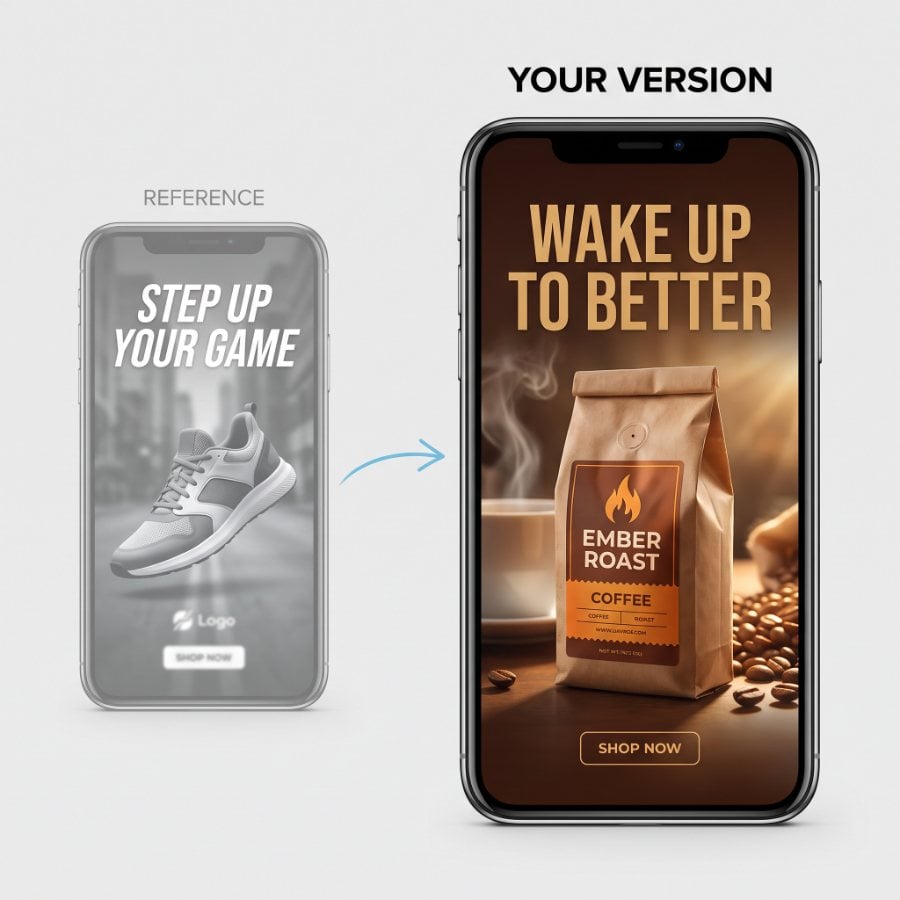
Karussell aus einem Beitrag
Verwandeln Sie einen Blogbeitrag oder eine Idee in ein interaktives Karussell in Ihrem Marken-Kit.

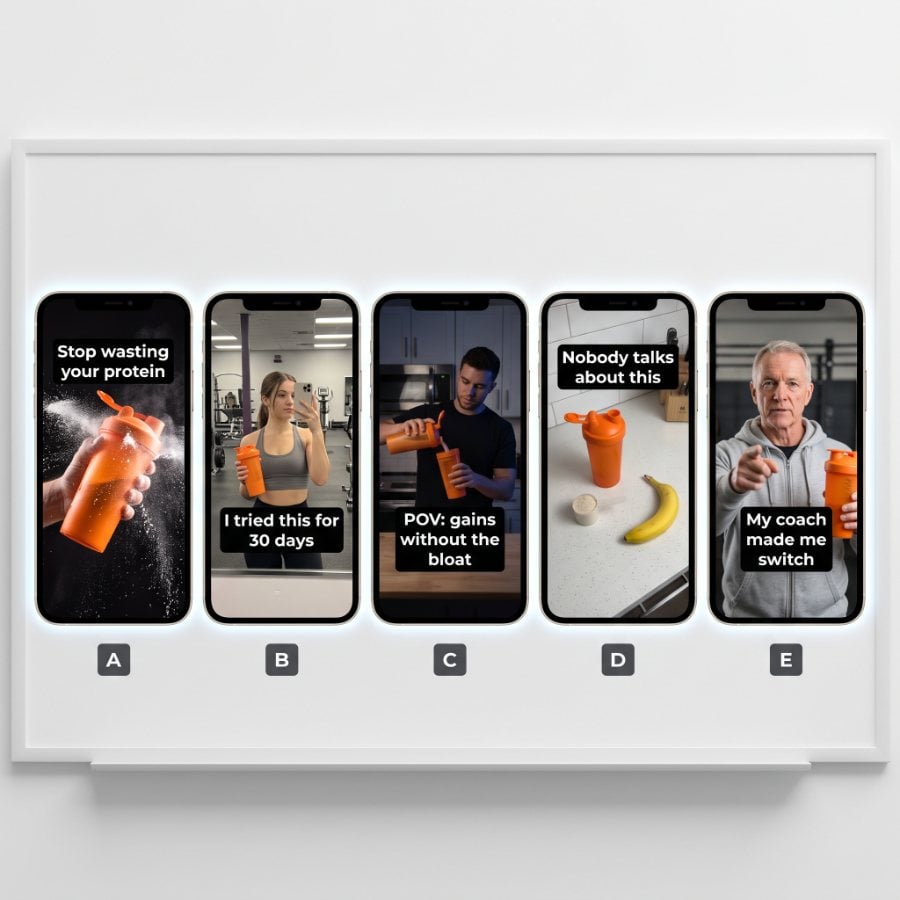
Hakenvarianten
Behalte das Video und tausche die ersten 3 Sekunden auf 5 verschiedene Arten aus.
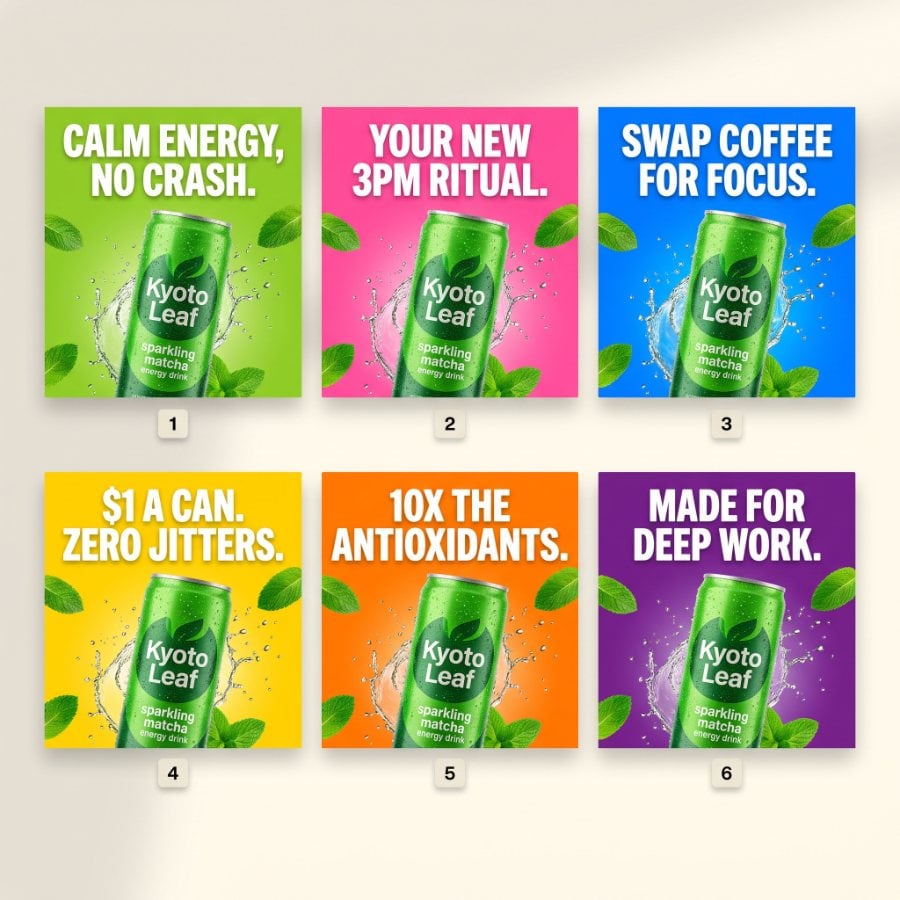
Überschriftenvarianten
Gleiches Bild, 6 Überschriften, die Überschrift ist also die einzige Variable.
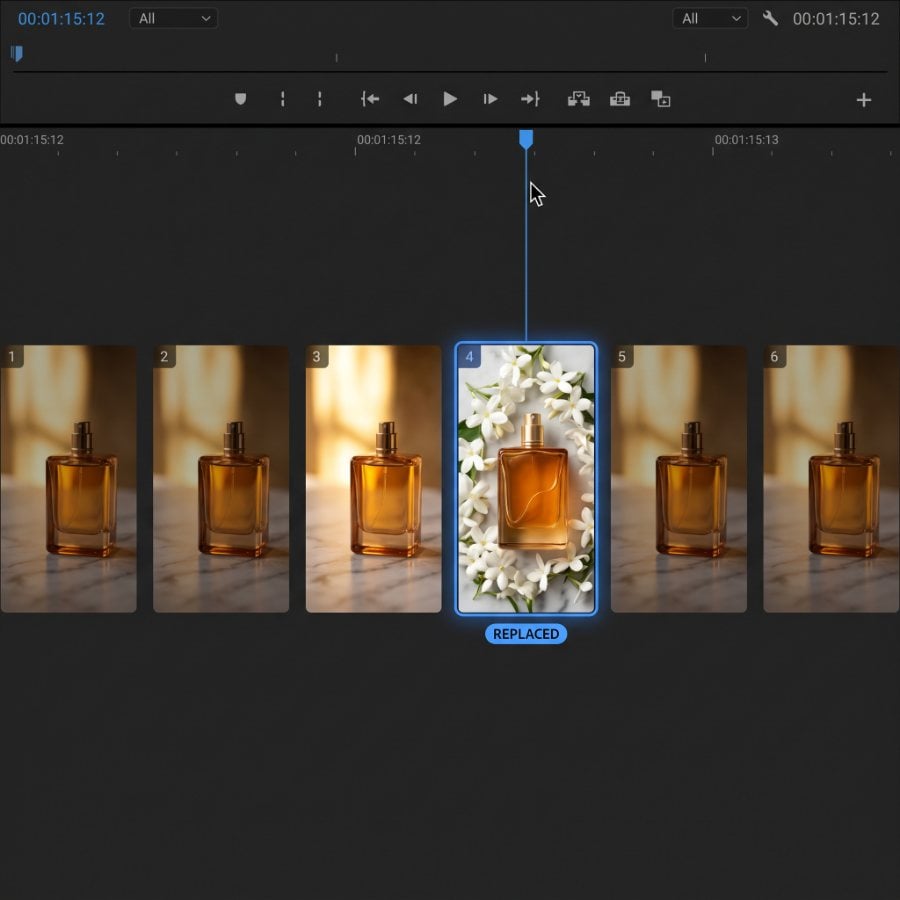
Einen Rahmen reparieren
Ändern Sie eine einzelne Einstellung in einem Werbevideo, ohne den Rest neu zu drehen.
Richten Sie Ihre Marke einmalig ein. Jeder Chat erinnert sich daran.
Ihr Marken-Kit und Ihre gespeicherten Produkte befinden sich in Ihrem Predis.ai Konto, sodass jeder Assistent, den Sie verbinden, vom selben Ausgangspunkt aus startet.
Marken-Kit
Ihr Logo, Ihre Farben, Schriftarten und Ihr Sprachstil werden automatisch in jede Anzeige übernommen, sodass Sie Ihrem Assistenten Ihre Marke nie erneut erklären müssen.
- Logo- und Markenanpassung
- Farbe
- Schriftarten
- Stimme
Produkte über einen Link
Fügen Sie eine Produktseite einmal ein und Predis.ai Speichert die Bilder und Details. Nächstes Mal genügt: „Werbung für das Parfüm erstellen“.
- Solara Eau de Parfum
- Aeronic-Kopfhörer
Mehr von Predis.ai
Die gleichen Werbeanzeigen, außerhalb des Chats.
Schalten Sie Anzeigen in der Predis.ai App
Klicken Sie lieber als zu chatten? Predis.ai Die App erstellt für Ihr Brand Kit dieselben Video-, UGC- und statischen Anzeigen über einen einzigen Produktlink.
Zum KI-Anzeigengenerator →Weiter lesen
Forschung, die API und der Rest der Plattform.
KI-Bildgenerierung MCP →KI-Video-MCP →
MCP für E-Commerce →
Werbeintelligenz →
Predis.ai API Dokumente →
Alle Funktionen →
Preisgestaltung →
Verwenden Sie ein bestimmtes Modell
Bitten Sie in Ihrer Aufgabenstellung um ein namentlich genanntes Model oder lassen Sie Ihren Assistenten eines für den Job auswählen.
Häufig gestellte Fragen
Herausforderungen in der Predis.ai MCP-Server?
Es handelt sich um einen entfernten MCP-Server, der eine Verbindung herstellt. Predis.ai zu KI-Assistenten wie Claude und ChatGPTSie fragen in einfacher Sprache an, und Videoanzeigen, nutzergenerierte Inhalte, statische Anzeigen und Karussellanzeigen kommen im selben Chat zurück, erstellt in Ihrem Marken-Kit.
Was ist MCP?
MCP, das Model Context Protocol, ist ein offener Standard, der es KI-Assistenten ermöglicht, externe Tools zu verwenden. Predis.ai Der MCP-Server ist eines dieser Werkzeuge: Er stellt Ihrem Assistenten Predis.aidie Werbefunktionen von , Ihr Markenpaket und Ihre gespeicherten Produkte.
Mit welchen Sprachassistenten ist es kompatibel?
Claude im Web und auf dem Desktop, ChatGPT und Claude Code. Auch andere Clients, die Remote-MCP-Server unterstützen, sollten funktionieren.
Wie füge ich das hinzu? Predis.ai MCP-Server zu Claude Code?
Führen Sie claude mcp add --transport http Predis.ai https://mcp.predis.ai/mcp Geben Sie in Ihrem Terminal /mcp in Claude Code ein und melden Sie sich mit Ihrem Konto an. Predis.ai -Konto.
Wie verbinde ich mich? Predis.ai zu ChatGPT?
Öffnen Sie den Microsoft Store auf Ihrem Windows-PC Predis.ai Plugin in ChatGPTWählen Sie „Installieren“ und melden Sie sich mit Ihrem Konto an. Predis.ai Konto, dann @ eingebenPredis.ai in einem neuen Chat. Sie können es auch als benutzerdefinierten MCP-Server hinzufügen: Öffnen Sie in den Einstellungen Apps oder Plugins, wählen Sie +, dann benutzerdefinierten MCP-Server hinzufügen und geben Sie https://mcp ein.predis.ai/mcp unter Verbindung.
Brauche ich einen Predis.ai Konto?
Ja. Sie melden sich an mit Predis.ai Wenn Sie sich verbinden, verbraucht jede Anzeige Guthaben aus Ihrem Tarif.
Werde ich die Kosten einer Anzeige erfahren, bevor sie erstellt wird?
Ja. Vor einem Video oder einer Charge überprüft Ihr Assistent den Preis mit Predis.ai und zeigt Ihnen die Kreditkosten und Ihren Kontostand an. Es wird erst etwas abgebucht, wenn Sie zustimmen, sodass Sie den Auftrag vorher noch ändern können.
Wird in den Anzeigen mein Marken-Kit verwendet?
Ja. Ihr gespeichertes Logo, Ihre Farben, Schriftarten und Ihre Sprachausgabe werden automatisch in jede Anzeige übernommen.
Kann ich meine eigenen Bilder oder eine Referenzanzeige verwenden?
Ja. Füge einen öffentlichen Link zu einem Bild oder Video ein, hänge eine Datei im Chat an oder wähle etwas aus, das du bereits hochgeladen hast. Predis.aiOder bauen Sie auf einem Ihrer früheren Ergebnisse auf. Jedes Ergebnis dient als Referenz für die nächste Anzeige.
Kann mein Assistent die Anzeigen für mich starten?
Das Predis.ai Der MCP-Server erstellt die Anzeigen. Die Veröffentlichung oder der Start von Kampagnen hängt von den anderen Tools ab, die Sie mit Ihrem Assistenten verbinden, wie z. B. Ihrer Werbeplattform.
Gibt es eine free Versuch?
Ja, für 3 Tage. Eine Karte ist erforderlich, die erste Abbuchung erfolgt am 4. Tag, und Sie können jederzeit vorher kündigen.
Predis.ai Die Tools werden nach dem Verbinden nicht angezeigt. Was nun?
Eröffne einen neuen Chat und überprüfe, ob der Predis.ai Der Connector ist eingeschaltet. Falls er immer noch nicht angezeigt wird, trennen Sie die Verbindung und melden Sie sich erneut an.
Erstellen Sie Ihre eigenen Anzeigen. Skalieren Sie die Produkte, die sich gut verkaufen.
Speichern Predis.ai an Claude, ChatGPT oder Claude Code, und Ihre nächste Anzeige ist nur eine Nachricht entfernt.
Verbinden Predis.ai MCP