7 AI Ad Creative Generators Los Ua Scroll-stopping Ads!

7 Cov cuab yeej AI zoo tshaj plaws los ua Ad Creatives

Ua cov tswv yim tshaj tawm tsis yog txhua tus khob tshuaj yej. Los ntawm kev sau ntawv yuam kev rau kev ua ke nrog kev hloov pauv CTA thiab tsim cov duab pom uas nres scrolls yog qhov ua haujlwm ntau, thiab tsis hais txog kev txawj ntse. Dab tsi tus kws tshaj lij tus tsim qauv coj mus rau lub rooj yog qhov tseem ceeb heev, thiab tsis muaj leej twg tuaj yeem thim nws qhov nqi. Txawm li cas los xij, nrog cov kws tshaj lij no los ntawm tus nqi, qee zaum yog tus siab heev. 

Tab sis yuav ua li cas yog tias kuv qhia koj tias koj tuaj yeem tau txais qhov kev paub dhau los yam tsis muaj tus nqi loj? Yog lawm, qhov ntawd yog qhov AI Ad muaj tswv yim generators tuaj yeem ua rau koj! Yog tias koj tsis paub txog lawv, koj nyob hauv qhov chaw zoo vim tias peb yuav nthuav tawm qhov nthuav dav hauv phau ntawv qhia no!

TL;DR 🖋

Muaj ntau yam cuab yeej hauv kev ua lag luam uas tuaj yeem pab koj tsim cov qauv tsim, tsim tus kheej, tsim ntau, thiab ua kom tiav tag nrho cov txheej txheem. Tab sis qhov tshaj plaws yog, tsis yog txhua lub cuab yeej yog nyob ntawm qhov cim thiab tsim cov qauv tsim uas tau nyem-tsim nyog!

Uas yog vim li cas peb methodically combed los ntawm ntau yam ntawm cov cuab yeej muaj nyob rau hauv lub lag luam thiab slimmed lawv mus rau 7 cov cuab yeej uas ua tau zoo!

  1. Predis.ai: Multifunctional platform rau kev tshaj tawm, kev tshaj tawm xov xwm, tshaj tawm, thiab teem caij.
  2. Adcreative AI: AI-powered batch ad muaj tswv yim generator
  3. Tsim kom muaj: AI-powered UGC ad creator platform
  4. Invideo: Online video creation platform nrog templates thiab AI cov cuab yeej.
  5. Madgicx: Ib qho ad optimization platform
  6. Quickads: AI ad creation platforms
  7. Creatopy: Cov cuab yeej tsim, ntsuas, thiab kho cov phiaj xwm kev tshaj tawm tus kheej.

Tab sis ntawm kev sib piv, peb tseem pom Predis AI yog qhov zoo tshaj plaws ntawm qhov so vim nws muaj peev xwm ua tau ntau yam. Lawv tsis yog ua rau koj tsom mus rau kev tshaj tawm; lawv ua cov ntawv tshaj tawm hauv social media, pab koj ntsuas lawv qhov kev ua tau zoo, tau teem sijhawm thiab tshaj tawm raws sijhawm, thiab tsis yog dab tsi. Los ntawm kev noj ntau yam ntawm koj cov kev tshaj tawm thiab kev tshaj tawm kev tshaj tawm, Predis AI pab koj txuag lub sijhawm thiab cov peev txheej, uas koj tuaj yeem mob siab rau lwm qhov!

7 Qhov Zoo Tshaj AI Ad Creative Generators los txhawb koj qhov kev tshaj tawm kev ua si

Cov neeg tsim khoom tshaj tawm AI feem ntau pab koj tsim cov tshaj tawm rau koj cov kev tshaj tawm hauv social media los ntawm kos lossis los ntawm kev siv cov khoom muaj nqis uas koj muab, xws li cov yeeb yaj kiab, cov duab, thiab lwm yam. Yog tias koj cov txheej txheem ua haujlwm pib ncaj qha los ntawm cov tswv yim lossis cov ntawv theej, kuj tseem muaj cov cuab yeej uas tshwj xeeb hauv kev hloov cov lus qhia yooj yim mus rau hauv cov khoom tshaj tawm tiav. Cov no Cov cuab yeej AI uas tsim cov tshaj tawm los ntawm cov lus qhia tshwj xeeb tshaj yog muaj txiaj ntsig zoo rau kev sim sai thiab kev lees paub lub tswv yim. 

Muaj ntau ntau cov cuab yeej tawm muaj los pab koj nrog cov txheej txheem no. Tawm ntawm qhov ntawd, peb tau xaiv 7 tus tsim AI tshaj tawm los pab koj nrhiav ib qho uas ua haujlwm zoo tshaj plaws rau koj txoj haujlwm thiab koj txoj kev lag luam.

Ua ntej ntawd, cia peb pom kev sib piv ntawm cov yam ntxwv ntawm cov AI ad muaj tswv yim generators:

ToolQhov zoo tshaj plawspricingXyuas
Predis.aiUa UGC cov yeeb yaj kiab, tshaj tawm, thiab teem caijLos ntawm $19/mo4.7 ★
Adcreative uaTsim cov duab kos duab thiab luam tawmLos ntawm $20/mo3.5 ★
Tsim kom muajAI video ad txiag thiab kev saib xyuas kev ua tau zooLos ntawm $19/mo4.4 ★
InvideoCov ntawv nyeem-rau-video tiam thiab tshaj tawm nrog cov qauvLos ntawm $28/mo3 ★
MadgicxAI Ad optimizationLos ntawm $49/mo2.9 ★
QuickadsAI duab thiab video ad creationLos ntawm $ 79 / hli ($ 1 rau cov neeg siv tshiab)3.2 ★
CreatopyAI ad creation thiab optimizationLos ntawm $36/mo1.5 ★

1. Predis AI

Predis AI yog qhov zoo tshaj plaws AI ad generator cov cuab yeej uas pab tsim txhua yam ntawv tshaj tawm uas koj xav tau nrog ib yam dab tsi yooj yim xws li kev xa ntawv, ua kom koj txoj kev taug kev online tiav. Los ntawm kev tsim cov ntawv tshaj tawm hauv social media mus rau kev tshaj tawm, Predis AI yuav ua tau Tab sis lub cuab yeej tsis xaus rau ntawd! Nws tseem tso cai rau koj teem sijhawm rau koj cov ntawv tshaj tawm hauv social media thiab kom lawv tshaj tawm tau, koom tes nrog koj pab neeg, tshuaj xyuas koj thiab koj cov neeg sib tw txoj kev ua tau zoo, thiab ua ntau yam ntxiv.

Tus neeg siv interface yog qhov zoo nkauj intuitive, yog li ua rau nws nkag mus rau txawm tias cov neeg kho tshiab tshiab, uas yog qhov zoo dua ntxiv.

Predis AI Logo

Txog tam sim no zoo. Zoo siab pom qhov tshiab version coj peb mus, tab sis nws ua qhov kuv tab tom nrhiav tam sim no. Kuv nyiam li cas nws txuas rau peb lub khw woo lub platform thiab cia li rub cov ntaub ntawv khoom thiab cov duab.

Tau qhov twg los: TrustPilot

Ib txhia Predis AI's standout nta muaj xws li:

  • Tsim social media posts, ad Creatives, khoom yeeb yaj duab, thiab ntau ntxiv los ntawm ib lub platform
  • Kev koom ua ke nrog kev sib raug zoo thiab kev lag luam e-lag luam platform uas tso cai rau kev teem sijhawm thiab tshaj tawm tsis siv neeg
  • Hom kev sib koom tes uas pab koj tau txais kev pom zoo thiab tau txais cov lus pom zoo 
  • A cov cuab yeej tsom xam cov neeg sib tw uas tso cai rau koj pom cov tswv yim dab tsi ntawm koj cov neeg sib tw ua haujlwm
  • Ib lub platform zoo rau cov neeg siv uas ua haujlwm tau zoo hauv kev tsim cov lus los ntawm cov ntawv sau yooj yim, thiab lub platform kho uas tso cai rau koj hloov pauv ntau npaum li koj nyiam.
  • Lub tsev qiv ntawv template uas koj tuaj yeem luag thiab poob thiab kho raws li koj nyiam.

pros:

  • Beginner-friendly interface uas tuaj yeem siv los ntawm cov neeg tshiab thiab cov kws paub txog kev hloov kho ib yam nkaus
  • Ib lub platform all-in-ib qho uas saib xyuas txhua yam hais txog kev tshaj tawm xov xwm thiab kev tshaj tawm kev tshaj tawm

cons:

  • Tsis koom nrog lwm lub platform muaj tswv yim zoo li Canva thiab Vistacreate
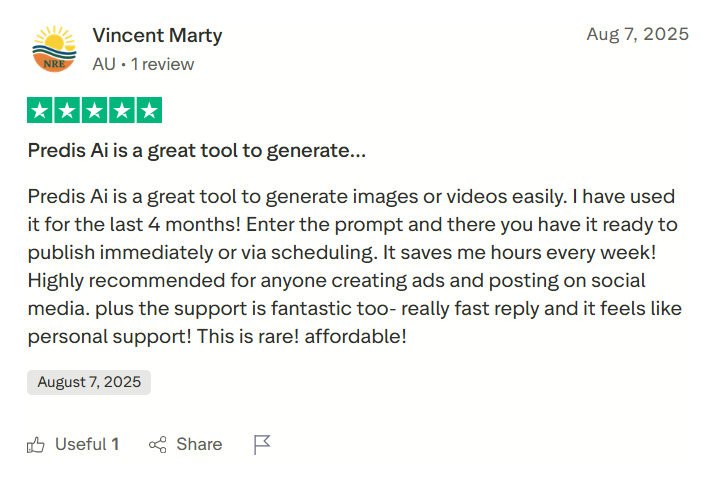
Predis AI tshuaj xyuas qhov twg tus neeg siv tau hais tias lub cuab yeej tsim cov duab thiab cov yeeb yaj kiab tiag tiag thiab txuag sijhawm
Tau qhov twg los

2. Adcreative AI

Adcreative AI kuj tseem tuaj yeem pab koj tsim cov kev tshaj tawm rau koj cov kev tshaj tawm lossis kev lag luam e-lag luam. Nrog Adcreative AI, koj tuaj yeem nkag mus rau koj cov khoom lag luam thiab tsim cov tswv yim tshaj tawm uas haum rau koj lub hom phiaj. 

Nws kuj los nrog cov suite ntawm kev kho cov cuab yeej uas tso cai rau koj siv AI hauv kev txhim kho thiab nce koj cov duab. Qhov tsuas yog ua rau kuv poob siab yog tias muaj free kev sim muaj, tab sis nws yuav tsis tso cai nkag mus yam tsis muaj cov ntaub ntawv credit card. Yog tias koj tsis ntseeg txog kev xa tawm cov ntaub ntawv credit card, ces qhov no yuav tsis yog lub cuab yeej rau koj!

adcreative-ua

Lub software kuj tsis txaus thiab cov tswv yim uas tshwm sim hauv lawv cov tshaj tawm yuav tsum yog cuav. Yuav tsis pom zoo.

Tau qhov twg los: Ntseeg Keeb

Qee qhov tshwj xeeb ntawm lawv muaj xws li:

  • Tso cai rau koj los ntsuas qhov ua tau zoo ntawm koj qhov kev tshaj tawm los ntawm txoj hauv kev hu ua qhov qhab nia muaj tswv yim
  • zoo li Predis AI, Adcreative kuj muaj cov cuab yeej sib tw sib tw uas pab koj nrhiav cov tswv yim ua haujlwm rau lwm yam lag luam.
  • Koj tseem tuaj yeem ntxiv cov duab thaij duab rau cov cuab yeej no thiab tsim kev tshaj tawm tswv yim variations.
  • AI video tiam kuj tseem ua tau, ua kom yooj yim los tsim txhua yam kev tshaj tawm.

pros:

  • Txhawb ntau hom ntawv tshaj tawm rau ntau lub social media platforms
  • Muaj tswv yim qhab nia kev nkag siab uas pab koj xaiv cov tshaj tawm uas muaj feem zoo dua ntawm kev ua tau zoo

cons:

  • Tus nqi sau npe yog qhov qis me ntsis, ua rau nws nyuaj rau cov pab pawg me kom nyiam qhov no dua li lwm cov cuab yeej uas muab kev pabcuam holistic es tsis yog tsom rau kev tshaj tawm ib leeg.
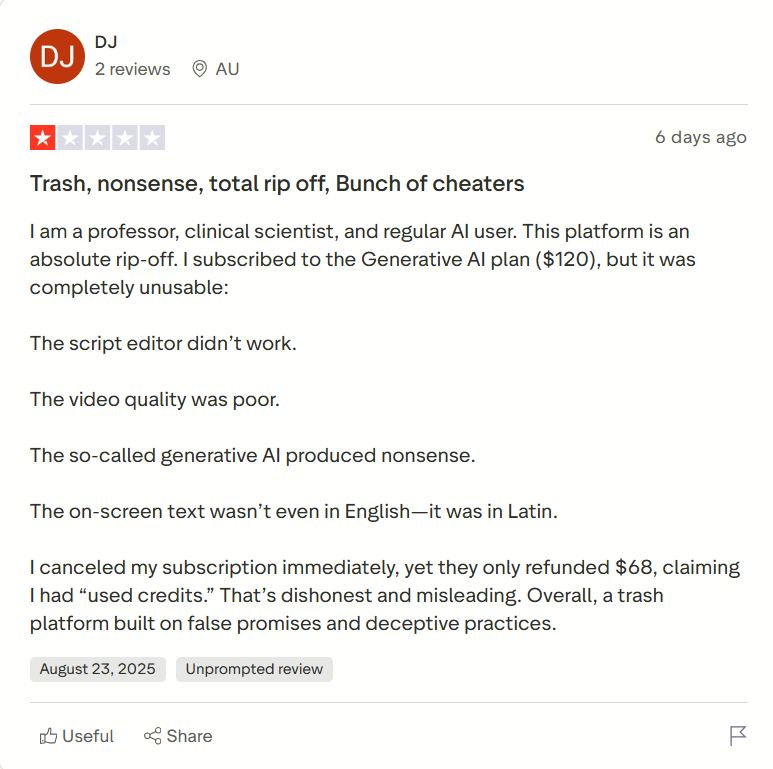
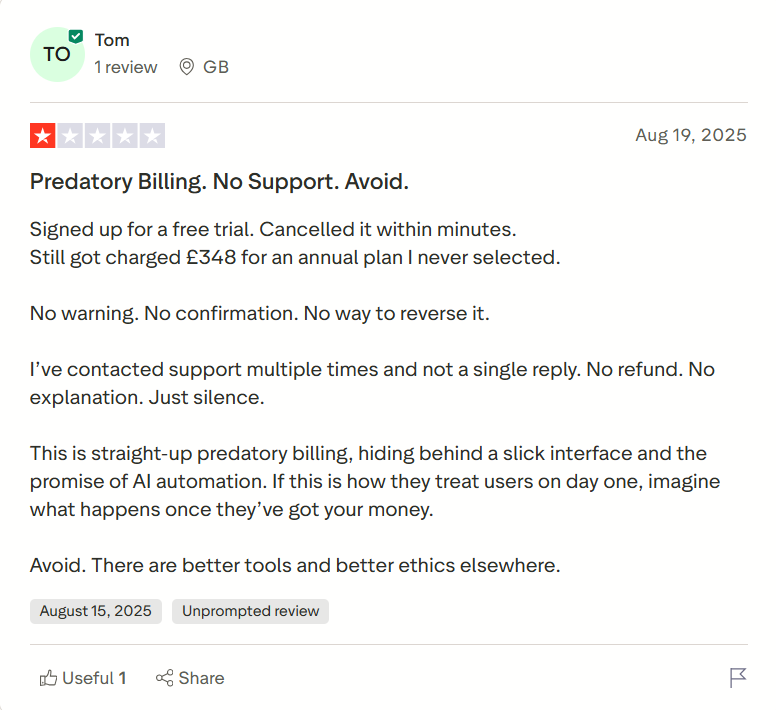
  • Qee cov neeg siv tau ntsib teeb meem hauv kev tshem tawm lawv cov npe, thiab vim li ntawd, poob raug tsim txom los ntawm kev coj ua zoo nkauj
Qee cov neeg siv hais tias lub cuab yeej tsis tuaj yeem thim rov qab
Tau qhov twg los

3. Creatify

Tom ntej no ntawm peb daim ntawv teev npe, peb tab tom yuav tackling Creatify, uas yog lub cuab yeej uas tso cai rau koj tsim ntau yam kev sib txawv ntawm cov khoom sib txuas. Txhawm rau pib nrog cov cuab yeej no, koj tuaj yeem nkag mus rau koj cov khoom txuas lossis cov khoom lag luam ib tus zuj zus, thiab cov cuab yeej sib txuas ua ke tawm ntau qhov kev hloov pauv ntawm kev tshaj tawm, uas yog qhov zoo dua ntxiv hauv kev sim A / B thiab cov phiaj xwm muaj txiaj ntsig zoo.

Yog tias peb saib lawv cov nta tag nrho, lawv tuaj zoo nkauj nrog cov yam ntxwv zoo li AI sau ntawv, tsim lossis kho koj tus kheej avatars, kho cov cuab yeej nrog cov duab kos, thiab ntau ntxiv. 

Ntawm qhov tod tes, lawv kuj muab cov cuab yeej tshuaj ntsuam xyuas, lub tsev qiv ntawv tshaj tawm uas tau txais txiaj ntsig los tshawb nrhiav thiab khaws cov kev tshaj tawm ua tau zoo tshaj plaws, thiab cov qhab nia muaj tswv yim los txheeb xyuas koj qhov kev tshaj tawm.

Txawm hais tias lawv muaj ntau yam zoo nkauj, lawv raug kaw hauv cov phiaj xwm qib siab, ua rau lawv nkag tsis tau rau cov pab pawg me thiab cov lag luam, uas yog kev tso tseg.

Tsim logo

Nco ntsoov tias tsis muaj txoj cai them rov qab. Cov yeeb yaj kiab kuv tsim ua tau zoo heev thaum piv rau lwm lub platform.

Tau qhov twg los: TrustPilot

Qee yam ntawm lawv cov yam ntxwv tseem ceeb suav nrog:

  • AI script tiam uas tso cai rau koj los tsim cov ntawv sau rau koj cov yeeb yaj kiab tshaj tawm hauv ib feeb
  • Cov khoom URL rau kev tshaj tawm pab koj tsuas yog nkag rau koj cov khoom catalog thiab tau tshaj tawm 
  • Nrog lawv cov avatars, koj tuaj yeem tsim UGC style tshaj tawm, txawm hais tias di ncauj-sync yuav plam lub sijhawm
  • Siv lawv cov batch creation hom los ua ntau yam ad variations thiab tau txais lawv A / B kuaj.
  • Muab Ad Max suite uas tso cai rau koj txheeb xyuas qhov kev ua tau zoo los ntawm kev sib tw muaj tswv yim nrog AI, cov kev sib tw sib tw

pros:

  • Yooj yim ntawm kev siv thiab pib-phooj ywg
  • Cia koj saib cov yeeb yaj kiab ua ntej siv cov qhab nia, yog li txwv kev siv nyiaj

cons: 

  • Cov yam ntxwv tseem ceeb, xws li batch hom thiab kev cai avatars, tau muab tso rau hauv qab cov kev xaiv tus nqi siab
  • Tsis txhawb cov ntsiab lus video ntev, uas yog qhov tsis zoo
  • Cov neeg siv tau hais ntau zaus tias lub platform muaj cov kab laum thiab muaj teeb meem glitch
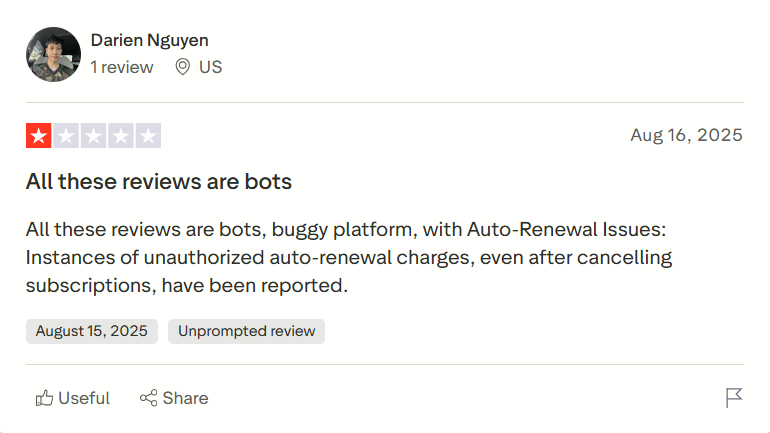
Ib tus neeg siv raug liam tsim tias lub platform muaj cov kab mob tag nrho, thiab nws raug nqi yam tsis muaj kev tso cai
Tau qhov twg los

4. Invideo

Wb tham txog Invideo txuas ntxiv mus. Invideo AI kuj yog ib qho cuab yeej zoo rau cov neeg pib tshiab uas tso cai rau koj ua cov ntawv tshaj tawm yam tsis muaj teeb meem ntau. Lawv cov ntawv nyeem-rau-video tiam, luag thiab poob editor, thiab cov tsev qiv ntawv template ua rau cov txheej txheem tsim tawm yooj yim.

Koj tuaj yeem siv tau Invideo AI ntawm koj lub xov tooj ntawm tes thiab nkag mus rau ntxiv Avatar xaiv. Thiab nws kuj los nrog tag nrho editing peev xwm.

Qhov tsis zoo yog tias lub platform yog nyob ntawm Internet, uas txhais tau hais tias qee zaum ua haujlwm qeeb. Thiab nyob rau hauv cov ntaub ntawv ntawm cov yeeb yaj duab ntev, lub sij hawm rendering tuaj yeem ua ob npaug, ua rau cov cuab yeej no tsis zoo rau cov phiaj xwm nrawm.

Invideo logo

Cov cuab yeej no yog thoob khib nyiab, lawv tsis cia koj sim ua ntej koj them. Tom qab them nyiaj koj pom qhov tso zis tsis zoo yog qhov tsis zoo, qhov kev daws teeb meem video rau lawv cov yeeb yaj kiab hauv Tshuag yog qhov phem heev, thiab cov qhab nia hlawv sai heev. Kuv tsis pom zoo

Tau qhov twg los: TrustPilot

Qee qhov tshwj xeeb ntawm lawv muaj xws li:

  • Tso cai nkag mus tau los ntawm ob qho tib si mobile thiab desktop
  • Muaj ib tug luag-thiab-nco editor uas koj tuaj yeem ua tau raws li feem ntau ntawm koj cov kev xav tau kho
  • Los ntawm cov ntawv nyeem, koj tuaj yeem tsim video, duab, thiab lub suab, ua rau nws muaj txiaj ntsig rau lwm cov kev xav tau ntawm kev sib raug zoo
  • Muaj cov khoom vaj khoom tsev khaws cia uas muaj kev sib koom ua ke nrog lub platform
  • Koj tuaj yeem koom tes nrog koj pab neeg ntawm cov cuab yeej no

pros:

  • Cov platforms txwv tsis pub muaj kev nkag mus tau yooj yim. InVideo ua qhov no zoo ib yam li Predis RAU LUB.
  • Cov phiaj xwm nqi pheej yig heev

cons:

  • cov free txoj kev npaj muaj cov yam ntxwv txwv uas nyuam qhuav khawb qhov chaw
  • Rendering qeeb qeeb, ua rau nws nyuaj los tsim thiab xa tawm cov yeeb yaj kiab ntev
  • Qee cov neeg siv txawm hais tias lub cuab yeej tsim tawm cov khoom siv sib npaug thaum piv rau lwm cov cuab yeej sib tw
Ib tug neeg siv khoom hais tias Invideo yog rip-tawm, qhov twg cov video tso zis zoo yog tsawg heev thiab cov qhab nia khiav tawm sai dua
Tau qhov twg los

5. Madgicx

Madgicx yog lwm tus AI ad generator cov cuab yeej uas yuav tsum nco ntsoov uas tsom mus rau ob sab kev lag luam ntawm kev tsim kev tshaj tawm thiab ib feem ntawm kev tshaj tawm lag luam. Nrog Madgicx, koj tuaj yeem tsim cov tshaj tawm nrog cov lus qhia yooj yim, kom lawv raug soj ntsuam zoo, thiab tso tawm ntau yam kev tshaj tawm sib txawv.

Tsis tas li ntawd, koj tuaj yeem pom qhov ua tau zoo ntawm koj cov kev tshaj tawm los ntawm tib lub cuab yeej thiab tsim cov ntawv ceeb toom uas tuaj yeem siv los nthuav tawm. 

Koj tseem tuaj yeem siv lawv cov tshuab automation uas cia li so haujlwm tsis zoo tshaj tawm thiab txhawb nqa qhov ua tau zoo. Txawm hais tias qhov tshwj xeeb no yog qhov ntxiv, tau muaj kev tsis sib haum xeeb los ntawm cov neeg siv hais tias AI qee zaum ua qhov txawv.

Platform kiag li buggy. TSIS tsis taug qab qhov tseeb tseem yog overpriced. Lawv sim tshem kuv qhov kev tshuaj xyuas, tab sis tom qab tuav 6 cov nyiaj them txhua hli tom qab tsis kam thim kuv qhov kev tso npe, kuv tau txaus ntawm lawv BS. Ua ntej ntawm lawv cov txheej txheem subscription tsis ncaj ncees.

Tau qhov twg los: TrustPilot

Qee qhov ntawm lawv muaj xws li:

  • Tsim thiab kho cov kev tshaj tawm ncaj qha nrog cov lus ceeb toom
  • Nws los nrog cov ad optimizer uas kawm txog kev ua tau zoo ntawm koj cov kev tshaj tawm thiab qhia cov ntaub ntawv rov qab cov lus qhia kom nws zoo dua
  • Tshawb xyuas kev tshaj tawm thiab muab cov qhab nia muaj tswv yim uas pab txheeb xyuas cov kev tshaj tawm uas ua tau zoo tshaj plaws thiab lawv cov yam ntxwv yeej
  • Built-in automation los ntawm qhov uas koj tuaj yeem nres cov neeg ua haujlwm tsis zoo thiab txhawb nqa kev tshaj tawm zoo yam tsis tas yuav cuam tshuam nrog tus kheej

pros:

  • AI kev sib tw optimizer thiab kev faib nyiaj ntse yog cov yam ntxwv zoo, txawm tias nws tau txais kev tshuaj xyuas sib xyaw
  • Saib cov txiaj ntsig ntawm kev sib tw los ntawm ib lub dashboard thiab tau txais kev tshaj tawm nta ib yam.

cons:

  • Qee cov neeg siv tau tshaj tawm tias cov cuab yeej nyuaj dhau thiab yuav tsum tau siv qee yam
  • Cov teeb meem nyiaj rov qab thiab kev hloov kho stealth kuj yog ib yam uas tau tshaj tawm txog kev txhawj xeeb
Qee cov neeg siv hais tias lawv tau kos npe rau ib qho free mus sib hais thiab tseem tau them txawm tias lawv muab tso tseg
Tau qhov twg los

6. Quickads

Zoo li ntau lwm yam cuab yeej hauv cov cuab yeej no, Quickads tuaj yeem pab koj tsim cov duab thiab video tshaj tawm nrog AI-tsim duab lossis AI avatars. QuickAds kuj txhawb kev tsim ntau ntawm cov kev tshaj tawm, thiab nws lub tsev qiv ntawv template pab ua kom cov txheej txheem.

Sib nrug los ntawm cov ntsiab lus tsim ib feem, ad kev ntsuas kev ua tau zoo thiab lub hauv paus dashboard uas tso cai rau koj los saib xyuas txhua qhov ntsuas hauv ib qho chaw. Txawm hais tias kev txheeb xyuas ua ke yog qhov txiaj ntsig zoo, kev ntsuas hauv cov khoom ntsuas feem ntau tsis pom, uas yog qhov poob qis.

Quickads logo

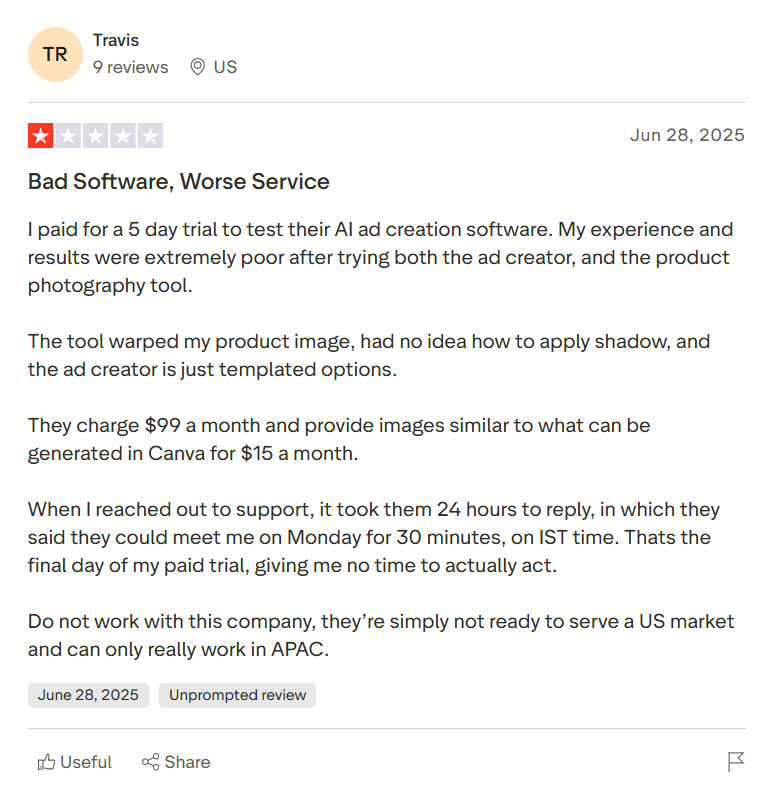
Kuv them rau 5 hnub sim los sim lawv AI ad tsim software. Kuv qhov kev paub dhau los thiab cov txiaj ntsig tau poob qis heev tom qab sim ob qho tib si tus tsim tawm, thiab cov khoom siv yees duab.

Tau qhov twg los: TrustPilot

Qee qhov tseem ceeb ntawm lawv muaj xws li:

  • Rapid thiab bulk ad tiam uas tso cai rau koj los ua thiab sim ntau yam ad variations yooj yim heev
  • AI-tsav cov yam ntxwv zoo li txheeb xyuas qhov ua tau zoo ntawm koj cov kev tshaj tawm, kev tshaj tawm, thiab ntxiv cov suab hauv ntau hom lus
  • Taug qab ad kev ua tau zoo thiab tseem tsim cov tshaj tawm hauv ntau hauv ib lub vib nas this
  • Qhov no kuj yog lub web-based platform zoo li Predis AI; yog li ntawd, nws tsis xav kom koj mus download tau ib tug tag nrho software
  • Lub platform kuj cia koj koom tes nrog koj pab neeg yooj yim

pros: 

  • Cov txheej txheem ceev thiab ua tau zoo
  • Muaj peev xwm nkag mus rau lub tsev qiv ntawv loj ntawm cov qauv
  • Lub workflow yog intuitive thiab yooj yim to taub

cons:

  • Tsawg customization muaj peev xwm, tshwj xeeb tshaj yog thaum nws los txog rau kho cov templates
  • Cov neeg siv tau tshaj tawm tias lub platform yog tag nrho cov kab thiab qee zaus pom tus cwj pwm tsis ruaj khov
Cov neeg siv Quickads tau hais tias qhov tso zis tsis zoo, lub cuab yeej yog overpriced.
Tau qhov twg los

https://ca.trustpilot.com/reviews/68600135c07f3c6077c01a81

7. Creatopy

Nrog Creatopy, ib yam nkaus, koj tuaj yeem tsim cov duab thiab video tshaj tawm, kho thiab tshem tawm cov khoom los ntawm keeb kwm yav dhau los nrog cov ntawv qhia yooj yim. Los ntawm tsim kev tshaj tawm los ntawm URLs kom tau txais AI-tsim cov ncauj lus thiab CTAs, lub cuab yeej siv txoj hauv kev zoo rau kev tsim tawm.

Tsis tas li ntawd, koj tuaj yeem siv cov cuab yeej tshaj tawm ncaj qha rau ntau lub platform tshaj tawm. Nws tseem koom nrog hauv kev tshuaj xyuas ib feem los ntawm kev pab koj hauv kev sim khiav thiab txiav txim siab ua kom zoo.

Creatopy logo

APP zoo, HORRIBLE HORRIBLE UPTIME, Txhawb nqa thiab muaj. Muaj ib txwm yuam kev nrog qhov tseeb yog CORS yuam kev !! TSIS yog ib lub tuam txhab kev tshaj lij ntawm txhua qhov !!!
OH thiab tsis txhob qhia qhov yuam kev, lawv yuav qhia koj kom txhob spamming lawv !!!!

Tau qhov twg los: TrustPilot

Qee qhov tshwj xeeb ntawm lawv muaj xws li:

  • Ntxiv koj cov khoom siv khoom lag luam kom ntseeg tau tias muaj kev sib xws thoob plaws hauv koj qhov kev tshaj tawm
  • Muab lub luag haujlwm tso cai rau koj cov neeg koom tes los tiv thaiv koj cov kev tshaj tawm thiab cov khoom muaj nqis
  • Cov cuab yeej yog koom tes nrog Shutterstock, yog li muab koj nkag mus rau cov duab thiab cov yeeb yaj kiab. Lossis koj tuaj yeem xa koj cov peev txheej ncaj qha los ntawm Google Drive
  • Cov ntawv-rau-duab thiab video creator muaj, thiab nws kuj tso cai rau koj los kho cov duab, tshem tawm cov khoom, tsuas yog los ntawm kev sau ntawv.
  • ISO tau lees paub kev ruaj ntseg system nrog rau kev tswj hwm tus account

pros:

  • Intuitive interface, ua rau nws pab tau txawm rau beginners
  • Hom kev sib koom tes muaj zog thiab kev tso cai raws li lub luag haujlwm nrog cov keeb kwm yav dhau los ua rau nws lub hauv paus muaj zog rau kev taug qab cov lus pom thiab kev pom zoo

cons:

  • Nws tau raug tshaj tawm los ntawm cov neeg siv hais tias lub cuab yeej yog sluggish, tshwj xeeb tshaj yog thaum ua haujlwm ntawm cov haujlwm loj
  • Qee qhov nta, zoo li nws pib-resizing, tsis tau tsim tiav, ua rau nws tsim nyog rau cov neeg tsim khoom los cuam tshuam.
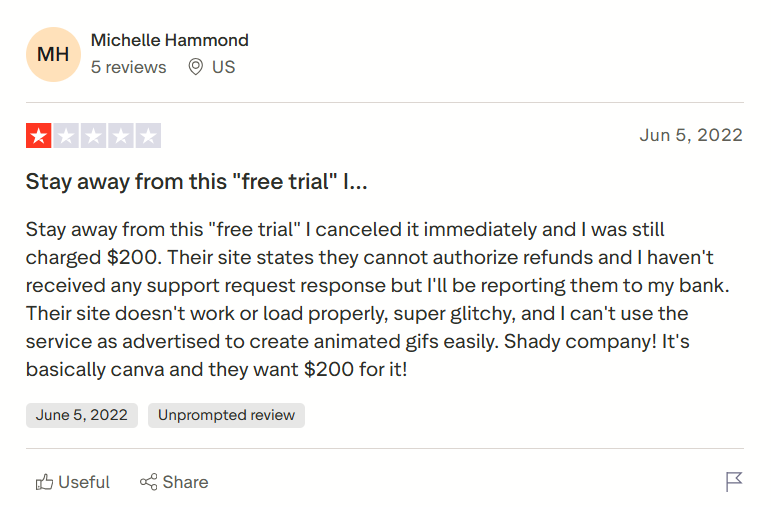
Creatopy muab ib free sim tab sis lawv tseem them nyiaj thaum nws raws li tus neeg siv. Lawv qhov chaw tsis ua hauj lwm thiab yog heev glitchy raws li lawv
Tau qhov twg los

kawg

Xaiv lub cuab yeej zoo rau koj qhov kev ua haujlwm yog qhov tseem ceeb tshaj qhov koj xav. Tab sis nrog ntau yam cuab yeej los tsim kev tshaj tawm hauv kev ua lag luam, xaiv ib qho tuaj yeem zoo li nrhiav rab koob hauv haystack. Tab sis tom qab tshuaj xyuas ntau yam cuab yeej thiab lwm cov neeg txheeb xyuas, peb nco ntsoov qhov ntawd Predis AI nws ua haujlwm zoo dua ntawm kev tsim cov ntawv tshaj tawm.

Thiab koj tsis tas yuav coj peb lo lus rau qhov ntawd! Koj ua tau sau npe rau koj mus sib hais hnub no thiab tau paub nws thawj-tes!

FAQ:

1. Dab tsi yog AI ad Creative generators?

AI ad cov cuab yeej muaj tswv yim yog cov uas siv AI los tsim cov qauv kev tshaj tawm uas zoo rau kev ua haujlwm. Lawv pab koj ua txoj haujlwm yooj yim ntawm A / B xeem, tus kheej, resizing, thiab, qhov tseem ceeb, ntawv-rau-duab lossis video tiam.

2. Dab tsi yog qee qhov AI ad muaj tswv yim generators uas tuaj yeem pab kuv tshaj tawm?

Qee qhov AI tshaj tawm cov cuab yeej muaj tswv yim uas koj tuaj yeem tshawb xyuas yog:
1. Predis AI
2. Adcreative AI
3. Creatopy
4. Quickads
5. Creatify thiab lwm yam


Sau los ntawm

Tanmay, Co-founder ntawm Predis.ai, yog tus ua lag luam caij nyoog nrog cov ntaub ntawv pov thawj, tau ua tiav ob lub tuam txhab los ntawm hauv av. Tus kws tshaj lij thev naus laus zis ntawm lub siab, tus kws tshaj lij SaaS tau lees paub, thiab ntau xyoo ntawm kev siv tes ua haujlwm hauv kev siv thev naus laus zis los ua kom muaj txiaj ntsig ntawm kev lag luam, Tanmay muaj kev nkag siab zoo txog yuav ua li cas cov hom lag luam tuaj yeem txhawb nqa lawv cov digital, txhim kho cov khoom tsim tau, thiab ua kom ROI ntau tshaj. Vim li cas tso siab rau peb? Predis.ai tau txais kev ntseeg siab los ntawm ntau tshaj li ib lab tus neeg siv thiab cov tswv lag luam thoob ntiaj teb, suav nrog cov thawj coj hauv kev lag luam uas vam khom peb cov khoom siv AI thiab kev muaj tswv yim. Peb lub platform yog qhov ntsuas siab thoob plaws cov vev xaib tshuaj xyuas thiab cov khw muag khoom app, ua pov thawj rau lub ntiaj teb tus nqi tiag tiag uas nws muab. Peb niaj hnub hloov kho peb cov thev naus laus zis thiab cov ntsiab lus kom ntseeg tau tias koj tau txais qhov tseeb tshaj plaws, mus txog hnub, thiab cov lus qhia txhim khu kev qha ntawm leveraging social media rau koj lub lag luam.